How to Reduce First Response Time in Customer Support: 10 Fixes
To reduce first response time, remove the wait before a ticket gets an owner, then let automation handle the questions you already have answers for. Most of the delay sits in queues and triage, not in typing.
This guide covers ten fixes in order of effort, a comparison table, a 30-day plan and a real example of email first response time falling from hours to under a minute.
1. The Short Answer
Give every ticket an owner the moment it arrives, ask for missing details up front, and let AI reply to questions you already have answers for. Those three changes remove most of the wait before a first reply.
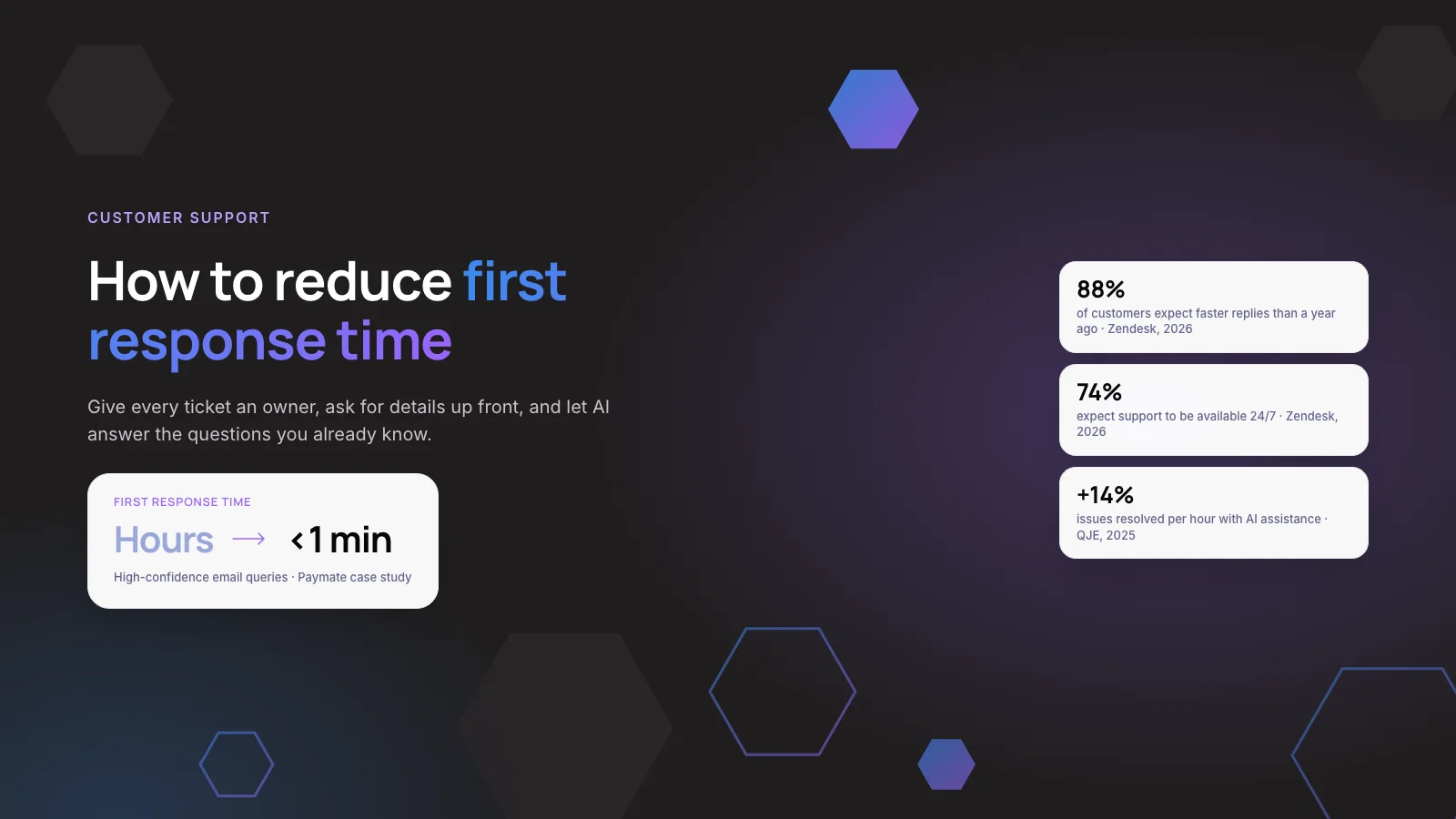
Customers keep raising the bar. Zendesk’s CX Trends 2026 report found that 88% of customers expect faster responses than they did a year ago.
Key takeaways
- Measure median and 90th-percentile first response time per channel, in business hours. A single average hides your worst queues.
- Routing, ownership and SLA alerts are free and usually give the first big drop.
- AI-drafted replies speed up the tickets humans still answer. AI agents remove the wait for questions with a known answer.
- An auto-acknowledgement is not a first response. Track resolution and CSAT next to FRT.
2. What Is First Response Time, and How Should You Measure It?
First response time (FRT) is the time between a customer contacting you and the first reply that actually addresses their request. Add up every first response time and divide by the number of tickets to get the average.
The average is the least useful version. One ticket left overnight can hide behind fifty quick replies. We recommend three numbers per channel instead.
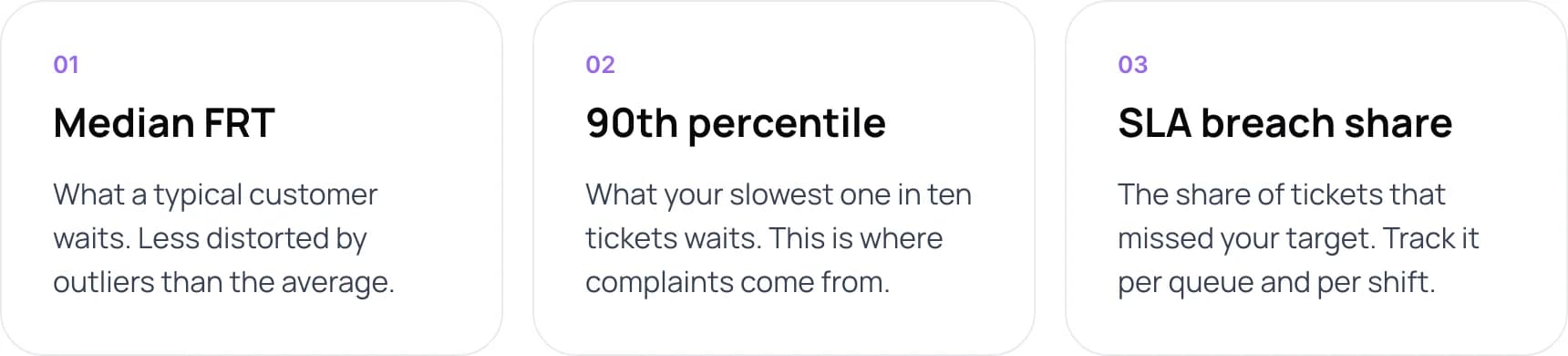
- Median FRT. What a typical customer waits. Less distorted by outliers than the average.
- 90th percentile. What your slowest one in ten tickets waits. This is where complaints come from.
- SLA breach share. The share of tickets that missed your target. Track it per queue and per shift.
Note: Decide whether you measure in calendar hours or business hours, and write it down. Helpdesks usually leave trigger-based auto-replies out of “first reply time”. Zendesk, for example measures it to the first public comment from an agent and reports it in both calendar and business hours.
3. What Slows Down First Response Time?
When we audit support queues, the slow part is rarely the writing. Most of the time a ticket spends waiting happens before anyone starts typing.
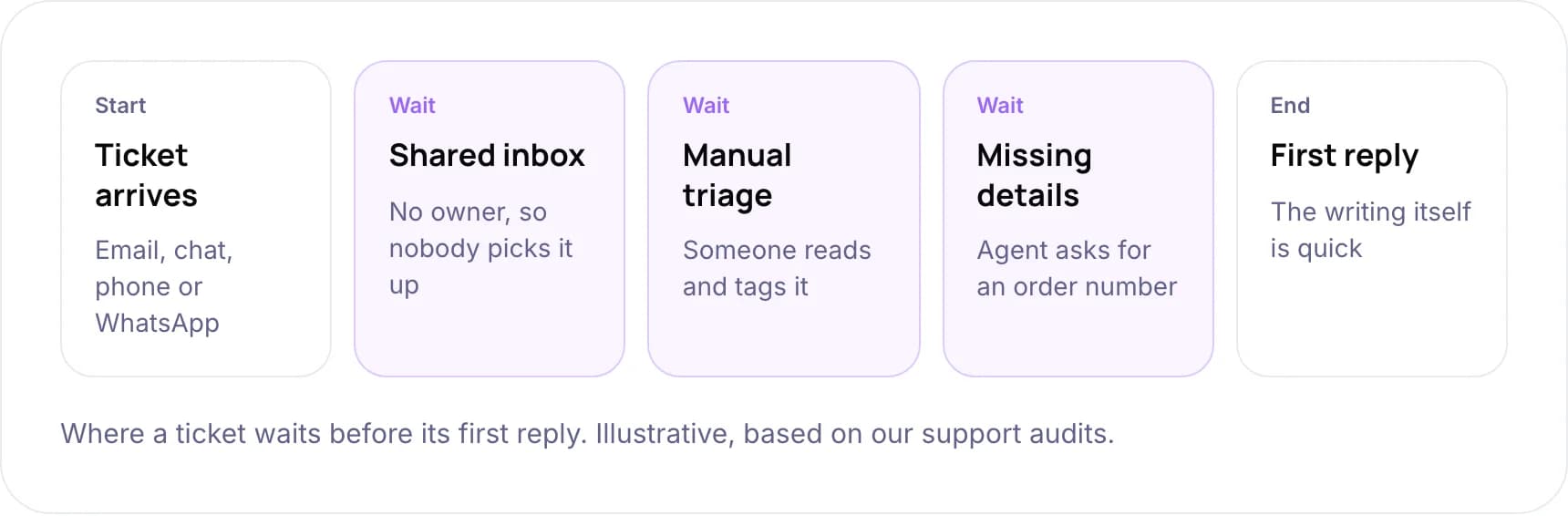
- Ticket arrives. By email, chat, phone or WhatsApp.
- Wait: shared inbox. No owner, so nobody picks it up.
- Wait: manual triage. Someone reads and tags it.
- Wait: missing details. The agent asks for an order number.
- First reply. The writing itself is quick.
This timeline is illustrative, based on our support audits.
So you need two kinds of fix. Some shorten the queue. Others remove tickets from the queue altogether.
4. 10 Fixes to Reduce First Response Time
The fixes run from free process changes to AI agents. Each one sits in one of three layers: process, tooling or AI.
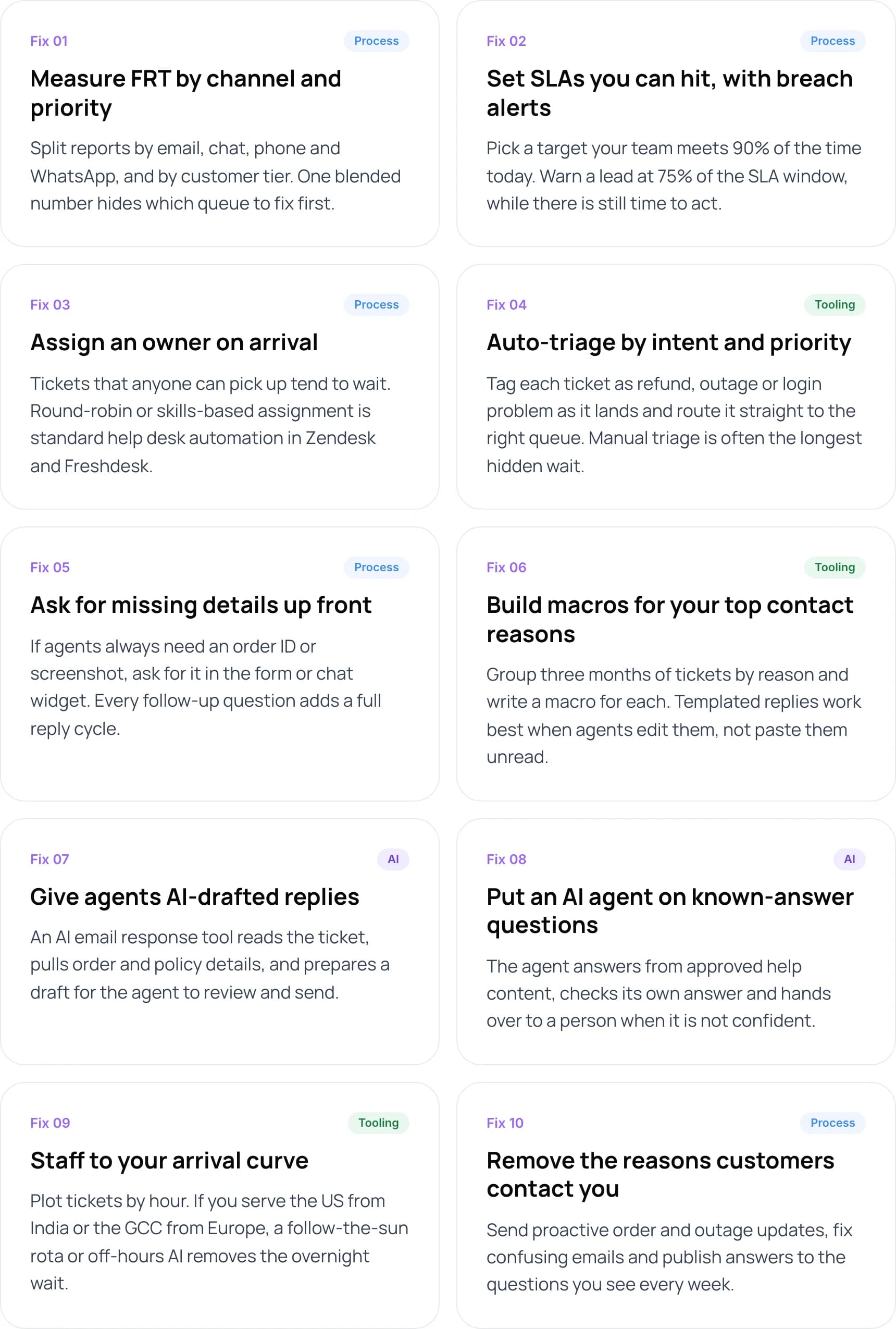
- Measure FRT by channel and priority (process). Split reports by email, chat, phone and WhatsApp, and by customer tier. One blended number hides which queue to fix first.
- Set SLAs you can hit, with breach alerts (process). Pick a target your team meets 90% of the time today. Warn a lead at 75% of the SLA window, while there is still time to act.
- Assign an owner on arrival (process). Tickets that anyone can pick up tend to wait. Round-robin or skills-based assignment is standard help desk automation in Zendesk and Freshdesk.
- Auto-triage by intent and priority (tooling). Tag each ticket as refund, outage or login problem as it lands and route it straight to the right queue. Manual triage is often the longest hidden wait.
- Ask for missing details up front (process). If agents always need an order ID or screenshot, ask for it in the form or chat widget. Every follow-up question adds a full reply cycle.
- Build macros for your top contact reasons (tooling). Group three months of tickets by reason and write a macro for each. Templated replies work best when agents edit them, not paste them unread.
- Give agents AI-drafted replies (AI). An AI email response tool reads the ticket, pulls order and policy details, and prepares a draft for the agent to review and send.
- Put an AI agent on known-answer questions (AI). The agent answers from approved help content, checks its own answer and hands over to a person when it is not confident.
- Staff to your arrival curve (tooling). Plot tickets by hour. If you serve the US from India or the GCC from Europe, a follow-the-sun rota or off-hours AI removes the overnight wait.
- Remove the reasons customers contact you (process). Send proactive order and outage updates, fix confusing emails and publish answers to the questions you see every week.
The evidence for AI-drafted replies (fix 7) is solid. A study of 5,179 support agents, first released by NBER in 2023 and published in the Quarterly Journal of Economics in 2025, found that an AI assistant raised issues resolved per hour by about 14% on average, and by 34% for newer agents. We built this pattern for Zenva, which drafts Shopify support replies from live order data and store policies for agents to approve.
AI agents (fix 8) are the only fix that brings FRT close to zero. Klarna said in its February 2024 announcement that its assistant handled 2.3 million conversations in its first month, two-thirds of its service chats, with resolution time falling from 11 minutes to under 2. By 2025, Klarna was recruiting human agents again and said customers should always have the option to speak to a person. The lesson we draw is to keep a clear route to a person.
Warning: Wrong answers are the main risk of an AI agent. Our guide on stopping a support chatbot from giving wrong answers covers grounding and guardrails.
Coverage matters too. Zendesk’s 2026 research found 74% of consumers now expect support to be available 24/7. For ecommerce teams, the quickest contact to remove is “where is my order?”. Here is how to automate WISMO and returns emails on Shopify.
5. Which Fixes Should You Start With?
In our view, do fixes 1 to 5 before buying any AI. They cost little, and they make later customer support automation more accurate because your tickets will already be tagged and routed.
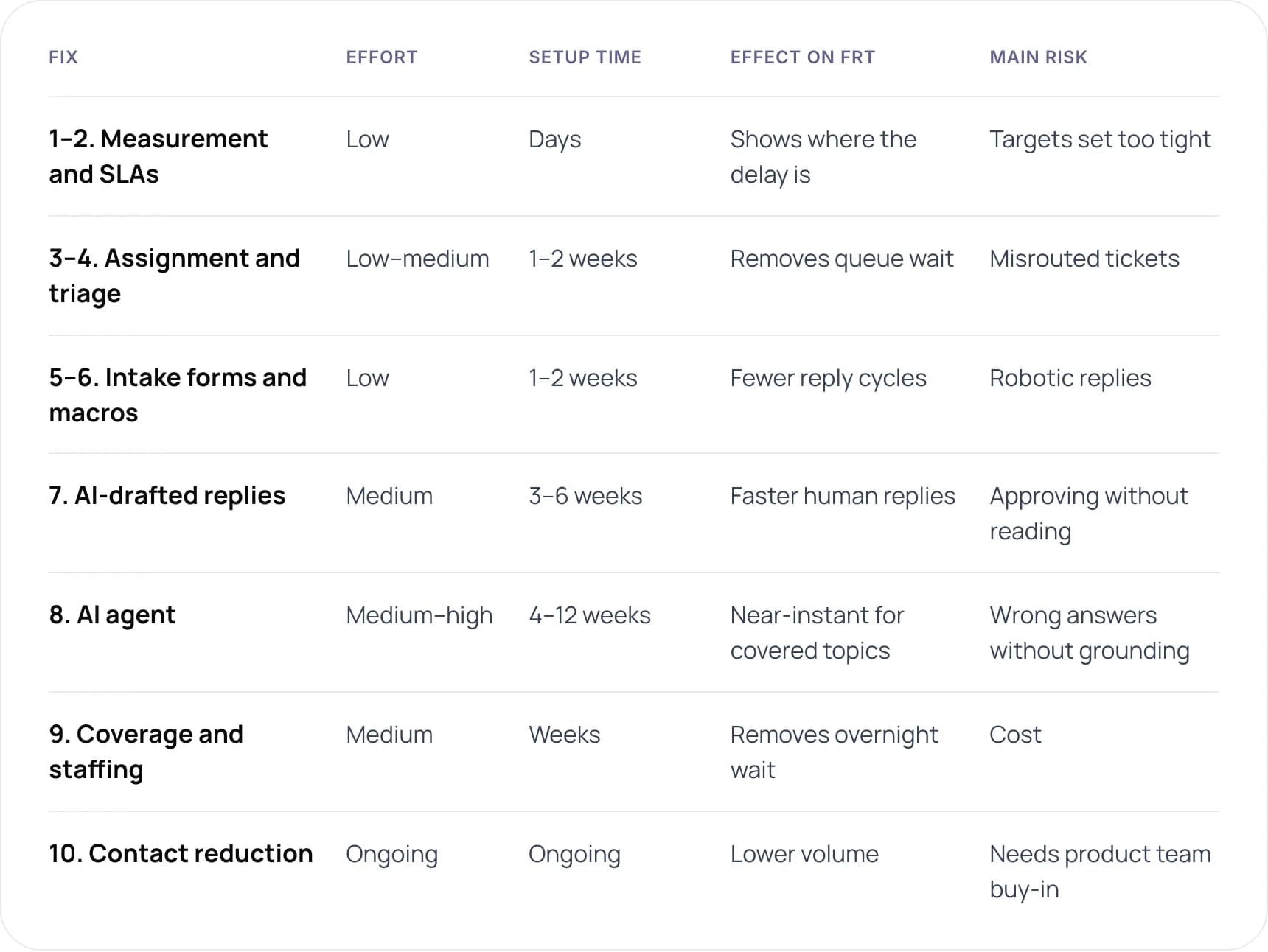
- 1–2. Measurement and SLAs: low effort, days to set up. Shows where the delay is. Risk: targets set too tight.
- 3–4. Assignment and triage: low to medium effort, 1–2 weeks. Removes queue wait. Risk: misrouted tickets.
- 5–6. Intake forms and macros: low effort, 1–2 weeks. Fewer reply cycles. Risk: robotic replies.
- 7. AI-drafted replies: medium effort, 3–6 weeks. Faster human replies. Risk: approving without reading.
- 8. AI agent: medium to high effort, 4–12 weeks. Near-instant for covered topics. Risk: wrong answers without grounding.
- 9. Coverage and staffing: medium effort, weeks. Removes the overnight wait. Risk: cost.
- 10. Contact reduction: ongoing. Lower volume. Risk: needs product team buy-in.
Setup times are our estimates from client projects, not industry benchmarks.
Off-the-shelf AI agents charge per resolution. A custom build costs more up front but connects to your own systems. Our AI customer support agent cost guide breaks down both options.
Want to know which fixes would move your numbers most? Book a free AI consultation.
6. A 30-Day Plan to Reduce First Response Time
- Days 1–3: get a baseline. Export 90 days of tickets. Calculate median and 90th-percentile FRT by channel and hour of day.
- Days 4–7: fix the queue. Turn on auto-assignment and SLA breach alerts. Write down your FRT definition.
- Week 2: remove reply cycles. Tag tickets by reason, write macros for the top reasons and add required fields to intake forms.
- Week 3: pilot AI drafts. Start with one high-volume, low-risk queue, such as order status.
- Week 4: compare and decide. Check FRT, resolution rate and CSAT against your baseline. Decide whether an AI agent should take the first reply for that queue.
Tip: Pick a pilot queue with high volume and low risk, such as order status. Avoid billing disputes and complaints until the system has proven itself.
7. Example: From Hours to Under a Minute
Paymate runs several software products and supports customers by voice, email and chat. First responses to support emails often took hours, and routine questions already answered in the documentation took up much of the team’s time.
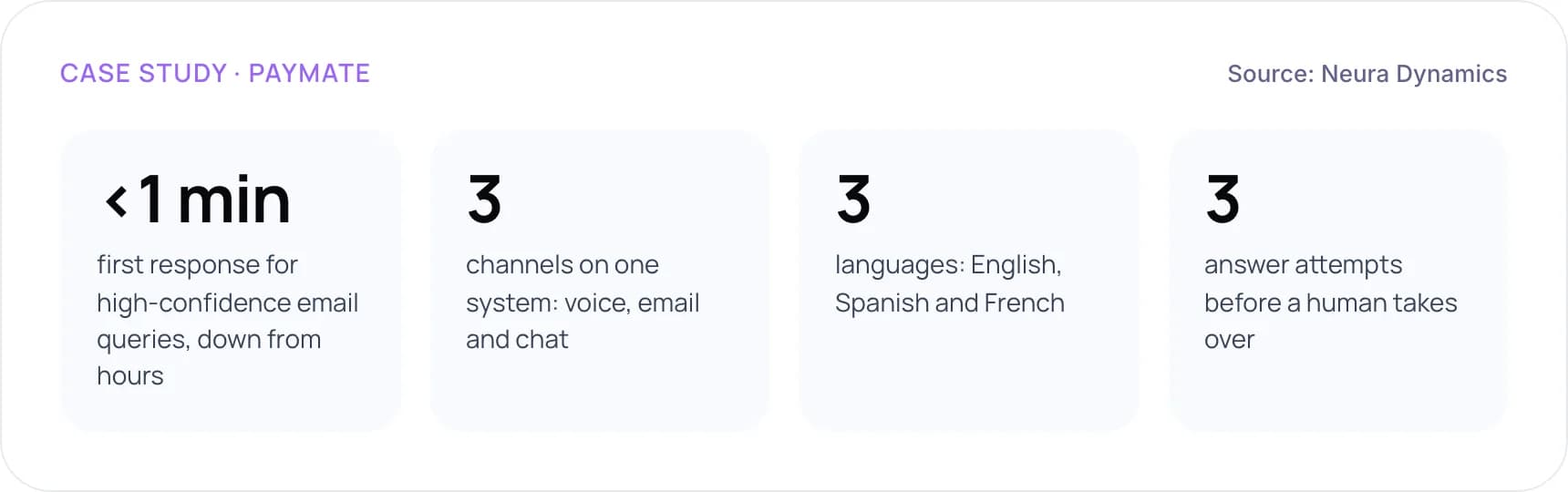
- Under 1 minute: first response for high-confidence email queries, down from hours.
- 3 channels on one system: voice, email and chat.
- 3 languages: English, Spanish and French.
- 3 answer attempts before a human takes over.
We built an AI support system that identifies which product a customer uses, retrieves answers from the company’s knowledge base and checks each answer before sending it. If it is not confident after three attempts, it passes the conversation to a person along with its context.
8. How Do You Keep the Metric Honest?
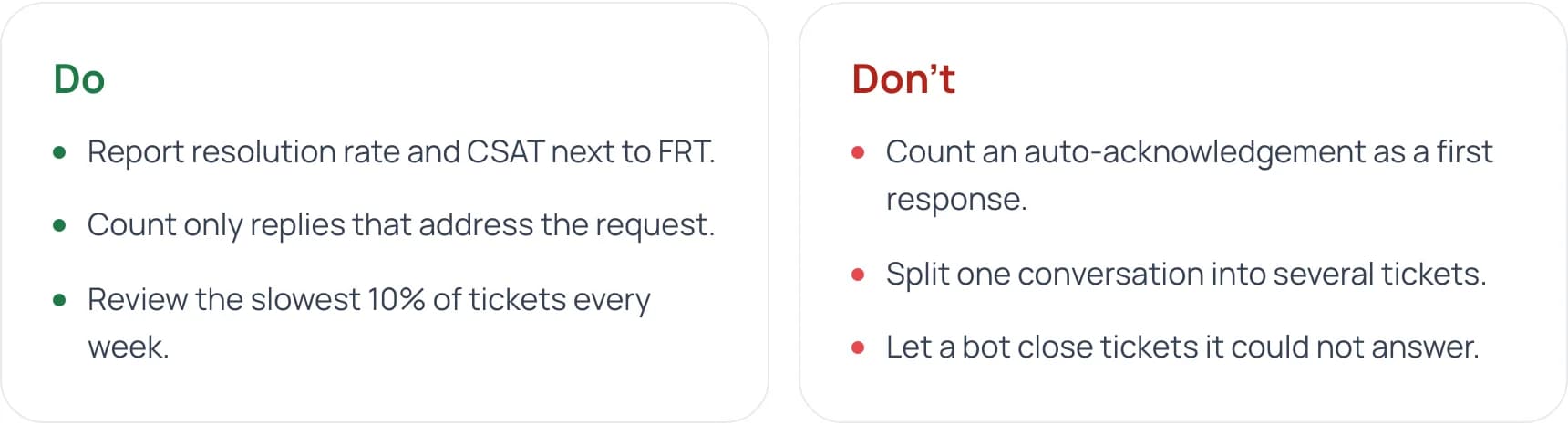
An instant “We got your message” email can make FRT look excellent while customers still wait. In Zendesk’s CX Trends 2026 research, 85% of CX leaders said customers will drop brands over unresolved issues, even on the first contact.
Do
- Report resolution rate and CSAT next to FRT.
- Count only replies that address the request.
- Review the slowest 10% of tickets every week.
Don’t
- Count an auto-acknowledgement as a first response.
- Split one conversation into several tickets.
- Let a bot close tickets it could not answer.
9. Frequently Asked Questions
What is a good first response time?
It depends on the channel and on what your customers expect, so set targets per channel. Live chat customers expect a reply within minutes and email customers within hours. Zendesk’s 2026 research found 88% of customers expect faster responses than a year ago. Benchmark against your own 90th percentile and improve it every quarter.
What is customer support automation?
Customer support automation uses software to handle parts of a support workflow without manual effort. That includes routing, tagging, templated replies, AI-drafted responses and AI agents that answer customers directly. Salesforce’s 2025 State of Service survey of 6,500 service professionals found that teams estimate AI already handles 30% of cases.
How do you automate customer support without hurting quality?
Start with routing and triage, then add AI drafts that agents review, and only then let an AI agent reply on its own. Limit it to topics your help content covers, add a confidence check and always offer a route to a human. Track CSAT and repeat contacts alongside first response time.
Will AI replace support agents?
Not for most teams. Gartner predicted in March 2025 that agentic AI will resolve 80% of common customer service issues without humans by 2029. Common issues are only part of the workload, though. Complex, sensitive and high-value cases still need people. AI changes which tickets agents handle rather than whether you need agents.
What are the pros and cons of automated customer service?
The pros are instant replies at any hour, lower cost per ticket and consistent answers. The cons are wrong answers when the AI is not grounded in approved content, frustrating loops when there is no route to a human and setup work on your knowledge base. Each con can be managed with guardrails and clear escalation.
Does WhatsApp help reduce first response time?
It can, especially in India and the UAE, where many customers prefer WhatsApp to email. A WhatsApp chatbot connected to your helpdesk replies instantly and hands over to agents within the same thread. Follow Meta’s messaging rules and local data laws. Our Arabic and English WhatsApp support guide covers the details.
10. Conclusion
To reduce first response time, find out where tickets wait, give every ticket an owner and then automate the replies you already know. Start with measurement and routing this week, because they are free. Then pilot AI on one queue and judge it on resolution and CSAT as well as speed.
To build it with us, see our AI customer support automation services. Or book a free AI consultation.
Author