How to Automate “Where Is My Order?” and Returns Emails on Shopify With AI
To automate customer support for a Shopify store, start with order status and returns emails. An AI agent reads each email, looks up the order in Shopify, checks tracking and your return policy, and replies with the real answer.
This guide covers how that works, how to set it up, and which emails should still go to a person.
1. The Short Answer
Connect an AI agent to your support inbox and give it read access to Shopify orders, fulfillments and your return policy. It classifies each email, pulls the matching order, and answers with live data. Anything outside clear rules goes to a person with the order details attached.
The difference from a canned reply is the data. “Your order is on its way” annoys a customer whose parcel is stuck. “It is at the local depot and due Thursday” closes the ticket.
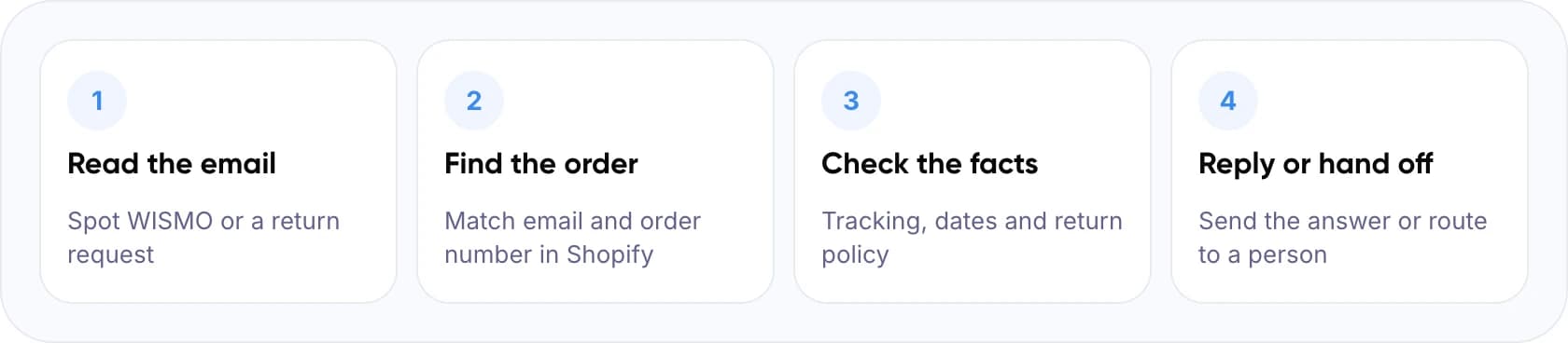
- Read the email: spot WISMO or a return request.
- Find the order: match email and order number in Shopify.
- Check the facts: tracking, dates and return policy.
- Reply or hand off: send the answer or route to a person.
Key takeaways
- WISMO and returns are the best first emails to automate because the answers already sit in Shopify.
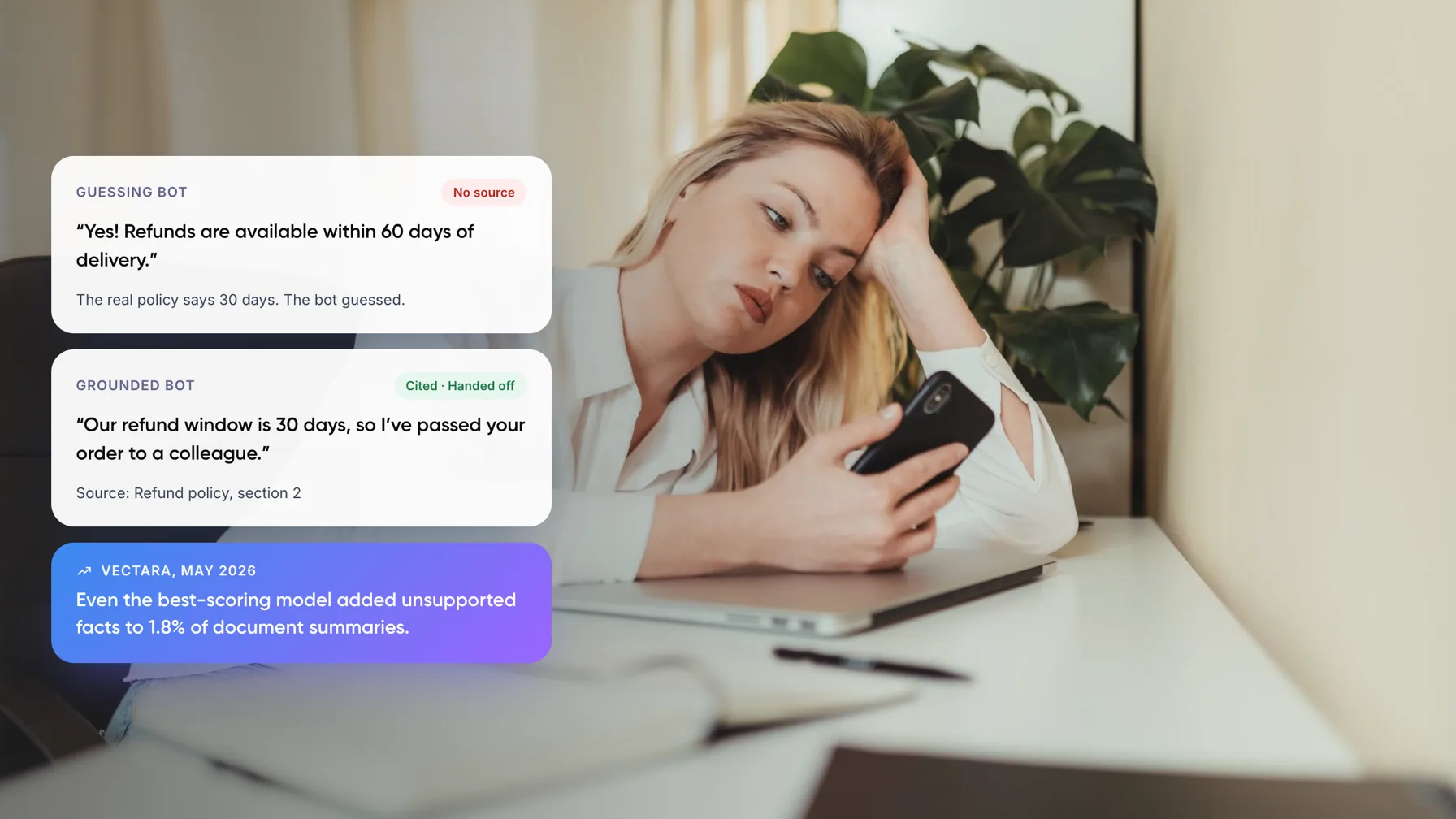
- The AI should answer only from live order, fulfillment and policy data, never from memory.
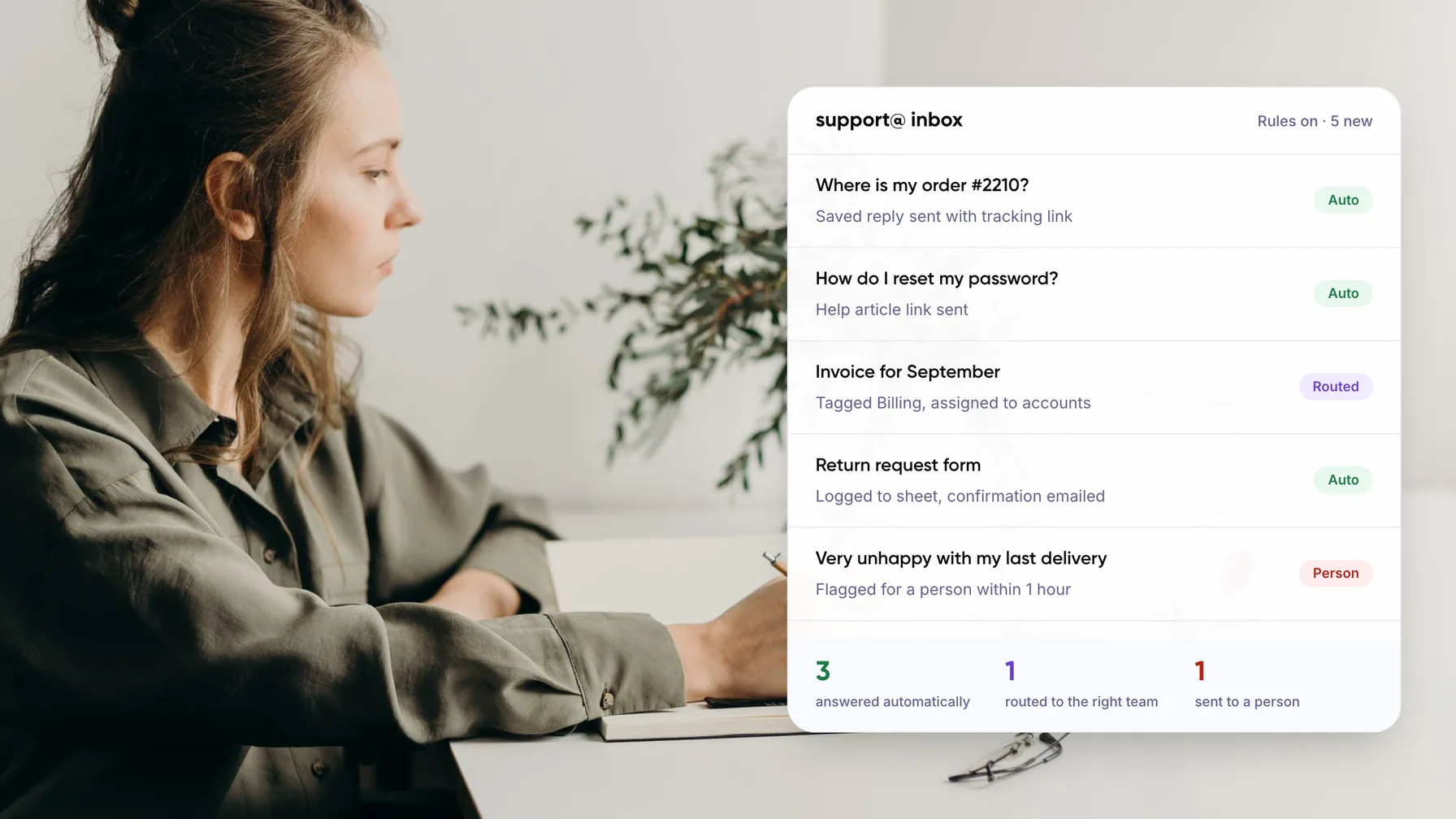
- Auto-send clear cases. Draft exceptions for approval. Route lost parcels and angry customers to a person.
- Start in draft mode for two weeks before switching anything to auto-send.
2. Why Start Customer Support Automation With WISMO and Returns?
WISMO is short for “where is my order?”.
WISMO and returns are good first targets for the same reason. The correct answer already sits in your systems. Shopify stores the order, the fulfillment and the tracking number, and your return policy sets the rules. The AI does not have to judge anything. It has to look things up correctly.
Note: Shopify already gives customers an order status page and supports self-serve returns. Turn both on first. The AI handles the customers who email anyway.
3. How Does an AI Customer Support Agent Answer From Live Order Data?
Every email goes through the same five checks. If any check fails, the email goes to a person instead of getting a guessed reply.
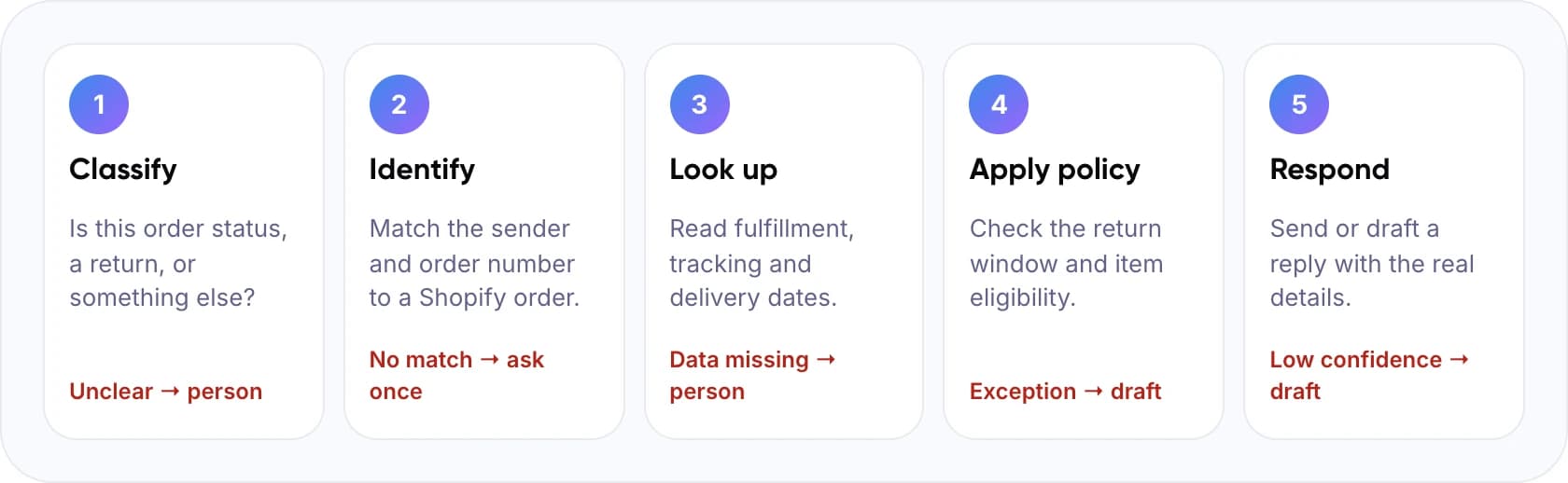
- Classify. Is this order status, a return, or something else? If unclear, it goes to a person.
- Identify. Match the sender and order number to a Shopify order. If there is no match, ask the customer once.
- Look up. Read fulfillment, tracking and delivery dates. If data is missing, it goes to a person.
- Apply policy. Check the return window and item eligibility. Any exception becomes a draft.
- Respond. Send or draft a reply with the real details. Low confidence becomes a draft.
The lookups use the Shopify Admin API, which exposes orders, fulfillments, tracking details and returns to apps you approve. The model writes the reply, but only from the data it was given. Our guide to agentic RAG for customer service automation explains this grounding in more detail.
4. How to Set It Up Step by Step
- Measure your mix. Tag one month of support email by intent. Count WISMO, returns and everything else.
- Write the policy down. Return window, final-sale items, who pays shipping, and when you reship. The AI can only follow rules that exist in writing.
- Connect Shopify read-only. Grant access to orders, fulfillments and returns.
- Connect the inbox. Route your support address or help desk to the AI so it sees each new email first.
- Set handoff rules. Low confidence, no matching order, negative sentiment, “delivered but not received” and any refund request go to a person.
- Run in draft mode, then go live. Agents approve every reply for two weeks. Switch the cleanest intents to auto-send once accuracy holds.
Tip: Start with read-only access. Let the AI draft replies for two weeks while agents approve them, then switch the safest intents to auto-send.
5. Which Emails Should Be Automated, and Which Should Not?
This is our recommended starting split. It assumes the AI can read orders, fulfillments and your written return policy.
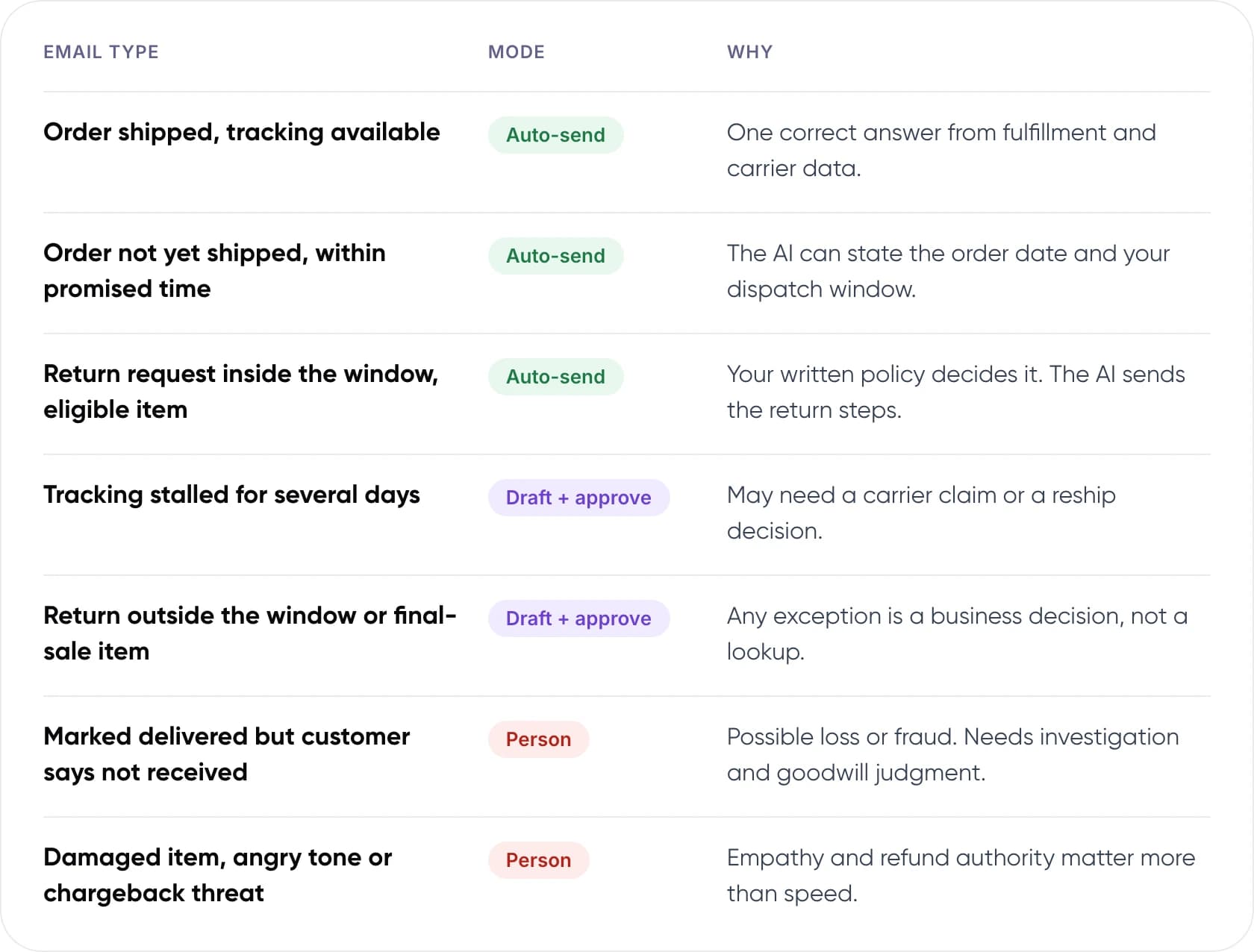
Auto-send
- Order shipped, tracking available: one correct answer from fulfillment and carrier data.
- Order not yet shipped, within promised time: the AI can state the order date and your dispatch window.
- Return request inside the window, eligible item: your written policy decides it. The AI sends the return steps.
Draft + approve
- Tracking stalled for several days: may need a carrier claim or a reship decision.
- Return outside the window or final-sale item: any exception is a business decision, not a lookup.
Person
- Marked delivered but customer says not received: possible loss or fraud. Needs investigation and goodwill judgment.
- Damaged item, angry tone or chargeback threat: empathy and refund authority matter more than speed.
6. See How the AI Would Reply
Here are five sample emails, what the AI checks for each, and what it does next. Order details are illustrative.
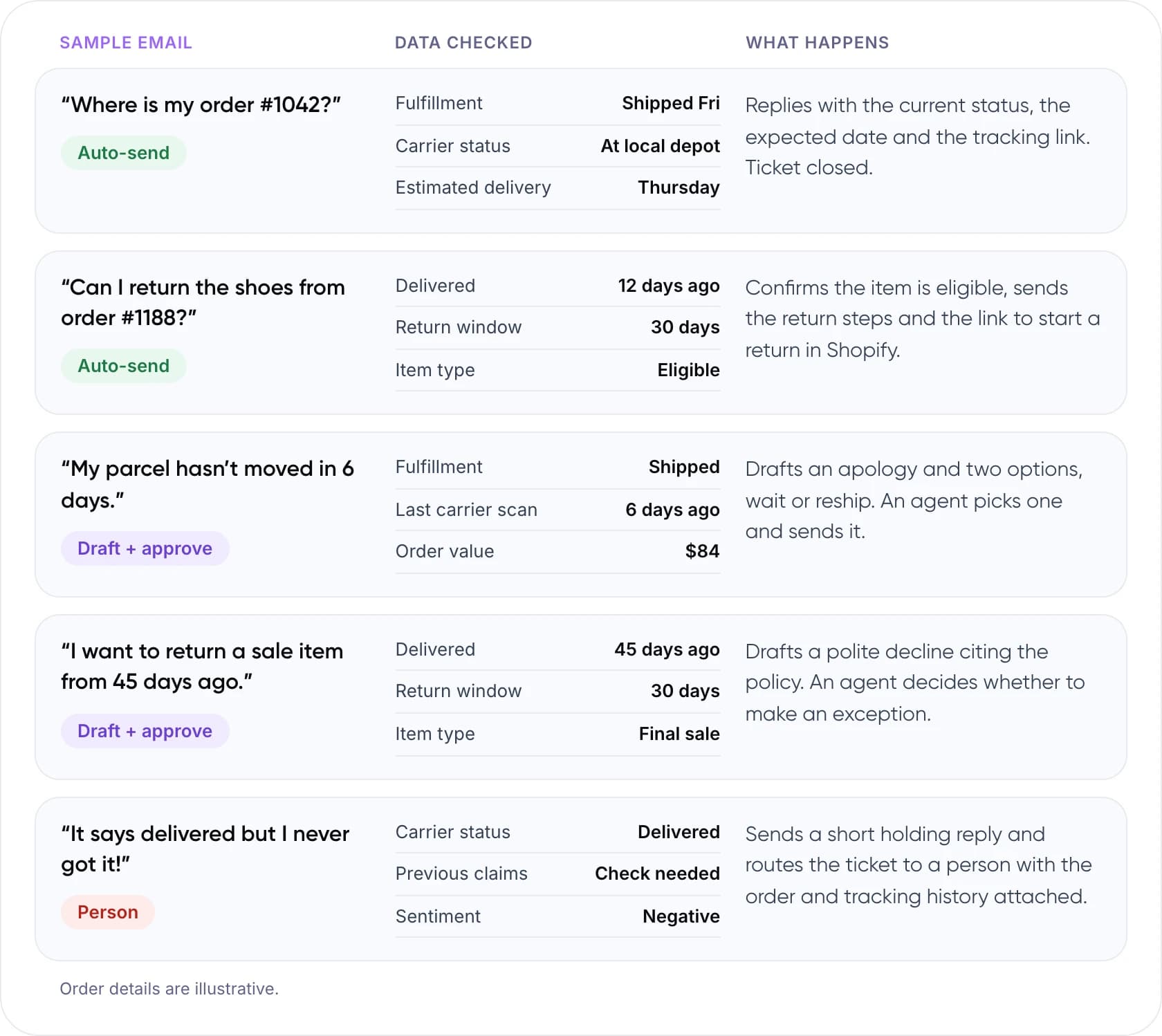
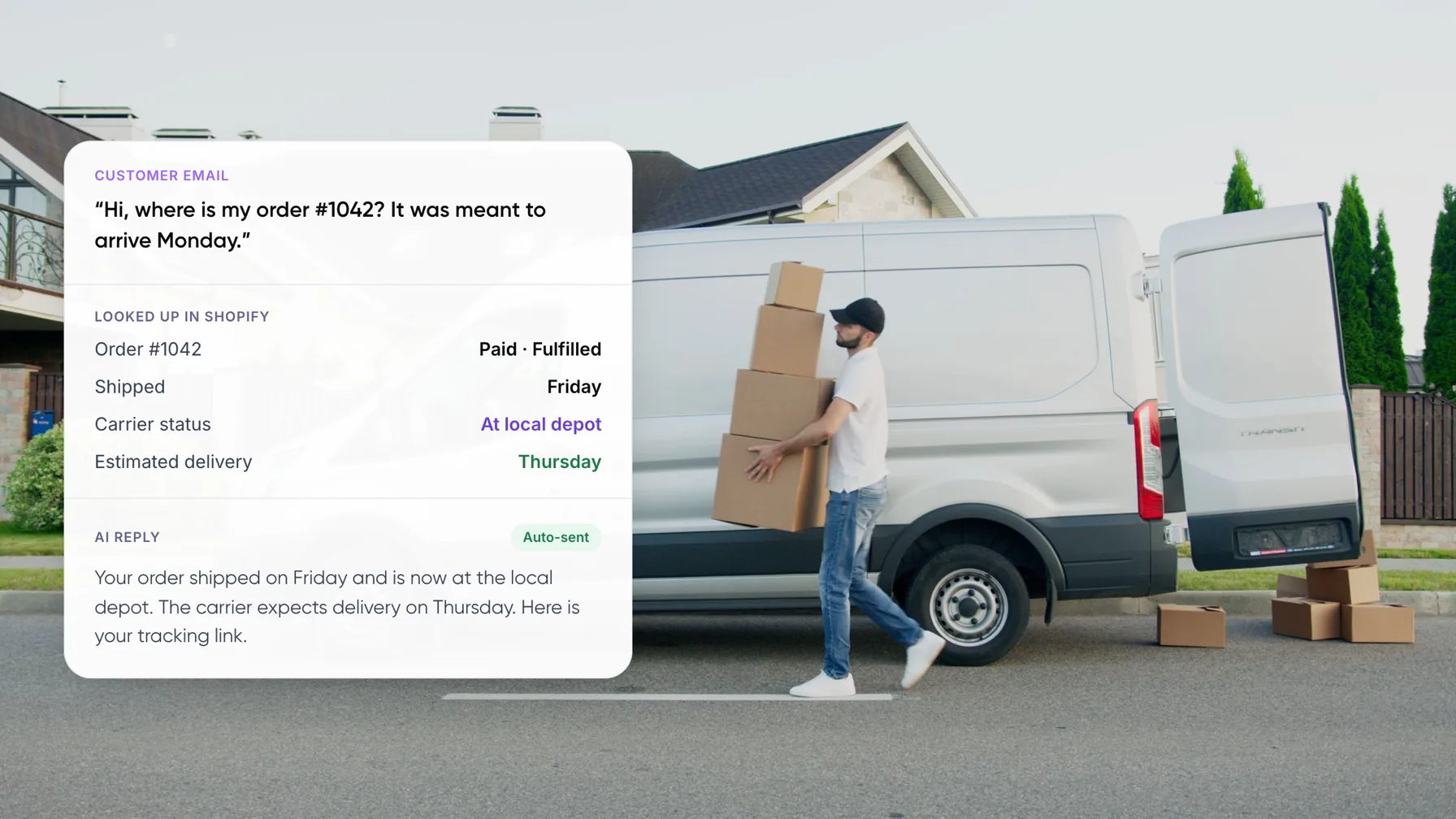
“Where is my order #1042?” (Auto-send)
Data checked: fulfillment shipped Friday, carrier status at local depot, estimated delivery Thursday. The AI replies with the current status, the expected date and the tracking link. Ticket closed.
“Can I return the shoes from order #1188?” (Auto-send)
Data checked: delivered 12 days ago, 30-day return window, eligible item. The AI confirms the item is eligible, sends the return steps and the link to start a return in Shopify.
“My parcel hasn’t moved in 6 days.” (Draft + approve)
Data checked: shipped, last carrier scan 6 days ago, order value $84. The AI drafts an apology and two options, wait or reship. An agent picks one and sends it.
“I want to return a sale item from 45 days ago.” (Draft + approve)
Data checked: delivered 45 days ago, 30-day return window, final-sale item. The AI drafts a polite decline citing the policy. An agent decides whether to make an exception.
“It says delivered but I never got it!” (Person)
Data checked: carrier status delivered, previous claims need checking, negative sentiment. The AI sends a short holding reply and routes the ticket to a person with the order and tracking history attached.
Want this running on your Shopify store’s inbox? Book a free AI consultation.
7. What Results Can You Expect?
We built an AI email support platform for Shopify merchants where the AI drafts replies from Shopify order data and store policy documents, and agents approve each one. The case study estimates that, for one store processing 2,000 customer emails a month, this saves about 50 hours of support effort each month.
Wider research points the same way. A 2023 NBER study of 5,179 support agents found an AI assistant raised resolutions per hour by 14% on average, with the biggest gains for newer agents.
Warning: Keep a clear route to a person. In a Gartner survey published in 2024, 64% of customers said they would prefer companies did not use AI for service. Their top concern was that AI would make it harder to reach a person.
8. Common Mistakes With E-commerce Support Automation
Do
- Answer only from live Shopify data and your written policy.
- Include the tracking link and the expected date in every WISMO reply.
- Tell customers how to reach a person.
- Review a sample of sent replies every week.
Don’t
- Let the AI issue refunds or exceptions on its own.
- Send “your order is on its way” without checking tracking.
- Give write access before draft mode proves accuracy.
- Automate “delivered but not received” claims.
New to the topic? Start with what customer support automation is and how it works.
9. Frequently Asked Questions
Can AI answer “where is my order” emails on Shopify?
Yes, if it can read your orders and fulfillments. The AI matches the email to an order, checks tracking and delivery dates, and replies with the current status and link. Emails with no matching order or unclear intent should go to a person.
How do you automate returns emails on Shopify?
Write your return policy clearly, then let the AI check each request against it using the order’s delivery date and item type. Eligible requests get the return steps automatically. Requests outside the window or for final-sale items should be drafted for an agent to approve.
Is it safe to give an AI access to Shopify order data?
Start with read-only access to orders, fulfillments and returns, granted through an app you approve in Shopify admin. Do not give the AI permission to refund or edit orders until draft mode has shown it answers accurately.
Will customers know they are talking to AI?
They should. A Gartner survey published in 2024 found 64% of customers would prefer companies did not use AI for service, and their top concern was that it would make it harder to reach a person. Be open about it and make the route to a human easy to find.
How much time can AI save on Shopify support emails?
It depends on your mix of tickets. For an AI email support platform we built for Shopify merchants, where agents approve AI-drafted replies, the case study estimates about 50 hours saved each month for one store processing 2,000 customer emails a month. Measure your share of WISMO and returns first to estimate your own number.
10. Conclusion
Order status and returns are the easiest place to automate customer support on Shopify, because the answers already live in your store data. Export last month’s support emails, count how many are WISMO or returns, and start the AI on those in draft mode.
Tip: Once you know your WISMO and returns volume, put it into our free AI ROI Calculator to see hours saved and payback.
To build it with us, see our AI customer support automation services.
Author