How to Automate Customer Support Without Expensive Software
You can set up automated customer support with tools you already pay for: email rules, saved replies, a help page, forms and a no-code workflow tool. Together they handle routing, instant replies and the most common questions.
This guide shows how to build that stack step by step, what it costs, and the point where DIY stops paying off.
1. The Short Answer
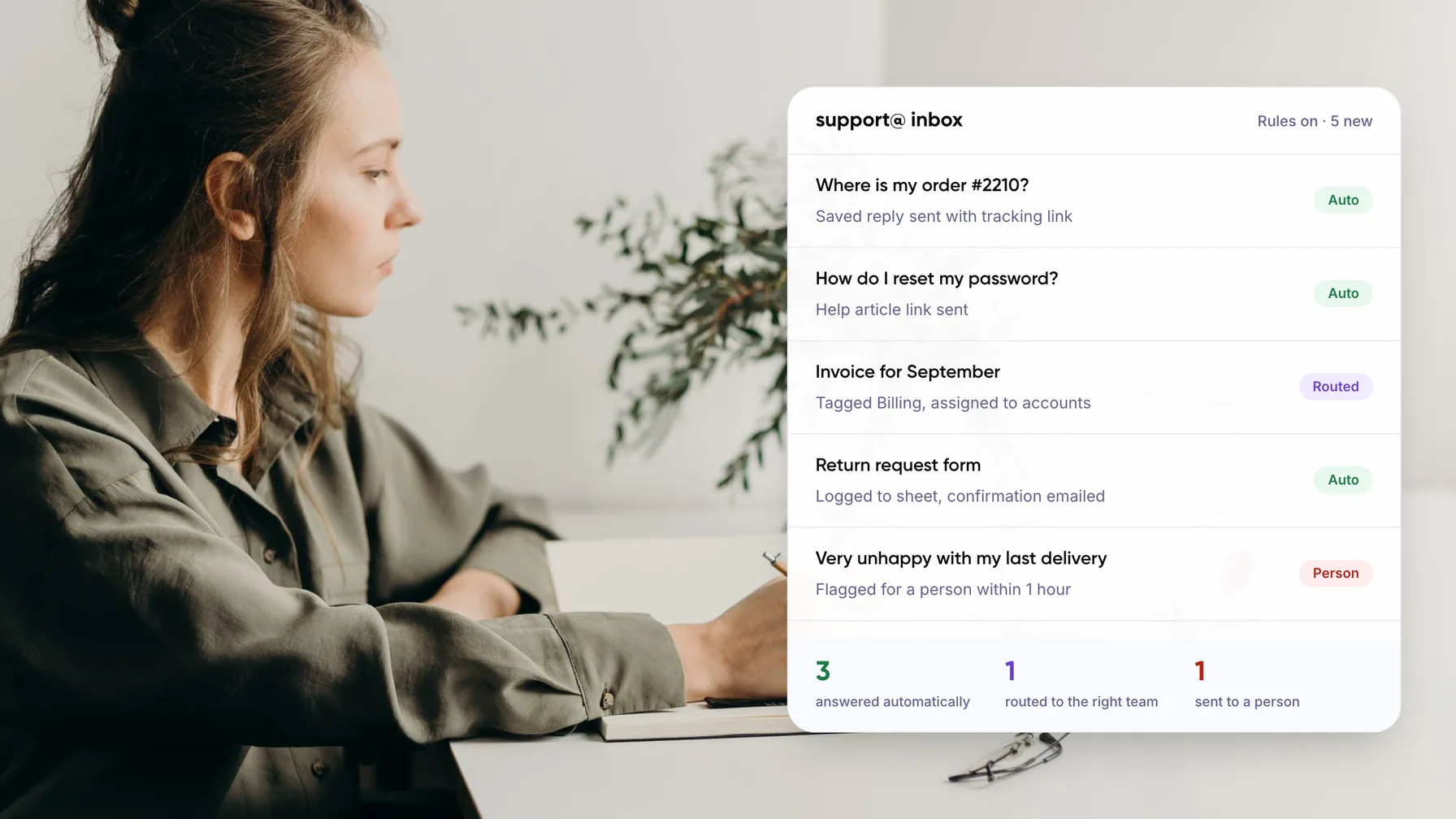
Start with the questions you answer most. Write one saved reply for each, publish the same answers on a help page, and add rules that tag and route incoming email. Then connect your form, inbox and spreadsheet with a no-code workflow tool.
None of this needs an enterprise help desk. In our view it suits teams handling a few hundred tickets a month. Above that, the time spent maintaining the DIY setup starts to cost more than proper software.
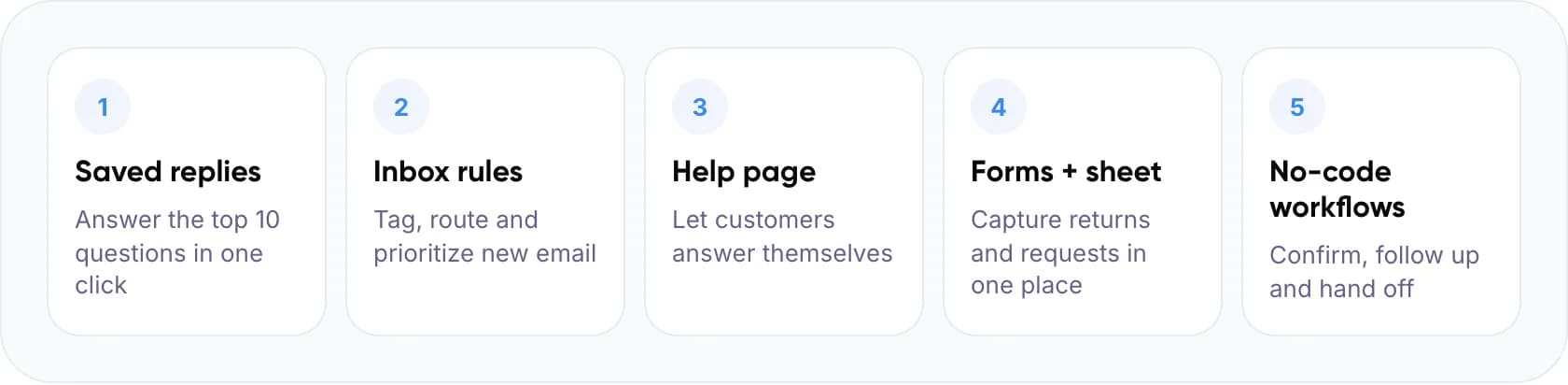
- Saved replies: answer the top 10 questions in one click.
- Inbox rules: tag, route and prioritize new email.
- Help page: let customers answer themselves.
- Forms + sheet: capture returns and requests in one place.
- No-code workflows: confirm, follow up and hand off.
Key takeaways
- Start with saved replies and a help page for your ten most common questions.
- Inbox rules, forms and a no-code workflow tool handle routing and follow-ups for little or no cost.
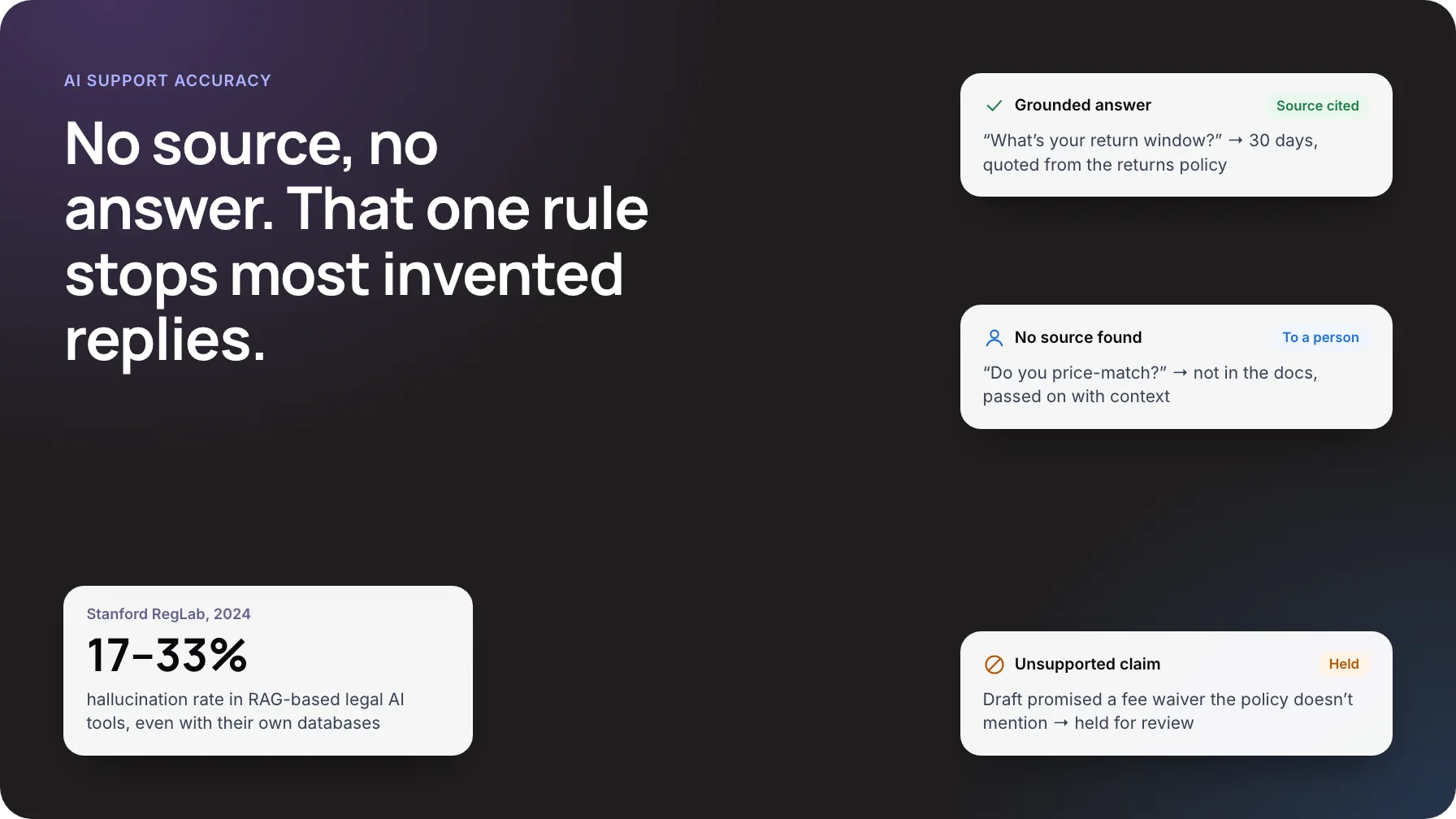
- Add an AI chatbot only after your help content is accurate.
- Above roughly 1,500 tickets a month, in our view, DIY upkeep costs more than proper software.
2. What Can You Automate Without a Help Desk?
Most customer service automation in a small team comes down to five jobs. The table shows the low-cost tool type for each, and where it runs out.
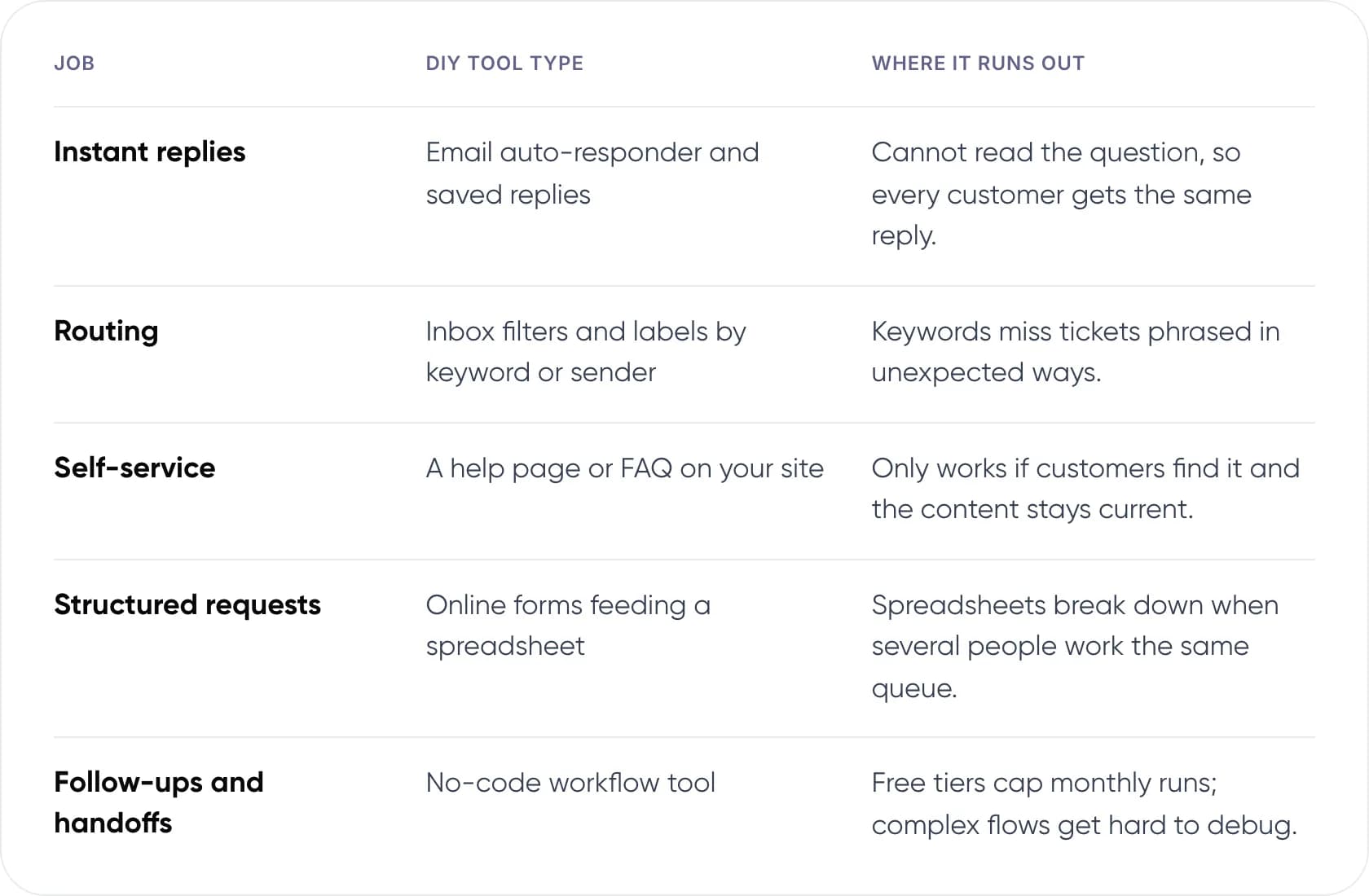
- Instant replies: email auto-responder and saved replies. Where it runs out: it cannot read the question, so every customer gets the same reply.
- Routing: inbox filters and labels by keyword or sender. Where it runs out: keywords miss tickets phrased in unexpected ways.
- Self-service: a help page or FAQ on your site. Where it runs out: it only works if customers find it and the content stays current.
- Structured requests: online forms feeding a spreadsheet. Where it runs out: spreadsheets break down when several people work the same queue.
- Follow-ups and handoffs: a no-code workflow tool. Where it runs out: free tiers cap monthly runs, and complex flows get hard to debug.
Note: A no-code workflow tool connects apps with “when this happens, do that” rules. For example: when a form is submitted, add a row to a sheet and send the customer a confirmation email.
3. How to Build Automated Customer Support Step by Step
Do these in order. Each step depends on the one before it, and you can stop at any point once the queue feels manageable.
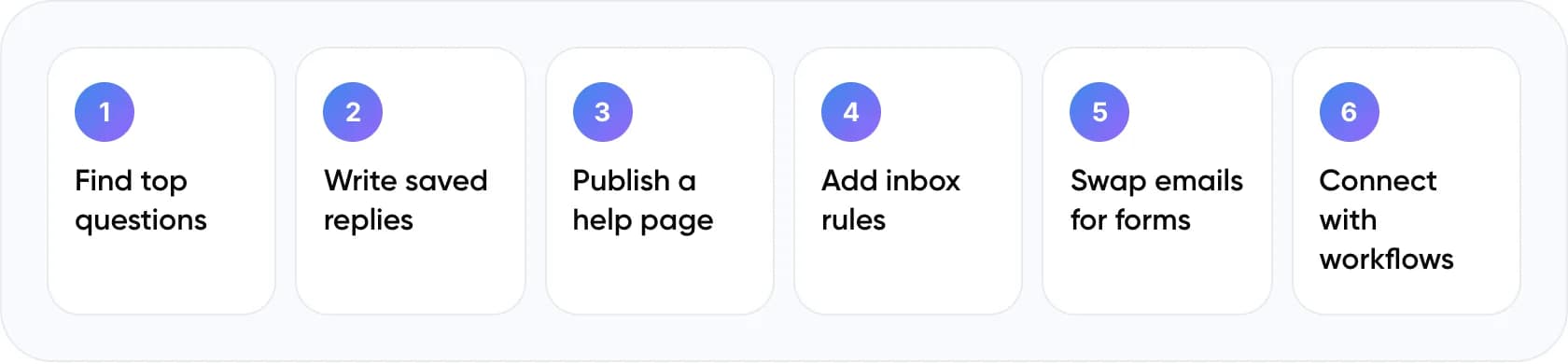
- Find your top questions. Export the last 30 days of email and chat. Group messages by topic and count them.
- Write saved replies. Create one template per top question, with a placeholder for the customer’s name and order number.
- Publish a help page. Turn the same answers into short articles. Link to them from your auto-reply and website footer.
- Add inbox rules. Label and route by keyword, such as “refund” to billing and “broken” to support. Flag angry or urgent words for a person.
- Swap free-text emails for forms. Use forms for returns, bookings and refunds so you get every detail the first time.
- Connect it with workflows. Use a no-code tool to log form entries, send confirmations and remind a person if a ticket sits too long.
Tip: Write saved replies in the voice your best agent uses. Customers notice when an auto-reply sounds nothing like the person who follows up.
4. Which Setup Fits Your Ticket Volume?
Find your monthly volume to see what we would set up first. These ranges are our working view, not a standard.
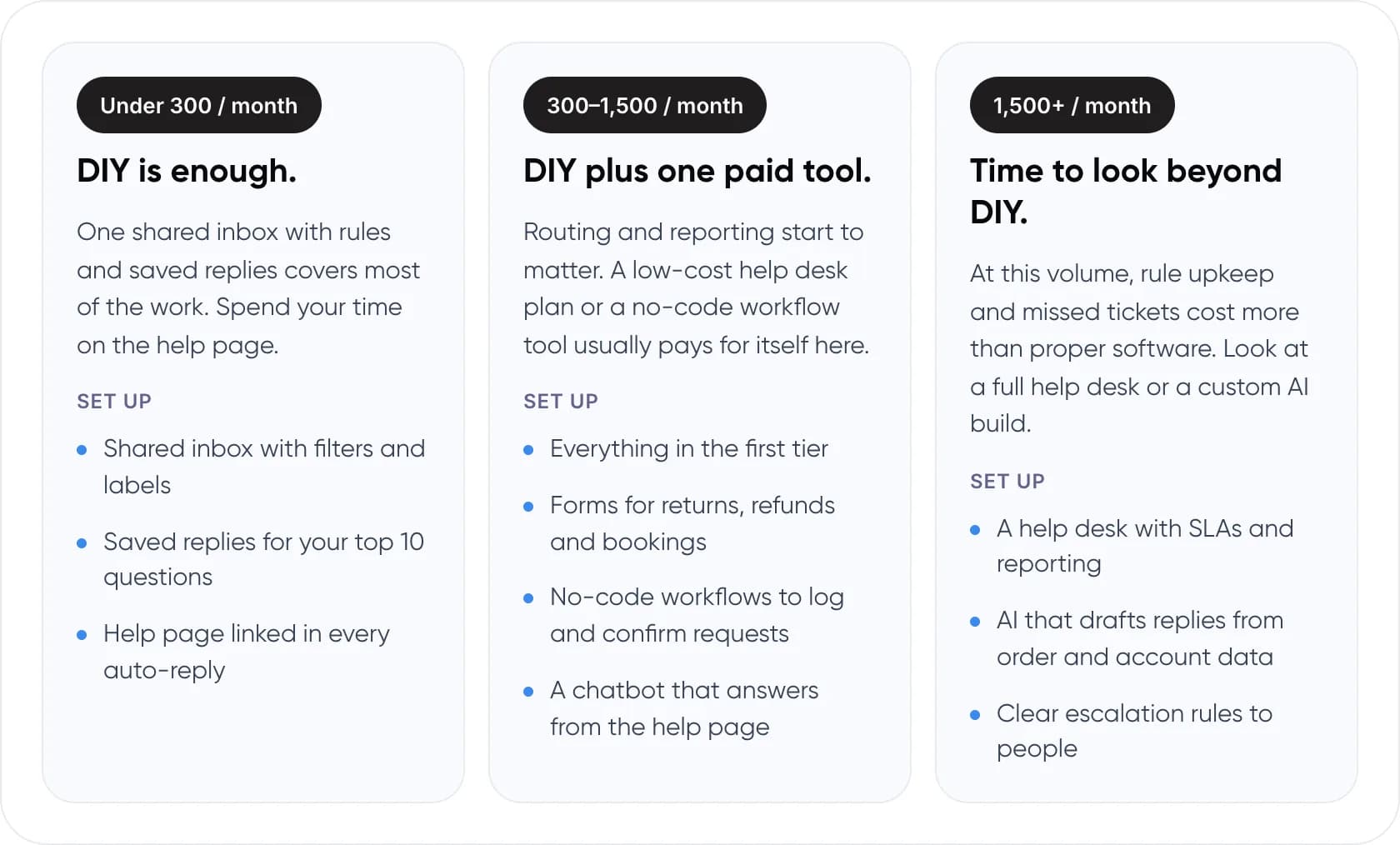
Under 300 tickets a month: DIY is enough
One shared inbox with rules and saved replies covers most of the work. Spend your time on the help page.
- Shared inbox with filters and labels
- Saved replies for your top 10 questions
- Help page linked in every auto-reply
300–1,500 tickets a month: DIY plus one paid tool
Routing and reporting start to matter. A low-cost help desk plan or a no-code workflow tool usually pays for itself here.
- Everything in the first tier
- Forms for returns, refunds and bookings
- No-code workflows to log and confirm requests
- A chatbot that answers from the help page
1,500+ tickets a month: time to look beyond DIY
At this volume, rule upkeep and missed tickets cost more than proper software. Look at a full help desk or a custom AI build.
- A help desk with SLAs and reporting
- AI that drafts replies from order and account data
- Clear escalation rules to people
Not sure whether to keep it DIY or build something custom? Book a free AI consultation.
5. Can You Add an AI Chatbot on a Small Budget?
Yes, once your help page is in good shape. A customer support chatbot that answers from your own articles is the cheapest AI step, because the content already exists. Many help desk and website builder plans include a basic version.
The payoff can be real. A 2023 NBER study of 5,179 support agents found an AI assistant raised resolutions per hour by 14% on average and 34% for newer agents. A small team with one or two new hires feels that gain quickly.
Warning: Always show a way to reach a person. In a 2024 Gartner survey, 64% of customers said they would prefer companies did not use AI for service, mostly because they feared losing access to an agent.
For an example of AI that drafts email replies for agents to approve, see our e-commerce email support build.
6. When Does DIY Stop Working?
A DIY setup rarely fails all at once. It gets slower to maintain. These four signs mean it is time to move to a proper help desk or a custom build.
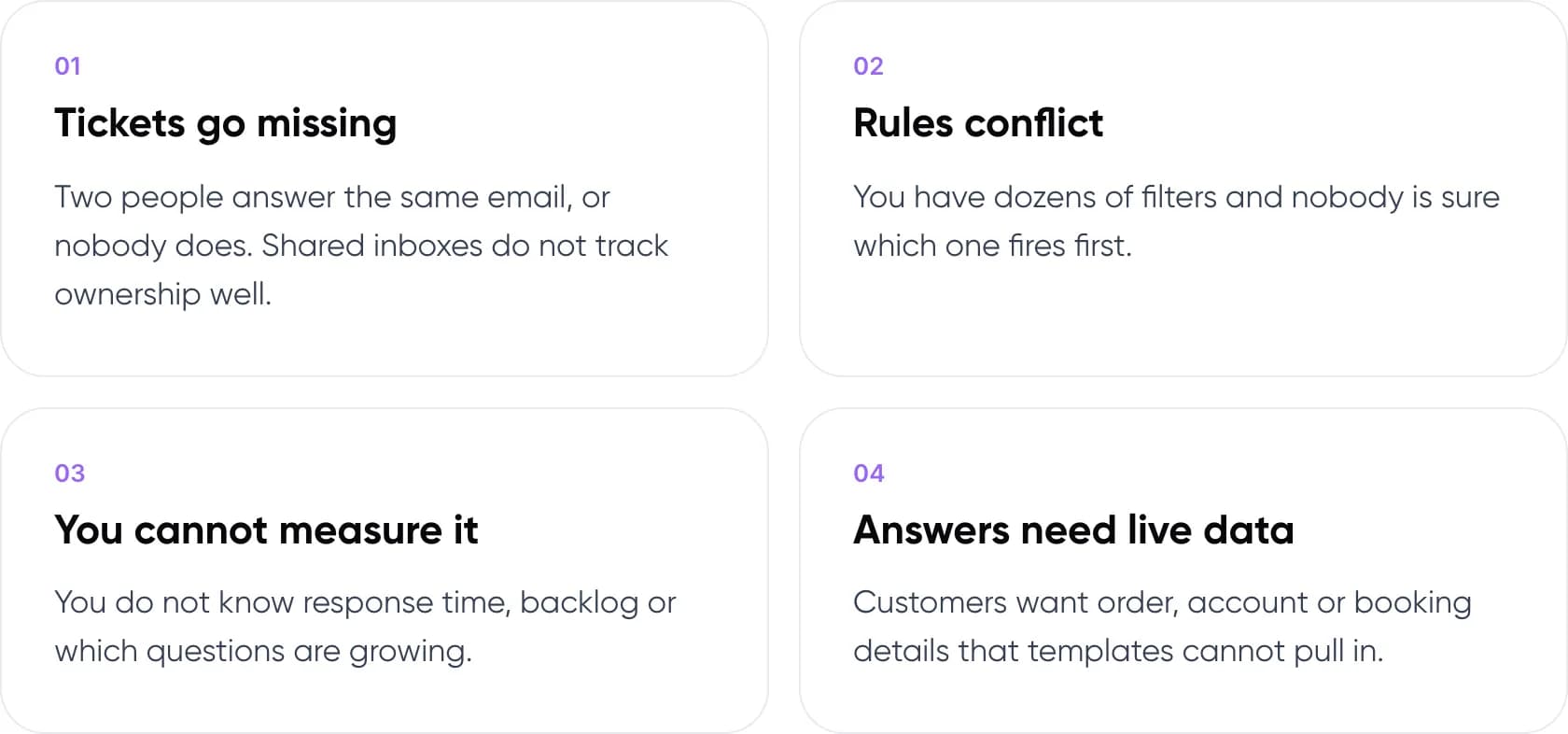
- Tickets go missing. Two people answer the same email, or nobody does. Shared inboxes do not track ownership well.
- Rules conflict. You have dozens of filters and nobody is sure which one fires first.
- You cannot measure it. You do not know response time, backlog or which questions are growing.
- Answers need live data. Customers want order, account or booking details that templates cannot pull in.
7. Common DIY Helpdesk Automation Mistakes
Do
- Review saved replies every month as products and policies change.
- Tell customers how fast a person will reply.
- Keep one owner for the rules and workflows.
- Track the top questions so you know what to fix next.
Don’t
- Send an auto-reply that only says “we got your email”.
- Hide the option to reach a person.
- Add a chatbot before your help content is accurate.
- Build workflows only one person understands.
For the bigger picture, read what customer support automation is and how it works.
8. Frequently Asked Questions
How can a small business automate customer support for free?
Use what you already have. Set up saved replies and filters in your email, publish a help page with your most common answers, and replace free-text requests with online forms. Many no-code workflow tools have free plans that can send confirmations and log requests.
What is the cheapest way to add a customer support chatbot?
Use a chatbot that answers from your existing help articles. It needs little setup because the content already exists. Many help desk and website plans include one. Make sure it can hand a conversation to a person when it does not know the answer.
Is DIY customer service automation good enough?
For a few hundred tickets a month, usually yes. It handles instant replies, routing and common questions well. It struggles with ownership, reporting and answers that need live order or account data. Those are the signs to move to proper software.
Does AI help small support teams?
It can. A 2023 NBER study of 5,179 support agents found an AI assistant raised resolutions per hour by 14% on average and by 34% for newer agents. Small teams with recent hires may see the biggest relative gain.
Will customers mind automated support?
Some will. Gartner’s 2024 survey found 64% of customers would prefer companies did not use AI for service, mainly because they feared losing access to a person. Keep automation for simple questions and always show a clear route to a human.
9. Conclusion
Automated customer support does not have to start with a large software contract. This week, export last month’s emails, find your ten most common questions, and write a saved reply and a help article for each.
Tip: Want to know what a bigger step would be worth? Put your ticket volume and team cost into our free AI ROI Calculator.
When DIY no longer keeps up, compare options in our guide to customer support automation tools for small businesses, or see our AI customer support automation services.
Author