Is Customer Support Automation Better for B2B or B2C?
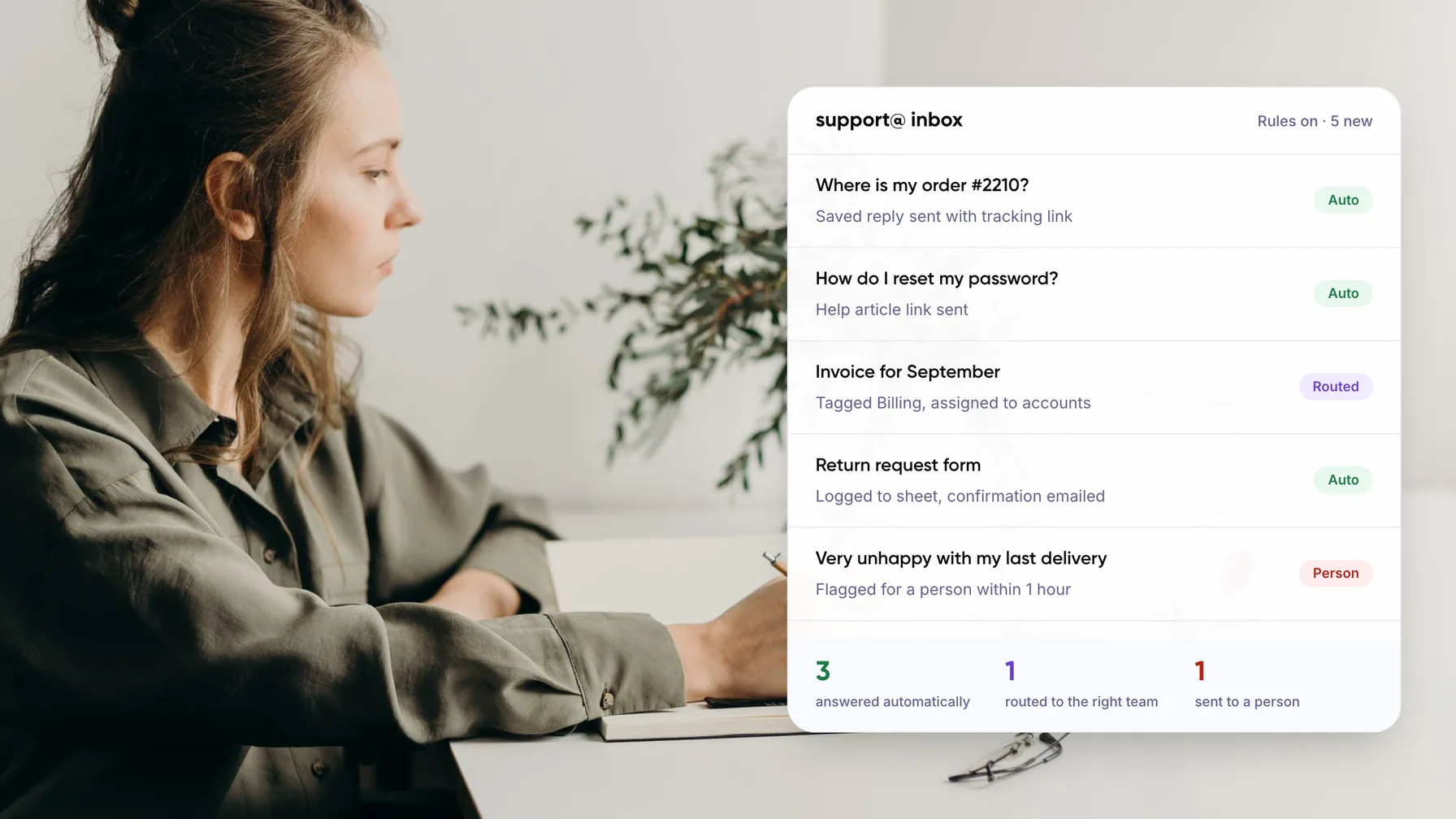
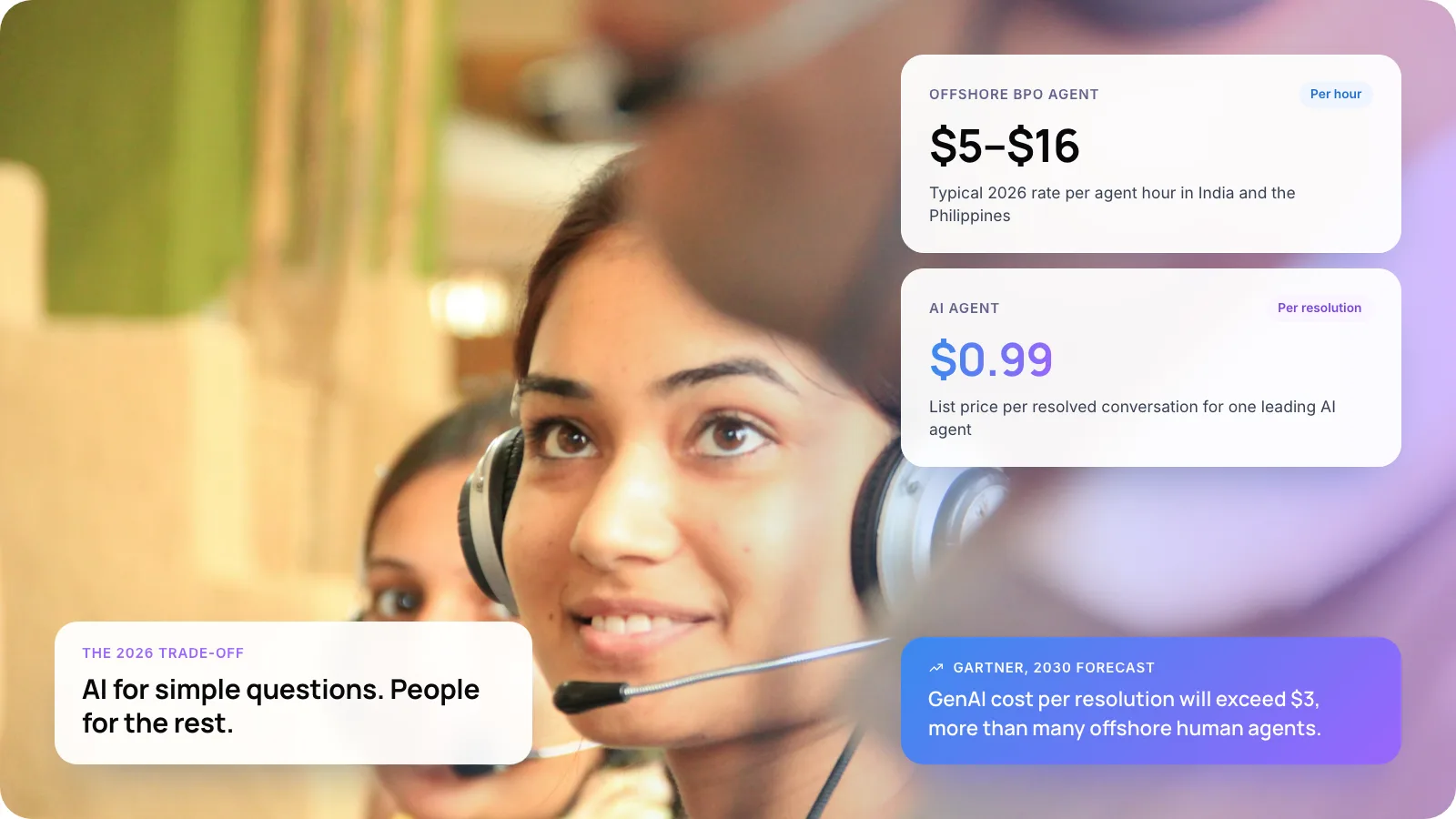
Customer support automation works for both, but it pays back in different ways. B2C teams get the fastest return because they answer huge volumes of the same questions. B2B teams get more value from automation that helps agents and routes tickets than from bots that answer customers on their own.
This guide compares the two models, shows which business types benefit most, and gives you a way to pick your first automation.
1. The Short Answer
Customer support automation usually pays back faster in B2C, but B2B teams gain just as much when they automate the right layer.
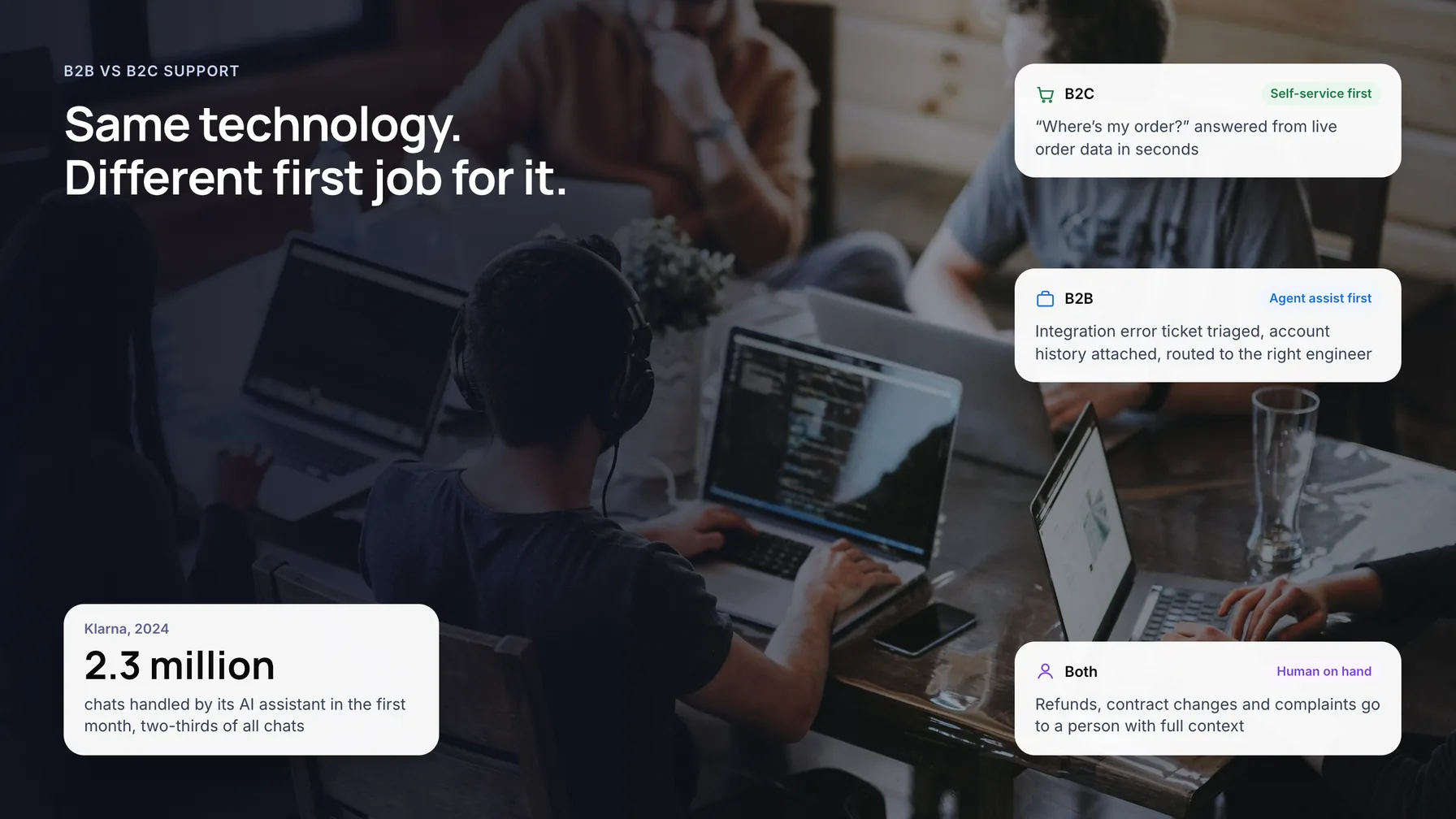
B2C support is a volume game. When Klarna launched its AI assistant in 2024, it handled two-thirds of all customer chats in the first month. B2B support has fewer tickets, but each one carries more revenue, more context and often a contract. There, automation earns its keep by preparing, routing and drafting, with an agent still in the loop.
Key takeaways
- Customer support automation works in both models. The return depends on how many of your tickets are repeat questions with a clear answer.
- B2C usually pays back first. Klarna’s AI assistant handled two-thirds of its customer chats in its first month (2024).
- In B2B, start with triage, account context and drafted replies for agents, not a bot that answers everything alone.
- Keep refunds, contract changes, complaints and churn risks with people in both models.
- Judge each queue separately. Marketplaces and platforms often run a B2B queue and a B2C queue side by side.
2. How Is B2B Customer Support Different From B2C?
The difference is in the shape of the queue, not the software. Look at who is asking, how often, and what a wrong answer costs.
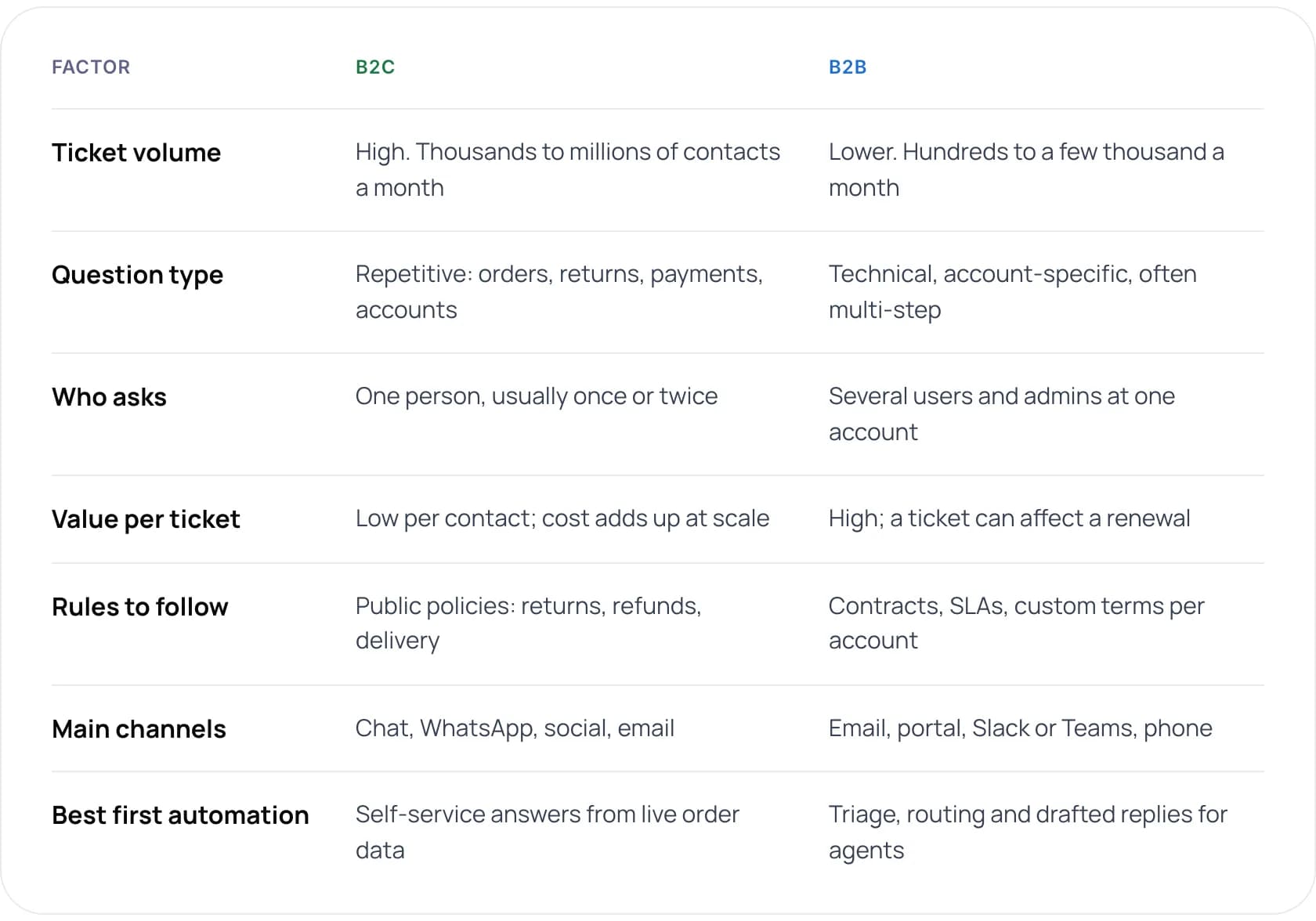
- Ticket volume: B2C is high, thousands to millions of contacts a month. B2B is lower, hundreds to a few thousand a month.
- Question type: B2C questions are repetitive: orders, returns, payments, accounts. B2B questions are technical, account-specific and often multi-step.
- Who asks: in B2C, one person, usually once or twice. In B2B, several users and admins at one account.
- Value per ticket: low per contact in B2C, though cost adds up at scale. High in B2B, where a ticket can affect a renewal.
- Rules to follow: B2C follows public policies on returns, refunds and delivery. B2B follows contracts, SLAs and custom terms per account.
- Main channels: B2C uses chat, WhatsApp, social and email. B2B uses email, a portal, Slack or Teams, and phone.
- Best first automation: in B2C, self-service answers from live order data. In B2B, triage, routing and drafted replies for agents.
Note: Many companies sit in between. A marketplace or a payments platform serves businesses, and those businesses serve consumers. Treat each queue on its own terms, not the company as a whole.
3. Why Does Automation Pay Off Faster in B2C?
B2C queues are large and repetitive. Order status, returns, delivery dates, password resets and payment questions make up a big share of contacts, and each has a clear answer in a system you already own.

Klarna is the best-known example. In its February 2024 announcement, the company said its assistant handled 2.3 million conversations in a month, the work of 700 full-time agents. Average resolution time fell from 11 minutes to under 2, and repeat inquiries dropped by 25%.
The catch: B2C customers still want a way out
Volume makes the maths easy, but consumers are wary. A 2024 Gartner survey found 64% of customers would prefer companies did not use AI for customer service. Klarna itself said in 2025 that it would make sure customers can always reach a person.
Tip: Start B2C automation with questions that have one correct answer in a system: order status, delivery, returns eligibility. Leave complaints and goodwill decisions to people.
4. Where Does B2B Support Automation Work Best?
B2B tickets are fewer and harder. A login issue might involve single sign-on, a user limit in the contract and an admin on the customer side. A full answer from a bot is rarely the right first goal.

These are the parts of the B2B workflow where automation tends to pay off:
- Ticket triage and routing. Classify each ticket by product, urgency and account tier, then send it to the right team.
- Account context for agents. Pull the contract, plan, open tickets and recent usage into the ticket before anyone reads it.
- Drafted replies. Write a first answer from your docs and past tickets for the agent to check and send.
- SLA tracking. Flag tickets that are about to breach a response time promised in the contract.
- Self-service for admins. Answer setup, user management and billing questions from your documentation.
B2B buyers are also more open to self-service than many teams assume. A 2025 Gartner sales survey found 61% of B2B buyers prefer a buying experience without a sales rep. Good self-service docs and an assistant that answers from them meet the same need after purchase.
5. Which Business Types Benefit Most From Customer Service Automation?
This is our view, based on the queues we see most often. The higher the share of repeat questions with a system answer, the more you can automate end to end.
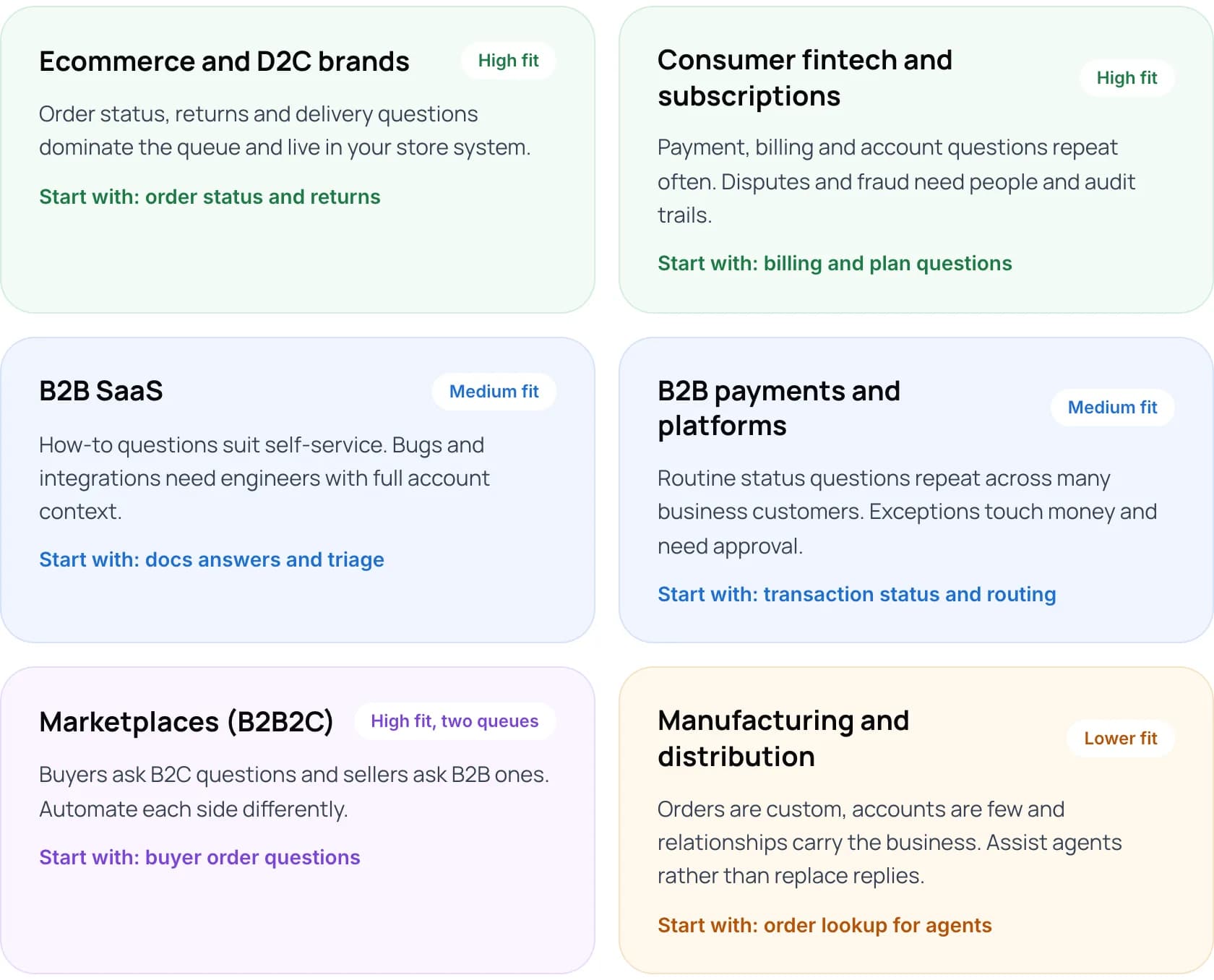
- Ecommerce and D2C brands (high fit): order status, returns and delivery questions dominate the queue and live in your store system. Start with order status and returns.
- Consumer fintech and subscriptions (high fit): payment, billing and account questions repeat often. Disputes and fraud need people and audit trails. Start with billing and plan questions.
- B2B SaaS (medium fit): how-to questions suit self-service. Bugs and integrations need engineers with full account context. Start with docs answers and triage.
- B2B payments and platforms (medium fit): routine status questions repeat across many business customers. Exceptions touch money and need approval. Start with transaction status and routing.
- Marketplaces, B2B2C (high fit, two queues): buyers ask B2C questions and sellers ask B2B ones. Automate each side differently. Start with buyer order questions.
- Manufacturing and distribution (lower fit): orders are custom, accounts are few and relationships carry the business. Assist agents rather than replace replies. Start with order lookup for agents.
Not sure where your support queue fits? We can map it with you in 30 minutes: Book a free AI consultation.
6. What Should You Keep Human in Both Models?
Some conversations go badly when automated, in any market. Gartner’s 2026 research found only 27% of customers would try a chatbot again after a negative experience. Keep these with people, and let automation prepare the context.
- Refunds, credits and exceptions. Anything that costs money or breaks a policy should wait for a person.
- Complaints and escalations. An upset customer wants to be heard by someone who can act.
- Contract and pricing changes. In B2B these affect renewals and need an account owner.
- Churn and cancellation risks. A person can save an account. A bot usually just processes the cancellation.
- Anything the documents do not cover. When there is no source, the assistant should hand over with context.
Note: Gartner predicted in 2025 that agentic AI will resolve 80% of common customer service issues without people by 2029. The word that matters is “common”. Exceptions will still need a person.
7. How Much of Your Queue Could You Automate?
The estimate below shows how many tickets automation could fully resolve or help an agent with, and the agent hours that frees each month.
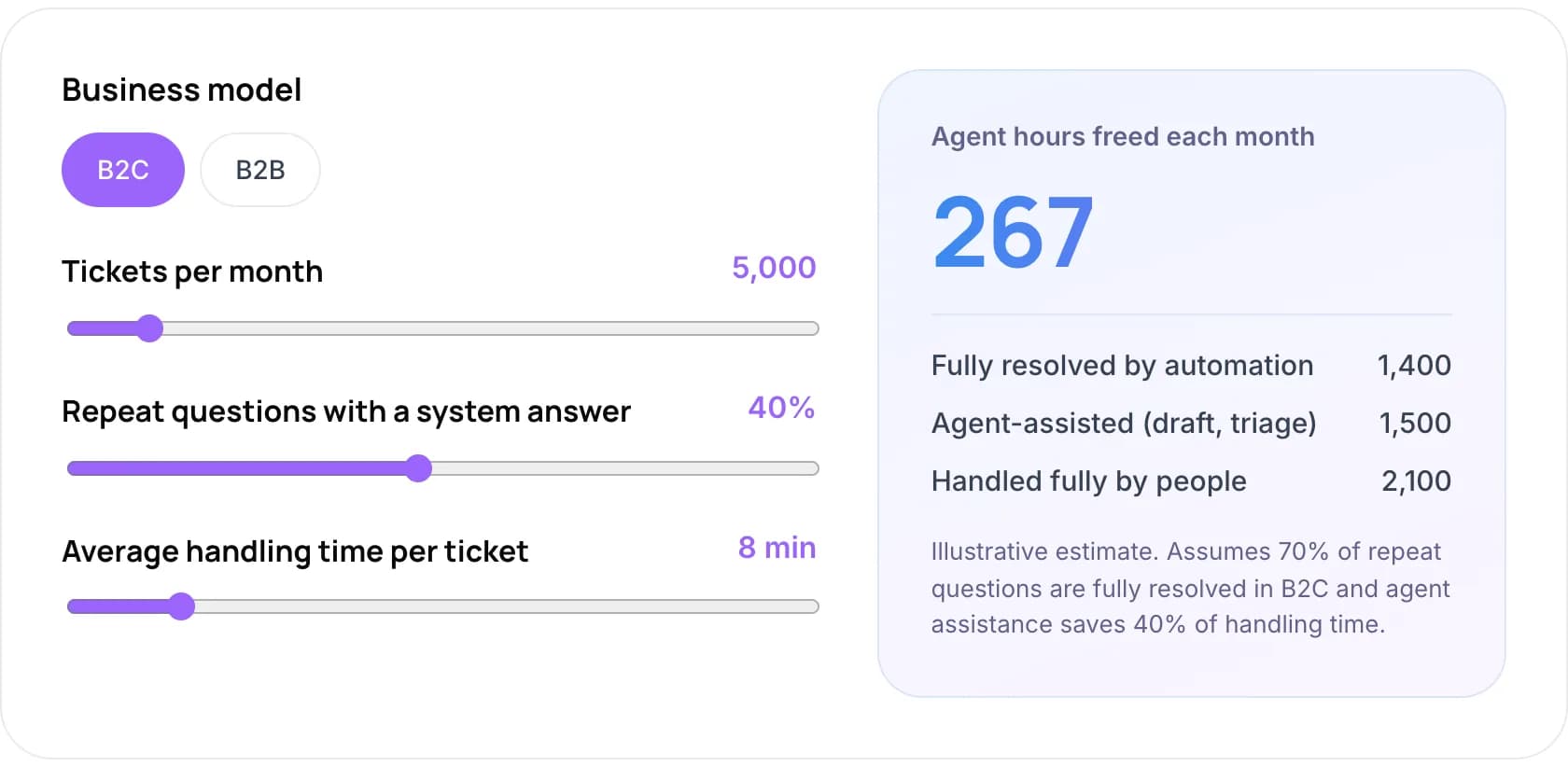
Example: a B2C team with 5,000 tickets a month, 40% of them repeat questions with a system answer and 8 minutes average handling time has 2,000 repeat tickets. If automation fully resolves 70% of those, that is 1,400 tickets. The other 600 repeat tickets, plus 30% of the remaining 3,000, are agent-assisted with drafts and triage: 1,500 tickets. People handle the last 2,100 alone. With assistance saving 40% of handling time, that frees about 267 agent hours a month.
For a B2B queue, the same estimate assumes automation fully resolves 35% of repeat questions, and agents get help with the remaining repeat questions and 60% of all other tickets. These are illustrative assumptions, not benchmarks. Use your own ticket data where you have it.
For a fuller cost comparison, try our free AI ROI Calculator.
8. How to Choose Where to Start in 6 Steps
- Tag your last 500 tickets. Group them by question type and note which ones have an answer in a system or document.
- Split your queues. If you serve both businesses and consumers, treat each queue separately.
- Pick the top three repeat questions. In B2C these are usually order, return and payment questions. In B2B, setup and account questions.
- Choose the automation level. Full self-service for simple B2C answers. Drafts and triage for B2B and anything risky.
- Connect the data. Link the order system, CRM or billing tool so answers come from live records.
- Measure for four weeks. Track resolution rate, re-contact rate and customer satisfaction before you expand.
9. Real Examples: Zenva and Paymate
Two products we built show both sides of the question.
Zenva is an AI customer support platform for ecommerce merchants, a B2C queue. It drafts each reply from the store’s order data and policy documents, and a support agent approves it before it is sent. Paymate is an omnichannel AI support system for a fintech and software business with several products, where questions are technical and product-specific. It answers from product documentation across voice, email and web chat, checks its confidence, and hands other cases to the support team with context.
- Zenva, B2C ecommerce: an estimate for one store with 2,000 customer emails a month is about 50 hours of support effort saved each month, with drafts built from order data and approved by an agent. Read the Zenva case study.
- Paymate, fintech and software support: for high-confidence email queries, first response time went from hours to under one minute, with other cases handed to the support team. Read the Paymate case study.
The pattern is the same in both. Automation takes the repeat work, and people keep the decisions that affect money or the relationship.
10. Common Mistakes
- Copying a B2C chatbot into a B2B queue. Business customers expect account-aware answers, not generic FAQ replies.
- Automating complaints first. They are the conversations customers least want a bot to handle.
- Hiding the route to a person. Customers who cannot reach someone lose trust in the whole channel.
- Ignoring the B2C side of a B2B business. Your customers’ customers may contact you too. That queue often suits automation best.
- Measuring deflection only. A ticket that comes back two days later was not resolved. Track re-contact rate as well.
11. Frequently Asked Questions
Is customer support automation better for B2B or B2C?
It pays back faster in B2C, where volume is high and many questions repeat. B2B teams benefit too, but mostly from triage, account context and drafted replies for agents. The deciding factor is the share of tickets that have one clear answer in a system or document.
Can B2B companies use AI chatbots for customer support?
Yes, for the right questions. Chatbots work well for setup, user management and billing questions answered in your docs. A 2025 Gartner survey found 61% of B2B buyers prefer a rep-free buying experience. Keep bugs, integrations and contract questions with your team.
What types of businesses benefit most from customer service automation?
Ecommerce and D2C brands, consumer fintech and subscription businesses usually benefit most, because their queues are large and repetitive. Marketplaces benefit on the buyer side. B2B SaaS and payments platforms gain from triage and self-service. Low-volume, high-touch B2B businesses gain least from customer-facing bots.
What are the pros and cons of automated customer service?
Pros: faster replies, round-the-clock answers and lower cost per ticket at volume. Cons: wrong answers if data is poor, and frustrated customers if the route to a person is hidden. Gartner found in 2024 that 64% of customers would prefer companies did not use AI in service.
How do I know if my support queue is ready for automation?
Tag a sample of recent tickets. If more than about a third are repeat questions with a clear answer in your systems, you have a strong starting point. This threshold is our rule of thumb, not an industry benchmark. You also need clean help content and access to the right data.
Will AI replace B2B support agents?
Not in the near term. Gartner predicts agentic AI will resolve 80% of common service issues without people by 2029, but B2B tickets are often uncommon by nature. Expect agents to spend less time on lookups and drafting, and more on complex cases and account relationships.
12. Conclusion
Customer support automation is not better for B2B or B2C. It is better for repetitive questions with a clear answer, and B2C queues simply have more of them. B2B teams should start with triage, account context and agent drafts. This week, tag your last 500 tickets by type and find the three you answer most often.
See our AI customer support automation services, read how customer support automation works, or learn how to deploy agentic RAG for customer service.
Author