The Modern AI Customer Support Stack: Helpdesk, Chatbot, Voice Agent, CRM and Analytics Explained
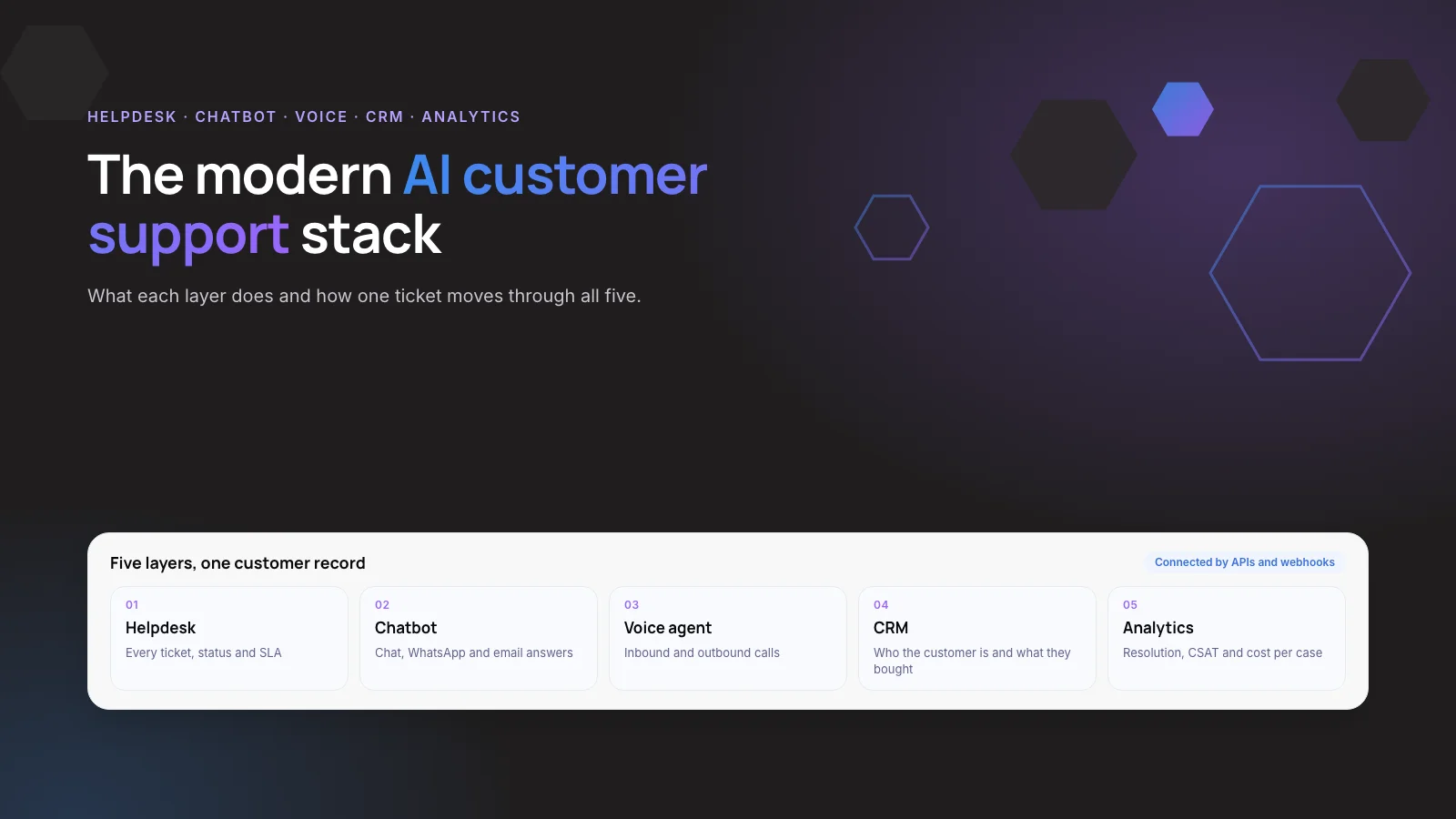
An AI customer support stack has five layers: a helpdesk that records every case, a chatbot and a voice agent that answer customers, a CRM that holds who the customer is, and analytics that show what is working.
This guide explains what each layer does, how they pass data to each other, and how to choose between an all-in-one suite and a custom build.
1. The Short Answer
A working AI customer support setup is five tools that share one customer record. The helpdesk is the system of record, the chatbot and voice agent answer on chat and phone, the CRM supplies account context, and analytics close the loop.
AI already does a large share of the work. In Salesforce’s 2025 State of Service survey of 6,500 service professionals, respondents estimated that AI handles 30% of cases today and expected 50% by 2027. Those cases only resolve well when the layers are connected.
Key takeaways
- The stack has five layers: helpdesk, chatbot, voice agent, CRM and analytics, plus the knowledge base they answer from.
- Service teams estimate AI handles 30% of cases today and expect 50% by 2027 (Salesforce, 2025).
- An AI agent can only act if it can reach your order, billing and booking systems.
- Most mid-size teams should keep their helpdesk and CRM and add AI on top.
- Plan for human handoff: only 20% of service leaders have cut headcount because of AI (Gartner, 2025).
2. What Is an AI Customer Support Stack?
A support stack is the set of software your team and your AI agents use to answer customers. “AI” in the name means some layers now act on their own: they read the question, look up the account, take an action such as a refund, and write the reply.
Older stacks had the same layers, but the chatbot followed fixed decision trees and the phone line ran on press-1-for-billing menus. Large language models changed the two customer-facing layers. The helpdesk, CRM and analytics still do the same jobs, but they now have to feed the AI the data it needs.
Note: An AI agent here means software that can take actions in your systems, not only answer questions. Gartner uses the term “agentic AI” for the same idea.
3. Why Does the Stack Matter More Than the Tool?
Most teams are already buying AI support tools. A Gartner survey of 187 service leaders found that 85% would explore or pilot customer-facing conversational GenAI in 2025. The same release warned that these tools depend on a well-maintained knowledge library, which many teams lack.
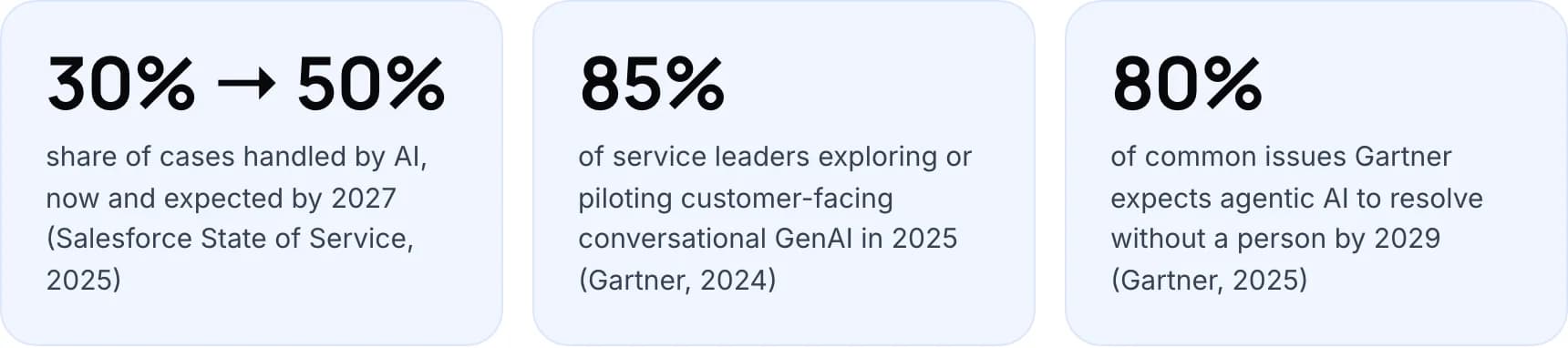
- 30% → 50%: share of cases handled by AI, now and expected by 2027 (Salesforce State of Service, 2025).
- 85%: of service leaders exploring or piloting customer-facing conversational GenAI in 2025 (Gartner, 2024).
- 80%: of common issues Gartner expects agentic AI to resolve without a person by 2029 (Gartner, 2025).
The forecasts assume connected systems. Gartner predicts that by 2029 agentic AI will resolve 80% of common service issues without a person, cutting operating costs by 30%. An AI agent can only cancel a membership or issue a refund if it can reach the system that does it.
In our view, the order in which you connect the layers decides results more than which chatbot you pick. A strong chatbot over a stale knowledge base and no order data will still hand most chats to a person.
4. What Does Each Layer Do?
Each layer has one job. Problems start when two layers both try to own the same thing, such as the customer’s contact details or the case status.
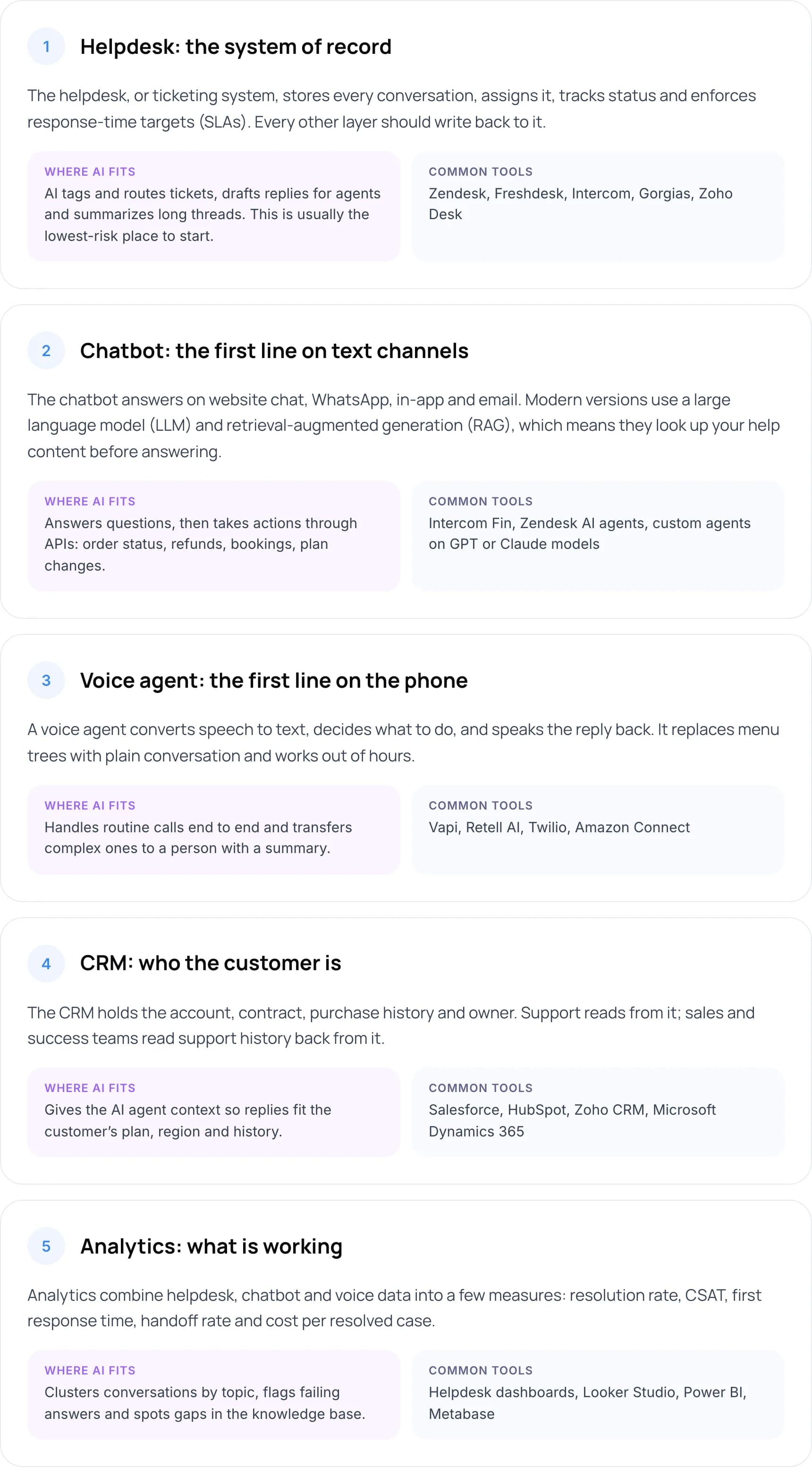
1. Helpdesk: the system of record
The helpdesk, or ticketing system, stores every conversation, assigns it, tracks status and enforces response-time targets (SLAs). Every other layer should write back to it.
- Where AI fits: AI tags and routes tickets, drafts replies for agents and summarizes long threads. This is usually the lowest-risk place to start.
- Common tools: Zendesk, Freshdesk, Intercom, Gorgias, Zoho Desk.
2. Chatbot: the first line on text channels
The chatbot answers on website chat, WhatsApp, in-app and email. Modern versions use a large language model (LLM) and retrieval-augmented generation (RAG), which means they look up your help content before answering.
- Where AI fits: Answers questions, then takes actions through APIs: order status, refunds, bookings, plan changes.
- Common tools: Intercom Fin, Zendesk AI agents, custom agents on GPT or Claude models.
3. Voice agent: the first line on the phone
A voice agent converts speech to text, decides what to do, and speaks the reply back. It replaces menu trees with plain conversation and works out of hours.
- Where AI fits: Handles routine calls end to end and transfers complex ones to a person with a summary.
- Common tools: Vapi, Retell AI, Twilio, Amazon Connect.
4. CRM: who the customer is
The CRM holds the account, contract, purchase history and owner. Support reads from it; sales and success teams read support history back from it.
- Where AI fits: Gives the AI agent context so replies fit the customer’s plan, region and history.
- Common tools: Salesforce, HubSpot, Zoho CRM, Microsoft Dynamics 365.
5. Analytics: what is working
Analytics combine helpdesk, chatbot and voice data into a few measures: resolution rate, CSAT, first response time, handoff rate and cost per resolved case.
- Where AI fits: Clusters conversations by topic, flags failing answers and spots gaps in the knowledge base.
- Common tools: Helpdesk dashboards, Looker Studio, Power BI, Metabase.
The knowledge base sits underneath the chatbot and voice agent. Both answer from it, so its quality sets the ceiling for both. Our guide to agentic RAG for customer service automation covers how to ground an AI agent in your own documents.
Tip: Keep the phone line in the plan even if chat is your focus. Gartner’s 2025 survey of 5,801 customers found only 35% of people who last contacted service by phone were willing to use a GenAI assistant. A voice agent meets them on the channel they already use.
5. How Do the Layers Work Together on One Ticket?
Follow one request through the stack: a customer messages at 11 pm asking to change the delivery address on an order.
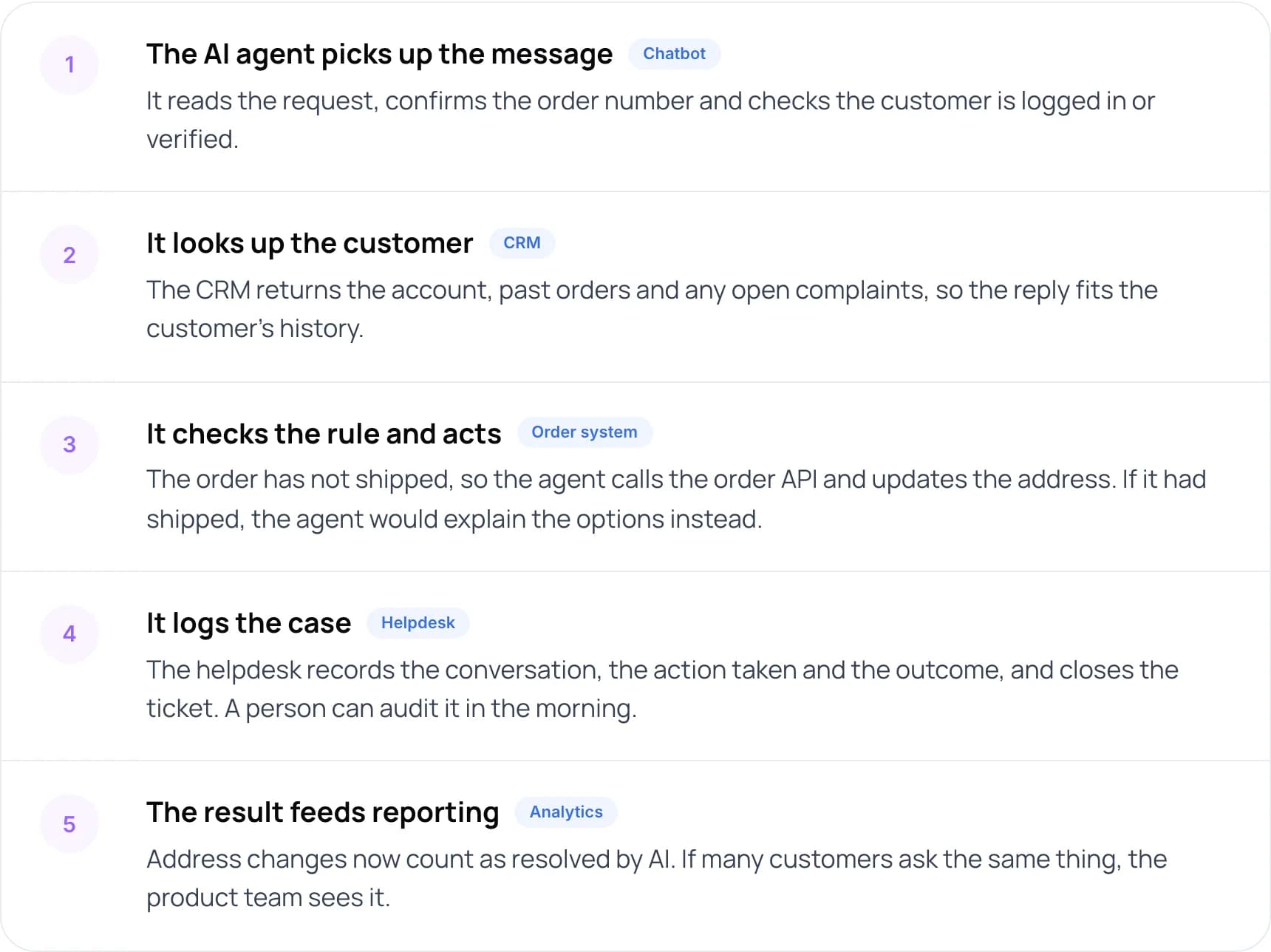
- The AI agent picks up the message (chatbot). It reads the request, confirms the order number and checks the customer is logged in or verified.
- It looks up the customer (CRM). The CRM returns the account, past orders and any open complaints, so the reply fits the customer’s history.
- It checks the rule and acts (order system). The order has not shipped, so the agent calls the order API and updates the address. If it had shipped, the agent would explain the options instead.
- It logs the case (helpdesk). The helpdesk records the conversation, the action taken and the outcome, and closes the ticket. A person can audit it in the morning.
- The result feeds reporting (analytics). Address changes now count as resolved by AI. If many customers ask the same thing, the product team sees it.
If any link is missing, the flow breaks at that step. Without an order API, the AI can only say “an agent will reply tomorrow”. Without a helpdesk log, the morning team cannot see what the AI already promised.
6. Should You Buy a Suite, Mix Tools or Build Custom?
There are three ways to assemble the stack. Most mid-size companies already own a helpdesk and CRM, so the real choice is how to add the AI layers.
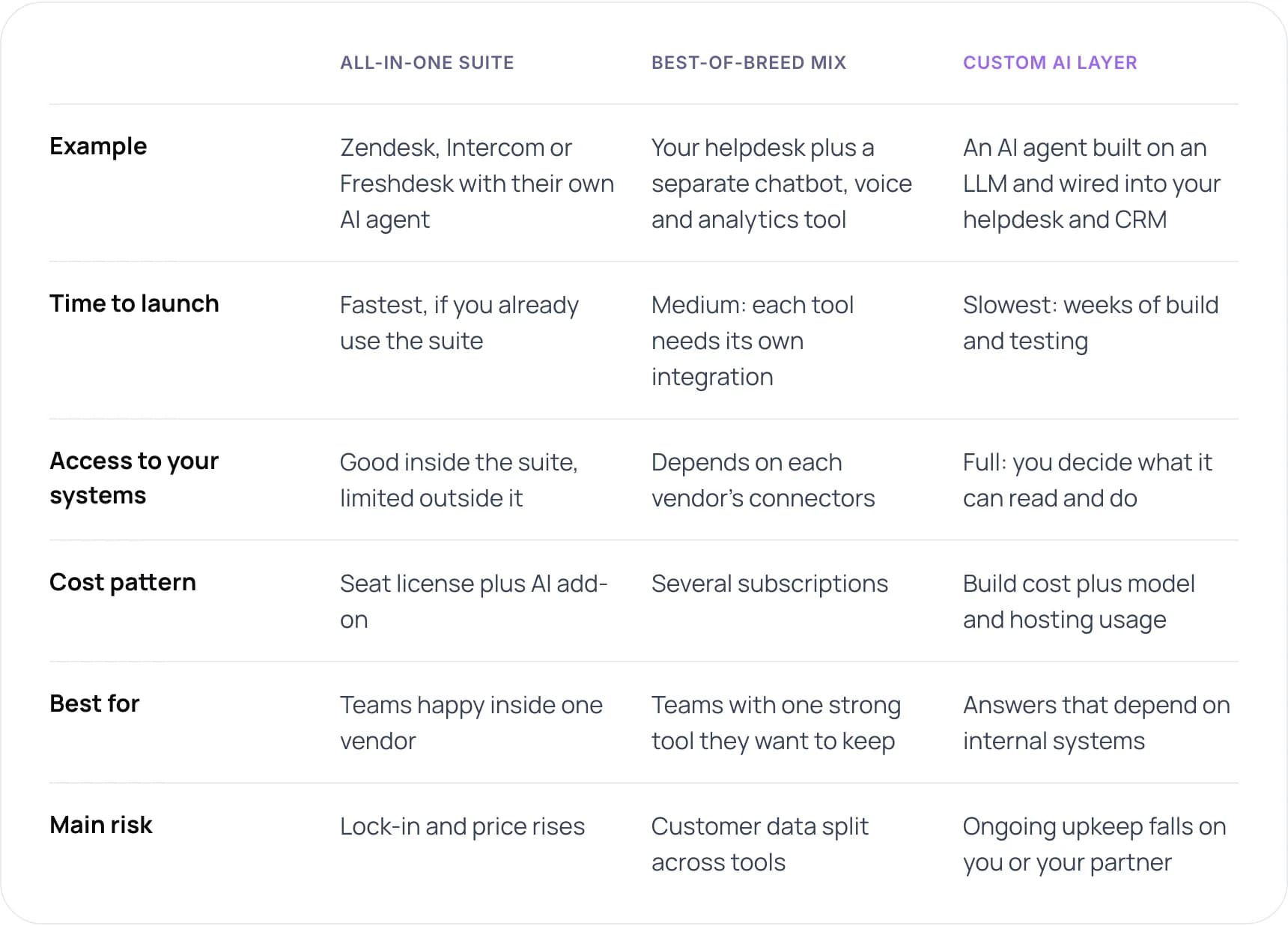
- All-in-one suite: Zendesk, Intercom or Freshdesk with their own AI agent. Fastest to launch if you already use the suite. Good access inside the suite, limited outside it. Cost is a seat license plus an AI add-on. Best for teams happy inside one vendor; the main risk is lock-in and price rises.
- Best-of-breed mix: your helpdesk plus a separate chatbot, voice and analytics tool. Medium launch time, because each tool needs its own integration. Access depends on each vendor’s connectors, and you pay several subscriptions. Best for teams with one strong tool they want to keep; the main risk is customer data split across tools.
- Custom AI layer: an AI agent built on an LLM and wired into your helpdesk and CRM. Slowest to launch, with weeks of build and testing. Full access: you decide what it can read and do. Cost is the build plus model and hosting usage. Best when answers depend on internal systems; the main risk is that ongoing upkeep falls on you or your partner.
This is our assessment of typical setups, not a survey.
Our recommendation: keep the helpdesk and CRM you have, and add AI on top of them. Switch to a suite only if your current helpdesk has no usable API. A custom layer makes sense when your answers depend on internal systems, such as a policy engine or a booking platform, that off-the-shelf bots cannot reach.
Warning: Check pricing models before you commit. Some AI agents charge per resolution, others per seat or per minute of voice. The same volume can cost very different amounts.
7. What Results Have Companies Reported?
Klarna is the most cited example of an AI layer added to an existing support operation. The figures below come from its own 2024 announcement, so read them as one company’s result.
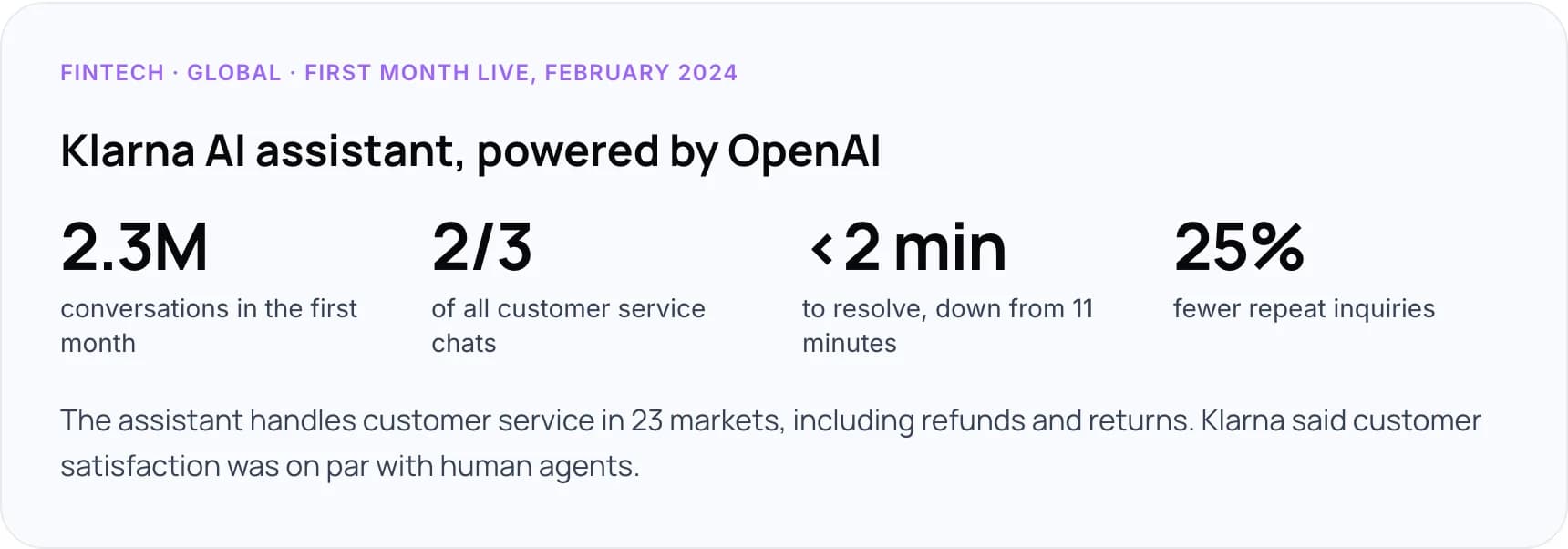
In its first month live, Klarna reported that its AI assistant, powered by OpenAI, had 2.3 million conversations, two-thirds of all its customer service chats. Customers resolved their errands in under 2 minutes, down from 11, and repeat inquiries fell 25%. The assistant handles customer service in 23 markets, including refunds and returns, and Klarna said customer satisfaction was on par with human agents.
The wider picture is more measured. A Gartner survey of 321 service leaders in October 2025 found only 20% had reduced agent headcount because of AI, while 55% kept staffing stable and handled more volume. Plan for people at the end of every AI path.
Our own Paymate support system is a stack built this way. It answers on voice, email and web chat in English, Spanish and French, from the company’s product documentation in Confluence and Azure AI Search. Voice runs on Vapi, and tickets live in ManageEngine. Each answer gets a confidence check; after three low-confidence attempts, the case goes to human support with context. For high-confidence email queries, first response time went from hours to under one minute.
Not sure which layer to add AI to first? We can map your current stack with you. Book a free AI consultation.
8. How to Build Your AI Customer Support Stack in 7 Steps
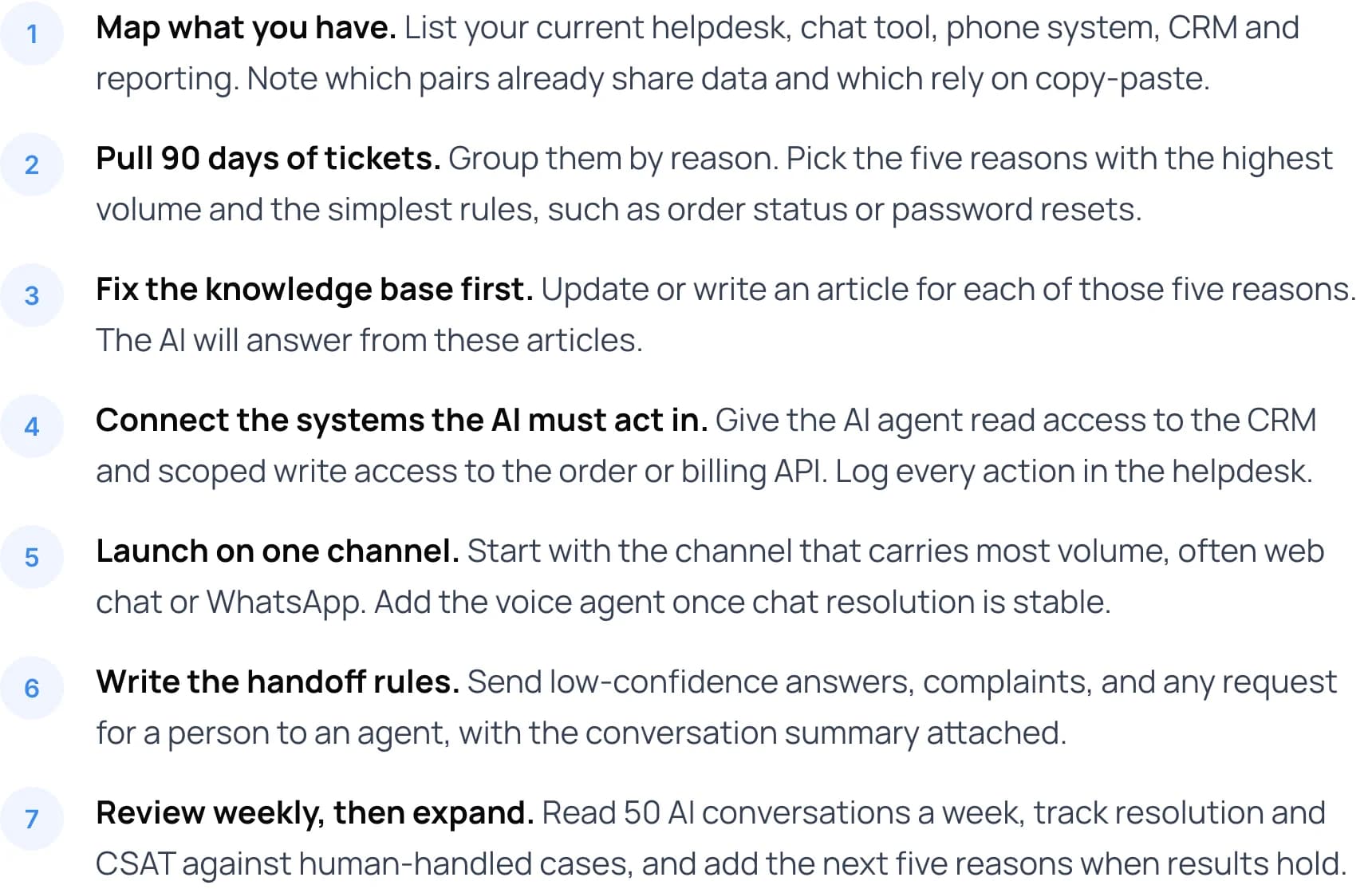
- Map what you have. List your current helpdesk, chat tool, phone system, CRM and reporting. Note which pairs already share data and which rely on copy-paste.
- Pull 90 days of tickets. Group them by reason. Pick the five reasons with the highest volume and the simplest rules, such as order status or password resets.
- Fix the knowledge base first. Update or write an article for each of those five reasons. The AI will answer from these articles.
- Connect the systems the AI must act in. Give the AI agent read access to the CRM and scoped write access to the order or billing API. Log every action in the helpdesk.
- Launch on one channel. Start with the channel that carries most volume, often web chat or WhatsApp. Add the voice agent once chat resolution is stable.
- Write the handoff rules. Send low-confidence answers, complaints, and any request for a person to an agent, with the conversation summary attached.
- Review weekly, then expand. Read 50 AI conversations a week, track resolution and CSAT against human-handled cases, and add the next five reasons when results hold.
New to automation? Start with what customer support automation is and how it works.
9. What Mistakes Should You Avoid?
Buying the chatbot first
Without clean help content and system access, the bot can only deflect. Prepare the knowledge base and APIs before you choose the bot.
Two sources of truth
If the chatbot keeps its own contact list apart from the CRM, records drift. Let the CRM own the customer and the helpdesk own the case.
Counting deflection as resolution
A chat that ends without a person is not always solved. Track reopen rate and repeat contacts within seven days.
No audit trail for AI actions
Every refund or change the AI makes should appear in the helpdesk with who, what and why, so a person can review it.
10. Frequently Asked Questions
What is an AI customer support stack?
It is the set of connected tools used to answer customers with help from AI: a helpdesk for tickets, a chatbot and voice agent for front-line answers, a CRM for customer data, and analytics for reporting. A knowledge base sits underneath and supplies the content the AI answers from.
What is the difference between a helpdesk and a CRM?
A helpdesk manages support cases: who asked what, its status and response targets. A CRM manages the customer relationship: account, contracts, purchases and sales activity. In a connected stack, the helpdesk reads customer context from the CRM and writes support history back to it.
Do I need both a chatbot and a voice agent?
Only if customers use both channels. Phone is still common: Gartner found in 2025 that only 35% of customers who last contacted service by phone were willing to use a GenAI assistant. If calls are a large share of your volume, add a voice agent after chat is stable.
Can I add AI to the helpdesk I already have?
Usually yes. Most major helpdesks offer an AI add-on, and custom AI agents can connect through the helpdesk API. Check that your helpdesk lets external tools create tickets, update fields and read conversation history before you start.
How do I measure whether the stack is working?
Track resolution rate for AI-handled conversations, CSAT for AI and human cases separately, handoff rate, reopen rate within seven days and cost per resolved case. Compare against the same measures for the 90 days before launch.
11. Conclusion
A good AI customer support stack is mostly integration work: one customer record, a helpdesk that logs everything, and AI layers that can read and act on your data. This week, list the five layers you have today, mark which ones share data, and pick the single broken link that causes the most handoffs.
Tip: Put your ticket volume and cost per ticket into our free AI ROI Calculator before you choose a pricing model.
To build the AI layers with us, see our AI customer support automation services. Or book a free AI consultation.
Author