5 Costly Mistakes Small Businesses Make When Choosing Customer Support AI Tools
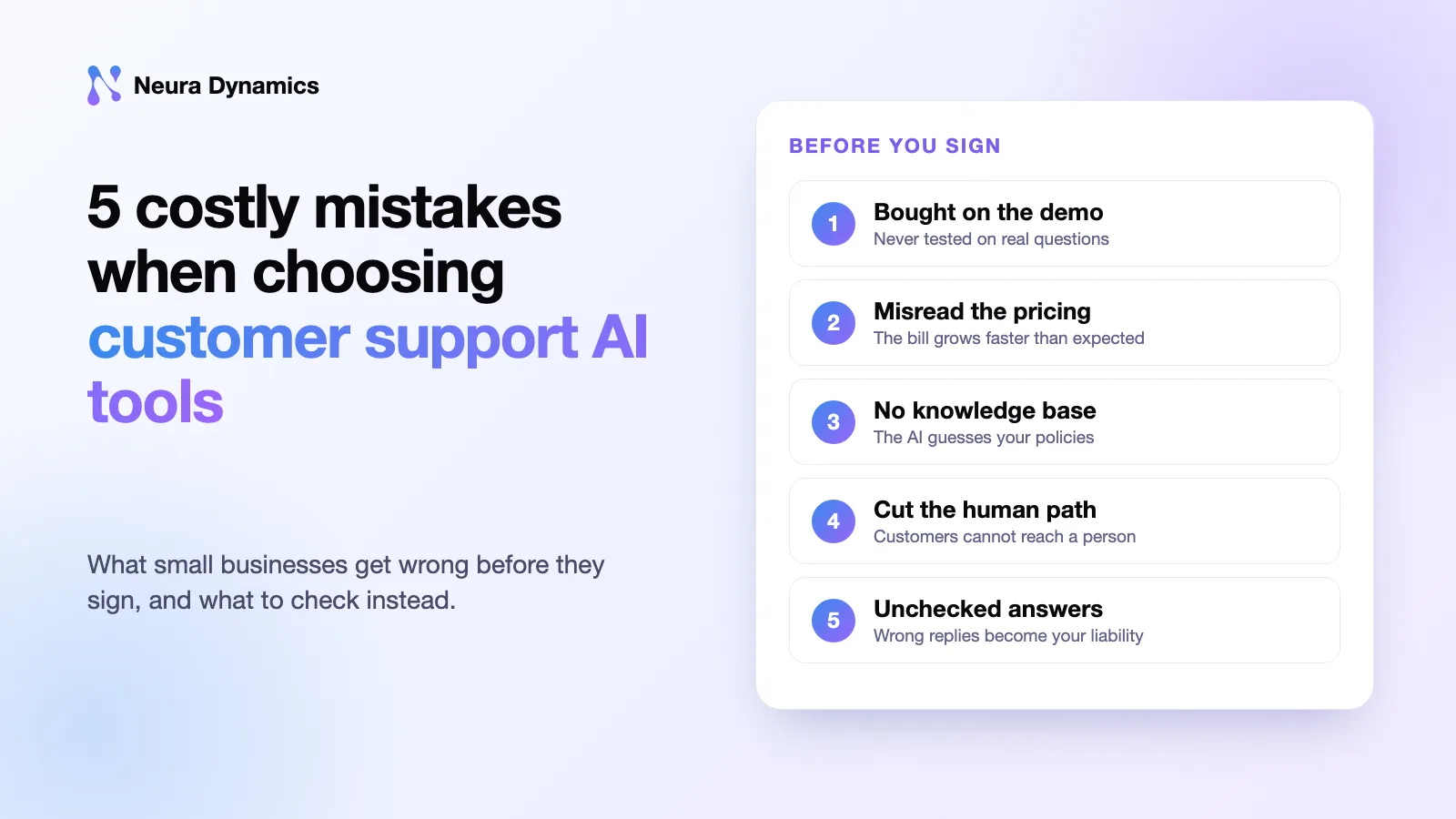
Many small businesses lose money on AI customer service software because of five avoidable mistakes. They trust the sales demo, misunderstand the price, give the AI too little information, remove the option to talk to a person, and never check what the AI tells customers.
Each mistake is easy to avoid before you buy and costly to fix afterwards. Below, we explain each one in plain terms and tell you what to check instead.
1. The Short Answer
Before you buy, do three things. Test the tool on real questions your customers have sent you. Work out what it would cost if your support volume tripled. And make sure customers can still reach a person when the AI cannot help.
Small businesses are buying fast. Thryv’s May 2025 survey of 540 small business decision-makers found AI use rose from 39% in 2024 to 55% in 2025, with customer service among the main uses. Many of these businesses buy quickly, and that is when mistakes happen.
Key takeaways
- Test every tool on 100 real messages from your customers, including the hardest ones.
- Check what each tool would cost if your volume tripled, including WhatsApp or phone fees.
- The AI only knows what you write down for it and the systems you connect it to.
- Use AI to help your team, not replace it: 94% of US small businesses using AI in service expect to grow or keep their teams (Talkdesk, 2025).
- Your business is responsible for what its chatbot says, as Air Canada found out in 2024.
2. Why Do Small Businesses Get AI Support Tools Wrong?
Large companies usually have a support manager and an IT team to test and set up new tools. Most small businesses do not. The owner often decides alone, after a short demo and a look at the starting price.
- 55% of small businesses used AI in 2025, up from 39% in 2024 (Thryv, 2025).
- 68% AI use among firms with 10 to 100 employees, up from 47% (Thryv, 2025).
- 59% of small businesses willing to automate customer service inquiries (Reimagine Main Street / PayPal, 2025).
The interest is real. Wanting to automate is a good start, but it needs a plan. The five mistakes below show where plans usually go wrong.
3. Mistake 1: Choosing on the Demo Instead of Your Own Tickets
In a sales demo, the vendor asks simple, tidy questions the AI was prepared for. Real customers write things like “order not came”, send screenshots, or ask three things at once. A tool that looks perfect in a demo can get many real questions wrong.
Ask each vendor for a free trial using your own data. Take 100 recent customer messages, remove names and contact details, and give them to each tool. Then mark every answer as right, partly right, wrong, or passed to a person.
Tip: Include your ten hardest customer messages in the test, such as refund requests and complaints. You need to see how the tool behaves when it does not know the answer.
4. Mistake 2: Misreading How the Tool Charges
AI support tools charge in different ways. Some charge per staff login, some per solved question, some per chat and some per phone minute. The same amount of work can cost very different amounts. This is our summary of common models, so check each vendor’s current terms.
- Per seat: a monthly fee for each staff login, often plus an extra AI fee. Works well when you have a fixed team and steady volume. Watch out for AI add-ons priced separately from the base plan.
- Per resolution: a fee each time the AI closes a conversation. Works well when volume is low and predictable. Watch out for busy seasons, and for what the vendor counts as “solved”.
- Per conversation: a fee for every chat, solved or not. Works well when most chats are short and simple. Watch out for paying for chats the AI passes to a person anyway.
- Per minute (voice): a fee for each call minute, often split into several charges. Works well when calls are short and routine. Watch out for small charges that add up, and for long calls.
You may also pay for the channel itself. On July 1, 2025, Meta moved the WhatsApp Business Platform to per-message pricing for template messages. So if your AI sends order updates on WhatsApp, you pay for each message.
Warning: Work out the monthly bill at your normal volume and at three times that. A price per solved question can look cheap at low volume and add up quickly in a busy season.
5. Mistake 3: Expecting the AI to Know Your Business
The AI only knows what you write down for it. If your return policy exists only in your head, the AI will either guess or refuse to answer. In a Gartner survey of 187 service leaders, 85% planned to explore or pilot customer-facing conversational GenAI in 2025, yet 61% reported a backlog of knowledge articles that needed updating. These tools work from that content.
The AI also needs access to your other systems. If it cannot see your orders, it can only say “someone will get back to you”. Check that it connects to the tools you use, such as Shopify, WooCommerce, your booking system or your helpdesk.
Our advice: spend the first week writing, not setting up. Write a clear answer for each of your ten most common customer questions before you turn the AI on. Our guide to agentic RAG for customer service explains how the AI looks up that content.
Comparing AI support tools now? We can review your shortlist against your own tickets. Book a free AI consultation.
6. Mistake 4: Planning to Replace People Instead of Supporting Them
Some owners buy AI hoping they will not need support staff. Research suggests that rarely works out. Gartner predicted in June 2025 that by 2027, half of the organisations that planned major AI-driven cuts to customer service staff will drop those plans. Its advice is a hybrid model, where AI and human agents work together.
Small businesses already using AI tend to agree. Talkdesk’s August 2025 survey of US small business owners found 51% had added AI to customer service, and 94% expected to grow their service teams or keep current staffing over the next two years.
Customers also want the option to talk to a person. Gartner’s 2025 survey of 5,801 customers found only 35% of those who last used the phone for service would use a GenAI assistant instead. Choose a tool that passes the customer to a staff member, along with the full conversation, so the customer does not have to explain everything again.
7. Mistake 5: Not Checking What the AI Tells Customers
If your AI gives a customer wrong information, your business can be held responsible. A 2024 case in Canada shows this clearly.
Real case: Moffatt v. Air Canada, 2024 BCCRT 149, decided February 14, 2024. Air Canada’s website chatbot told a customer he could claim a bereavement fare refund after travel, within 90 days. The airline’s actual policy said otherwise. Air Canada argued the chatbot was responsible for its own answers. British Columbia’s Civil Resolution Tribunal rejected the argument that the chatbot was a separate legal entity and held the airline liable. The customer was awarded C$812.02.
The payout was small, but the lesson applies to any business. This is a general point, not legal advice. Choose a tool that only answers from information you have approved. It should let you block risky topics, such as refunds or legal questions, and keep a record of every conversation. We cover the same story in our posts on chatbots that give wrong answers and keeping AI support accurate.
Note: AI tools sometimes state wrong facts with full confidence. Experts call this a hallucination. Limiting the AI to your own documents helps, but you should still read some of its conversations every week.
8. How to Choose AI Customer Service Software in 7 Steps
- List your top ten questions. Look at the last three months of customer messages. Find the ten questions people ask most. The AI must answer these well.
- Write or fix the answers. Write one clear answer for each question, including your real rules and any exceptions.
- Pick two or three tools to compare. Check that each one works with your online store, booking system or helpdesk without extra coding.
- Test each tool on 100 real messages. Remove personal details, give every tool the same messages, and mark each answer right or wrong.
- Add up the full cost. Include staff logins, AI fees, WhatsApp or phone fees and setup time. Check the total at today’s volume and at three times that.
- Check the safety features. Make sure staff see the full conversation when the AI passes a customer over, and that you can block topics and read past chats.
- Try it on one channel for 30 days. Read 20 conversations a week. Only expand if the answers stay accurate and customers stay happy.
To estimate savings before you talk to vendors, run your monthly ticket volume through our free AI ROI Calculator. New to the topic? Start with what customer support automation is and how it works, or see our comparison of support automation tools for small businesses.
9. Frequently Asked Questions
What is the best AI customer service software for a small business?
The best tool is the one that answers your own customers correctly and works with the systems you already use. Pick two or three, test each on 100 real customer messages, and compare the cost at your real volume. A famous brand that fails your test is still the wrong choice.
How much do AI customer support tools cost?
It depends on how the tool charges: per staff login, per solved question, per chat or per phone minute. You may also pay channel fees. WhatsApp, for example, has charged per business message since July 1, 2025. Work out the cost at your normal volume and at three times that before you sign.
Can a small business replace support staff with AI?
Rarely, and it is risky to plan for it. Gartner expects about half of organisations that planned big AI-driven staff cuts to drop those plans by 2027. A 2025 Talkdesk survey found 94% of US small businesses using AI in service expect to grow their teams or keep current staffing.
Is my business responsible if the AI gives a wrong answer?
It can be. In a 2024 Canadian case, Moffatt v. Air Canada, a tribunal held the airline liable after its chatbot gave a customer wrong refund advice, and it rejected the claim that the chatbot was responsible for itself. This is not legal advice. Limit your AI to approved information and check its conversations.
How long should I test an AI support tool before committing?
First, test it privately on 100 past customer messages, which takes a few days. Then use it live on one channel for about 30 days and read some conversations each week. Sign a longer contract only if the answers stay accurate and customers stay happy.
10. Conclusion
The right customer support AI tools for a small business answer your real customers correctly, stay affordable when you get busy, and pass hard questions to a person. Before your next call with a vendor, collect 100 recent customer messages and ask them to test their tool on those first.
To see how we built one AI across voice, email and web chat, read our Paymate omnichannel support case study. For high-confidence email queries, first response time went from hours to under one minute. To get help choosing or building yours, see our AI customer support automation services.
Author