Best WhatsApp Customer Support Tools for Small Business
If one or two people answer your chats, the free WhatsApp Business app is usually enough. Once a team shares the inbox, or you want a WhatsApp chatbot to answer order and booking questions, move to a WhatsApp Business API tool such as AiSensy, Interakt, WATI or respond.io.
This guide compares their prices, seats and automation, explains what Meta charges per message, and gives a six-step way to choose.
1. Do You Need the Free App or the WhatsApp Business API?
WhatsApp gives businesses two routes. The WhatsApp Business app is free and runs on a phone. It includes a business profile, greeting and away messages, quick replies, labels and a product catalog. With a paid Meta Verified subscription, you can link up to 10 devices so several people answer from one number.
The WhatsApp Business API (Meta calls it the Business Platform) is a connection that lets software send and receive WhatsApp messages. It has no app of its own. Most small businesses use it through a provider such as AiSensy or WATI, which adds a web inbox, a chatbot builder, links to your store or CRM, and reports. In our view, the switch makes sense when chats are being missed, when more than two or three people reply, or when you want answers pulled from order or booking data.
Key takeaways
- The free WhatsApp Business app suits one or two people answering chats; Meta Verified lets up to 10 devices share one number.
- API tools like AiSensy, Interakt, WATI and respond.io add a shared inbox, a WhatsApp chatbot and integrations. Entry plans start at about ₹1,500 a month (AiSensy) and $59–$99 a month for WATI and respond.io.
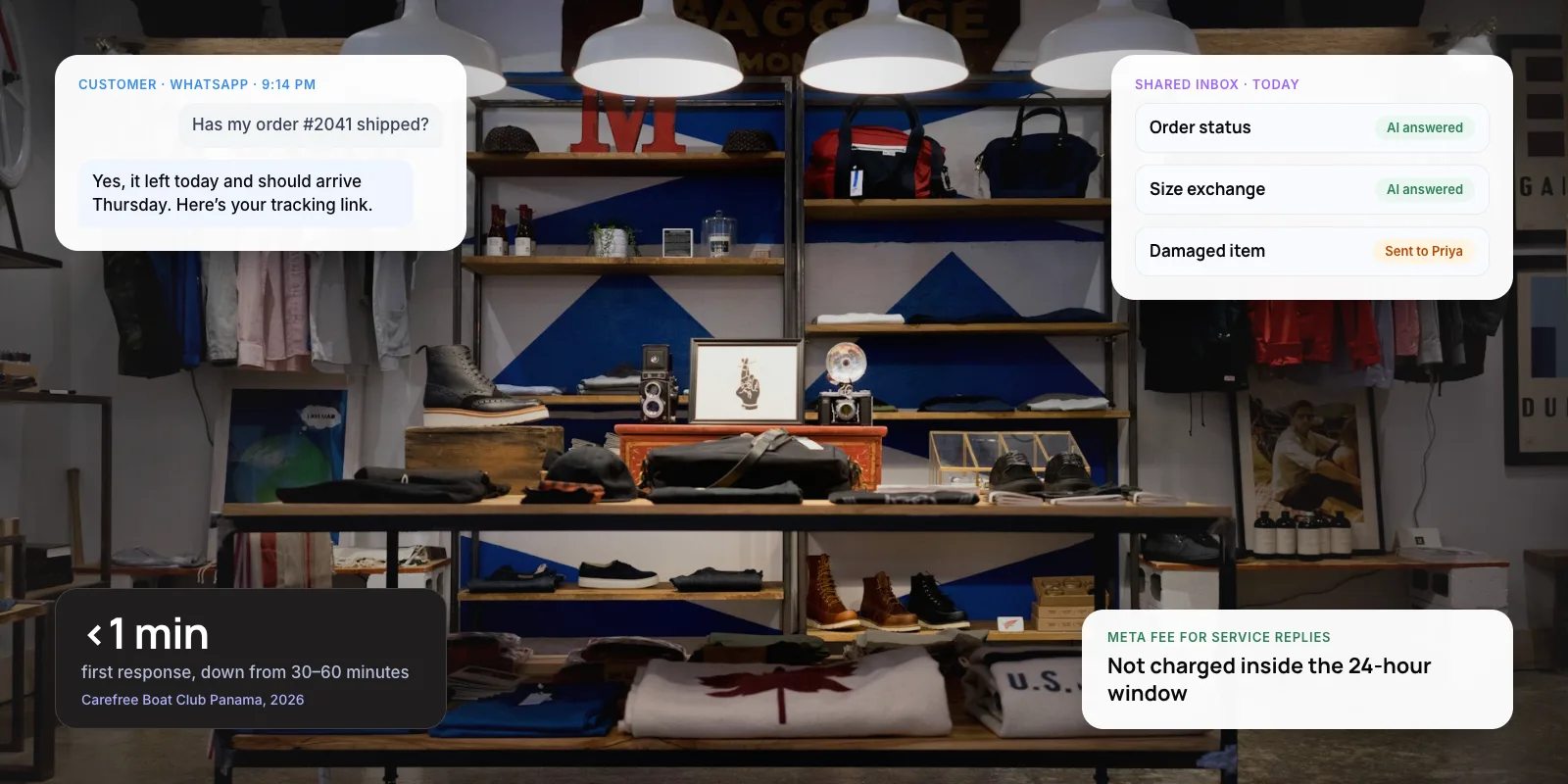
- Meta does not charge for service replies inside the 24-hour window; you pay per template message you send first.
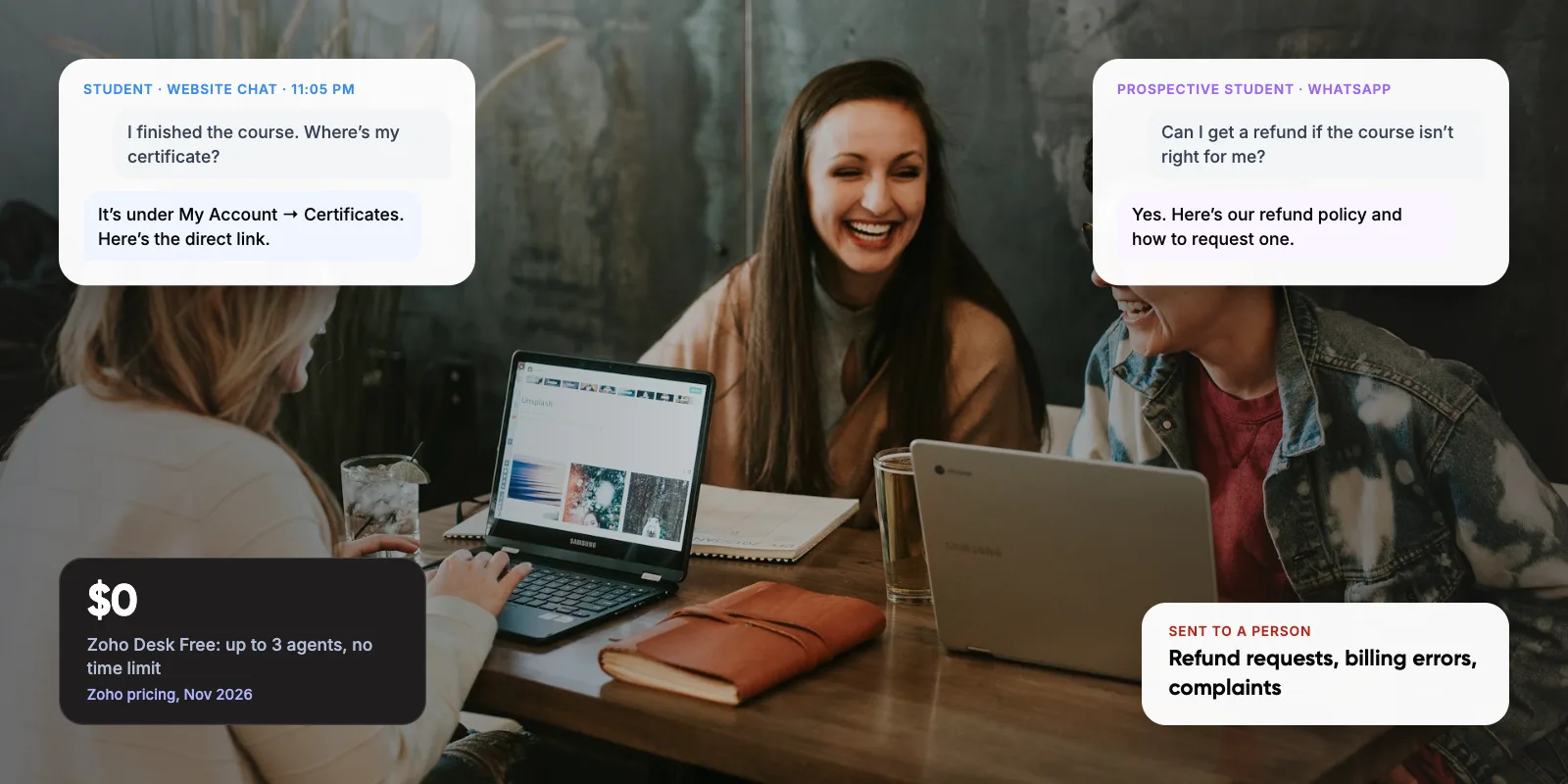
- Let the chatbot handle order status, hours and bookings. Keep refunds, complaints and disputes with a person.

2. The Best WhatsApp Customer Support Tools Compared
We compared the free app with four API tools that sell self-serve plans to small teams. Prices are the cheapest plan that includes WhatsApp, as listed in late 2026. Every API tool also passes on WhatsApp message fees, which section 4 explains.
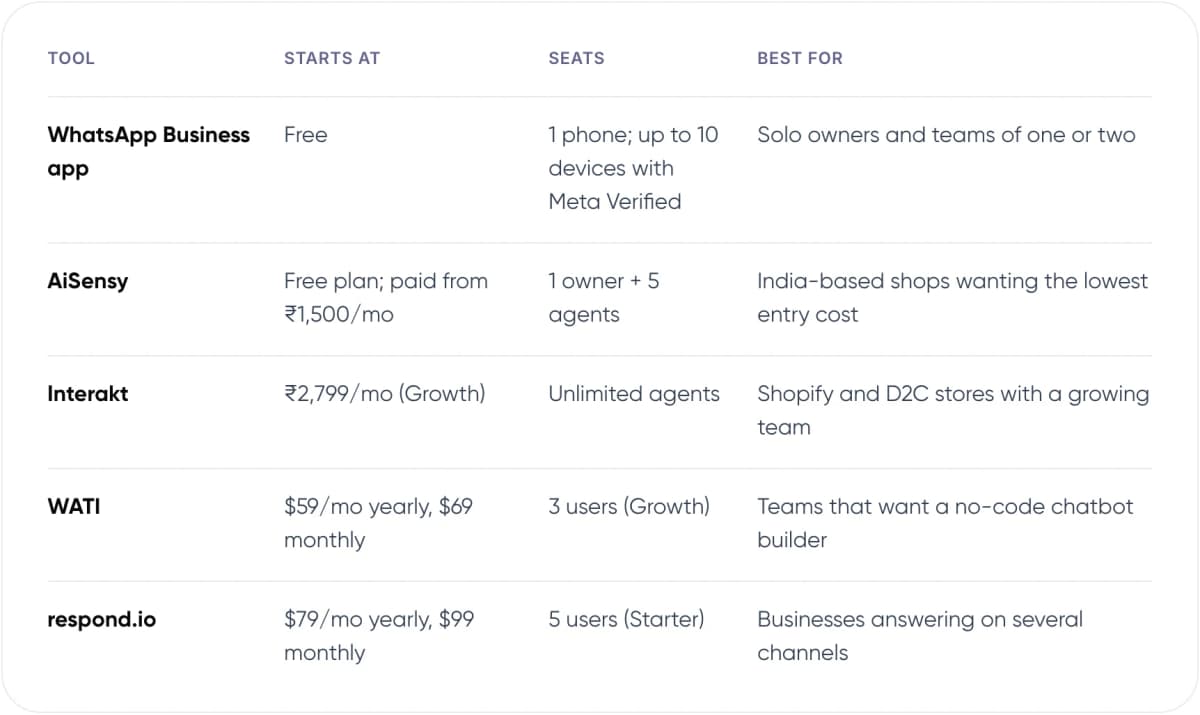
- WhatsApp Business app — Starts at: Free. Seats: 1 phone; up to 10 devices with Meta Verified. Best for: Solo owners and teams of one or two.
- AiSensy — Starts at: Free plan; paid from ₹1,500/mo. Seats: 1 owner + 5 agents. Best for: India-based shops wanting the lowest entry cost.
- Interakt — Starts at: ₹2,799/mo (Growth). Seats: Unlimited agents. Best for: Shopify and D2C stores with a growing team.
- WATI — Starts at: $59/mo yearly, $69 monthly. Seats: 3 users (Growth). Best for: Teams that want a no-code chatbot builder.
- respond.io — Starts at: $79/mo yearly, $99 monthly. Seats: 5 users (Starter). Best for: Businesses answering on several channels.
Sources: vendor pricing pages and Meta, November 2026. Prices exclude taxes and change often; confirm on each vendor’s page before you buy.
3. What Each Tool Does Well, and Where It Falls Short
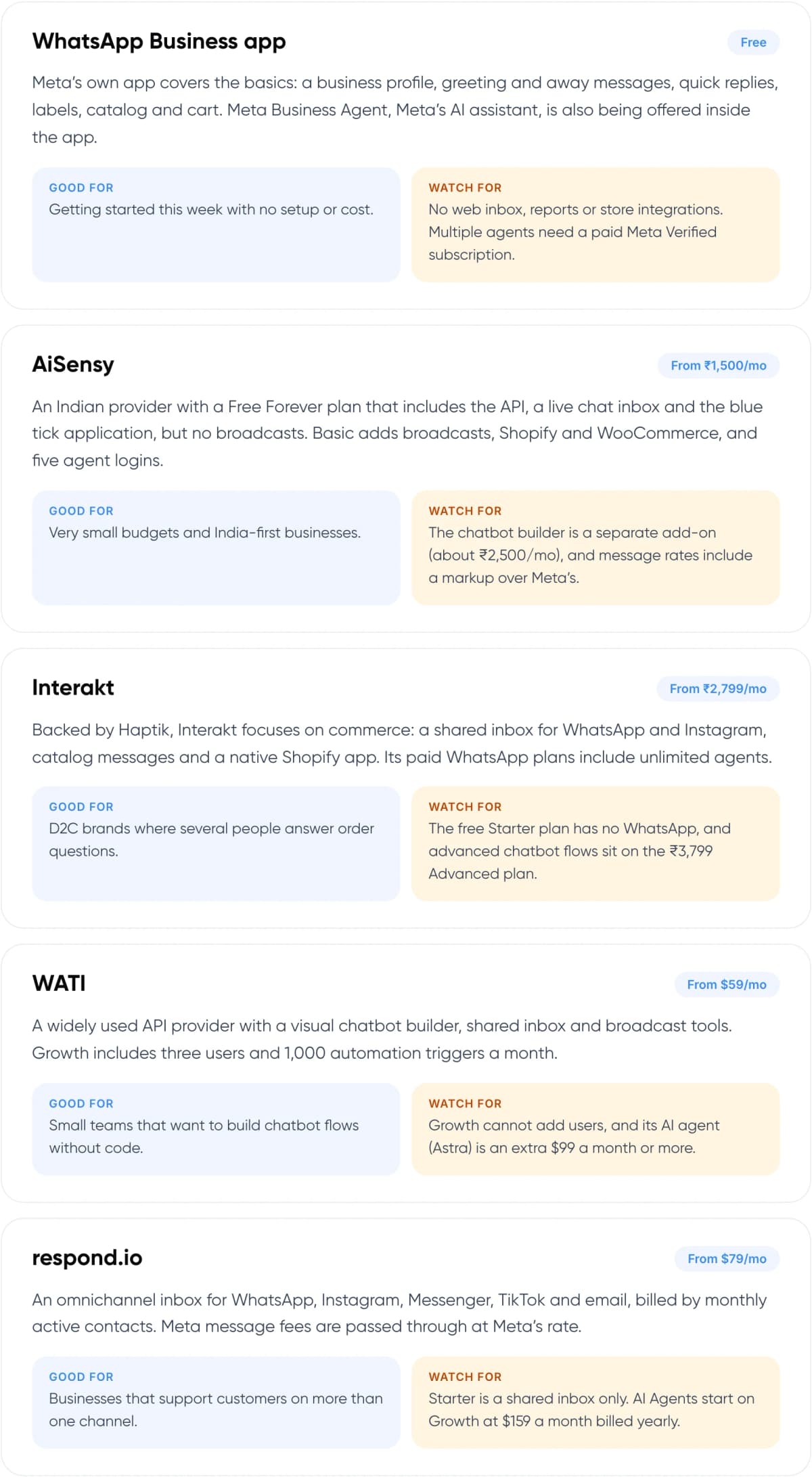
WhatsApp Business app
Free
Meta’s own app covers the basics: a business profile, greeting and away messages, quick replies, labels, catalog and cart. Meta Business Agent, Meta’s AI assistant, is also being offered inside the app.
Good for: Getting started this week with no setup or cost.
Watch for: No web inbox, reports or store integrations. Multiple agents need a paid Meta Verified subscription.
AiSensy
From ₹1,500/mo
An Indian provider with a Free Forever plan that includes the API, a live chat inbox and the blue tick application, but no broadcasts. Basic adds broadcasts, Shopify and WooCommerce, and five agent logins.
Good for: Very small budgets and India-first businesses.
Watch for: The chatbot builder is a separate add-on (about ₹2,500/mo), and message rates include a markup over Meta’s.
Interakt
From ₹2,799/mo
Backed by Haptik, Interakt focuses on commerce: a shared inbox for WhatsApp and Instagram, catalog messages and a native Shopify app. Its paid WhatsApp plans include unlimited agents.
Good for: D2C brands where several people answer order questions.
Watch for: The free Starter plan has no WhatsApp, and advanced chatbot flows sit on the ₹3,799 Advanced plan.
WATI
From $59/mo
A widely used API provider with a visual chatbot builder, shared inbox and broadcast tools. Growth includes three users and 1,000 automation triggers a month.
Good for: Small teams that want to build chatbot flows without code.
Watch for: Growth cannot add users, and its AI agent (Astra) is an extra $99 a month or more.
respond.io
From $79/mo
An omnichannel inbox for WhatsApp, Instagram, Messenger, TikTok and email, billed by monthly active contacts. Meta message fees are passed through at Meta’s rate.
Good for: Businesses that support customers on more than one channel.
Watch for: Starter is a shared inbox only. AI Agents start on Growth at $159 a month billed yearly.
4. What Does WhatsApp Business API Support Really Cost?
Your bill has two parts: the tool’s subscription and Meta’s message fees. Since July 1, 2025, Meta has charged per delivered template message instead of per 24-hour conversation. A template is a pre-approved message you send first, such as a delivery update, an offer or a login code. Rates depend on the customer’s country and the template type: marketing, utility or authentication.
Support is the cheap part. Meta’s pricing page says it does not charge for service messages, or for utility messages sent in reply to a customer. When a customer writes in, a 24-hour window opens and resets with every new customer message. Chats that start from a click-to-WhatsApp ad stay free for 72 hours. Most providers add their own markup to template messages, so compare their rate cards as well as plan prices.
Note: Some providers, including CM.com, report that from October 1, 2026 Meta charges service replies after 1,000 free messages per number each month. Meta’s own pricing page did not show this in November 2026. Check your provider’s invoice and rate card.
Not sure which WhatsApp setup fits your team? We can map your chats and costs with you.
5. Can a WhatsApp Chatbot Handle Support on Its Own?
A WhatsApp chatbot does well with questions that have one correct answer in your systems. It struggles when the customer is upset or the answer needs judgement. Draw the line before you build any flows.
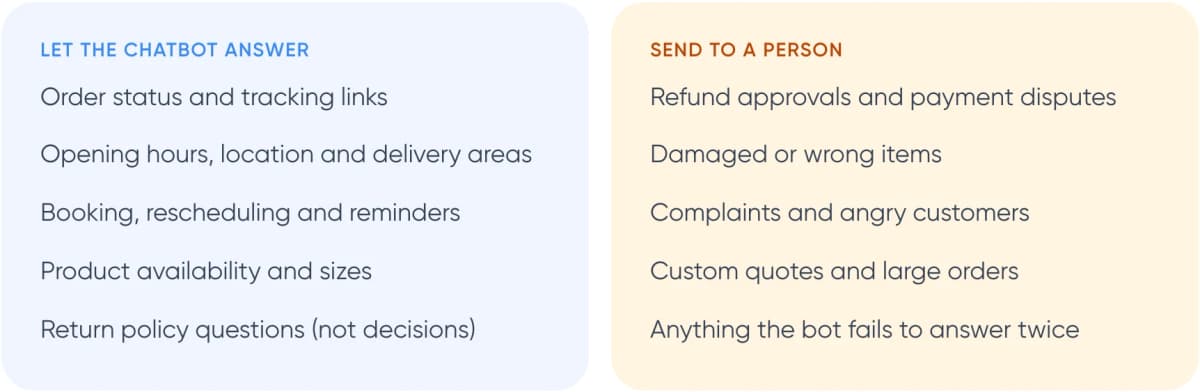
Let the chatbot answer
- Order status and tracking links
- Opening hours, location and delivery areas
- Booking, rescheduling and reminders
- Product availability and sizes
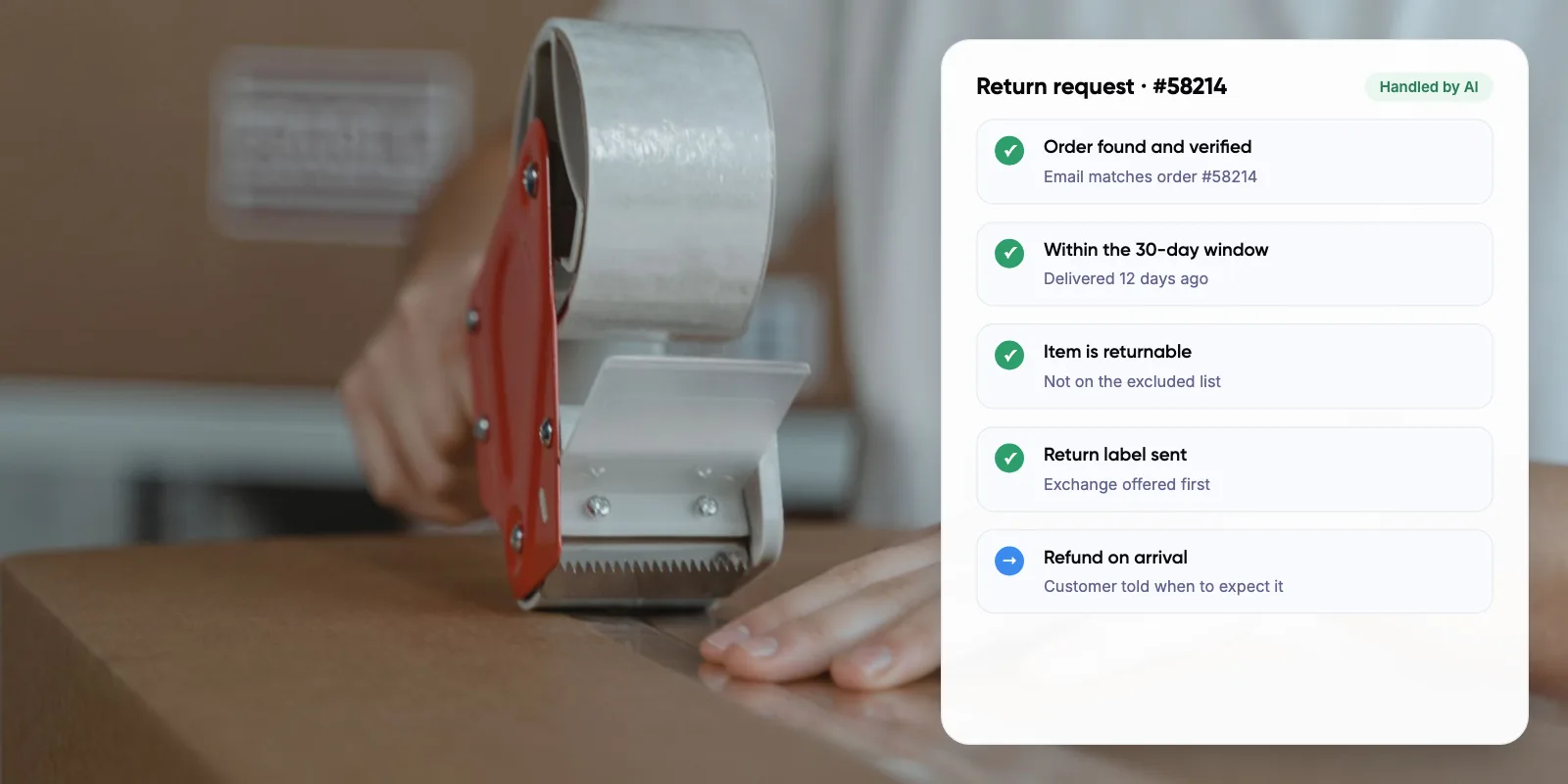
- Return policy questions (not decisions)
Send to a person
- Refund approvals and payment disputes
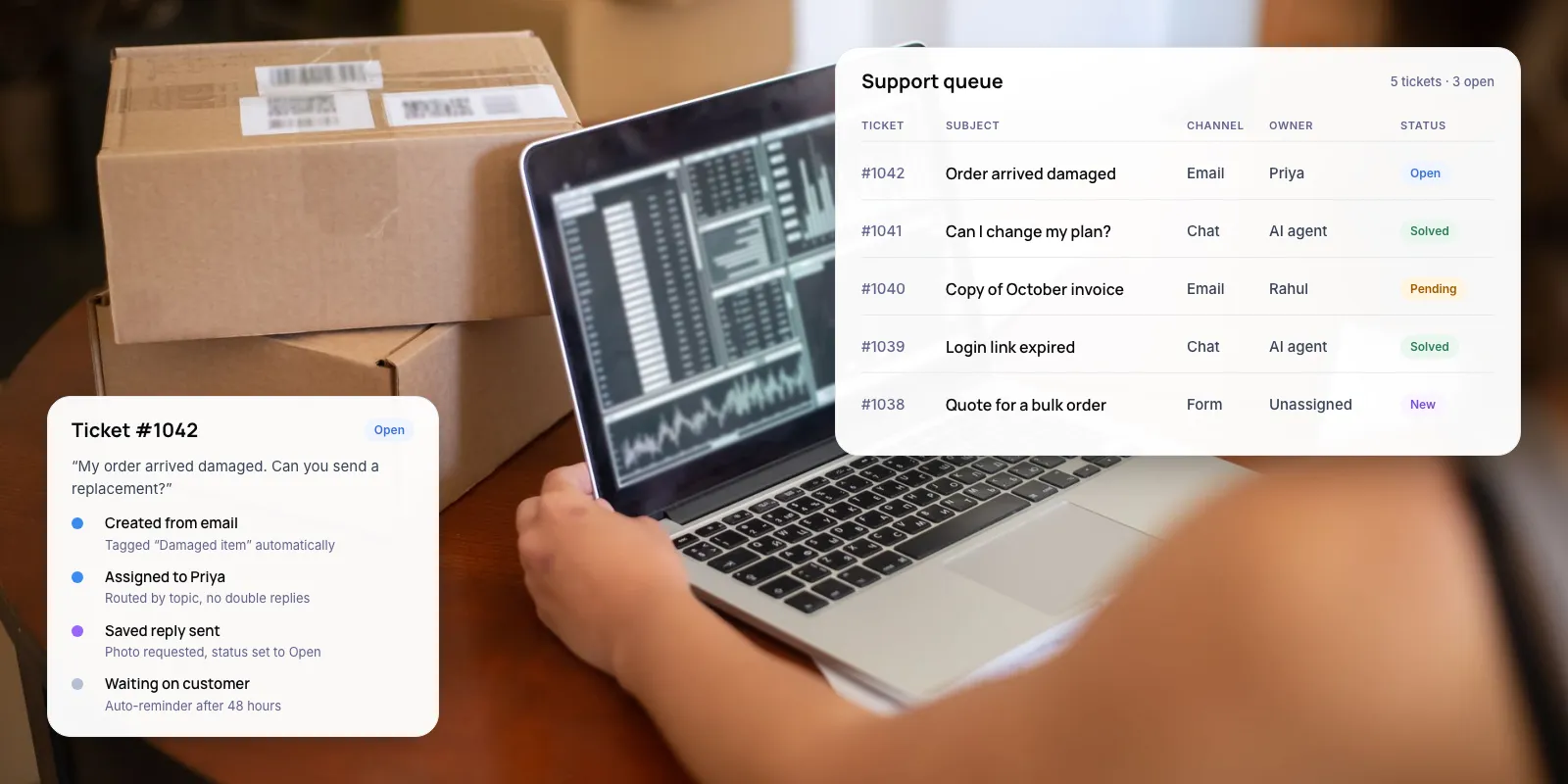
- Damaged or wrong items
- Complaints and angry customers
- Custom quotes and large orders
- Anything the bot fails to answer twice
Always offer a way to reach a person. Gartner’s 2026 survey found ~87% of customers say access to a human agent is essential when a company uses generative AI for service. When the chatbot hands over, pass the chat history so the customer doesn’t repeat themselves. Our guide to chatbot handoff and context transfer covers how.
Warning: Keep refund approvals and payment disputes with a person, even if the tool lets a bot do them. In our view, a wrong automated refund costs more than the minutes it saves.
6. Real Example: Faster Replies Without Changing Numbers
Meta’s 2026 success story on Kommo, a CRM partner, shows what the upgrade looks like for small firms. Kommo’s clients connected their existing WhatsApp Business app numbers to the API, kept their chat history, and added automated lead qualification.
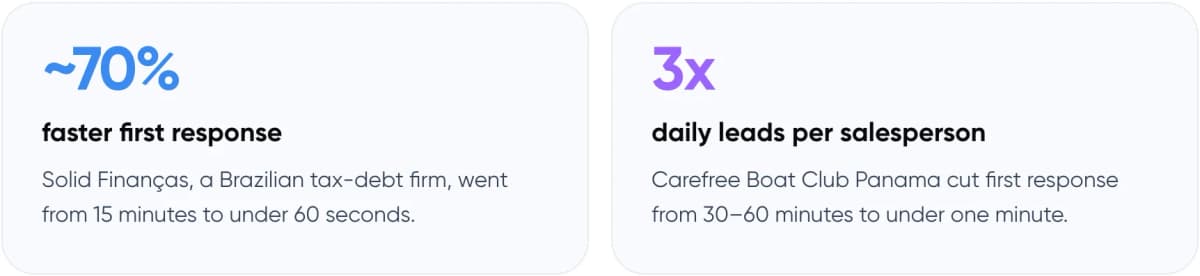
- ~70% faster first response: Solid Finanças, a Brazilian tax-debt firm, went from 15 minutes to under 60 seconds.
- 3x daily leads per salesperson: Carefree Boat Club Panama cut first response from 30–60 minutes to under one minute.
Meta notes the results are self-reported, so treat them as a direction rather than a promise. The pattern is still useful: automation answered first, and people followed up on the qualified chats.
7. How to Choose a WhatsApp Support Tool in 6 Steps

- Count your chats. Export last month’s WhatsApp conversations and note the volume, the top ten topics and how many people reply.
- Decide app or API. Stay on the app if one or two people keep up. Move to the API if chats are missed or you need integrations.
- Shortlist two tools. Match seats, channels and store integrations to your needs, then compare plan price plus message markup.
- Keep your number. Ask the provider whether you can connect your existing Business app number and keep chat history.
- Automate the top questions. Build chatbot answers for order status, hours and bookings, with a clear “talk to a person” option.
- Review weekly. Read handed-over chats, fix wrong or missing answers, and track first-response time.
If your answers depend on order, booking or account data, the chatbot needs reliable lookups. Our guide to agentic RAG for customer service explains how that works.
8. Frequently Asked Questions
What is the best WhatsApp customer support tool for a small business?
It depends on team size. One or two people can use the free WhatsApp Business app. Teams sharing an inbox usually move to an API tool: AiSensy and Interakt suit India-based shops, WATI suits no-code chatbots, and respond.io suits businesses on several channels. Compare total cost, including message markups.
Is the WhatsApp Business API free?
No. You pay a provider subscription plus Meta’s fees for template messages you send first, such as offers or reminders. Meta’s pricing page, checked November 2026, says it does not charge for service replies within 24 hours of a customer’s message. Some providers report a cap from October 2026, so check your invoice.
Do I need a WhatsApp chatbot?
Not always. If most questions are varied or need judgement, a shared inbox with quick replies may be enough. A WhatsApp chatbot pays off when the same questions repeat, such as order status, hours and bookings. Always give customers a clear way to reach a person.
Can I keep my number when moving from the app to the API?
Often, yes. Meta now lets partners connect an existing WhatsApp Business app number to the API while keeping chat history. Meta’s 2026 Kommo case study describes small businesses doing this. Ask your chosen provider whether it supports this before you migrate.
How many people can answer WhatsApp chats at once?
On the free app, a Meta Verified subscription lets you link up to 10 devices to one account. API tools set their own limits: AiSensy Basic includes five agents, WATI Growth three users, respond.io Starter five users, and Interakt includes unlimited agents on paid plans.
9. Conclusion
The best WhatsApp customer support tool for a small business depends on team size and chat volume, not feature lists. Start on the free app, and move to an API tool when chats are missed or several people share the number. Before you sign up, count last month’s WhatsApp chats by topic; the top ten become your first chatbot answers.
For an example of our multichannel support work, see Paymate.
If an off-the-shelf tool can’t reach your order, booking or account data, our AI customer support automation service builds WhatsApp assistants connected to your own systems, with handover to your team.
Author