Best Customer Support Automation Tools for SaaS Startups
Five help desks with built-in AI agents, compared on what a small SaaS team actually pays per resolved conversation in 2026.
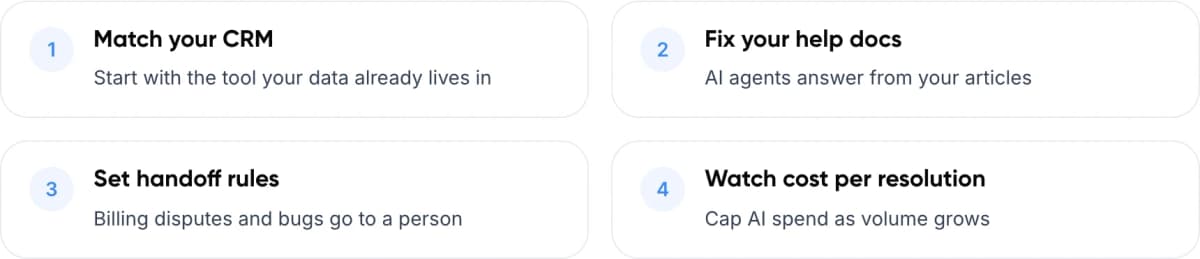
- Match your CRM Start with the tool your data already lives in
- Fix your help docs AI agents answer from your articles
- Set handoff rules Billing disputes and bugs go to a person
- Watch cost per resolution Cap AI spend as volume grows
1. The Short Answer
For most SaaS startups, the best customer support automation tools are help desks with an AI agent built in: Intercom with Fin, HubSpot Service Hub, Zendesk, Help Scout and Freshdesk. Pick the one that matches the CRM you already use and the volume you expect. Then compare the price of each automated answer, because that line now grows faster than seat costs.
Prices spread widely. As of November 2026, an AI-resolved conversation costs $0.50 on HubSpot, $0.75 on Help Scout, $0.99 with Intercom Fin and $1.50 to $2.00 on Zendesk. Freshdesk charges $0.49 per session whether or not the AI solves the problem.
Key takeaways
- Most customer support automation tools now charge per AI resolution, from $0.50 (HubSpot) to $2.00 (Zendesk pay-as-you-go).
- Freshdesk bills AI by session at $0.49, so you pay even when the AI does not solve the problem.
- Intercom’s Early Stage program gives eligible startups 93% off in year one plus 300 Fin outcomes a month.
- Pick the tool that matches your CRM first. Switching costs more than any price gap.
- Gartner found only 4% of service leaders got the ROI they expected from AI, so setup and review matter more than the tool.
2. Why Are SaaS Startups Automating Support Now?
Early SaaS support is usually a founder or one engineer answering the same questions about logins, billing, integrations and plan limits. AI agents can now answer many of these from your help docs. Budgets are moving the same way. Gartner’s research shows the pressure, and also how few teams get the results they expected.
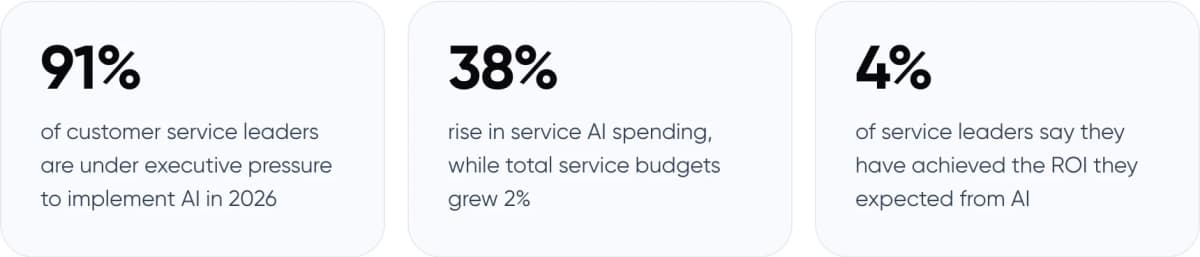
- 91% of customer service leaders are under executive pressure to implement AI in 2026
- 38% rise in service AI spending, while total service budgets grew 2%
- 4% of service leaders say they have achieved the ROI they expected from AI
Sources: Gartner survey of 321 service leaders, Oct 2025 (Feb 2026); Gartner survey of 199 leaders, Apr–May 2026 (Aug 2026); Gartner survey of 275 leaders, Jul–Aug 2026 (Nov 2026).
That 4% figure matters more than the other two. In our view, most of the gap comes from setup, not from the tool you pick: thin help content, no handoff rules and nobody reviewing what the AI says.
3. What Should You Look For in Customer Support Automation Software?
Feature lists look alike. Four things decide whether a tool works for a small SaaS team.
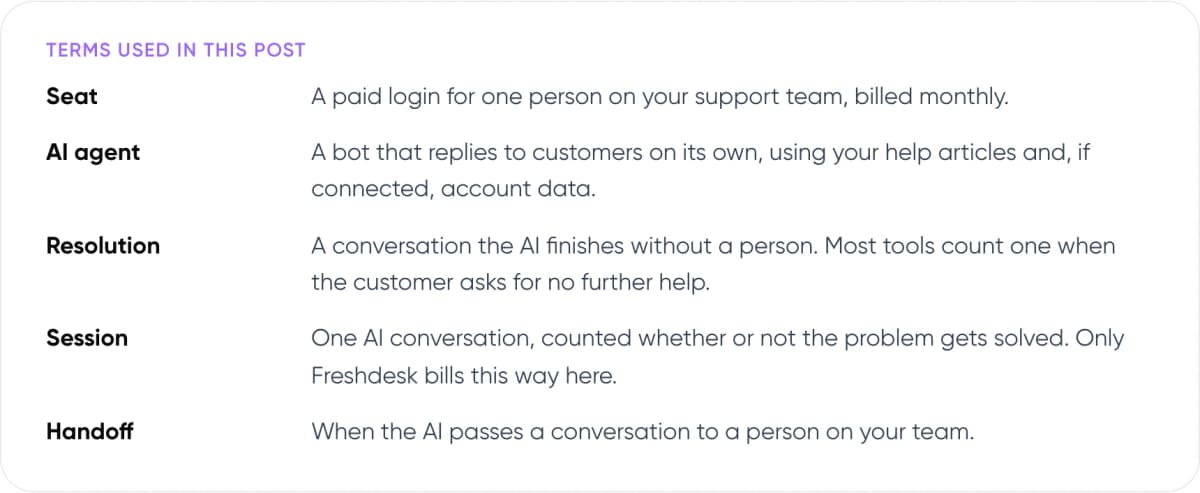
Terms used in this post
- Seat: A paid login for one person on your support team, billed monthly.
- AI agent: A bot that replies to customers on its own, using your help articles and, if connected, account data.
- Resolution: A conversation the AI finishes without a person. Most tools count one when the customer asks for no further help.
- Session: One AI conversation, counted whether or not the problem gets solved. Only Freshdesk bills this way here.
- Handoff: When the AI passes a conversation to a person on your team.
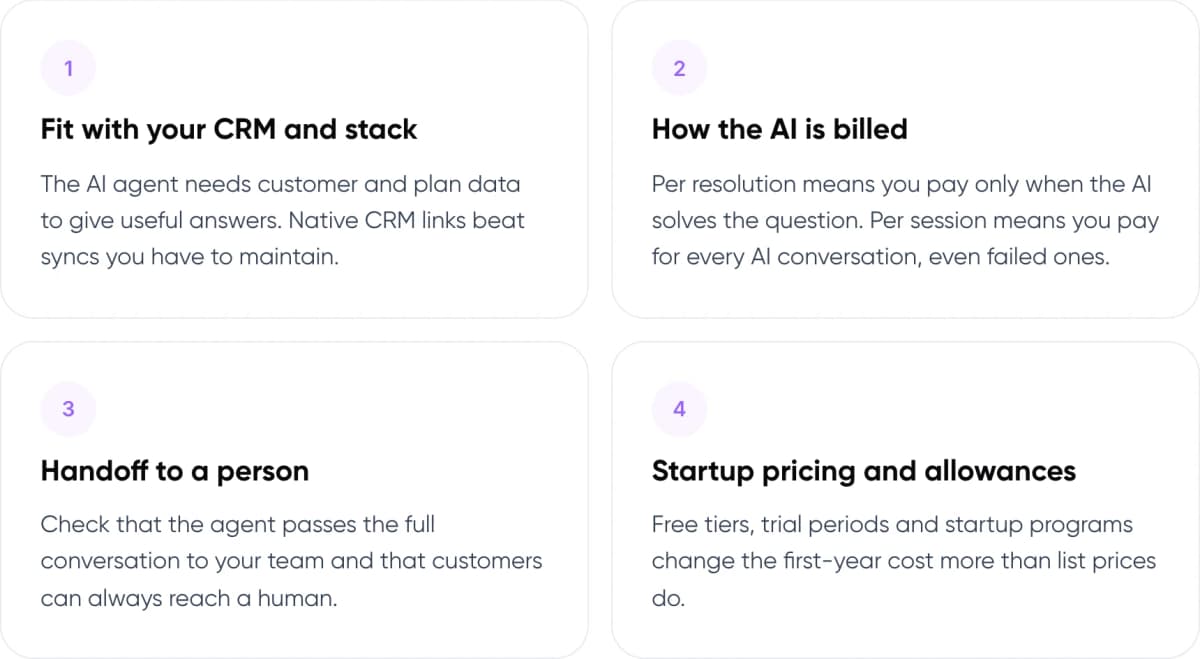
- Fit with your CRM and stack. The AI agent needs customer and plan data to give useful answers. Native CRM links beat syncs you have to maintain.
- How the AI is billed. Per resolution means you pay only when the AI solves the question. Per session means you pay for every AI conversation, even failed ones.
- Handoff to a person. Check that the agent passes the full conversation to your team and that customers can always reach a human.
- Startup pricing and allowances. Free tiers, trial periods and startup programs change the first-year cost more than list prices do.
Note: Each vendor defines a “resolution” differently. Fin counts one when the customer asks for no further help after its last answer. Zendesk has billed only “verified” resolutions since May 2026. Read the definition before you compare prices.
4. Best Customer Support Automation Tools Compared
All five tools combine a shared inbox, a help center and an AI agent that answers customers in chat or email. The differences are in pricing model, the CRM each one fits, and the free allowance you get at the start.
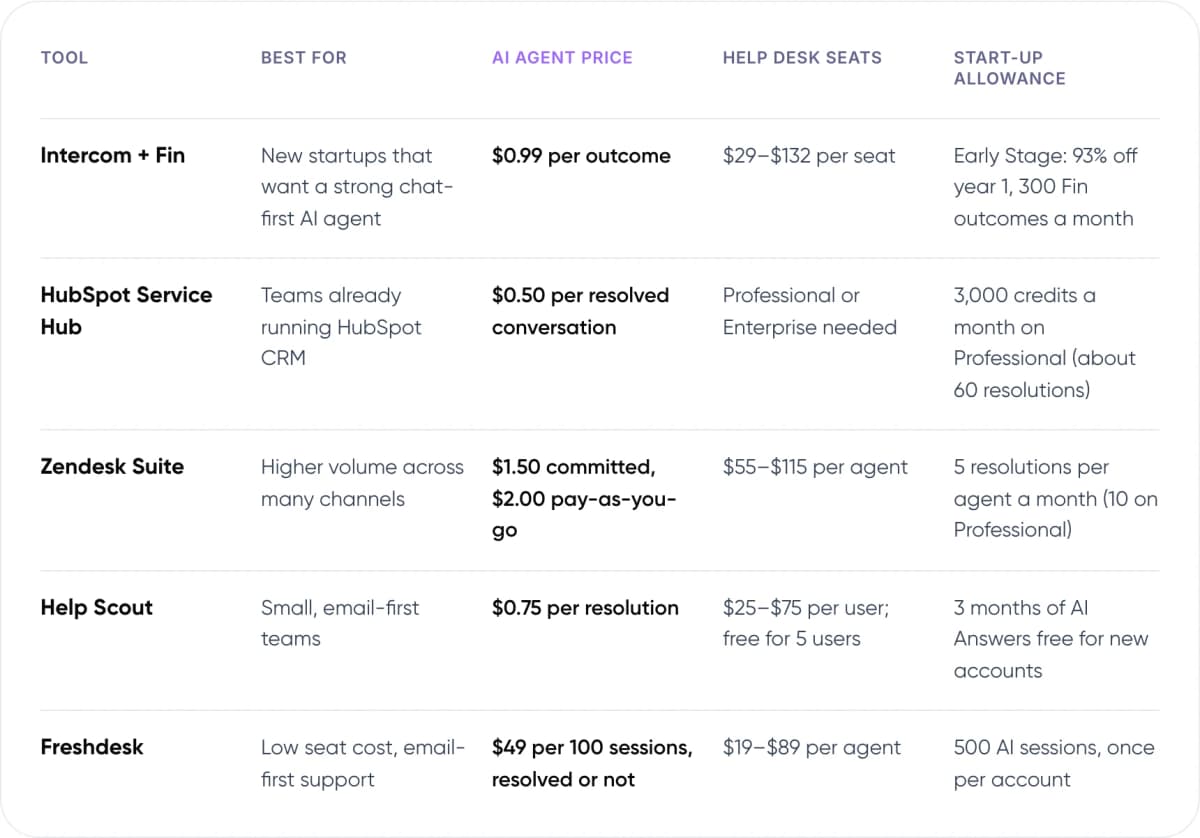
- Intercom + Fin — Best for: New startups that want a strong chat-first AI agent. AI agent price: $0.99 per outcome. Help desk seats: $29–$132 per seat. Start-up allowance: Early Stage: 93% off year 1, 300 Fin outcomes a month.
- HubSpot Service Hub — Best for: Teams already running HubSpot CRM. AI agent price: $0.50 per resolved conversation. Help desk seats: Professional or Enterprise needed. Start-up allowance: 3,000 credits a month on Professional (about 60 resolutions).
- Zendesk Suite — Best for: Higher volume across many channels. AI agent price: $1.50 committed, $2.00 pay-as-you-go. Help desk seats: $55–$115 per agent. Start-up allowance: 5 resolutions per agent a month (10 on Professional).
- Help Scout — Best for: Small, email-first teams. AI agent price: $0.75 per resolution. Help desk seats: $25–$75 per user; free for 5 users. Start-up allowance: 3 months of AI Answers free for new accounts.
- Freshdesk — Best for: Low seat cost, email-first support. AI agent price: $49 per 100 sessions, resolved or not. Help desk seats: $19–$89 per agent. Start-up allowance: 500 AI sessions, once per account.
List prices in USD, annual billing, checked November 2026 on each vendor’s pricing page. Prices change often; confirm before you buy.

Intercom with Fin
$0.99 per outcome
Fin is Intercom’s AI agent. It answers in chat and email from your help center and can run multi-step procedures. Intercom bills $0.99 per outcome, at most once per conversation. An outcome is usually a resolution, but a handoff after Fin completes a set workflow also counts. Seats run $29 to $132 a month on annual billing. Fin also works on Zendesk, Salesforce, HubSpot and Freshdesk, with a 50-outcome monthly minimum and no seat charge.
Choose it if: You qualify for the Early Stage program (up to $10M raised, under 15 staff, new to Intercom) or want a chat-first product experience.
Watch out for: Outcomes beyond the startup allowance are billed at full list price. Year 2 and 3 discounts drop to 50% and 25%.
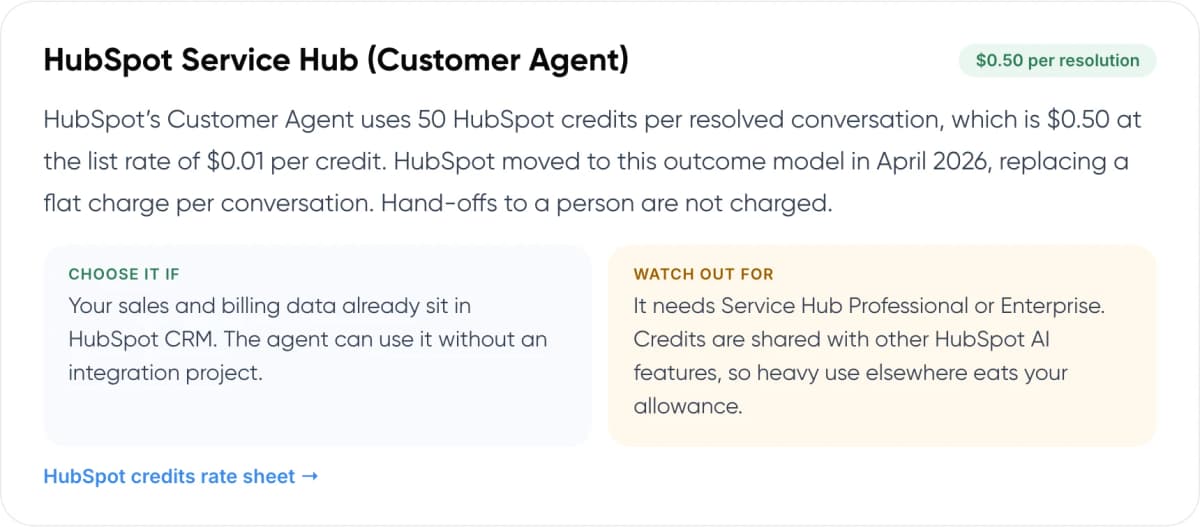
HubSpot Service Hub (Customer Agent)
$0.50 per resolution
HubSpot’s Customer Agent uses 50 HubSpot credits per resolved conversation, which is $0.50 at the list rate of $0.01 per credit. HubSpot moved to this outcome model in April 2026, replacing a flat charge per conversation. Hand-offs to a person are not charged.
Choose it if: Your sales and billing data already sit in HubSpot CRM. The agent can use it without an integration project.
Watch out for: It needs Service Hub Professional or Enterprise. Credits are shared with other HubSpot AI features, so heavy use elsewhere eats your allowance.
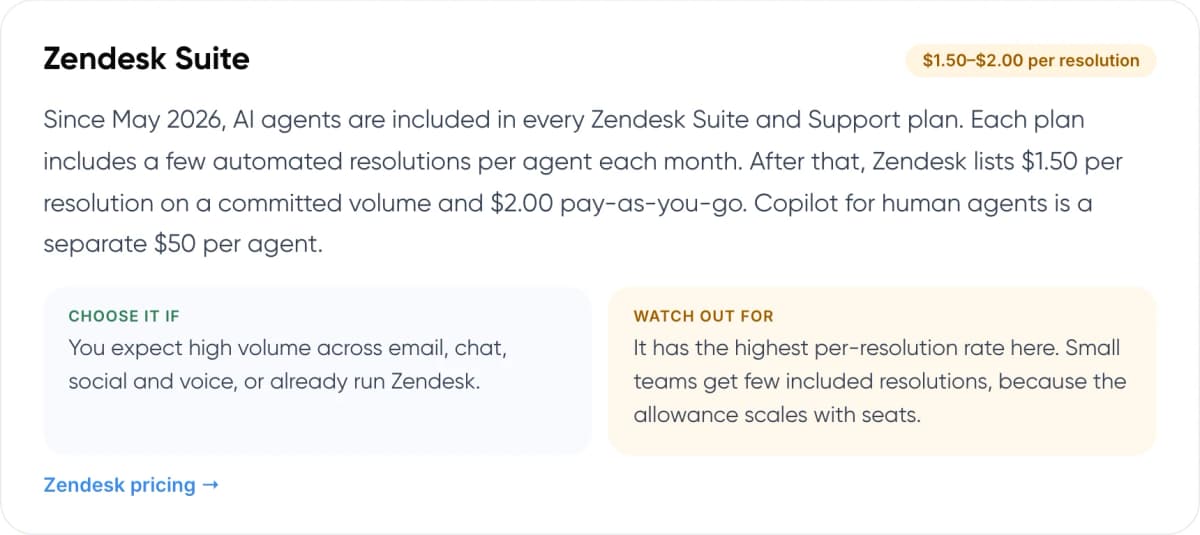
Zendesk Suite
$1.50–$2.00 per resolution
Since May 2026, AI agents are included in every Zendesk Suite and Support plan. Each plan includes a few automated resolutions per agent each month. After that, Zendesk lists $1.50 per resolution on a committed volume and $2.00 pay-as-you-go. Copilot for human agents is a separate $50 per agent.
Choose it if: You expect high volume across email, chat, social and voice, or already run Zendesk.
Watch out for: It has the highest per-resolution rate here. Small teams get few included resolutions, because the allowance scales with seats.
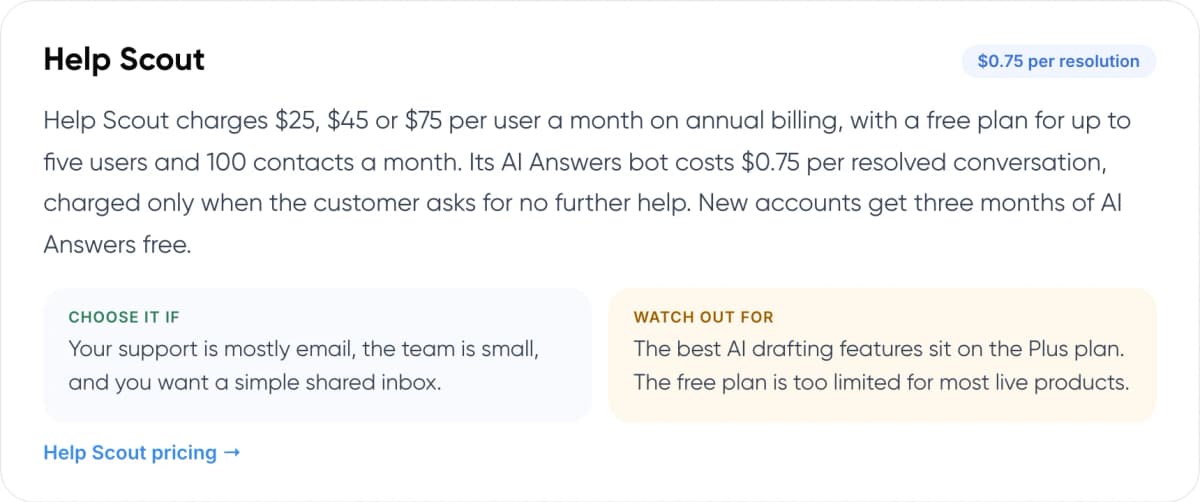
Help Scout
$0.75 per resolution
Help Scout charges $25, $45 or $75 per user a month on annual billing, with a free plan for up to five users and 100 contacts a month. Its AI Answers bot costs $0.75 per resolved conversation, charged only when the customer asks for no further help. New accounts get three months of AI Answers free.
Choose it if: Your support is mostly email, the team is small, and you want a simple shared inbox.
Watch out for: The best AI drafting features sit on the Plus plan. The free plan is too limited for most live products.
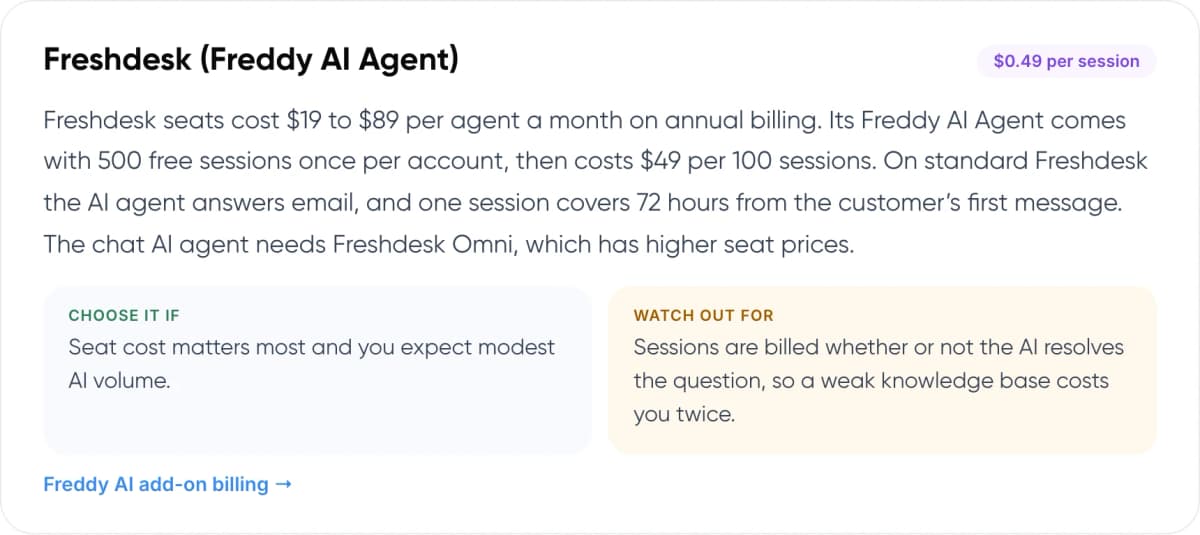
Freshdesk (Freddy AI Agent)
$0.49 per session
Freshdesk seats cost $19 to $89 per agent a month on annual billing. Its Freddy AI Agent comes with 500 free sessions once per account, then costs $49 per 100 sessions. On standard Freshdesk the AI agent answers email, and one session covers 72 hours from the customer’s first message. The chat AI agent needs Freshdesk Omni, which has higher seat prices.
Choose it if: Seat cost matters most and you expect modest AI volume.
Watch out for: Sessions are billed whether or not the AI resolves the question, so a weak knowledge base costs you twice.
5. How Much Does AI Customer Support Software Cost at Startup Volume?
Take a typical seed-stage SaaS team: two support seats and 1,000 customer conversations a month. To keep the maths simple, assume the AI fully resolves half of them and passes the rest to your team. Here is the monthly bill at list price, split into AI usage and seats.
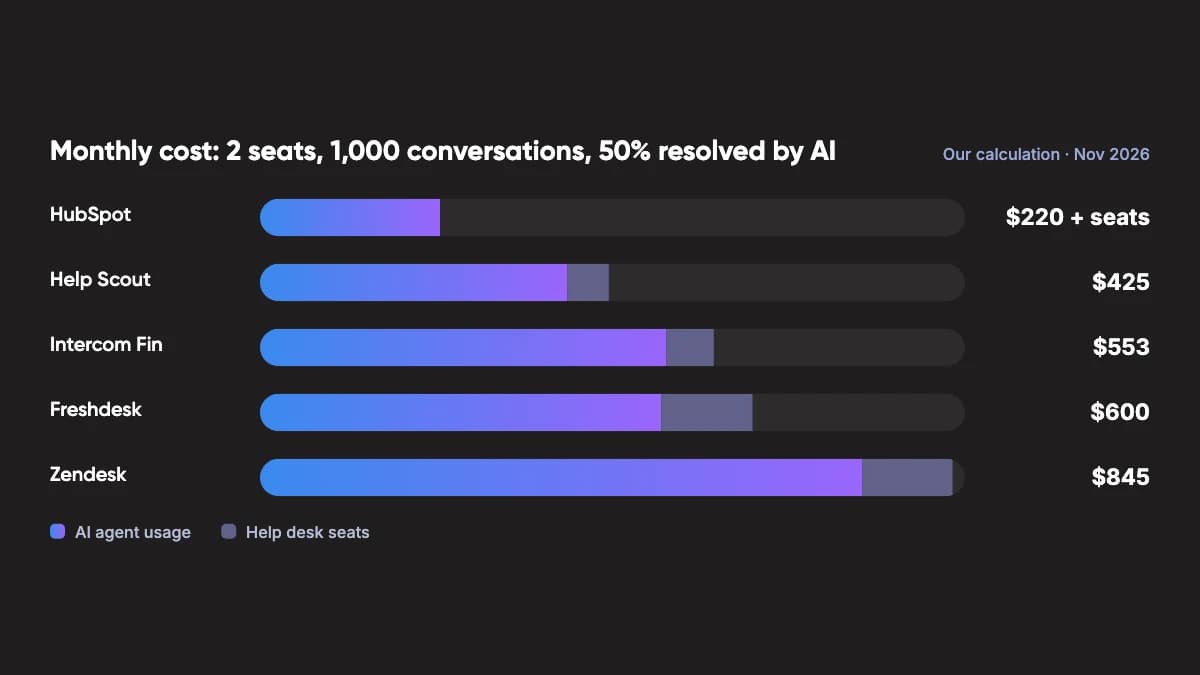
Monthly cost: 2 seats, 1,000 conversations, 50% resolved by AI · Our calculation · Nov 2026
- HubSpot: $220 + seats
- Help Scout: $425 ($375 AI agent usage + $50 help desk seats)
- Intercom Fin: $553 ($495 AI agent usage + $58 help desk seats)
- Freshdesk: $600 ($490 AI agent usage + $110 help desk seats)
- Zendesk: $845 ($735 AI agent usage + $110 help desk seats)
HubSpot: 500 resolutions × $0.50 = $250, minus the 3,000 credits included each month on Professional ($30). Service Hub Professional seats are extra; check HubSpot’s current seat price.
Help Scout: 500 × $0.75 + 2 Standard seats at $25. AI Answers is free for the first three months.
Intercom: 500 × $0.99 + 2 Essential seats at $29. Startups in the Early Stage program pay much less in year one.
Freshdesk: every one of the 1,000 conversations is a session at $0.49, once the one-time 500 free sessions are used. Plus 2 Pro seats at $55. Assumes email support, since chat needs Freshdesk Omni.
Zendesk: 2 Suite Team seats include 10 AI resolutions, so 490 × $1.50 (committed rate), plus 2 seats at $55. Pay-as-you-go at $2.00 would make the AI part $980.
The ranking changes with volume. At 200 conversations a month, Help Scout’s three free months of AI and the 300 Fin outcomes in Intercom’s startup program would cover the AI cost entirely. At 5,000 a month, the price per resolution matters far more than the seats.
Warning: With per-resolution pricing, your bill grows as the AI gets better and handles more chats. Set a monthly cap where the tool offers one. HubSpot and Help Scout both let you limit AI spend.
6. Which Tool Fits Your Stage?
Start from the system you already run. Moving CRM or help desk data costs more founder time than any price difference on this page.
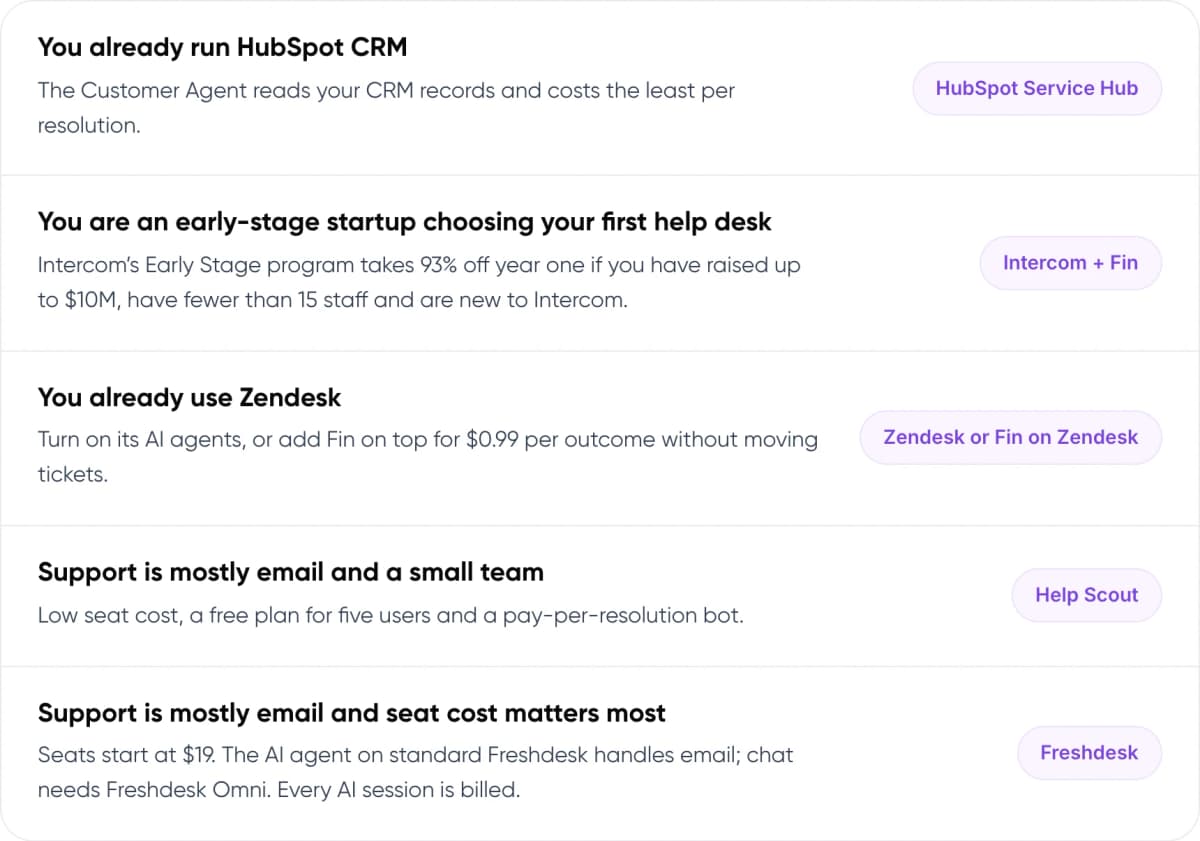
- You already run HubSpot CRM: The Customer Agent reads your CRM records and costs the least per resolution. → HubSpot Service Hub
- You are an early-stage startup choosing your first help desk: Intercom’s Early Stage program takes 93% off year one if you have raised up to $10M, have fewer than 15 staff and are new to Intercom. → Intercom + Fin
- You already use Zendesk: Turn on its AI agents, or add Fin on top for $0.99 per outcome without moving tickets. → Zendesk or Fin on Zendesk
- Support is mostly email and a small team: Low seat cost, a free plan for five users and a pay-per-resolution bot. → Help Scout
- Support is mostly email and seat cost matters most: Seats start at $19. The AI agent on standard Freshdesk handles email; chat needs Freshdesk Omni. Every AI session is billed. → Freshdesk
Not sure which tool fits your ticket mix? We can review a sample of your conversations with you.
7. How to Automate Customer Support in 6 Steps
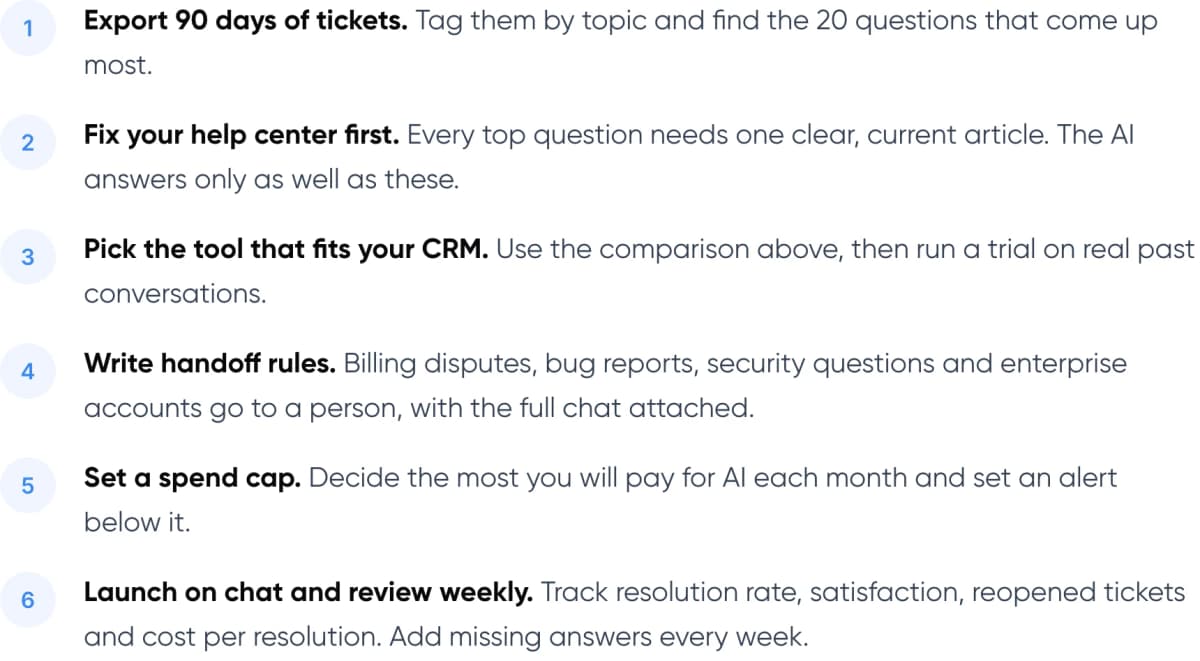
- Export 90 days of tickets. Tag them by topic and find the 20 questions that come up most.
- Fix your help center first. Every top question needs one clear, current article. The AI answers only as well as these.
- Pick the tool that fits your CRM. Use the comparison above, then run a trial on real past conversations.
- Write handoff rules. Billing disputes, bug reports, security questions and enterprise accounts go to a person, with the full chat attached.
- Set a spend cap. Decide the most you will pay for AI each month and set an alert below it.
- Launch on chat and review weekly. Track resolution rate, satisfaction, reopened tickets and cost per resolution. Add missing answers every week.
Tip: When the AI hands a chat to a person, pass the full conversation and what it already tried. Customers should never repeat themselves. Our guide to chatbot handoff and context transfer covers how.
8. When Are Built-In AI Agents Not Enough?
Built-in agents work best when the answer is already written in a help article. They struggle when the answer depends on data inside your product, for example checking a customer’s usage against their plan limit, reading an error log, or changing a setting for them.
Most of these tools let you connect custom actions through an API, and that covers simple cases. In our view, a custom AI agent is worth it when these product-data questions make up most of your tickets, or when you want the agent inside your app rather than in a chat widget. It also means you keep the same AI if you change help desks later.
For how an agent looks up account data reliably, read our guide to agentic RAG for customer service.
9. Frequently Asked Questions
What are customer support automation tools?
They are help desks and AI agents that answer, route or resolve customer questions without a person. For SaaS startups this usually means a shared inbox with an AI agent that answers from your help center, plus rules that pass complex cases to your team with the conversation attached.
Which AI customer support software is cheapest for a startup?
On list price per resolution, HubSpot’s Customer Agent is lowest at $0.50, but it needs Service Hub Professional or Enterprise. Help Scout is $0.75 with a free plan for five users. Eligible startups can get Intercom at 93% off in year one with 300 Fin outcomes a month included.
Can I add an AI agent without switching help desks?
Yes. Intercom sells Fin for Zendesk, Salesforce, HubSpot and Freshdesk at $0.99 per outcome, with a 50-outcome monthly minimum and no seat charge. Zendesk, HubSpot, Help Scout and Freshdesk also include their own AI agents, so try the built-in option first.
Is per-resolution or per-session pricing better?
Per-resolution pricing is usually better for a startup because you pay mainly when the AI solves the problem. Freshdesk’s session pricing charges for every AI conversation, resolved or not. Compare each vendor’s definition of a resolution, because they count differently.
When should a SaaS startup automate customer support?
In our view, start when the same questions take up a large share of your tickets and your help center already answers them. Before that, the AI has little to work from. Gartner found only 4% of service leaders achieved the ROI they expected, so begin small and measure.
10. Conclusion
The best customer support automation tools for SaaS startups are the ones that fit your existing CRM and bill fairly at your volume. For most early teams that means HubSpot if you already run it, or Intercom through its Early Stage program if you are starting fresh. This week, export your last 90 days of tickets and count how many your help center already answers. That number tells you how much an AI agent can take on.
Need a hand? Our AI customer support automation service helps SaaS teams choose the right tool, set it up on their help desk, and build custom AI agents when product data is involved.
- Our service: AI Customer Support Automation — We build AI agents that answer product, billing and account questions on top of your current help desk. See the service →
- Free savings report: AI ROI Calculator — Enter your monthly tickets and cost per ticket to estimate what automation could save. Get your savings estimate →
Author