How to Automate Customer Support Without Losing the Human Touch
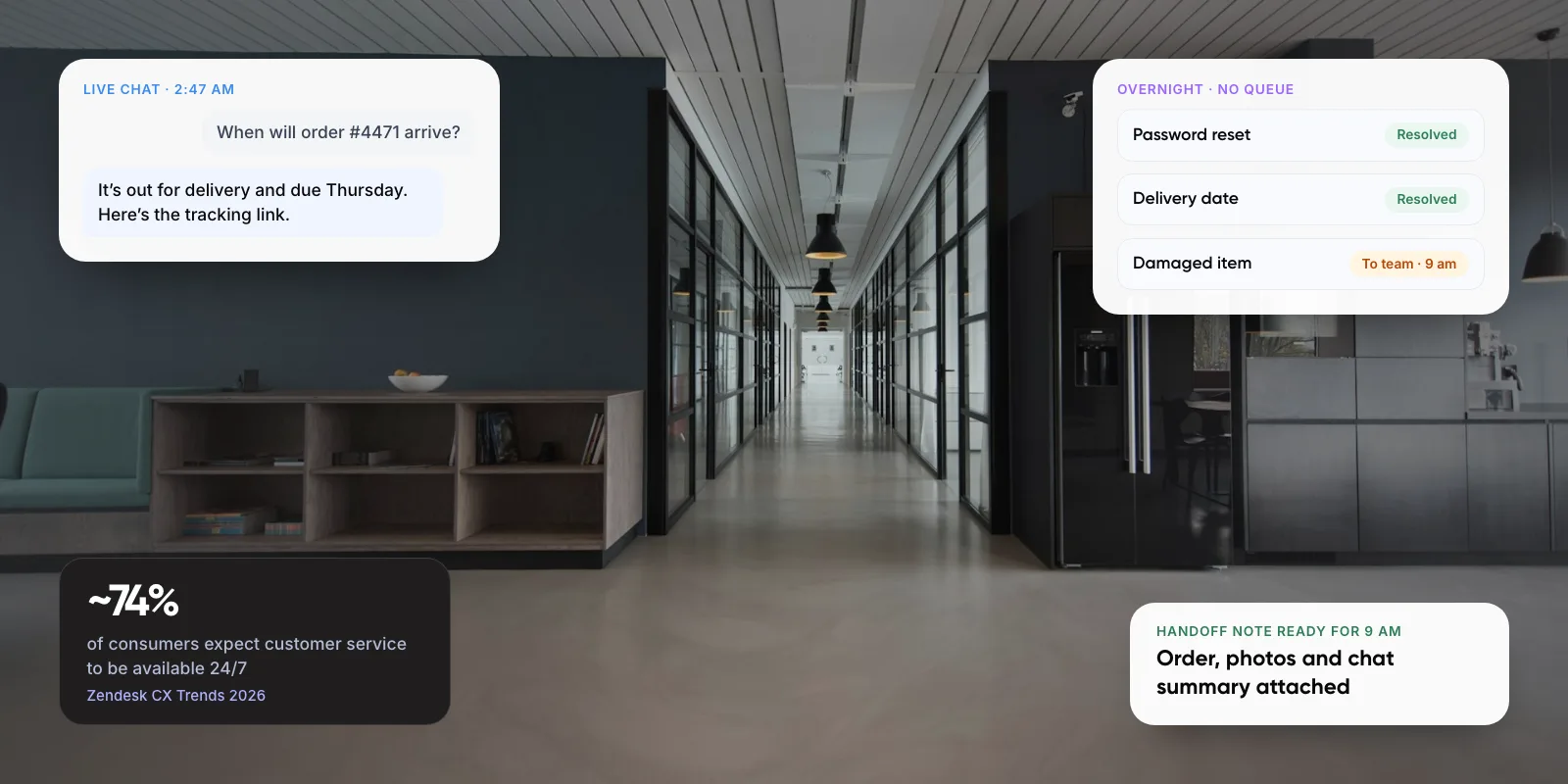
Customer support automation works when AI handles the routine questions and a person is always one step away. Here is what to automate, when to hand off, and how to set it up.
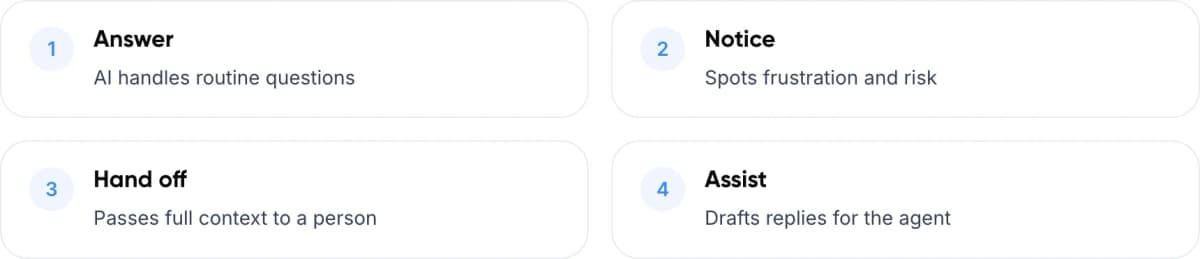
- Answer AI handles routine questions
- Notice Spots frustration and risk
- Hand off Passes full context to a person
- Assist Drafts replies for the agent
1. The Short Answer
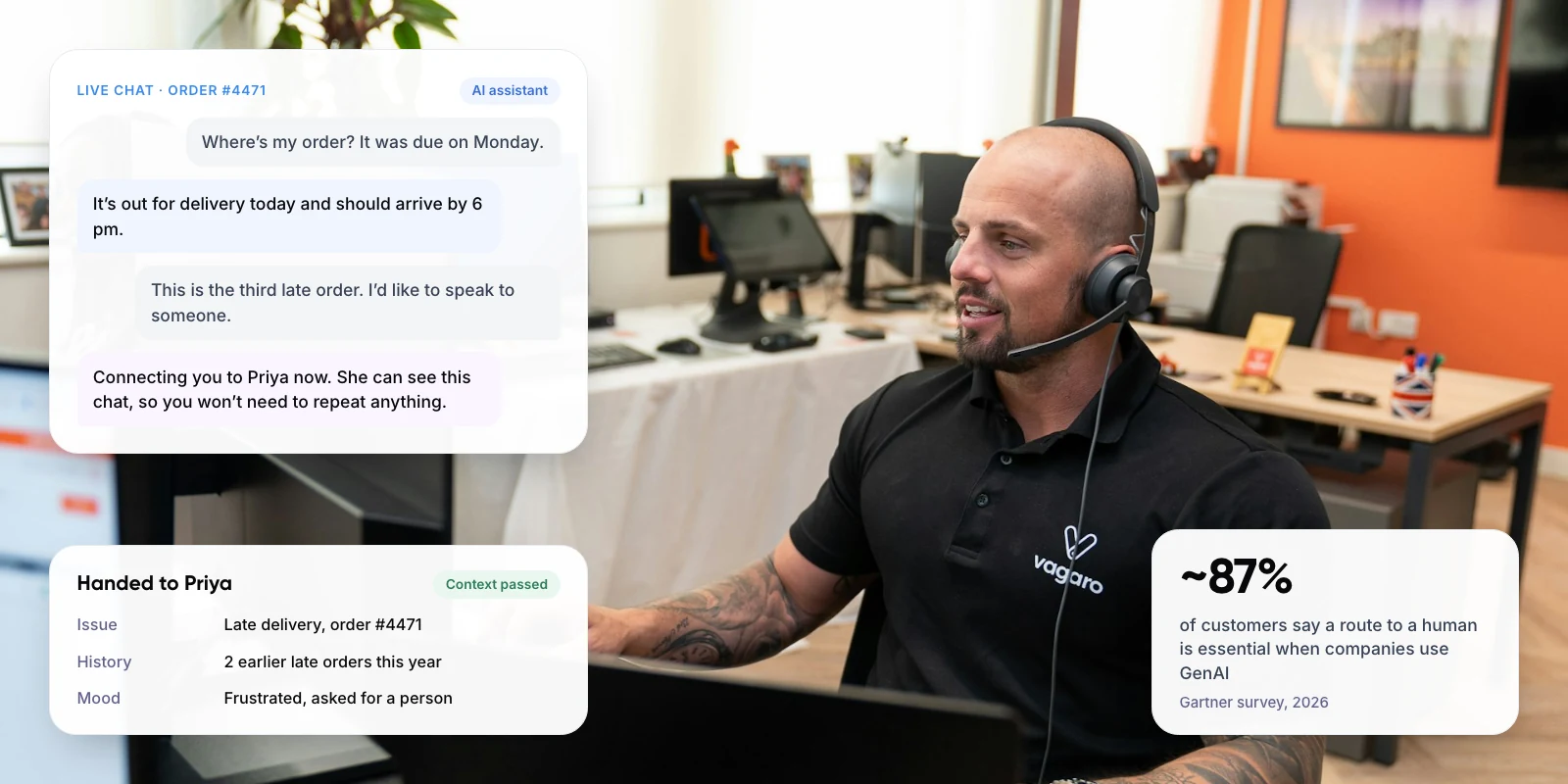
To automate customer support without losing the human touch, let AI answer routine questions from approved content, and make a person easy to reach at any point. When the AI hands over, it should pass the full conversation so the customer never repeats themselves.
Customers are clear about this. A Gartner survey of 3,566 customers, run in early 2026, found ~50% say service is easier when companies use GenAI. But ~87% say it is essential to have an option to reach a human agent.
Key takeaways
- Automate high-volume, low-stakes requests such as order status, password resets and plan details.
- Keep complaints, exceptions and emotional or high-stakes conversations with people.
- Make a person reachable from the first message. ~87% of customers say this is essential (Gartner, 2026).
- Pass full context at handoff and give agents an AI copilot. In one study of 5,179 agents, AI help raised issues resolved per hour by ~14%.
2. Why Do Customers Push Back on Automated Support?
The main worry is losing access to a person. In Gartner’s 2024 survey of 5,728 customers, the top concern was that AI would make it harder to reach a person. Job losses and wrong answers came next.
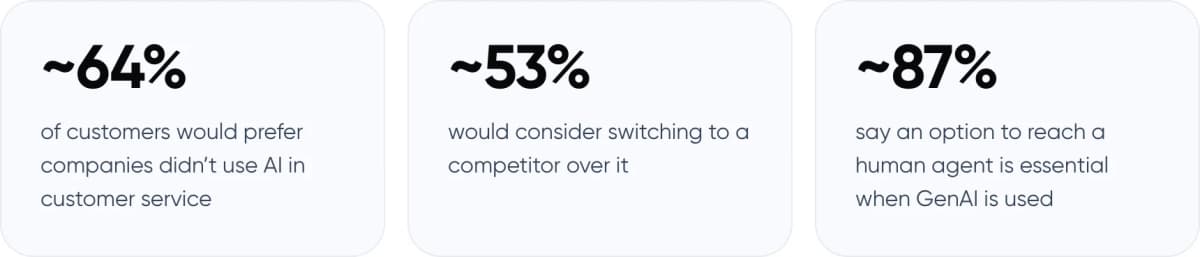
- ~64% of customers would prefer companies didn’t use AI in customer service
- ~53% would consider switching to a competitor over it
- ~87% say an option to reach a human agent is essential when GenAI is used
Sources: Gartner customer survey, July 2024 (5,728 customers, fieldwork December 2023) for ~64% and ~53%. Gartner customer survey, published August 2026 (3,566 customers, fieldwork February to March 2026) for ~87%.
Gartner’s advice from the 2026 research is that GenAI should not be a mandatory first step for every issue. The AI can work out what the customer needs and guide the conversation, but a person should stay easy to reach.
3. What Should You Automate, and What Should Stay Human?
Sort requests by two things: how routine they are, and how much is at stake for the customer. In our view, the second matters more. A simple question asked by an upset customer is no longer simple.
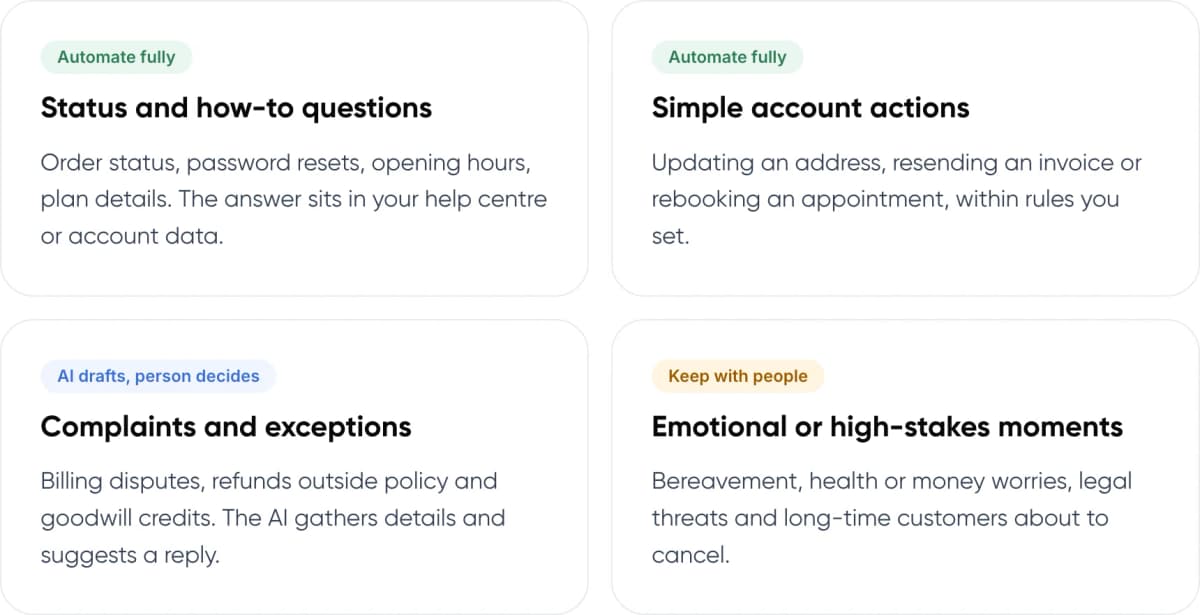
- Automate fully: Status and how-to questions. Order status, password resets, opening hours, plan details. The answer sits in your help centre or account data.
- Automate fully: Simple account actions. Updating an address, resending an invoice or rebooking an appointment, within rules you set.
- AI drafts, person decides: Complaints and exceptions. Billing disputes, refunds outside policy and goodwill credits. The AI gathers details and suggests a reply.
- Keep with people: Emotional or high-stakes moments. Bereavement, health or money worries, legal threats and long-time customers about to cancel.
4. How Does Human-in-the-Loop Support Automation Work?
“Human-in-the-loop” means the AI works inside rules your team sets, and a person steps in at defined points. A typical conversation goes through five stages.
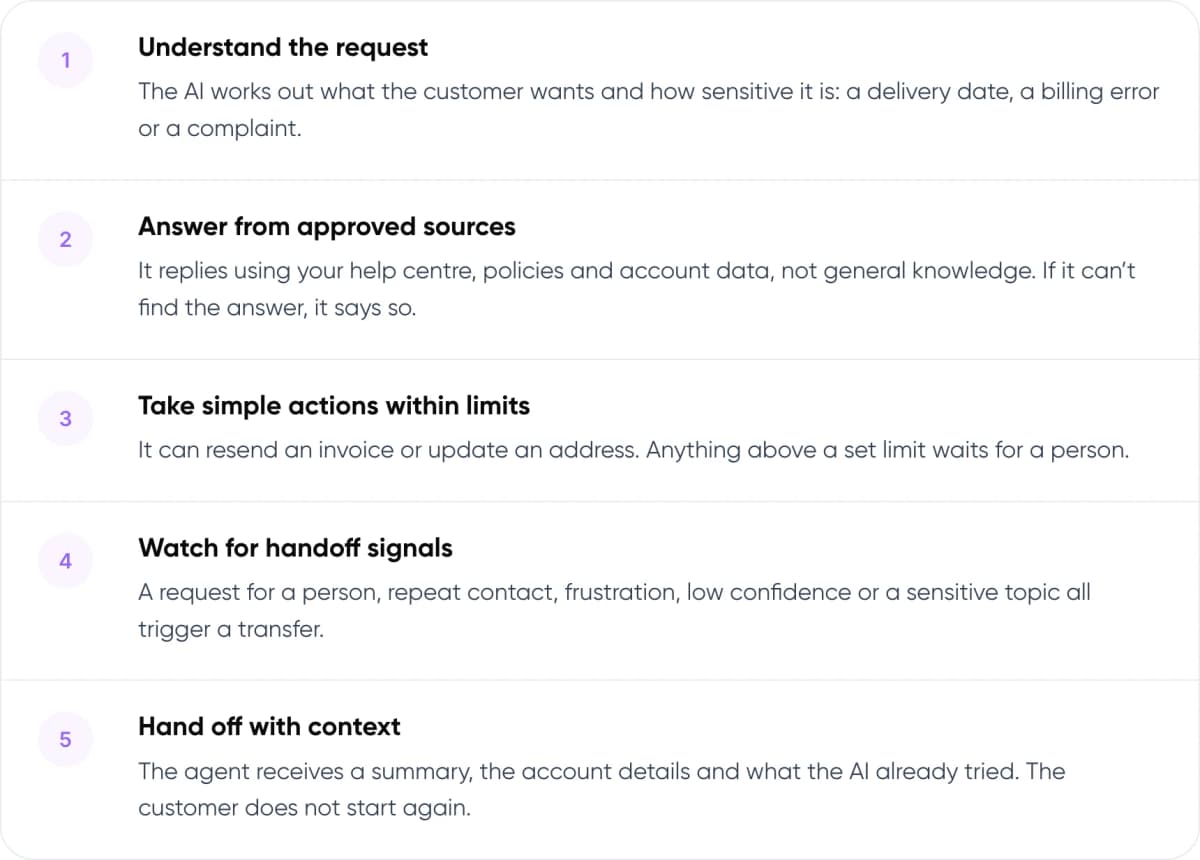
- Understand the request. The AI works out what the customer wants and how sensitive it is: a delivery date, a billing error or a complaint.
- Answer from approved sources. It replies using your help centre, policies and account data, not general knowledge. If it can’t find the answer, it says so.
- Take simple actions within limits. It can resend an invoice or update an address. Anything above a set limit waits for a person.
- Watch for handoff signals. A request for a person, repeat contact, frustration, low confidence or a sensitive topic all trigger a transfer.
- Hand off with context. The agent receives a summary, the account details and what the AI already tried. The customer does not start again.
Note: The handoff is where most automated support feels cold. We cover how to pass context between AI and agents in our guide to chatbot handoff and context transfer.
5. Full Automation vs AI-Assisted Agents vs Hybrid
There are three common ways to set up automated customer support. They differ in who speaks to the customer first and how easily a person can take over.
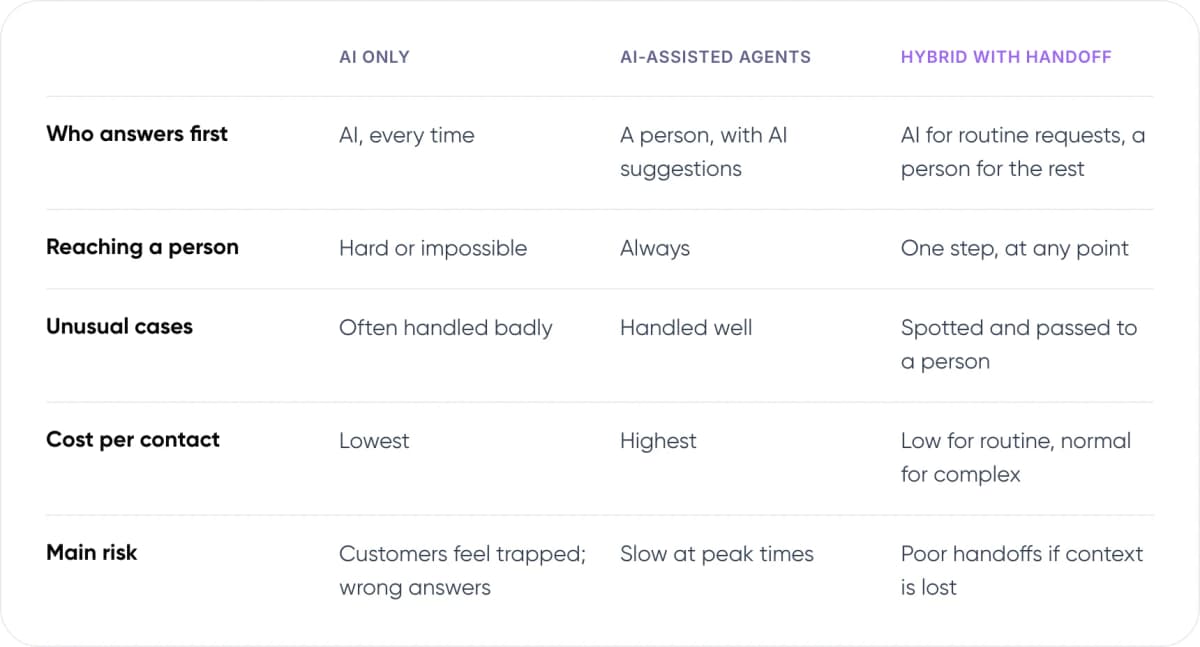
- Who answers first — AI only: AI, every time. AI-assisted agents: A person, with AI suggestions. Hybrid with handoff: AI for routine requests, a person for the rest.
- Reaching a person — AI only: Hard or impossible. AI-assisted agents: Always. Hybrid with handoff: One step, at any point.
- Unusual cases — AI only: Often handled badly. AI-assisted agents: Handled well. Hybrid with handoff: Spotted and passed to a person.
- Cost per contact — AI only: Lowest. AI-assisted agents: Highest. Hybrid with handoff: Low for routine, normal for complex.
- Main risk — AI only: Customers feel trapped; wrong answers. AI-assisted agents: Slow at peak times. Hybrid with handoff: Poor handoffs if context is lost.
Our assessment of typical setups.
We recommend the hybrid model for most teams. It costs more than AI-only support, but it avoids the main reason customers reject automation: feeling trapped.
Warning: You are responsible for what your AI says. In Moffatt v. Air Canada (2024), a British Columbia tribunal held the airline liable after its website chatbot gave a customer wrong information about bereavement fares. Ground answers in approved policy text and send policy exceptions to a person.
6. How Can AI Help Your Human Agents?
Keeping the human touch also means giving your agents better tools. An AI copilot can suggest replies, summarise long threads and pull up the right policy while the agent stays in charge of the conversation.
One of the largest studies on this followed 5,179 support agents. In the NBER working paper, an AI tool that suggested replies raised issues resolved per hour by ~14% on average and by ~34% for new and less experienced agents. Experienced agents saw little change. The final version, published in the Quarterly Journal of Economics in 2025, reports a similar ~15% gain.
In our view, this matters for planning. If your team has many new hires, an agent copilot may give you more value than a customer-facing bot.
Not sure which tickets to automate and which to keep human? We can review a sample of your tickets with you.
7. What Happens When Companies Automate Too Far?
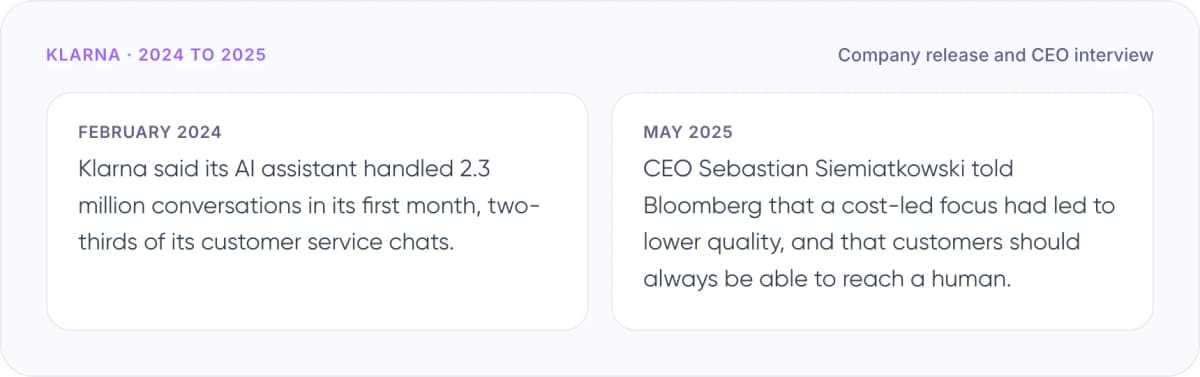
Klarna · 2024 to 2025 (Company release and CEO interview)
- February 2024: Klarna said its AI assistant handled 2.3 million conversations in its first month, two-thirds of its customer service chats.
- May 2025: CEO Sebastian Siemiatkowski told Bloomberg that a cost-led focus had led to lower quality, and that customers should always be able to reach a human.
Klarna still uses its AI assistant, but it has put more focus back on human support. Gartner’s research points the same way. In June 2025 Gartner predicted that by 2027, ~50% of organisations that expected to cut their service workforce sharply because of AI will drop those plans.
In September 2025 Gartner went further, predicting that no Fortune 500 company will have fully eliminated human customer service by 2028.
8. How to Automate Customer Support in 7 Steps
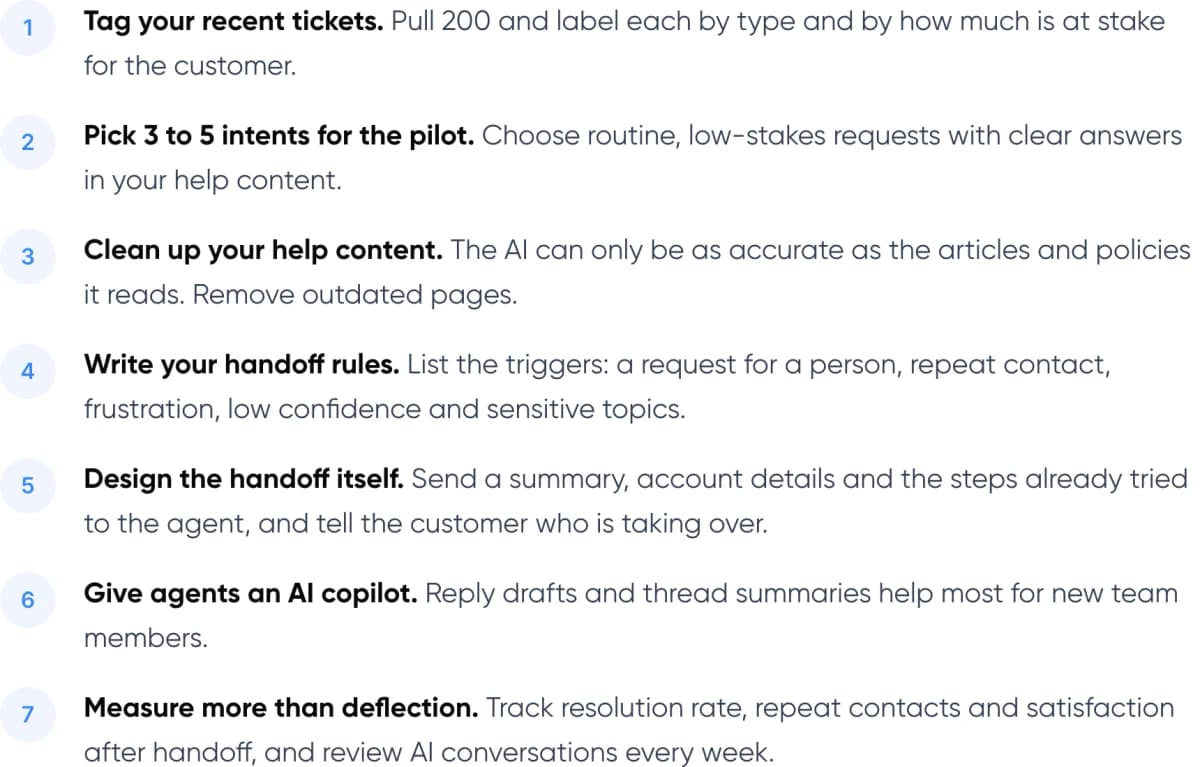
- Tag your recent tickets. Pull 200 and label each by type and by how much is at stake for the customer.
- Pick 3 to 5 intents for the pilot. Choose routine, low-stakes requests with clear answers in your help content.
- Clean up your help content. The AI can only be as accurate as the articles and policies it reads. Remove outdated pages.
- Write your handoff rules. List the triggers: a request for a person, repeat contact, frustration, low confidence and sensitive topics.
- Design the handoff itself. Send a summary, account details and the steps already tried to the agent, and tell the customer who is taking over.
- Give agents an AI copilot. Reply drafts and thread summaries help most for new team members.
- Measure more than deflection. Track resolution rate, repeat contacts and satisfaction after handoff, and review AI conversations every week.
Tip: Tell customers they are talking to an AI and show the “talk to a person” option from the first message. In Gartner’s 2026 survey, being able to switch to a person was the most common answer when customers who were unwilling to use AI were asked what would change their minds.
New to the topic? Read what customer support automation is and how it works.
9. Frequently Asked Questions
What is customer support automation?
Customer support automation uses software, often AI, to answer or route customer requests without a person handling every step. It covers chatbots, AI agents that take actions, automatic ticket tagging and agent copilots. The aim is to resolve routine requests faster and give your team more time for complex ones.
Will automating customer support annoy customers?
It can, if the AI blocks access to people. In Gartner’s 2024 survey, ~64% of customers said they would prefer companies didn’t use AI for service. Their top concern was that it would be harder to reach a person. Showing a human option clearly and handing off with context addresses that concern.
When should a chatbot hand off to a human agent?
Hand off when the customer asks for a person, contacts you again about the same issue, sounds frustrated, or raises a sensitive topic. Also hand off when the AI is not confident in its answer or the request falls outside policy. Pass a summary so the customer does not repeat themselves.
Can AI replace customer service agents?
Not fully, based on current evidence. Gartner predicted in 2025 that no Fortune 500 company will have fully eliminated human customer service by 2028. In our view, AI is best used to take routine volume and support agents, while people handle complex, emotional and high-value conversations.
How do you measure whether support automation is working?
Look beyond deflection rate. Track how many automated conversations are actually resolved, how often customers come back about the same issue, and satisfaction scores after a handoff. Review a sample of AI conversations every week, and fix the help content behind any wrong answers.
10. Conclusion
Customer support automation keeps the human touch when AI takes the repetitive work and people stay easy to reach for everything else. The handoff is the part customers remember, so design it before you launch. This week, pull 200 recent tickets and tag each one by type and by how much is at stake. The routine, low-stakes group is your pilot.
- AI Customer Support Automation (Our service): AI agents for routine tickets, with handoff rules and agent copilots built around your team. See the service →
- AI ROI Calculator (Free savings report): Enter your monthly ticket volume and cost per ticket to estimate what automation could save. Get your savings estimate →
Want to set this up for your team? Our AI customer support automation service builds AI agents and handoff flows that work with your current helpdesk. For an example of our work, see the Paymate case study.
Author