How to Automate Customer Follow-Ups Without Being Annoying
Send fewer messages, each one triggered by something the customer did, and stop the moment they reply or the job is done. That is most of it.
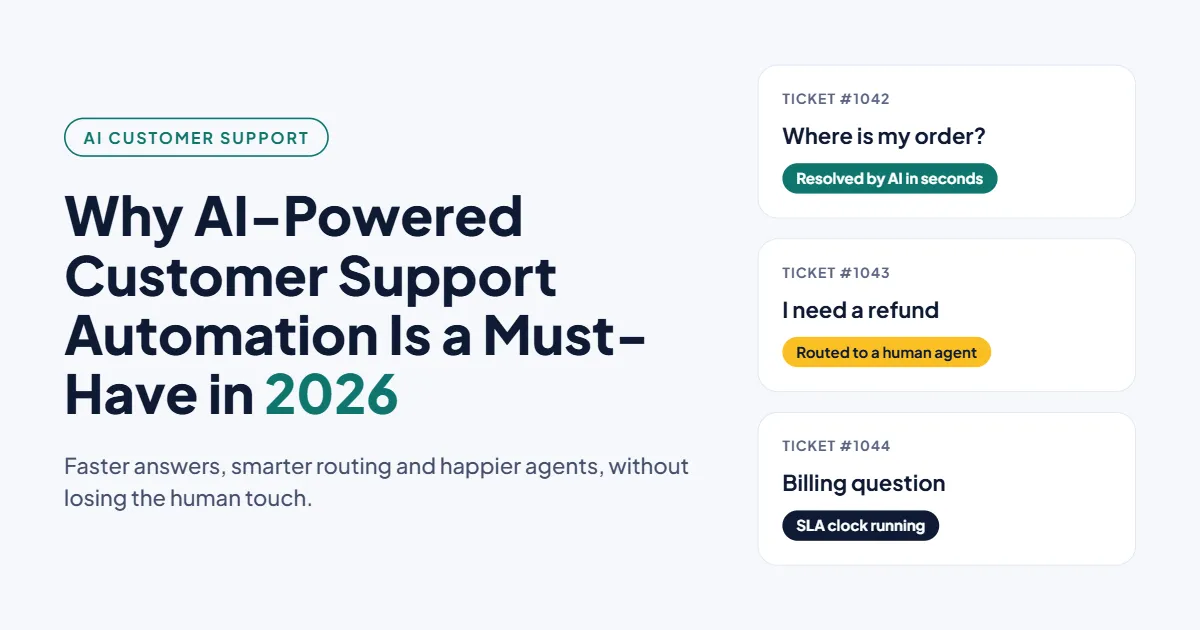
This guide covers which follow-ups to automate, the sending rules Gmail and WhatsApp now enforce, sample cadences with stop rules, and the metrics that tell you when you have crossed the line.
1. The Short Answer
Automated customer follow-ups work when every message has a clear trigger, a single purpose and a rule for when to stop. They turn annoying when they run on a calendar instead of on what the customer is doing.
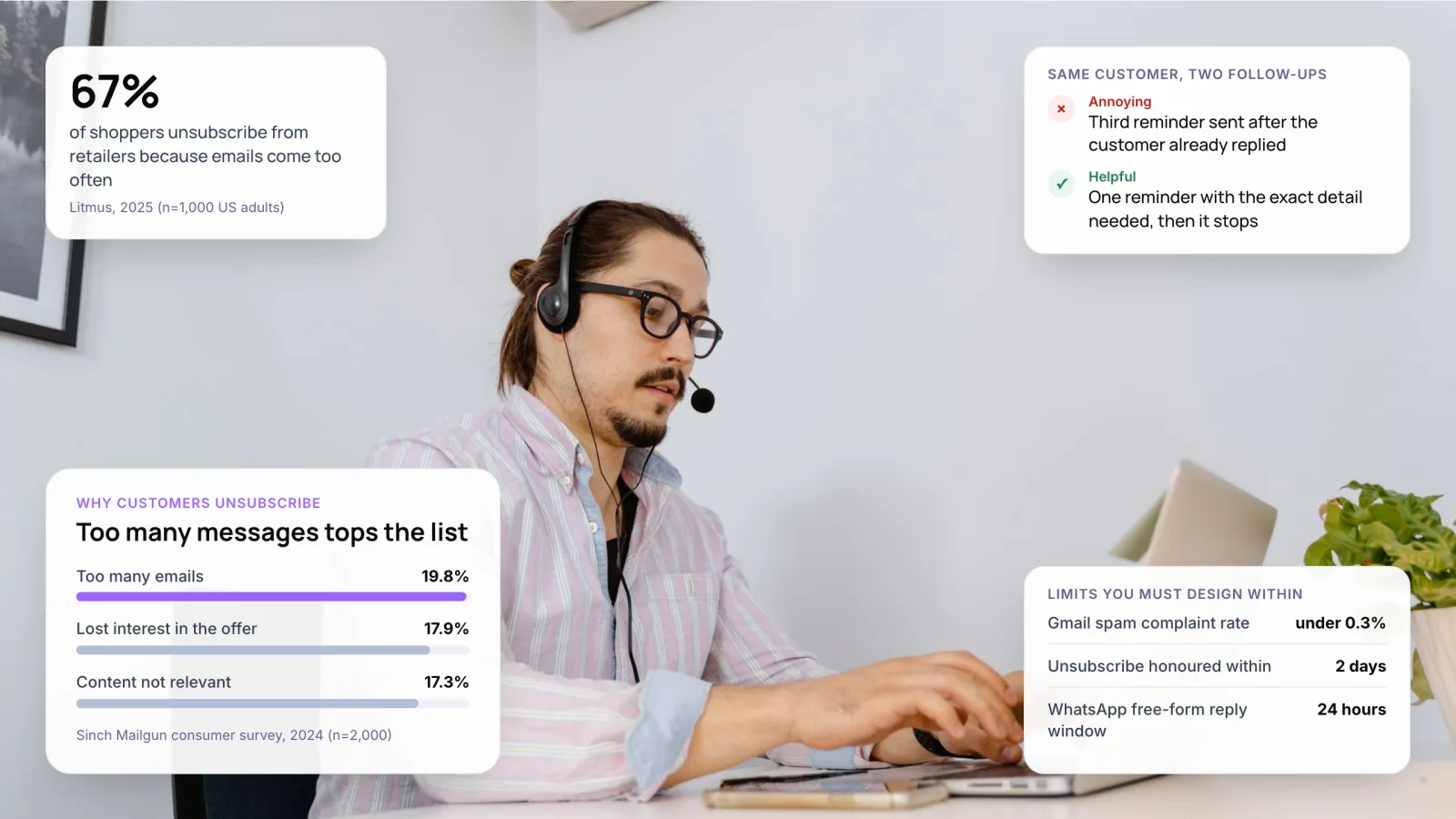
Volume is the main complaint. In Sinch Mailgun’s 2024 consumer survey, getting too many emails was the top reason to unsubscribe, at 19.8%. Fewer, better-timed messages fix more than clever copy does.
Key takeaways
- Trigger follow-ups from events, such as a solved ticket or a failed payment, not from a fixed calendar.
- Give every sequence a stop rule. A reply in any channel should end it.
- Gmail, WhatsApp and SMS regulators set hard sending limits. Design inside them.
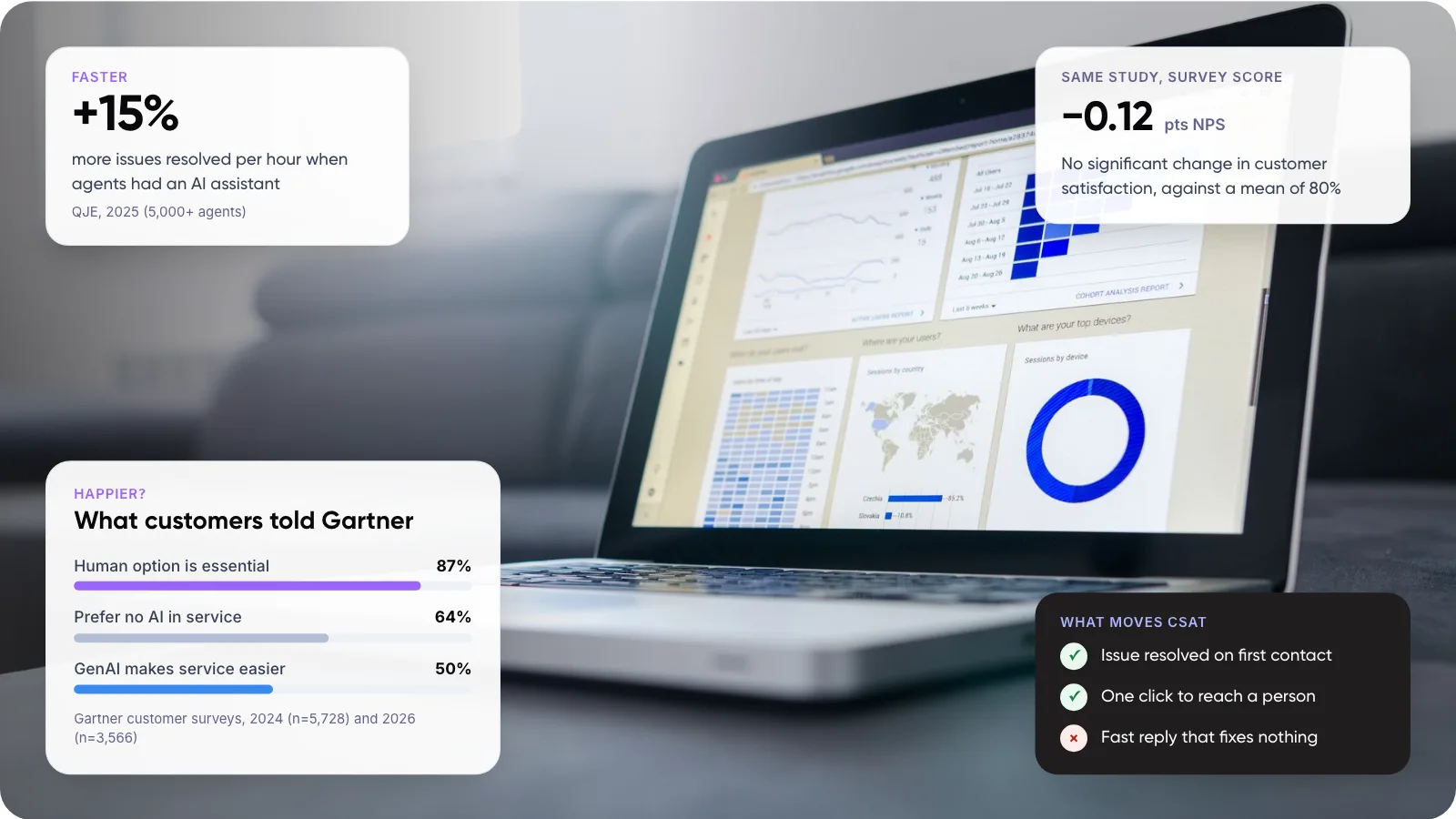
- Use AI to draft sensitive follow-ups, and let an agent decide whether to send.
2. Why Do Automated Follow-Ups Feel Annoying?
Your follow-up lands in a crowded inbox. The same Mailgun survey found 63% of consumers get more than 10 brand emails a day, and nearly one in five would mark an unwanted one as spam. That spam click hurts every future message you send, including the useful ones.
Frequency is what pushes people over. In a 2025 Litmus survey of 1,000 US adults, 67% said they unsubscribe from retailers because emails come too often. The most popular preference was weekly.
In our view, most annoying follow-ups share four faults. They ignore a reply the customer already sent. They repeat the same ask. They arrive at the wrong hour. Or they mix a support update with a sales pitch.
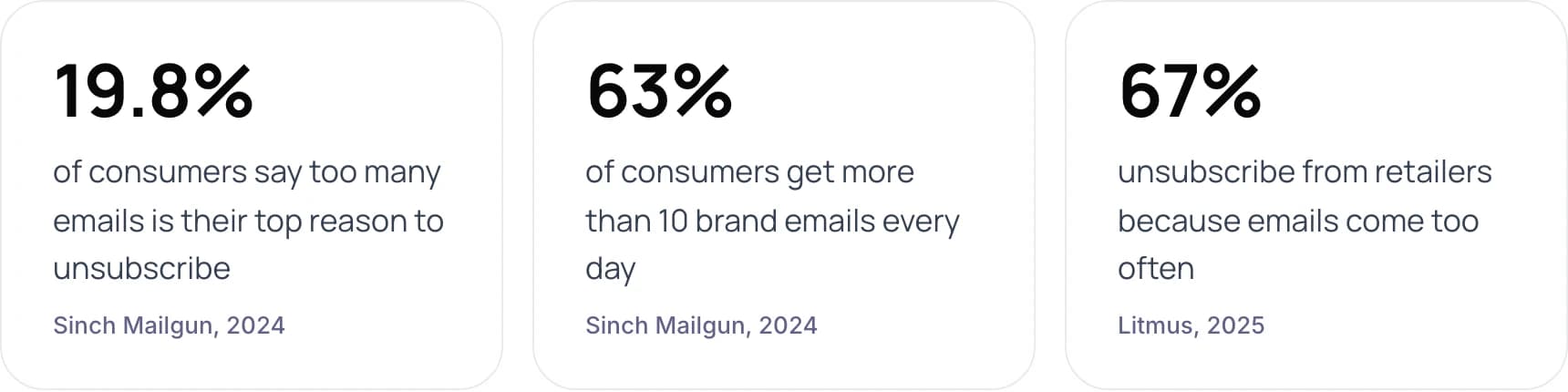
- 19.8% of consumers say too many emails is their top reason to unsubscribe (Sinch Mailgun, 2024).
- 63% of consumers get more than 10 brand emails every day (Sinch Mailgun, 2024).
- 67% unsubscribe from retailers because emails come too often (Litmus, 2025).
3. Which Follow-Ups Should You Automate?
Start with follow-ups the customer is already expecting. The table is our view, based on how predictable the trigger is and how much judgment the reply needs. For other support work worth automating, see our list of customer service tasks you can automate.
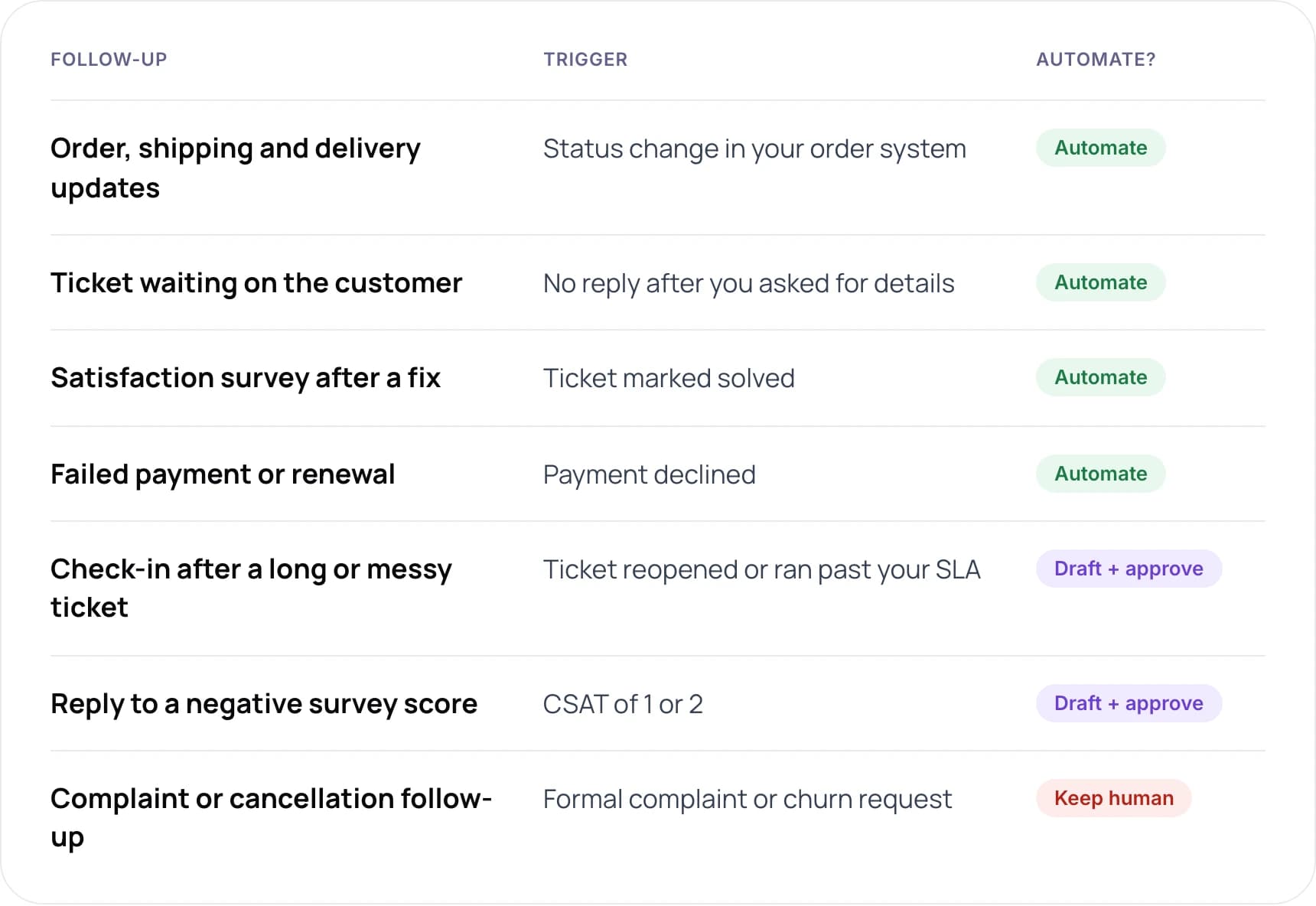
- Order, shipping and delivery updates: triggered by a status change in your order system. Automate.
- Ticket waiting on the customer: triggered by no reply after you asked for details. Automate.
- Satisfaction survey after a fix: triggered when a ticket is marked solved. Automate.
- Failed payment or renewal: triggered by a declined payment. Automate.
- Check-in after a long or messy ticket: triggered when a ticket is reopened or runs past your SLA. Draft + approve.
- Reply to a negative survey score: triggered by a CSAT of 1 or 2. Draft + approve.
- Complaint or cancellation follow-up: triggered by a formal complaint or churn request. Keep human.
The draft-and-approve rows are where an AI email response tool earns its keep: it writes the follow-up from the ticket history, and an agent checks it before it goes. Complaints and churn-risk accounts stay with people.
4. What Rules Do Email, WhatsApp and SMS Enforce?
Inbox providers and messaging platforms now set hard limits on how often and how you can follow up. Break them and your messages stop arriving, so treat these as the outer boundary of any cadence.
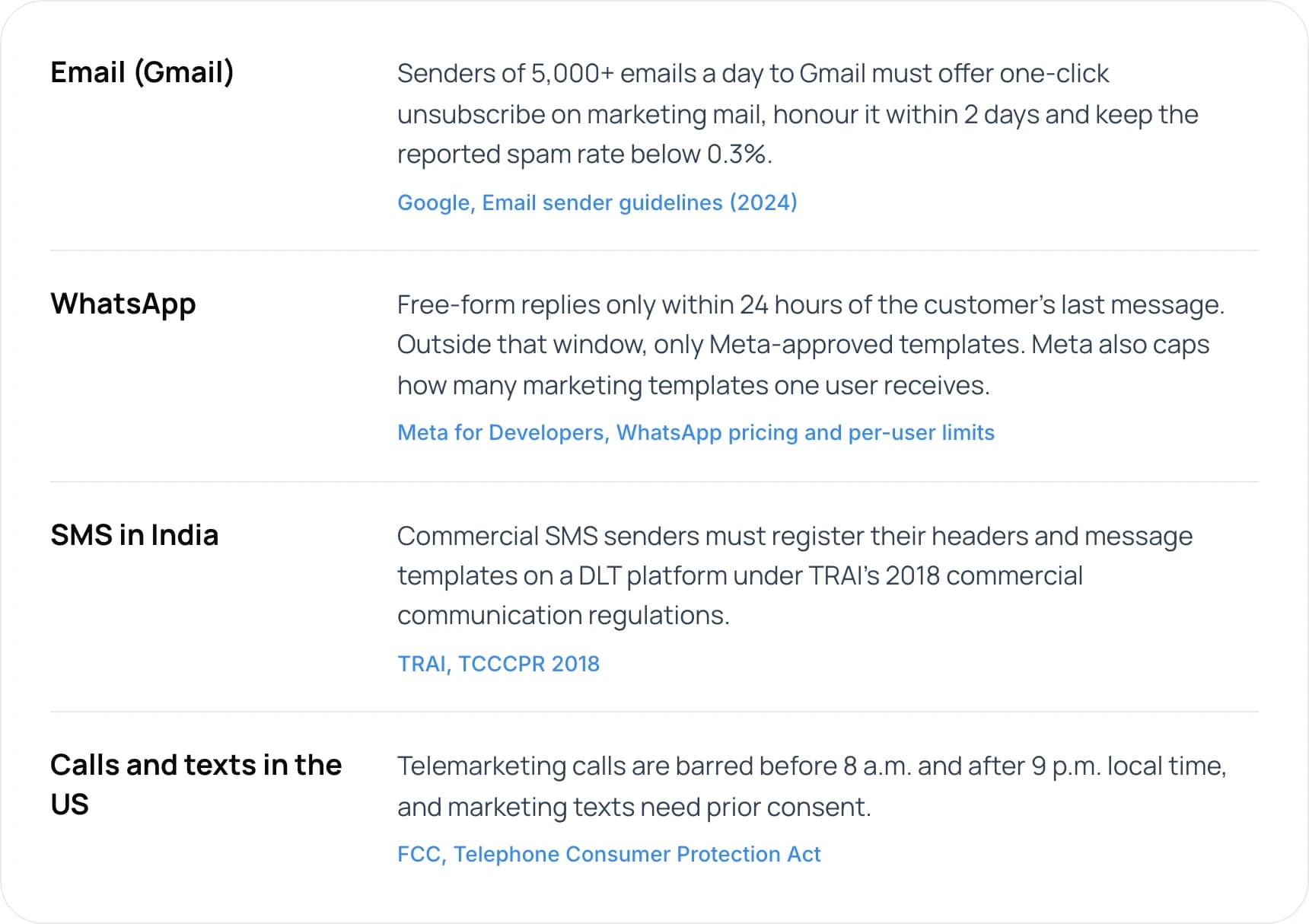
- Email (Gmail): Senders of 5,000+ emails a day to Gmail must offer one-click unsubscribe on marketing mail, honour it within 2 days and keep the reported spam rate below 0.3% (Google, Email sender guidelines (2024)).
- WhatsApp: Free-form replies only within 24 hours of the customer’s last message. Outside that window, only Meta-approved templates. Meta also caps how many marketing templates one user receives (Meta for Developers, WhatsApp pricing and per-user limits).
- SMS in India: Commercial SMS senders must register their headers and message templates on a DLT platform under TRAI’s 2018 commercial communication regulations (TRAI, TCCCPR 2018).
- Calls and texts in the US: Telemarketing calls are barred before 8 a.m. and after 9 p.m. local time, and marketing texts need prior consent (FCC, Telephone Consumer Protection Act).
Google’s email sender guidelines, enforced since 2024, apply to anyone sending 5,000 or more messages a day to Gmail accounts. On WhatsApp, Meta’s pricing documentation explains that free-form replies are allowed only inside a 24-hour window that resets each time the customer messages you.
Note: A transactional message is one the customer needs to complete something they started, such as a receipt, a password reset or a ticket update. Gmail’s one-click unsubscribe rule covers marketing mail, not transactional mail. Keep the two in separate streams so a sales email never puts a ticket update at risk.
5. What Does a Good Follow-Up Cadence Look Like?
Here are four sequences we would set up, each with its stop rule and its handoff rule. Each one is short on purpose.
Ticket solved
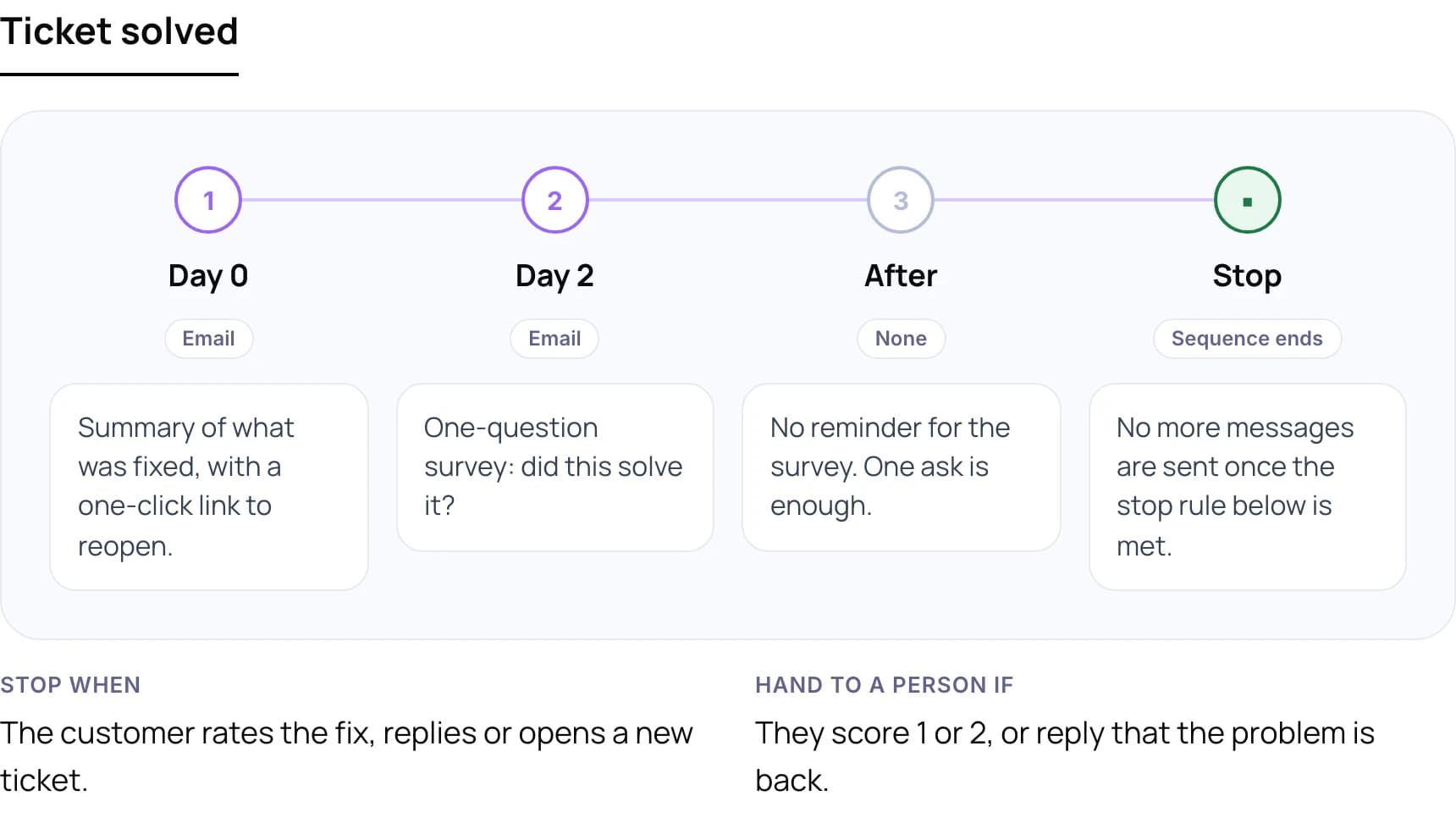
- Day 0, email: Summary of what was fixed, with a one-click link to reopen.
- Day 2, email: One-question survey: did this solve it?
- After: No reminder for the survey. One ask is enough.
Stop when: The customer rates the fix, replies or opens a new ticket.
Hand to a person if: They score 1 or 2, or reply that the problem is back.
Waiting on customer
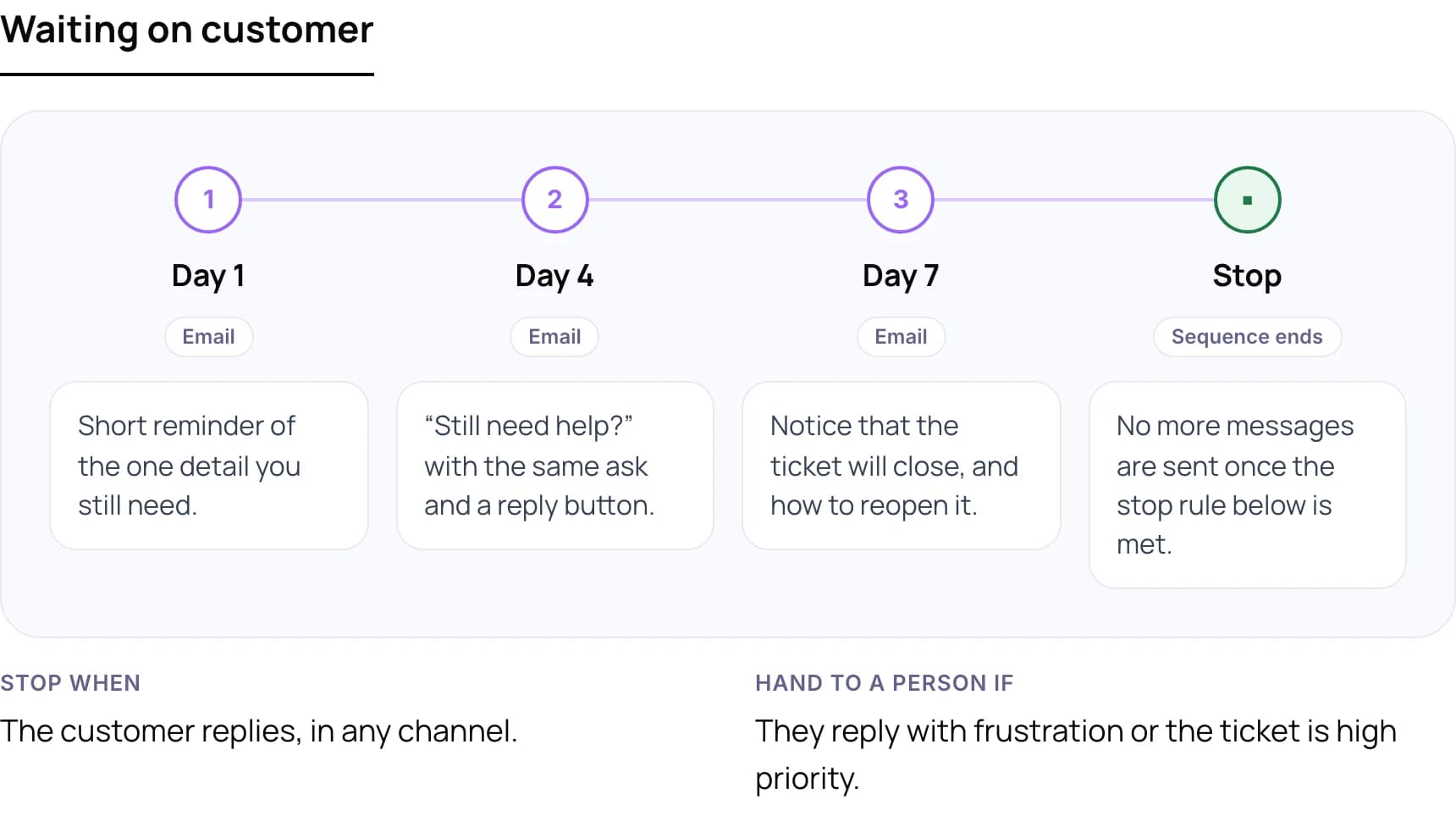
- Day 1, email: Short reminder of the one detail you still need.
- Day 4, email: “Still need help?” with the same ask and a reply button.
- Day 7, email: Notice that the ticket will close, and how to reopen it.
Stop when: The customer replies, in any channel.
Hand to a person if: They reply with frustration or the ticket is high priority.
Order shipped
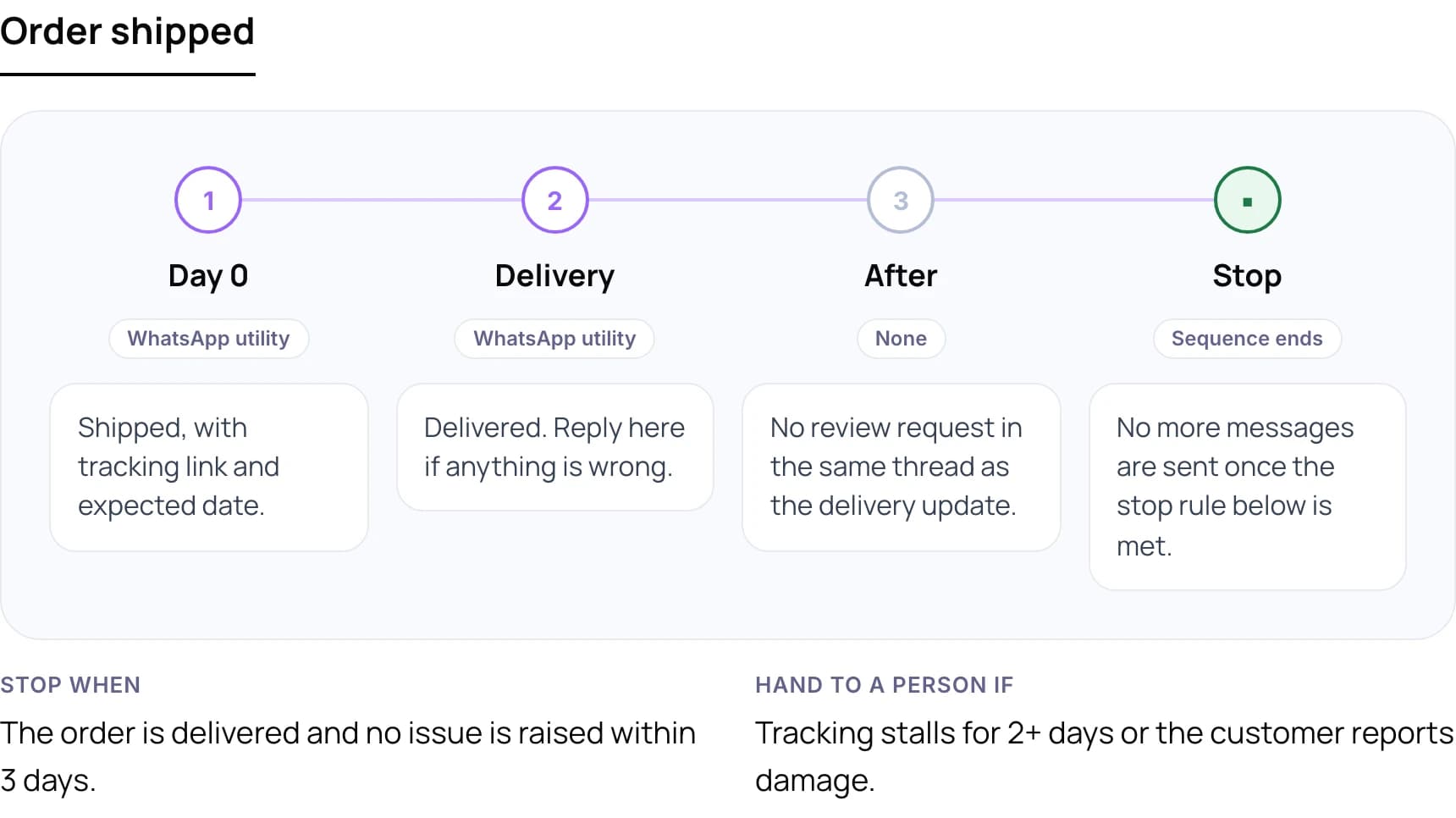
- Day 0, WhatsApp utility message: Shipped, with tracking link and expected date.
- Delivery, WhatsApp utility message: Delivered. Reply here if anything is wrong.
- After: No review request in the same thread as the delivery update.
Stop when: The order is delivered and no issue is raised within 3 days.
Hand to a person if: Tracking stalls for 2+ days or the customer reports damage.
Payment failed
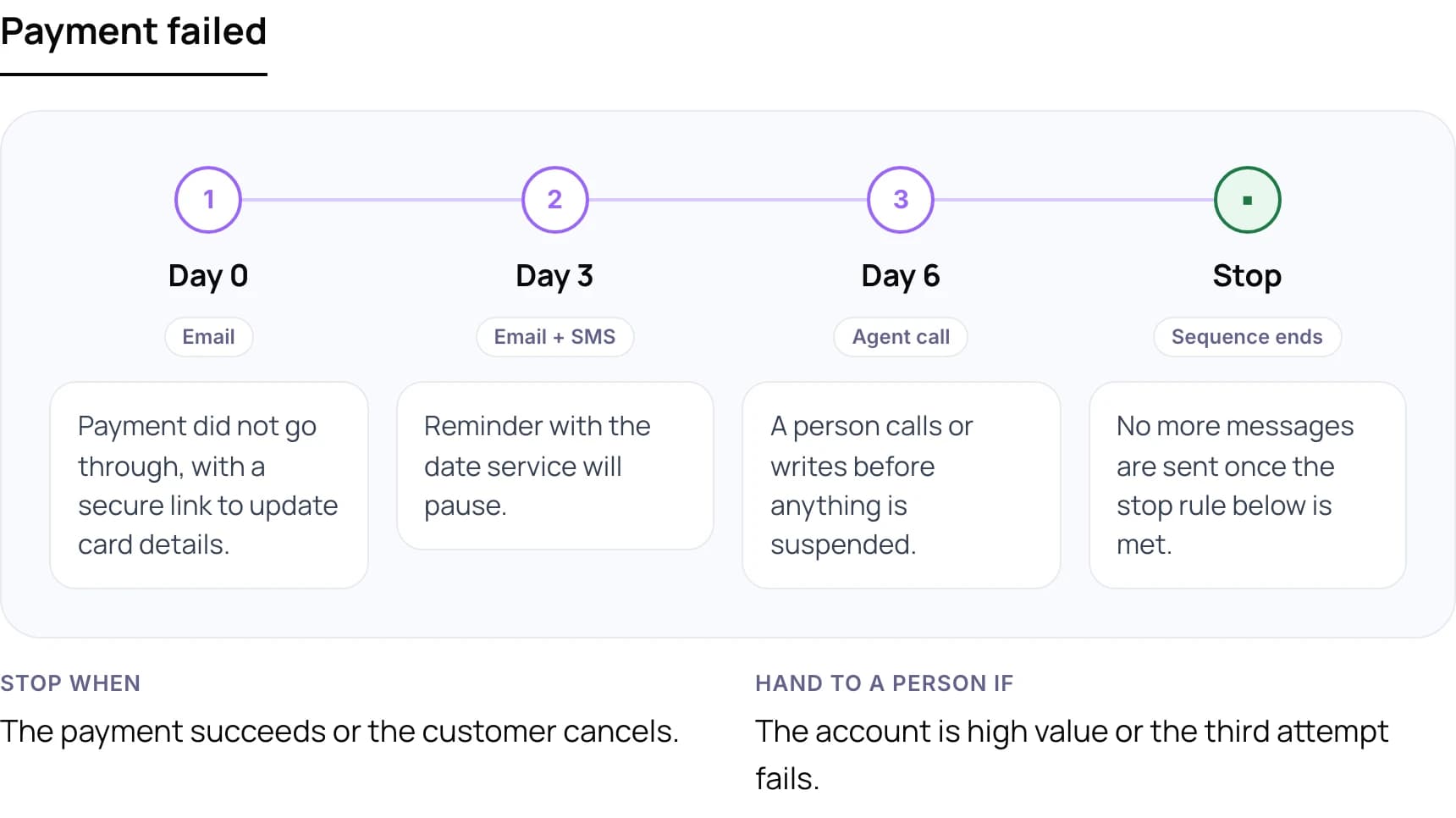
- Day 0, email: Payment did not go through, with a secure link to update card details.
- Day 3, email + SMS: Reminder with the date service will pause.
- Day 6, agent call: A person calls or writes before anything is suspended.
Stop when: The payment succeeds or the customer cancels.
Hand to a person if: The account is high value or the third attempt fails.
Want a follow-up flow mapped to your own tickets and channels? Book a free AI consultation.
6. How to Set Up Automated Customer Follow-Ups
These steps work whether you use your helpdesk’s built-in automation rules or custom AI agents connected to your CRM.
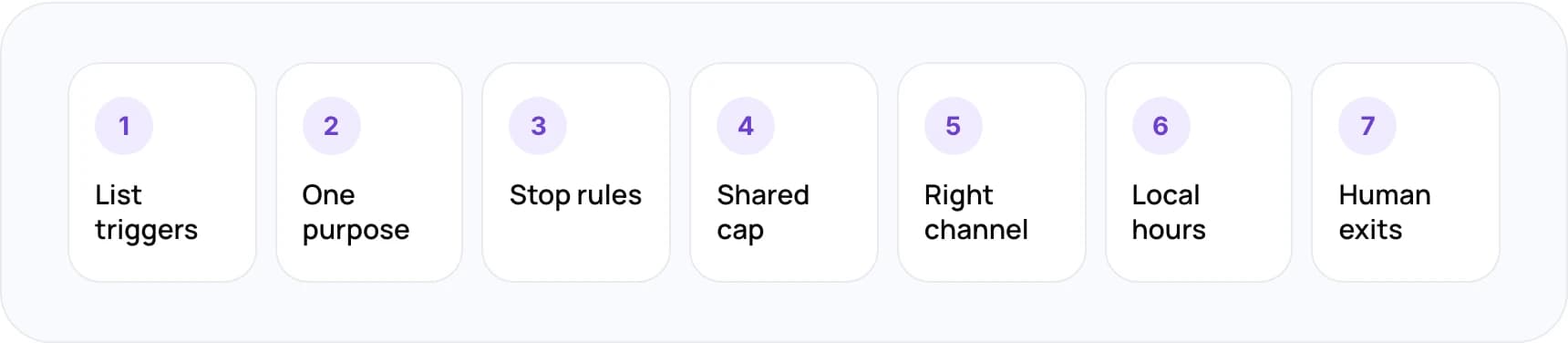
- List your triggers. Write down each event that should start a follow-up: ticket solved, waiting on customer, order shipped, payment failed. If there is no event, there is no follow-up.
- Give each message one job. One message, one ask. A ticket update should not also promote an upgrade.
- Write the stop rule first. Decide what ends the sequence before you write the copy. A reply, a resolution or a purchase should all count.
- Set one frequency cap. Cap total automated messages per customer per week across helpdesk, CRM and marketing tools.
- Use the channel they chose. Reply where the customer wrote to you. Move to WhatsApp or SMS only with consent.
- Send in their local hours. Use the customer’s time zone, and skip nights and public holidays for anything that is not urgent.
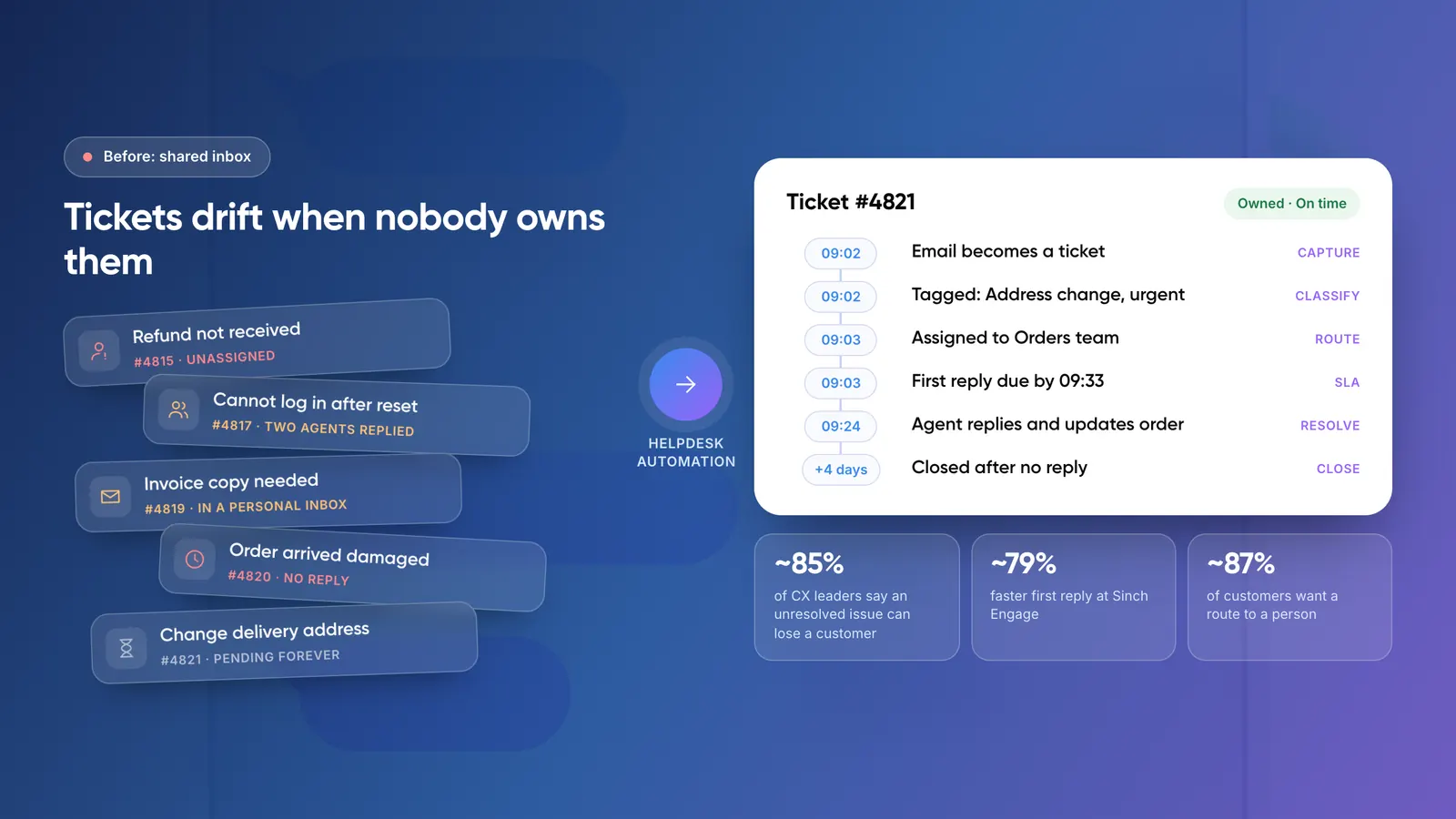
- Route the hard ones to people. Negative sentiment, a low score or a high-value account should go to an agent, with the full history attached.
For how to keep that handoff warm, see automating customer service without losing the human touch.
Warning: Do not let several systems send follow-ups on their own. If your helpdesk, CRM and marketing tool each run a sequence, one customer can get three messages in a day. Put one frequency cap across all of them.
7. Do’s and Don’ts of Follow-Up Automation
Do
- Use real data in the message, such as the order number or the fix applied.
- Make reopening or replying one click.
- Say clearly when this is the last message.
- Keep transactional and marketing mail on separate streams.
- Review each sequence’s metrics every month.
Don’t
- Send a reminder after the customer has already replied.
- Ask for a review in the same thread as a complaint.
- Follow up on WhatsApp without opt-in.
- Let two tools run sequences for the same customer.
- Hide the unsubscribe or opt-out link.
8. A Real Example: AI-Drafted Replies With Human Review
We built an AI email reply system for Shopify merchants that drafts replies from live order data and store policies. An agent approves each reply before it is sent. The merchant gets speed without handing tone and accuracy to a machine. The case study estimates that one store handling 2,000 customer emails a month saves about 50 hours of support effort a month.
The same review step is what keeps follow-ups from sounding automated. The AI does the lookup and the first draft. A person decides whether the customer needs another message at all.
9. How Do You Know If You Are Being Annoying?
Customers rarely tell you. They unsubscribe, mute or report spam instead. Watch these numbers for each sequence, not just for the whole account.
- Spam complaint rate: Check Google Postmaster Tools. Google asks senders to stay below 0.1% and never reach 0.3%.
- Unsubscribe or opt-out rate: Compare by sequence. A jump after one message tells you which one to cut.
- Reply and resolution rate: A useful follow-up gets replies or closes tickets. One that gets neither is noise.
- Ticket reopen rate: If customers reopen after a “solved” follow-up, the fix or the summary is wrong.
For the wider picture of how these flows fit together, read what customer support automation is and how it works.
10. Frequently Asked Questions
How often should you follow up with a customer?
Follow up when something happens, not on a schedule. For a ticket waiting on the customer, two reminders over about a week is usually enough. For marketing email, a 2025 Litmus survey found weekly was the most popular frequency. Always stop when the customer replies.
What is the best way to automate customer follow-ups?
Connect your helpdesk or CRM so that events, such as a solved ticket or a failed payment, trigger the follow-up. Give each sequence a stop rule and a shared frequency cap. Use AI to draft sensitive messages and have an agent approve them before sending.
Can I send automated follow-ups on WhatsApp?
Yes, through the WhatsApp Business API. You can send free-form messages only within 24 hours of the customer’s last message. After that, you need a Meta-approved template. Meta also limits how many marketing templates one person receives, so keep WhatsApp for useful updates.
Do support follow-up emails need an unsubscribe link?
Gmail requires one-click unsubscribe on marketing and promotional mail from bulk senders, not on transactional mail such as ticket updates. Even so, keep transactional and marketing mail separate. A spam complaint about a promotion can still hurt delivery of your support emails.
Should AI write customer follow-ups?
AI customer service tools write good first drafts because they can pull order data and ticket history. For routine updates, sending automatically is fine. For complaints, low scores or high-value accounts, let an agent review the draft. That is how the human-reviewed email reply system we built for Zenva works.
11. Conclusion
Good customer follow-up automation is mostly about restraint: event triggers, one purpose per message, a shared frequency cap and a stop rule for every sequence. This week, list every automated follow-up you send today and check each one has a stop rule. Delete the ones that don’t.
Tip: To see what automating follow-ups would save your team in hours and cost, try our free AI ROI Calculator.
If you want help building it, see our AI customer support automation services or our work on custom AI agents.
Author