How to Automate Customer Support Tickets Without Missing Anything
Send every channel into one helpdesk, tag and route each ticket the moment it arrives, and put an SLA timer on every priority. Helpdesk automation then escalates anything that sits too long, so no ticket can go quiet without someone being told.
This guide walks through the setup in seven steps, compares routing methods, and shows where AI ticketing helps and where it does not.
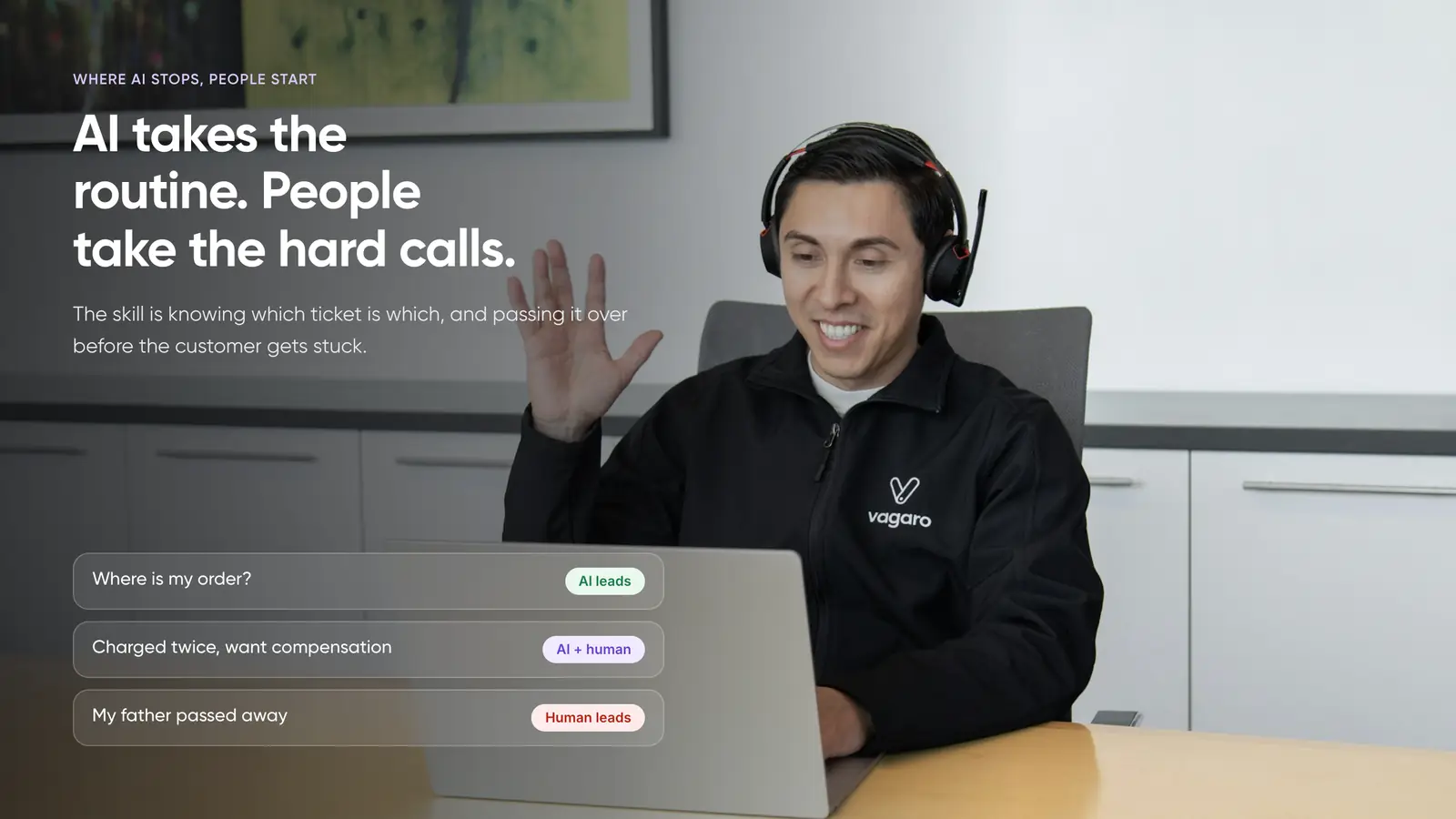
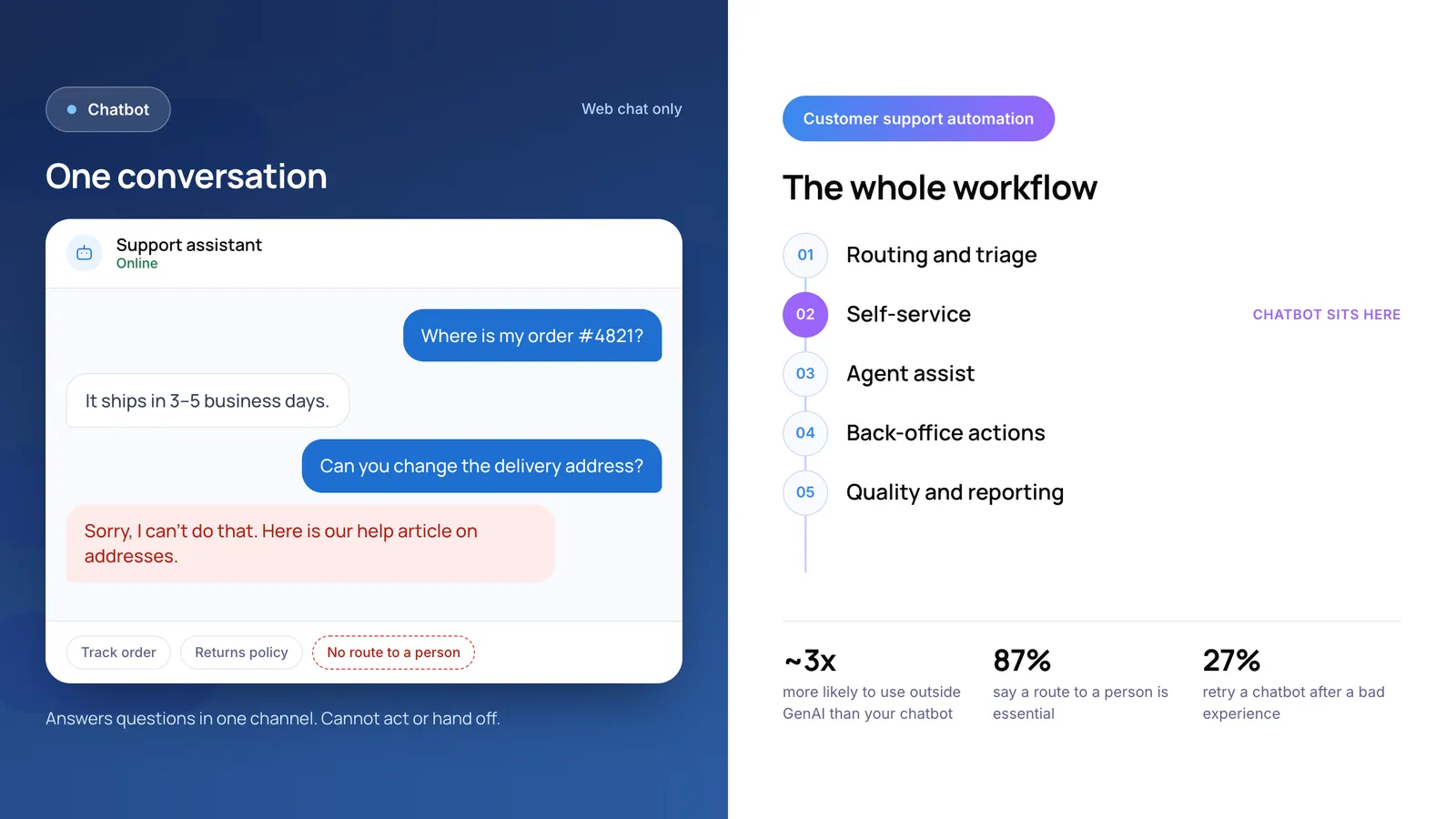
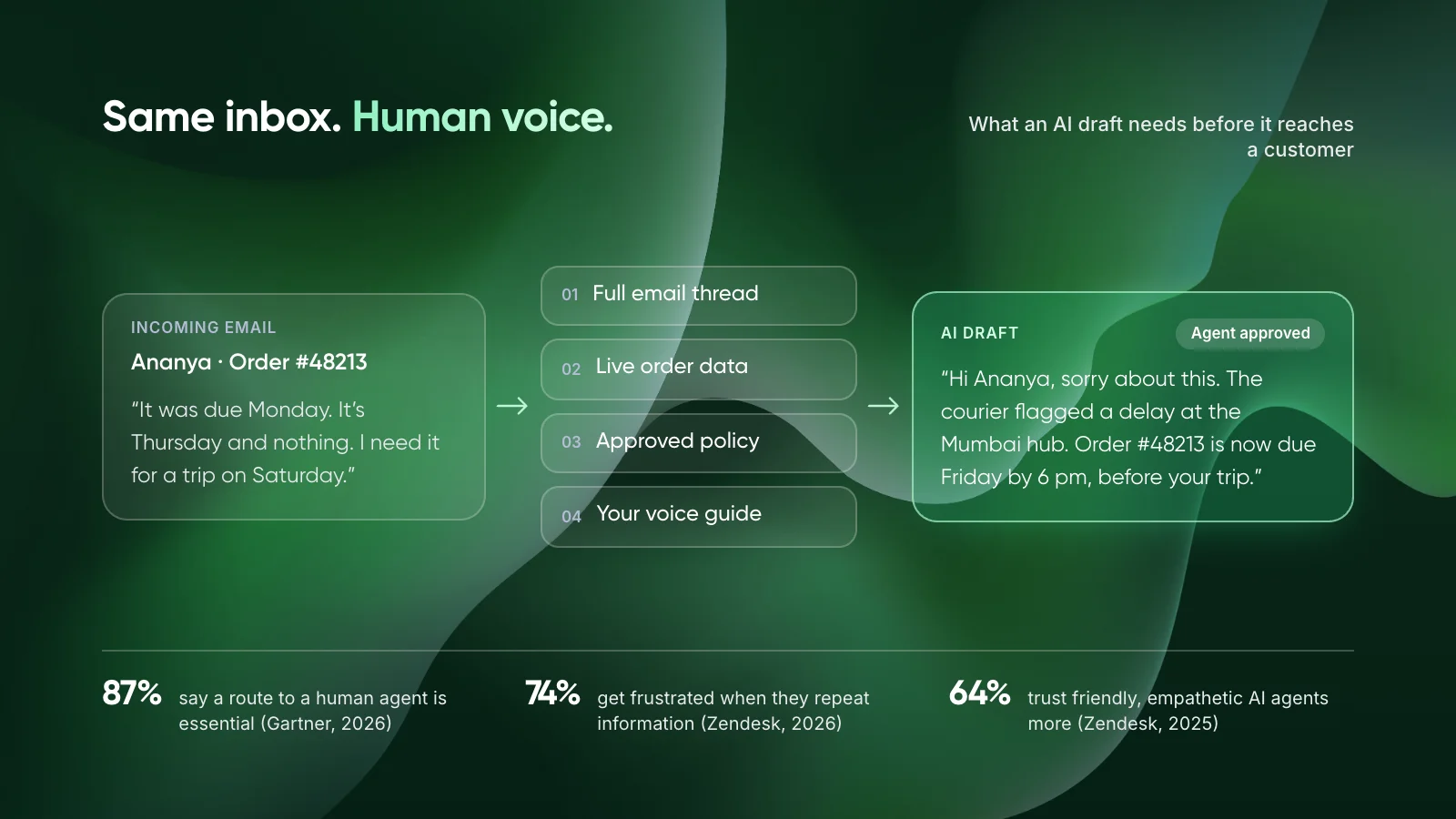
Illustrative ticket. Background photo by kuu akura on Unsplash. Stats (rounded): Zendesk CX Trends 2026; Sinch Engage customer story, Zendesk; Gartner, August 2026.
1. The Short Answer
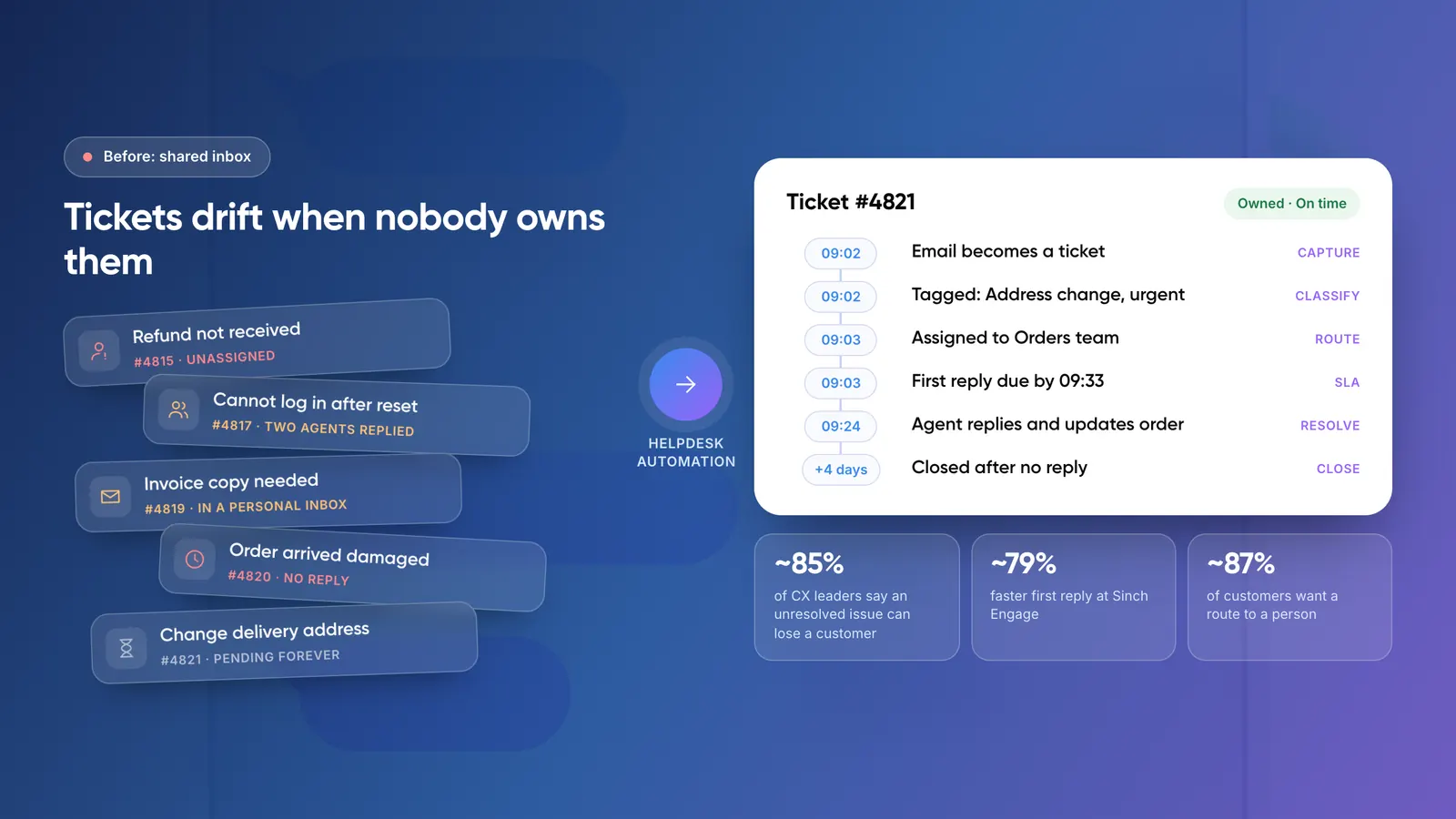
A ticket gets missed when nobody owns it or nobody notices it is late. Helpdesk automation fixes both: rules give every ticket an owner on arrival, and timers flag it before it breaches your target.
The cost of a missed ticket is high. Zendesk’s CX Trends 2026 report found that 85% of CX leaders say customers will drop a brand over an unresolved issue, even on first contact. The same research found 88% of customers expect faster replies than they did a year ago.
Key takeaways
- Tickets go missing for two reasons: nobody owns them, or nobody notices they are late.
- Fix ownership with one queue for every channel, a topic and priority on arrival, and automatic assignment.
- Fix lateness with SLA targets per priority and alerts that fire before a breach, not after.
- Add AI for classification and drafts once the rules work. Keep a person on anything that changes money or accounts.
2. Why Do Support Tickets Get Missed?
In our experience, missed tickets rarely come from lazy agents. They come from gaps in the process that nobody designed on purpose. Four gaps cause most of them.
- Requests that never become tickets. A customer emails a sales rep or messages a WhatsApp number nobody monitors. No ticket means no tracking.
- Shared views with no owner. Ten agents look at the same queue and each assumes someone else took the hard ticket.
- No clock on the ticket. Without a target time, a ticket that has waited two days looks the same as one that arrived a minute ago.
- Pending with no follow-up. The agent asks the customer a question, the customer goes quiet, and the ticket sits open for weeks.
The first gap is often a data problem. HubSpot’s 2024 State of Service report found that only 35% of CX leaders say their data is fully integrated with the tools they use. When channels and systems don’t connect, requests fall between them.
3. What Is Helpdesk Automation?
Helpdesk automation is a set of rules inside your ticketing tool that act on tickets without a person doing each step. It tags, assigns, prioritises, reminds, escalates and closes tickets based on conditions you define.
Most tools split rules into two kinds. In Zendesk, triggers fire the moment a ticket is created or updated, while automations run once an hour on open tickets and act on time conditions. Triggers handle routing. Automations handle “this has waited too long.” You need both.
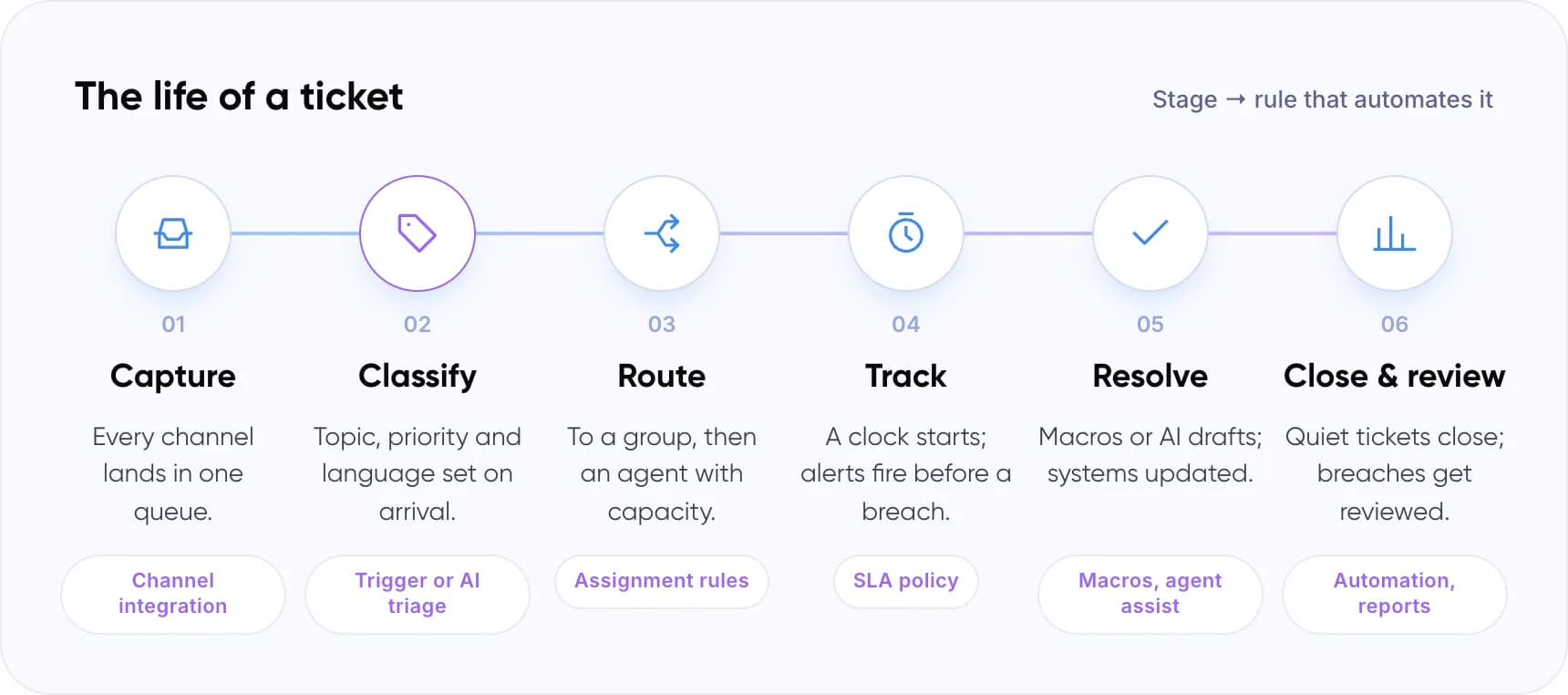
The life of a ticket (stage → rule that automates it):
- Capture: Every channel lands in one queue. Channel integration
- Classify: Topic, priority and language set on arrival. Trigger or AI triage
- Route: To a group, then an agent with capacity. Assignment rules
- Track: A clock starts; alerts fire before a breach. SLA policy
- Resolve: Macros or AI drafts; systems updated. Macros, agent assist
- Close & review: Quiet tickets close; breaches get reviewed. Automation, reports
Note: Ticket automation usually means fixed if-then rules. AI ticketing adds a model that reads the ticket text to guess its topic, urgency or language. The AI feeds the rules; it doesn’t replace them.
Helpdesk automation is one layer of wider customer support automation. For the full picture, read what customer support automation is and how it works.
4. How to Automate Customer Support Tickets in 7 Steps
This is the order we recommend. Each step closes one gap before the next adds speed.
- Put every channel into one queue. Connect email aliases, chat, web forms, WhatsApp and social to your help desk. A request in a personal inbox cannot be tracked.
- Tag topic and priority on arrival. Keep it to 10 to 15 topics and four priorities. Use triggers on form fields and keywords, or AI triage for free text.
- Route by rule, not by who is watching. Map each topic to a group, then pick an assignment method per group. The table below compares the options.
- Set SLA targets for every priority. Start with first reply time and one resolution metric. Make sure no ticket can exist without a priority.
- Add safety-net rules. Alert the owner before a breach, alert a lead on unassigned tickets, and remind then auto-solve pending tickets.
- Automate replies only where the answer is fixed. Send an acknowledgement with a reference number. Use macros and AI drafts for the rest, with an agent approving.
- Review misses every week. Pull breached, reopened and unassigned tickets. Each one points to a rule that is missing or wrong.
Tip: Before you buy add-ons, put your ticket volume and team costs into our free AI ROI Calculator. It shows which step is worth automating first.
Want a second pair of eyes on your ticket rules? Book a free AI consultation.
5. Which Ticket Routing Method Should You Use?
Routing decides who owns a ticket. Freshdesk documents three automatic methods in its Omniroute routing guide, and AI triage adds a fourth. Zendesk and other help desks offer close equivalents.
- Shared view: agents pick tickets from a common list. Best for teams of two or three. Watch out for: hard tickets get skipped and nobody is accountable.
- Round-robin: assigns to online agents in a circular order. Best for simple, similar tickets such as order status. Watch out for: it ignores how busy each agent already is.
- Load-based: sends to the least-loaded agent, up to a set cap. Best for larger teams with high volume. Watch out for: tickets with no SLA may not count toward load.
- Skill-based: matches tickets to agents by language or product skill. Best for multilingual or specialist teams. Watch out for: tickets wait if no skilled agent is free.
- AI topic routing: a model reads the text and sets topic, sentiment and language for rules to use. Best for free-text email and chat with mixed requests. Watch out for: it misclassifies at first, and often costs extra.
Our view: most mid-size teams should start with load-based assignment inside topic-based groups. Skill-based routing pays off once you support several languages or products. One detail matters for tracking: in Freshdesk, only tickets with an active SLA timer count toward an agent’s load, so a ticket with no SLA can sit outside the balancing logic.
6. How Do You Track Tickets So None Slip Through?
Routing gives a ticket an owner. Tracking makes sure the owner acts in time. The tool for this is the SLA policy, a target time per priority that your help desk measures on every ticket.
Zendesk supports six SLA measurements, from first reply time to total resolution time. Its own guidance calls first reply time a good starting point and advises picking only one resolution metric. We agree: two clear targets beat six that nobody reads.
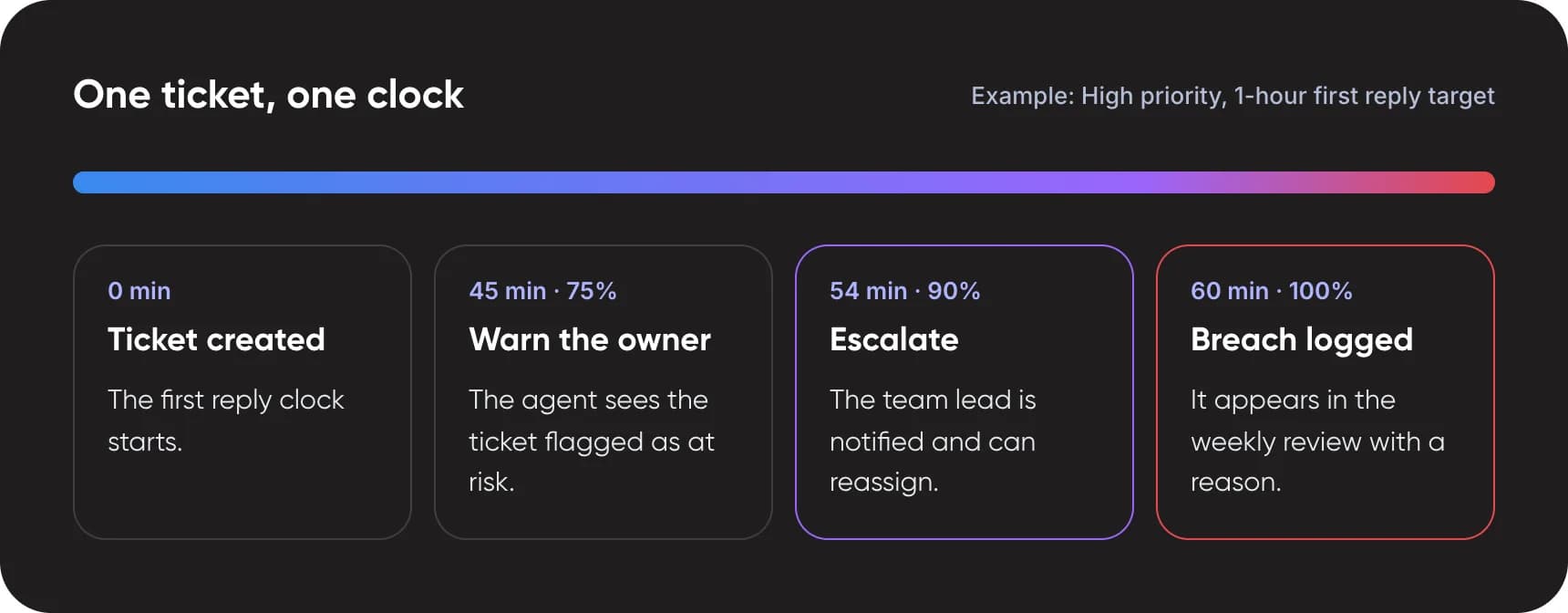
One ticket, one clock (example: High priority, 1-hour first reply target):
- 0 min, ticket created: The first reply clock starts.
- 45 min (75%), warn the owner: The agent sees the ticket flagged as at risk.
- 54 min (90%), escalate: The team lead is notified and can reassign.
- 60 min (100%), breach logged: It appears in the weekly review with a reason.
Note: Hourly automations are not exact. Zendesk runs them at some point during each hour, so a “1 hour unassigned” rule can fire well after the hour. For tight targets, use your help desk’s built-in SLA alerts instead.
Check your safety nets
Tick the rules your help desk already has. Each one closes a common way tickets go missing.
- Every channel creates a ticket in the help desk
- Every new ticket gets a topic and a priority
- Every ticket is assigned automatically to a group or agent
- Every priority has a first reply SLA target
- Tickets near their target alert the owner before breach
- Unassigned tickets alert a team lead
- Pending tickets get a reminder, then auto-solve
- Breaches and reopens are reviewed weekly
How did you score?
- 8 of 8: Every gap is covered. Your rules catch the common ways tickets go missing. Next, review breach reasons each week and tune targets.
- 6 or 7: Nearly there. Close the last gaps, starting with the first unticked item on the list.
- 3 to 5: Tickets can still slip. Your basics are in place, but late tickets may go unnoticed. Add the first unticked rule next.
- 0 to 2: Start with the first four. One queue, a priority on every ticket, automatic assignment and an SLA target remove most missed tickets on their own.
7. Where Does AI Ticketing Help?
Rules need clean inputs. If a customer writes “still nothing??” with no category, a keyword rule has little to work with. This is where an AI help desk feature earns its cost.
Zendesk’s intelligent triage, for example, classifies each new ticket by topic, sentiment, language and custom entities and writes them to ticket fields. Your triggers can then route on those fields. The trade-off is price: using the classifications in workflows requires the Copilot add-on.
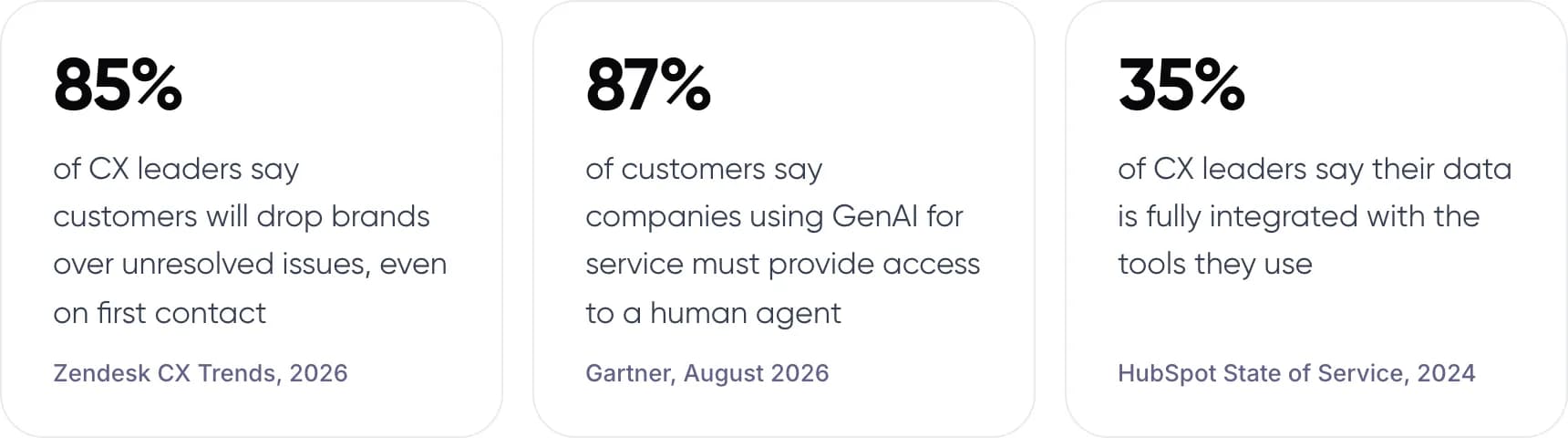
- 85% of CX leaders say customers will drop brands over unresolved issues, even on first contact (Zendesk CX Trends, 2026).
- 87% of customers say companies using GenAI for service must provide access to a human agent (Gartner, August 2026).
- 35% of CX leaders say their data is fully integrated with the tools they use (HubSpot State of Service, 2024).
AI also helps agents once a ticket is assigned. It can summarise long threads and draft replies from your help content. Gartner’s August 2025 survey predicted 73% of service organisations would have agent assist by the end of 2025.
Our advice is to start AI at classification, not at auto-replies. A wrong tag sends a ticket to the wrong queue, where your SLA timer still catches it. A wrong auto-reply goes straight to the customer.
8. Real Examples of Ticket Automation
Sinch Engage: one platform, faster replies
Sinch Engage, a communications platform, moved its support onto one help desk, rebuilt its help centre and added AI agents. According to Zendesk’s customer story, first reply times fell 79% and full resolution times improved 47%. Its self-service automation rate rose from 17% to 32% over a few months. These are vendor-published figures, so treat them as one company’s result.
Two of our own builds
For a payments company, we built an omnichannel customer support system that answers routine email in under a minute and routes complex cases to the right team. For an ecommerce client, we built an AI email assistant for Shopify merchants that drafts replies from live order data, with an agent reviewing every draft.
- Payments customer support: under 1 minute first response on email, down from hours, with complex cases routed to the team.
- Ecommerce email support: ~50 hours saved per month for every 2,000 emails, with AI drafts from live order data and agent review on every reply.
9. Common Mistakes When Automating Tickets
- Automating replies before routing. An auto-reply on an unowned ticket tells the customer you heard them, then nothing happens.
- Letting tickets exist without a priority. No priority often means no SLA, and no SLA means no alert. Set a default priority on every new ticket.
- Too many topics. Fifty categories that agents pick by hand become fifty guesses. Start small and split topics only when the data shows a need.
- Escalating after the breach. An alert at 100% reports a failure. Alert at 75% to 90%, while there is still time to act.
- Letting AI act on money or accounts unreviewed. Refunds, cancellations and account changes should stay behind human approval until accuracy is proven.
10. Frequently Asked Questions
What is helpdesk automation?
Helpdesk automation is a set of rules in your ticketing tool that tag, assign, prioritise, remind, escalate and close tickets without manual steps. Event rules react when a ticket is created or updated. Time rules act when a ticket has waited too long. Together they give every ticket an owner and a deadline.
How do I automate customer support tickets?
Bring every channel into one help desk, then tag topic and priority on arrival. Route each topic to a group with automatic assignment. Set an SLA target per priority, add alerts that fire before a breach, and review missed tickets weekly. Automate replies last, and only where the answer is fixed.
What is the difference between ticket automation and AI ticketing?
Ticket automation uses fixed if-then rules, such as sending billing tickets to the finance group. AI ticketing adds a model that reads the ticket text and predicts its topic, sentiment or language. Zendesk’s intelligent triage is one example. The AI prediction then feeds the same routing rules.
How do I make sure no support ticket is missed?
Make sure every request becomes a ticket, every ticket has a priority, and every priority has an SLA target. Then add three alerts: one before a breach, one for unassigned tickets and one for long-pending tickets. Review breaches weekly to find the rule that failed.
Which support tickets should not be automated?
Keep a person on refunds, cancellations, account access, legal complaints and anything from an angry or high-value customer. Automate the routing and tracking of these tickets, but not the decision. Gartner’s August 2026 survey found 87% of customers say access to a human agent is essential when GenAI is used.
Do I need Zendesk or Freshdesk to automate tickets?
No. Most help desks, including Zendesk, Freshdesk, HubSpot Service Hub and Intercom, offer routing rules, SLA policies and time-based automations. Check two things before choosing: whether automatic assignment and AI triage are on your plan, and whether they cost extra as an add-on.
11. Conclusion
Good helpdesk automation is less about speed than about ownership: every ticket has an owner, a clock and an escalation path. This week, pull every ticket that breached its target or sat unassigned in the last 30 days, and note which safety net would have caught it.
That list is your build order. If you want help turning it into rules, routing and AI triage, see our AI customer support automation services.
Author