Can Automation Handle Complex Customer Problems?
Partly. AI customer service now handles many multi-step requests well, but it still fails on judgment calls, policy exceptions and upset customers.
This guide maps where automation stops being reliable. It covers what makes a ticket complex, real public failures, what customers say they want, and a six-step design for handing hard cases to people without losing the speed you automated for.
1. The Short Answer
AI customer service can handle complex requests when the steps are clear and the data is reachable. It struggles when the right answer depends on judgment, empathy or bending a policy.
Even Gartner’s optimistic March 2025 forecast limits itself to 80% of common customer service issues by 2029. The other 20%, and most of the uncommon ones, still need people.
Key takeaways
- AI handles multi-step tickets well when the policy is fixed and the data is reachable.
- It still fails on judgment calls, policy exceptions, emotional conversations and high-stakes advice.
- Your company is responsible for what its chatbot says, as Air Canada learned in 2024.
- For hard cases, use AI to gather details and draft, and let a person decide.
2. What Makes a Customer Problem “Complex”?
Length is a poor measure. A five-step return can be simple for an AI agent, while a two-line message from a customer whose payment failed twice can be very hard. In our experience, four traits make a ticket complex.

A ticket is complex when the customer’s situation, not the number of steps, makes it hard. Photo by Vitaly Gariev on Unsplash.
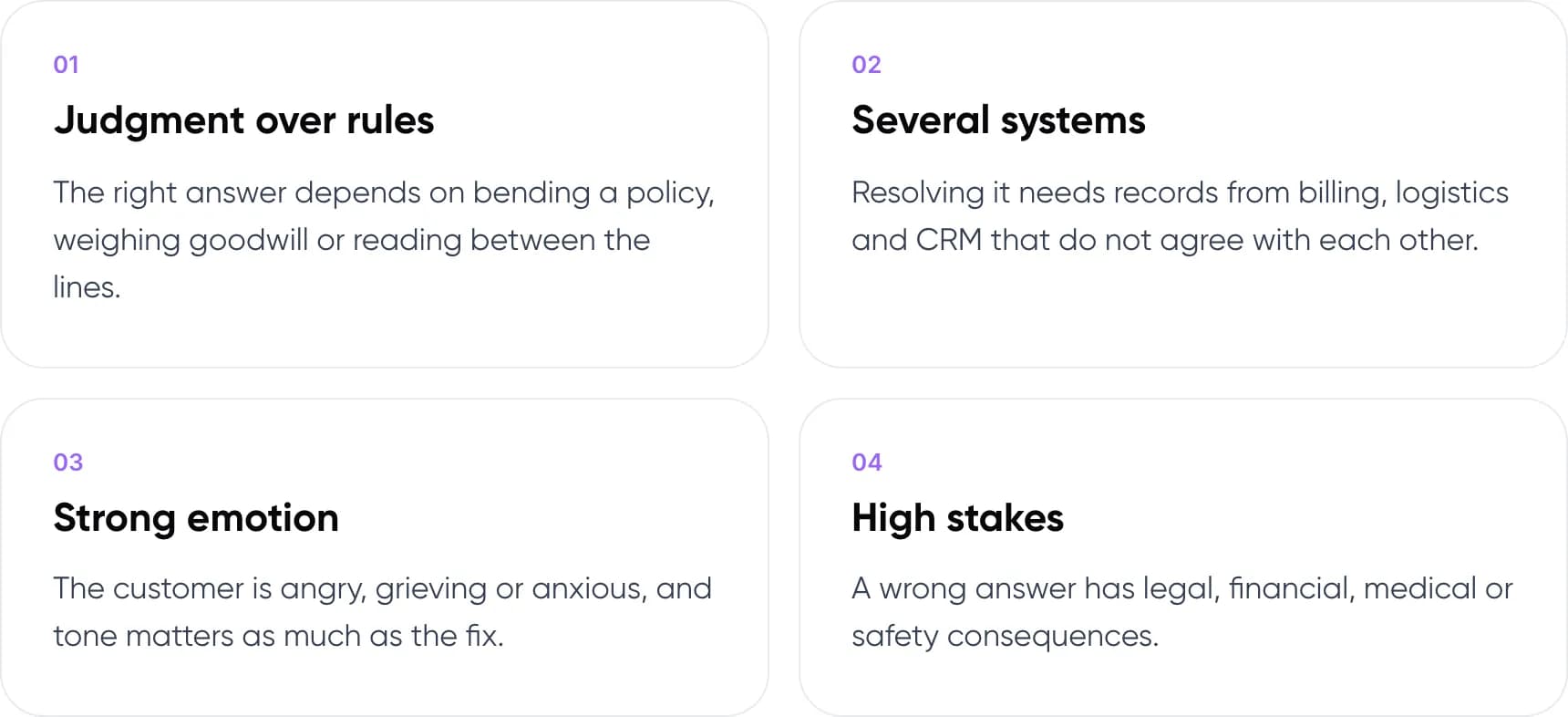
- Judgment over rules. The right answer depends on bending a policy, weighing goodwill or reading between the lines.
- Several systems. Resolving it needs records from billing, logistics and CRM that do not agree with each other.
- Strong emotion. The customer is angry, grieving or anxious, and tone matters as much as the fix.
- High stakes. A wrong answer has legal, financial, medical or safety consequences.
A ticket with one of these traits can still be partly automated. A ticket with two or more usually needs a person to own the outcome. That person can still be helped by AI that pulls records, summarises the history and suggests a reply.
Note: A hallucination is when an AI model gives a confident answer that is not supported by its sources. In support, that usually looks like an invented policy, refund rule or deadline.
3. What Can AI Customer Service Handle Today?
The table below is our view of who should lead each kind of ticket. It assumes the AI has current help content and read access to your order or account data.
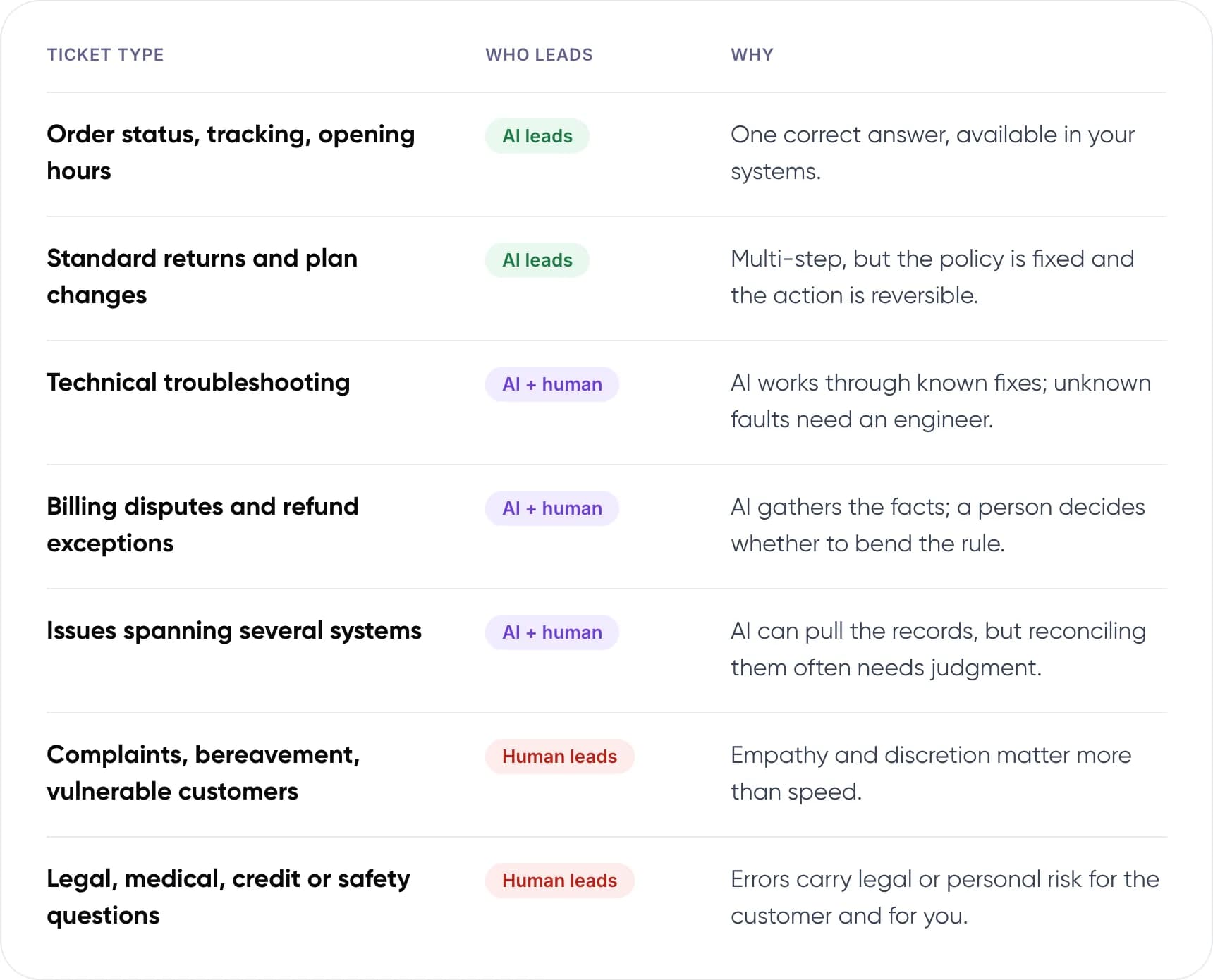
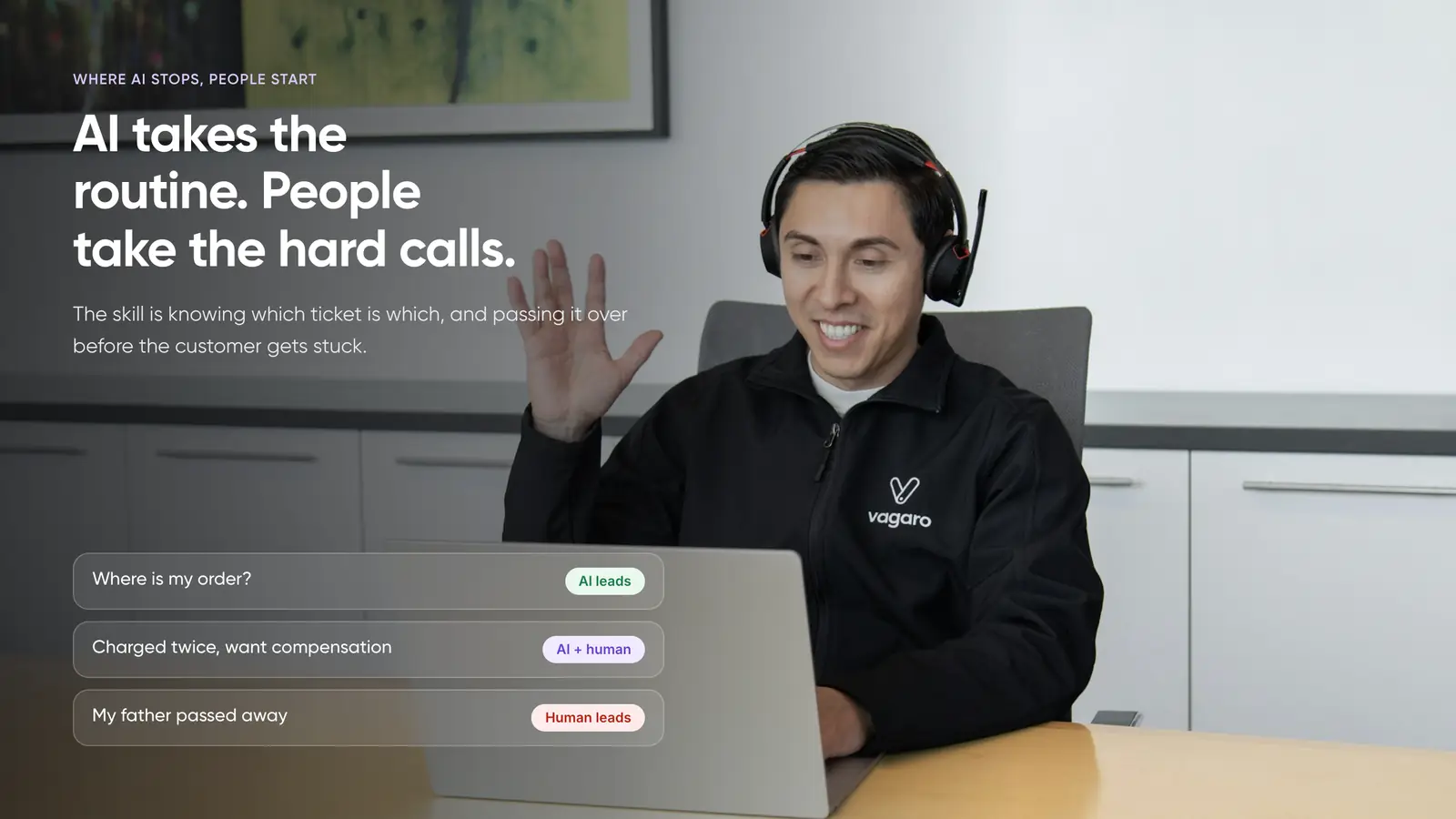
- Order status, tracking, opening hours: AI leads. One correct answer, available in your systems.
- Standard returns and plan changes: AI leads. Multi-step, but the policy is fixed and the action is reversible.
- Technical troubleshooting: AI + human. AI works through known fixes; unknown faults need an engineer.
- Billing disputes and refund exceptions: AI + human. AI gathers the facts; a person decides whether to bend the rule.
- Issues spanning several systems: AI + human. AI can pull the records, but reconciling them often needs judgment.
- Complaints, bereavement, vulnerable customers: Human leads. Empathy and discretion matter more than speed.
- Legal, medical, credit or safety questions: Human leads. Errors carry legal or personal risk for the customer and for you.
Notice that the split is not about how many steps a ticket has. A standard return can involve checking an order, confirming the item, issuing a label and processing a refund. That is complex in steps but simple in judgment, because the policy decides every branch.
The middle column matters most. For many complex tickets, the best setup is an AI customer support agent that gathers details and drafts a reply, with a person making the final call.
4. Where Does Automated Customer Support Break Down?
Public failures follow a few patterns. Each one is a design gap, and each has a fix.
Most chatbot failures start with a question the bot was never designed to answer. Photo by Zulfugar Karimov on Unsplash.
It invents a policy
In 2022, Air Canada’s website chatbot told a grieving customer he could claim a bereavement fare after travel. The airline’s real policy said otherwise. In February 2024, a British Columbia tribunal held Air Canada responsible for its chatbot’s answer and ordered it to pay the difference. Your bot’s words count as your company’s words.
The fix is grounding. The bot should answer only from approved policy pages, link to the source it used, and say “I’ll pass this to a colleague” when no source covers the question.
It goes off-script
In January 2024, parcel firm DPD disabled part of its customer service chatbot after a frustrated customer got it to swear and criticise the company. The customer was trying to find a missing parcel. Nothing stopped the bot from following the user’s lead.
The fix is guardrails on tone and topic, plus testing with hostile and unusual prompts before launch. A frustrated customer is also a signal to hand over, not to keep chatting.
It helps the wrong customers most
A 2023 NBER study of 5,179 support agents found an AI assistant raised resolutions per hour by 14% on average and 34% for new agents. It had little effect on the most experienced agents. AI copies common good answers well. The rare, hard cases are where your best people still beat it.
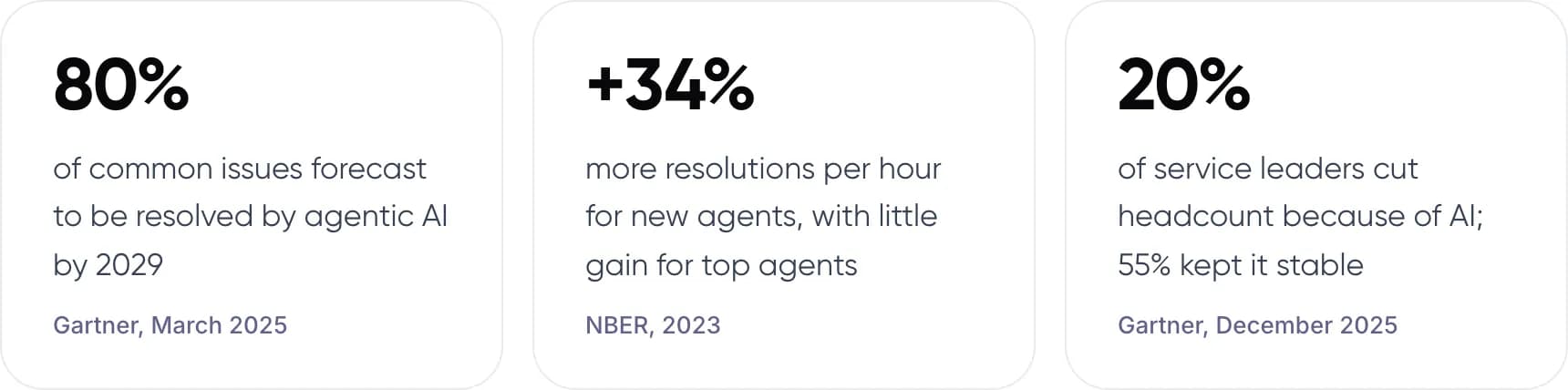
- 80% of common issues forecast to be resolved by agentic AI by 2029 (Gartner, March 2025).
- +34% more resolutions per hour for new agents, with little gain for top agents (NBER, 2023).
- 20% of service leaders cut headcount because of AI; 55% kept it stable (Gartner, December 2025).
5. How Do Customers Feel About It?
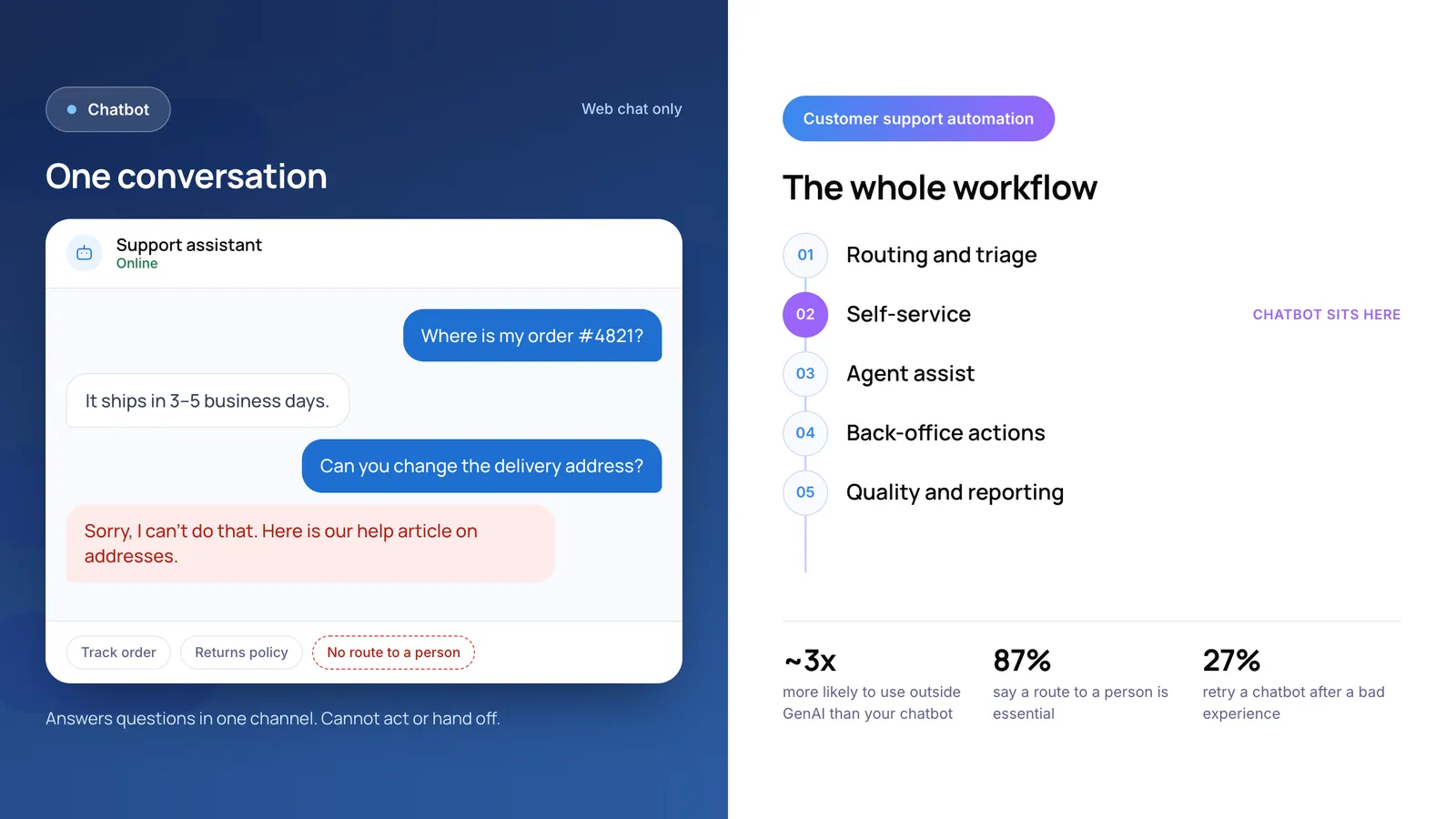
Customers are wary. In a Gartner survey published in July 2024, 64% of customers said they would prefer companies did not use AI for customer service. Their top concern was that it would make reaching a person harder.
That fear is about access, not about AI itself. Customers accept a bot that solves an order status query in 20 seconds. What they resent is a bot that blocks the way to a person when the problem is serious.
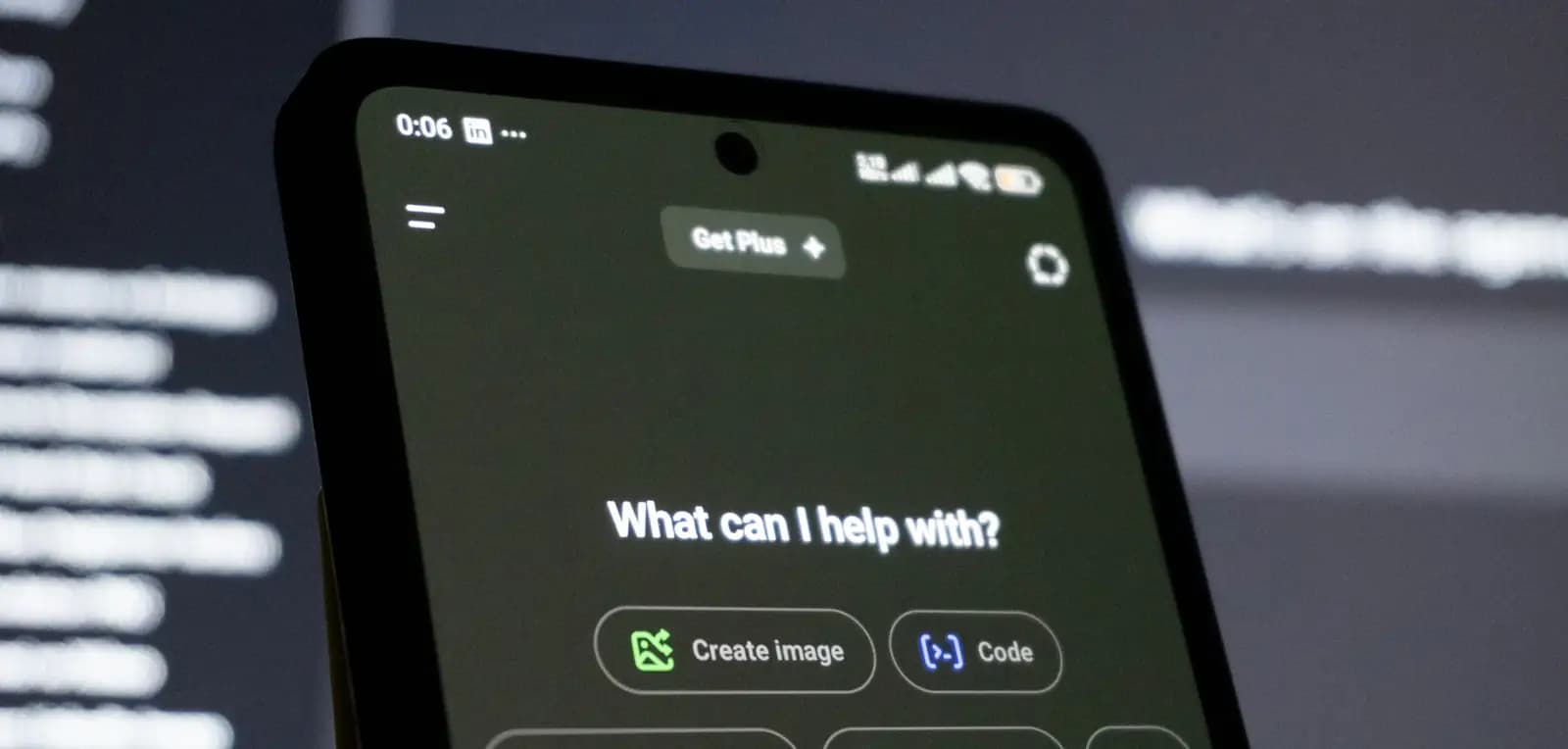
Customers accept AI that answers fast. They object when it stands between them and a person. Photo by Zulfugar Karimov on Unsplash.
In practice, that means three things. Show a clear “talk to a person” option. Tell customers when they are talking to AI. And when you hand over, make sure the agent already knows the story.
Warning: Never hide the human option behind several failed bot turns. Show it when the customer asks, and offer it early when the AI is unsure.
6. Should This Ticket Be Automated?
Here is how we would route six sample tickets, and why.
- “Where is my order? It was due yesterday.” AI leads: automate it end to end. The answer is in your order system. AI can check tracking, explain the delay and offer the next step in seconds.
- “I want to switch to the annual plan.” AI leads: automate with a confirmation step. The rule is fixed and the change is reversible. Ask the customer to confirm before the AI acts.
- “The app crashes when I upload a file, only on Android.” AI + human: AI triages, an engineer resolves. AI can run known fixes and collect device details. If those fail, it hands a complete bug report to a person.
- “You charged me twice and I want both refunded plus compensation.” AI + human: AI prepares, a person decides. AI can confirm the duplicate charge. Compensation is a policy exception, so a person should approve it.
- “My father passed away. How do I close his account?” Human leads: route straight to a person. This needs care, flexibility and often document checks. Air Canada’s bereavement case shows the cost of getting it wrong.
- “Your product caused a rash. Is it safe to keep using?” Human leads: escalate immediately. Health and safety questions carry real risk. AI should stop, acknowledge and pass the case to a trained person.
Want to know which of your tickets are safe to automate? Book a free AI consultation.
7. How to Design Customer Service Automation for Hard Cases
The goal is not to automate complex tickets end to end. It is to make sure they reach the right person fast, with the work already started.

The agent who picks up an escalation should see everything the AI already checked. Photo by Petr Macháček on Unsplash.

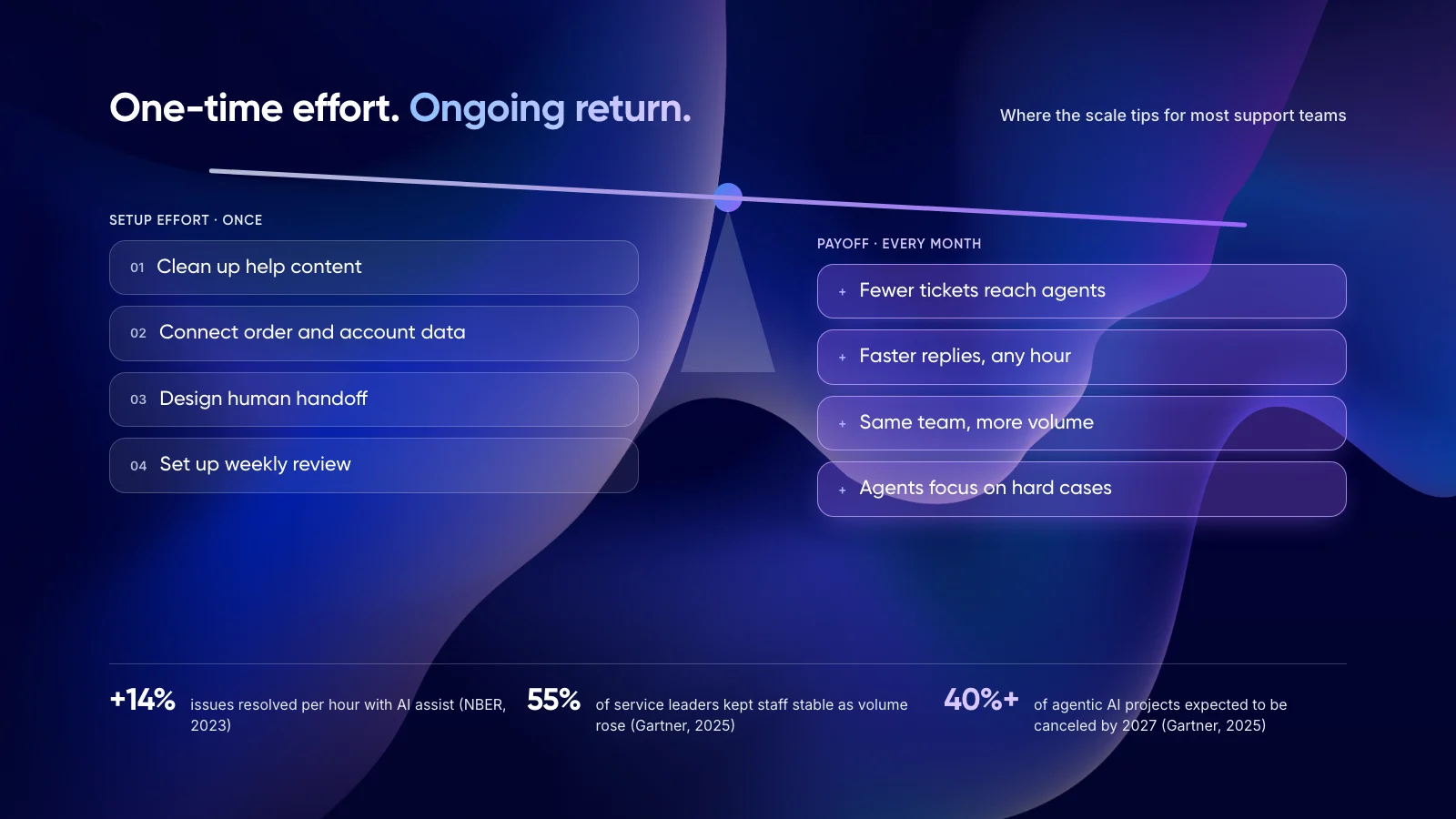
- Sort tickets into tiers. Use the three columns from section 3. Agree with your team which intents belong in each before you build anything.
- Ground every answer in your documents. The AI should answer only from approved help content and policies, and say so when it cannot find an answer.
- Set escalation triggers. Hand off on low confidence, repeated rephrasing, negative sentiment, sensitive keywords or a direct request for a person.
- Pass the full context. The agent should see the conversation, the data already checked and the AI’s summary, so the customer never repeats themselves.
- Limit what the AI can do. Cap refund amounts and require approval for exceptions. Read access first, write access once accuracy is proven.
- Review escalations weekly. Each escalation shows a gap in content, rules or tooling. Fix the cause, then decide if that intent can move left.
Grounding answers in your own documents is the main defence against invented policies. Our guide to deploying agentic RAG for customer service covers how that works.
8. Real Examples of AI Agents for Customer Support
Klarna: scale first, then a step back
Klarna said its AI assistant handled two-thirds of its service chats in its first month in 2024. In 2025 the company began hiring human agents again so customers could always reach a person. Volume moved to AI, but the complex end still needed people.
Two of our own projects
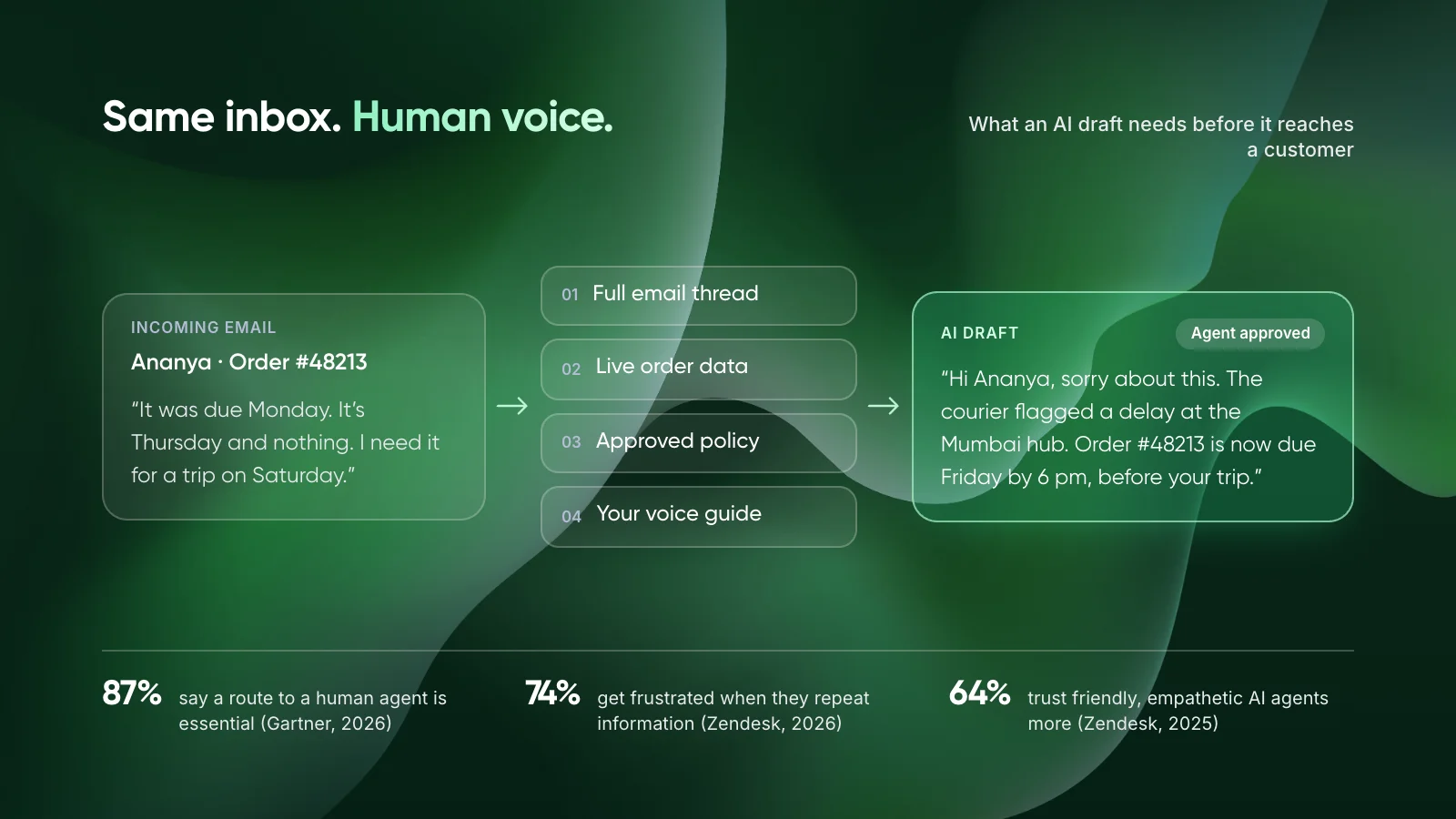
- Zenva: Human review on every reply. AI drafts email replies from live order data and store policies for Shopify merchants. Agents approve each one, saving about 50 hours a month per 2,000 emails.
- Paymate: Complex cases routed out. An omnichannel support system answers routine email in under a minute and sends complex payment cases to the team.
9. Pros and Cons of Automated Customer Service
Where it works
- Instant answers at any hour for routine, rule-based questions.
- Consistent answers to the same question, every time.
- Agents spend their time on the cases that need them.
- Handles volume spikes without extra hiring.
Where it falls short
- Can state wrong policies with confidence if not grounded.
- Weak at empathy, discretion and reading context.
- Customers resent it when it blocks access to a person.
- Needs ongoing review as products and policies change.
New to the topic? Start with what customer support automation is and how it works.
10. Frequently Asked Questions
Can AI customer service handle complex problems?
It can handle complex requests that follow clear rules, such as multi-step returns or account changes. It is unreliable when the answer needs judgment, empathy or a policy exception. For those cases, the safer design is AI that gathers details and drafts a reply for a person to approve.
What are the pros and cons of automated customer service?
The main advantages of automated customer service are instant answers, consistency and lower cost per routine ticket. The drawbacks are confident wrong answers, weak empathy and customer frustration when reaching a person is hard. Gartner’s 2024 survey found 64% of customers would prefer companies did not use AI for service.
When should a chatbot hand over to a human agent?
Hand over when the AI is not confident in its answer, when the customer repeats or rephrases, when sentiment turns negative, when sensitive topics appear, or whenever the customer asks for a person. The agent should receive the full conversation and any data already checked.
Is a company liable for what its AI chatbot says?
In at least one case, yes. In February 2024, a British Columbia tribunal ruled that Air Canada was responsible for incorrect bereavement fare advice from its website chatbot. Treat chatbot answers as official company statements and ground them in approved policy.
Will AI agents for customer support replace human agents?
Not for complex work. Gartner’s December 2025 survey found only 20% of service leaders had reduced headcount because of AI. Klarna, an early adopter, began hiring human agents again in 2025 so customers could always reach a person.
11. Conclusion
AI customer service handles more complex work each year, but judgment, exceptions and emotion still belong with people. The practical step is to pull last month’s escalated tickets and sort them into the three columns in section 3.
Tip: Once you know which tickets AI can lead, put those volumes into our free AI ROI Calculator to see hours saved and payback.
To build the escalation design with us, see our AI customer support automation services or our work on custom AI agents.
Author