Is Automating Customer Support Worth the Effort to Set Up?
For most teams with steady ticket volume, yes. But the effort sits in places vendors rarely mention: your data, your integrations and the handoff to people.
This guide weighs the real setup work of customer support automation against the payoff, so you can decide before you spend.
1. The Short Answer
Customer support automation is worth the setup effort when a large share of your tickets are repetitive and your AI can reach the data needed to resolve them.
The technology is rarely the hard part. Gartner's June 2025 forecast says over 40% of agentic AI projects will be canceled by the end of 2027, citing rising costs, unclear value and weak risk controls. Teams that scope tightly and fix their data first tend to avoid that list.
Key takeaways
- Most setup effort goes into knowledge content, system integrations and human handoff, not the AI model.
- Effort scales with ambition. Help desk rules take days; AI agents that act in your systems take months.
- Projects stall on data readiness and vague goals far more often than on model quality.
- Start with one high-volume ticket type, measure it, then expand. Plan to keep people in the loop.
2. What Does Setting Up Customer Service Automation Involve?
A vendor demo shows a chatbot answering questions in minutes. A live rollout has five layers of work behind it, and each one decides whether customers get a correct answer.
- Knowledge. Help articles, policies and past replies the AI answers from.
- Integrations. Access to orders, billing, bookings or CRM so answers use real data.
- Routing rules. Which tickets the AI takes, which go straight to a person.
- Human handoff. How a conversation moves to an agent with full context.
- Monitoring. Reviewing answers, tracking resolution and fixing gaps each week.
Knowledge and integrations take the longest. An AI customer service tool that cannot see order status or account data can only repeat your FAQ page, and customers notice quickly.
Note: An AI agent is software that can take actions, such as issuing a refund or changing a booking, not just reply with text. Agents need more setup than chatbots because every action needs permissions, limits and an audit trail.
3. How Hard Is It? Setup Effort by Approach
Not every option asks the same of your team. The comparison below is our view, based on the work each approach needs. Your timeline will depend on how clean your help content and systems already are.
- Helpdesk automation rules (Low effort). You need tags, routing rules and macros in your existing help desk. Good fit when tickets are mis-routed or sit unassigned.
- Agent assist (Low effort). You need a help desk add-on plus up-to-date help articles. Good fit when agents spend time searching and drafting replies.
- Customer service chatbot (Medium effort). You need a clean knowledge base, handoff rules and a weekly review. Good fit when many questions have one correct written answer.
- AI agents with integrations (High effort). You need API access to orders, billing or CRM, action limits and audit logs. Good fit when routine tickets need a lookup or a change to resolve.
- AI voice agent (High effort). You need telephony setup, speech testing and call recording consent. Good fit when phone is your largest or most expensive channel.
Our recommendation for most mid-size teams is to start with helpdesk automation and agent assist, which carry little risk, and then add an AI agent for one ticket type. Jumping straight to a fully autonomous agent is where most of the cost overruns we see begin.
4. Why Do So Many AI Support Projects Stall?
The research on failed AI projects points to the same causes again and again. None of them are about the model being too weak.
- 40%+ of agentic AI projects are expected to be canceled by the end of 2027 (Gartner, June 2025).
- 60% of AI projects without AI-ready data are expected to be abandoned through 2026 (Gartner, February 2025).
- 50% of firms planning big support staff cuts are expected to drop those plans by 2027 (Gartner, June 2025).
Data that is not ready
In a February 2025 Gartner release, 63% of organisations said they lacked, or were unsure they had, the right data practices for AI. For support, that means outdated help articles, policies stored in people's heads and order data spread across tools.
Tools that never enter the workflow
MIT's NANDA initiative reported in 2025 that about 95% of generative AI pilots showed no measurable profit impact. The sample was small and the window short, so treat the figure with care. Its diagnosis is more useful: pilots stalled when tools did not fit how people already worked.
Goals set around headcount
Gartner predicts that by 2027, 50% of organisations that planned major support staff cuts will abandon those plans. Projects judged only on removing people tend to disappoint. Projects judged on resolution rate and customer effort have a clearer path.
5. When Is Automated Customer Support Worth It?
Run through this check before you choose a tool. Each yes makes the setup effort easier to justify.
- You handle more than 1,000 tickets a month.
- At least a third of tickets repeat the same few questions.
- Your help articles and policies are written down and current.
- Your order, billing or account data is reachable by API.
- Customers contact you outside working hours.
- Someone on your team can own the rollout for three months.
Count your yes answers:
- 5 or 6: strong case. The setup effort is likely to pay back. Start with your most repeated ticket type.
- 3 or 4: worth a scoped pilot. Fix the gaps you left unticked first, then automate one ticket type.
- 0 to 2: start smaller. Begin with helpdesk rules and agent assist. Revisit full automation as volume grows.
When to wait
Hold off if you handle a few hundred tickets a month, if most of them need judgment, or if your policies change every week. In those cases, a shared inbox with good macros may give you more for less effort. Regulated decisions, such as credit or medical advice, also need a human in the final step.
6. What Payoff Can You Expect?
When setup goes well, the gains show up in three places: fewer tickets reaching agents, faster agents and steady headcount while volume grows.
Gartner's March 2025 forecast expects agentic AI to resolve 80% of common customer service issues by 2029, with a 30% cut in operational costs. That is a forecast, not a result, and it covers common issues only.
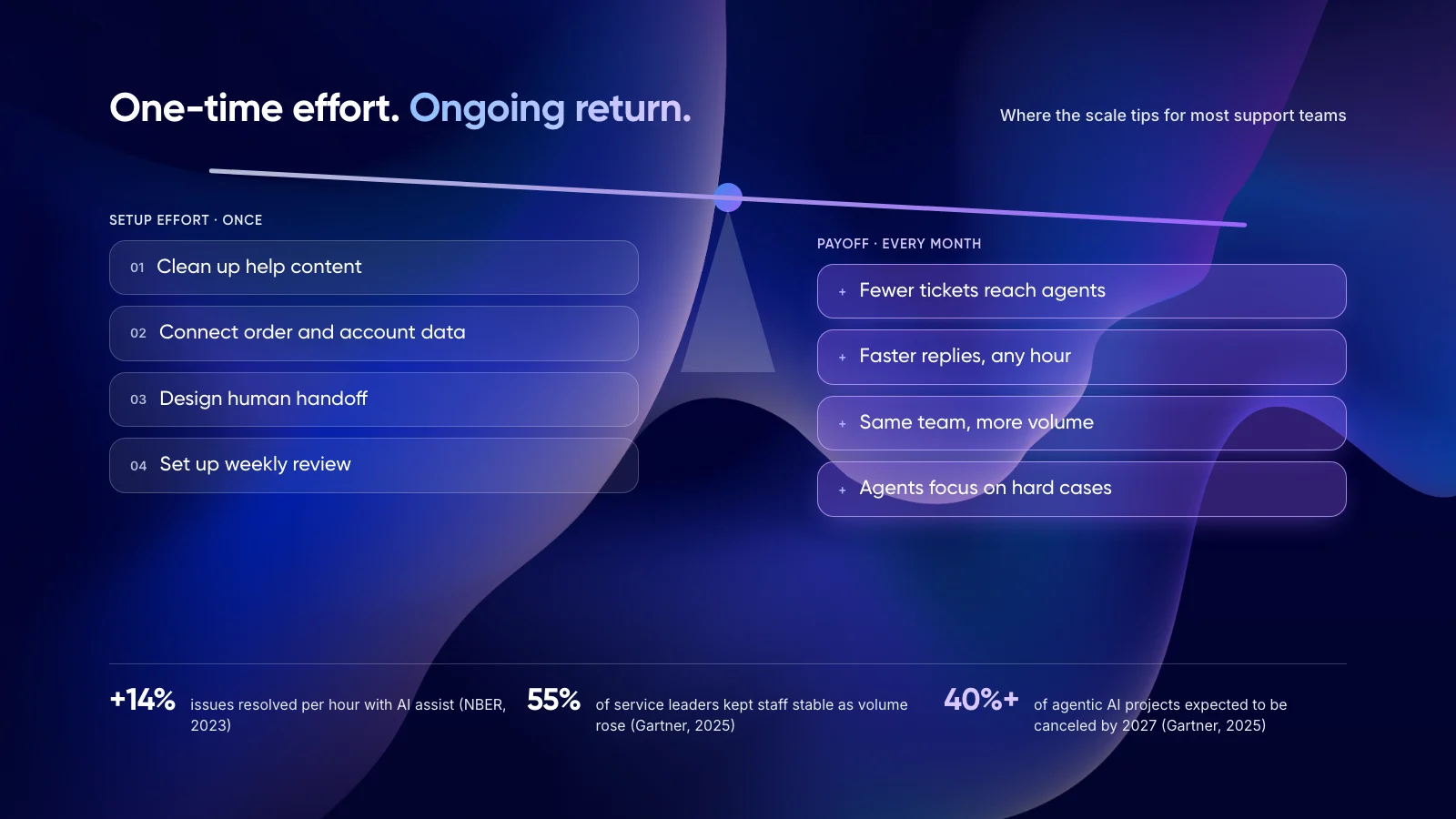
Measured results are smaller but real. A 2023 NBER study of 5,179 support agents found that an AI assistant raised issues resolved per hour by 14%, and by 34% for newer agents. In Gartner's survey of 321 service leaders in October 2025, 55% reported stable staffing while handling higher volumes. Only 20% had reduced headcount because of AI.
Tip: Want to see whether the payoff covers your setup cost? Put your ticket volume and team costs into our free AI ROI Calculator before you talk to vendors.
7. How to Automate Customer Support Without Wasting the Effort
This is the order we follow on our own projects. Each step reduces the risk of the next one.
- Tag 200 recent tickets. Group them by intent and mark which need judgment. This tells you your real automation potential.
- Pick one ticket type. Choose the one with the highest volume and a clear, rule-based answer, such as order status.
- Fix the content behind it. Update the help articles and policies for that type. The AI is only as accurate as this material.
- Connect the data it needs. Give read access first. Add write actions, such as refunds, only after answers prove accurate.
- Design the handoff. Decide when the AI passes to a person, and make sure the agent sees the full conversation.
- Measure, then expand. Track resolution rate, repeat contacts and CSAT for 30 days before adding the next ticket type.
Not sure which ticket type to automate first? Book a free AI consultation.
8. Real Examples of AI Agents for Customer Support
Klarna: big gains, then a correction
Klarna's AI assistant handled two-thirds of its customer service chats in its first month, cutting average resolution time from 11 minutes to 2, according to the company. Klarna later began rehiring human agents so customers could always reach a person. The setup paid off, but the agentless goal did not.
Two of our own projects
- Zenva: ~50 hours saved per month for every 2,000 emails. AI drafts replies from live order data and store policies for Shopify merchants, and agents review every response.
- Paymate: under 1 minute first response on email, down from hours, with an omnichannel support system that routes complex cases to the team.
Both started with one channel and kept a person in the loop. To see how agents like these stay accurate, read our guide to deploying agentic RAG for customer service.
9. Common Setup Mistakes
- Starting with the hardest tickets. Complaints and exceptions are the worst place to begin. Start where answers are clear.
- Skipping the content clean-up. Outdated articles produce confident wrong answers, which cost more than slow ones.
- Hiding the route to a person. Customers who cannot reach an agent come back angrier, often on another channel.
- Measuring deflection instead of resolution. A customer who leaves the chat and then calls was not helped.
- Treating launch as the finish line. Plan for weekly review. Policies, products and customer questions keep changing.
New to the topic? Start with what customer support automation is and how it works.
10. Frequently Asked Questions
How long does it take to set up customer support automation?
Helpdesk rules and agent assist can go live within weeks. A customer service chatbot on clean help content takes longer, and AI agents connected to order or billing systems can take a few months. The biggest variable is how current your knowledge base and data access already are.
What are the benefits of customer service automation?
Routine questions get answered at any hour, agents spend less time on repeat tickets and your team can absorb growth without hiring at the same pace. A 2023 NBER study found AI assistance raised issues resolved per hour by 14% on average.
Is it better to build or buy AI customer support software?
Buy when your questions are standard and your help content is good. Build custom AI agents when answers depend on your own systems or workflows. Coverage of MIT NANDA's 2025 study reported that purchased tools and partnerships succeeded more often than internal builds.
What are the main ways to automate customer service?
The main options are helpdesk automation rules, agent assist, a customer service chatbot, AI agents that take actions in your systems, and an AI voice agent for phone lines. Most teams combine two or three, starting with the lowest-effort option.
Will automated customer support replace my team?
Unlikely. In Gartner's October 2025 survey of 321 service leaders, only 20% had cut agent staffing because of AI, while 55% kept staffing stable as volumes rose. Most teams move people to complex, sensitive and high-value cases.
11. Conclusion
Customer support automation is worth the setup effort when you aim it at repetitive, high-volume tickets and give it access to real data. Your next step is small: tag 200 recent tickets and find the one type that appears most often with a clear answer.
If you want help scoping that first use case, see our AI customer support automation services or our work on custom AI agents.
Author