What’s the Difference Between Chatbots and Customer Support Automation?
A chatbot is one tool that talks to customers. Customer support automation is the whole system behind your support team, and a chatbot is usually one part of it.
This guide compares the two side by side, shows where AI agents fit, and helps you decide which setup your team needs.
Hero background photo by kuu akura on Unsplash. Stats: Gartner, 2026.
1. The Short Answer
A chatbot answers customers in a conversation. Customer support automation runs the work around that conversation: routing tickets, drafting replies, updating systems and handing off to people.
The difference matters because a chatbot on its own often stalls. Gartner’s July 2026 survey of 3,566 customers found that use of company-provided chatbots has stayed statistically flat since 2022. Customers were about three times more likely to use tools like ChatGPT to sort out a service issue.
Key takeaways
- A chatbot is a front-end channel. Customer support automation covers intake, self-service, agent assist, back-office actions and reporting.
- AI agents sit between the two. They can take actions, such as changing an address, within limits you set.
- Chatbots fail when they are the only layer: no data, no actions and no clear route to a person.
- Most mid-size teams get more from routing and agent assist first, then a chatbot for one high-volume question.
2. What Is a Customer Service Chatbot?
A customer service chatbot is software that holds a text conversation with a customer, usually on your website, in your app or on WhatsApp. Its job is to answer a question or collect details before a person steps in.
There are two kinds. Rule-based chatbots follow fixed menus and scripts, so they only handle the paths someone wrote. AI chatbots use a large language model to understand free-text questions and answer from your help content.
A chatbot is a helper on the front desk. It answers, but it does not run the office. Photo by Ant Rozetsky on Unsplash.
Note: Conversational AI for customer service is the wider term for software that understands and replies in natural language, by chat or by voice. An AI chatbot is one form of it.
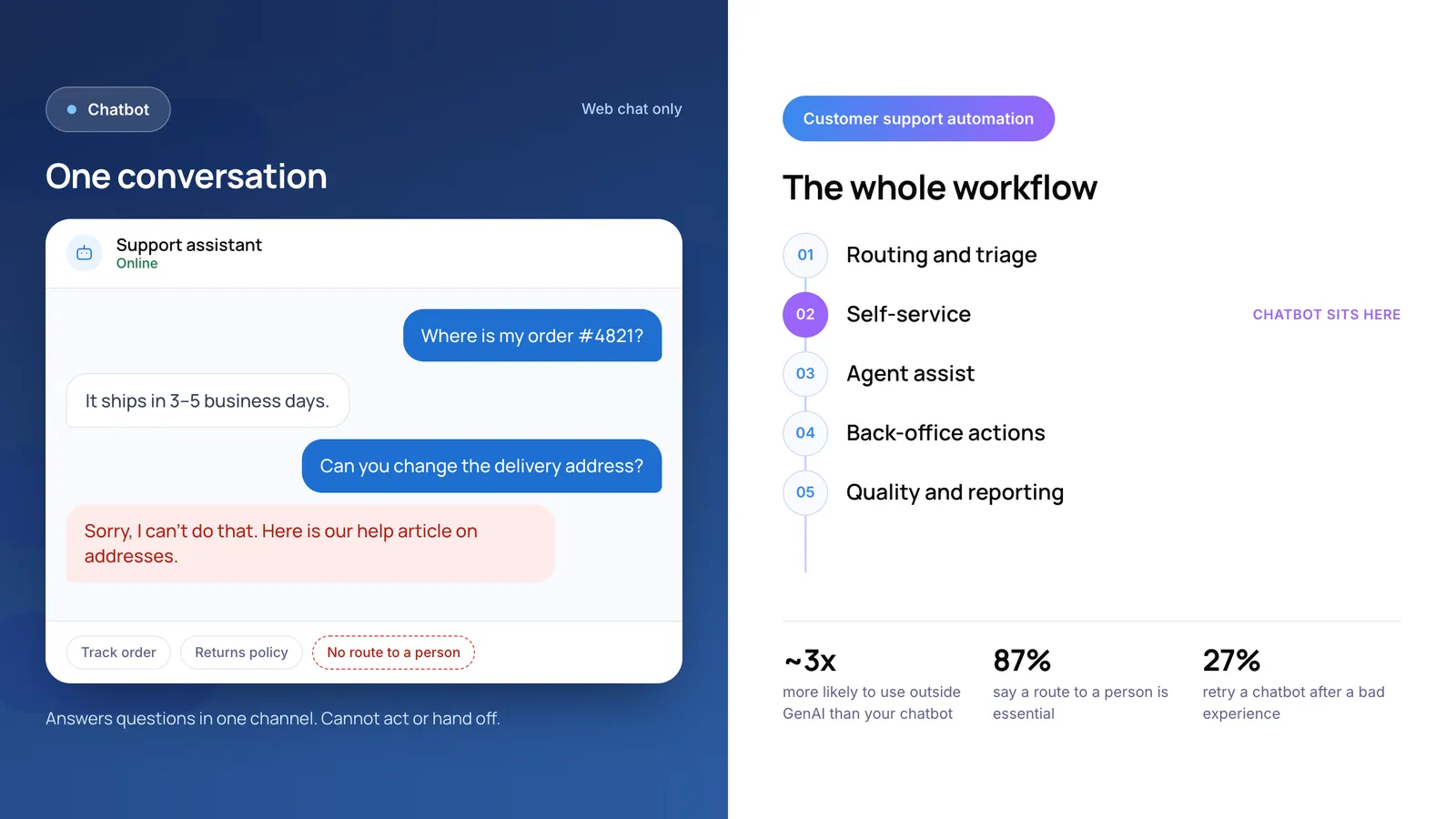
A typical chatbot customer service example is an order-status bot. The customer types an order number and the bot replies with the delivery date. That works well until the customer asks for something the bot cannot do, such as changing the delivery address.
3. What Is Customer Support Automation?
Customer support automation is the use of software to handle support work without a person doing each step by hand. It covers every channel and every stage of a ticket, from the moment it arrives to the report your manager reads on Friday.
We find it useful to think of it in five layers. The chatbot is only one of them.
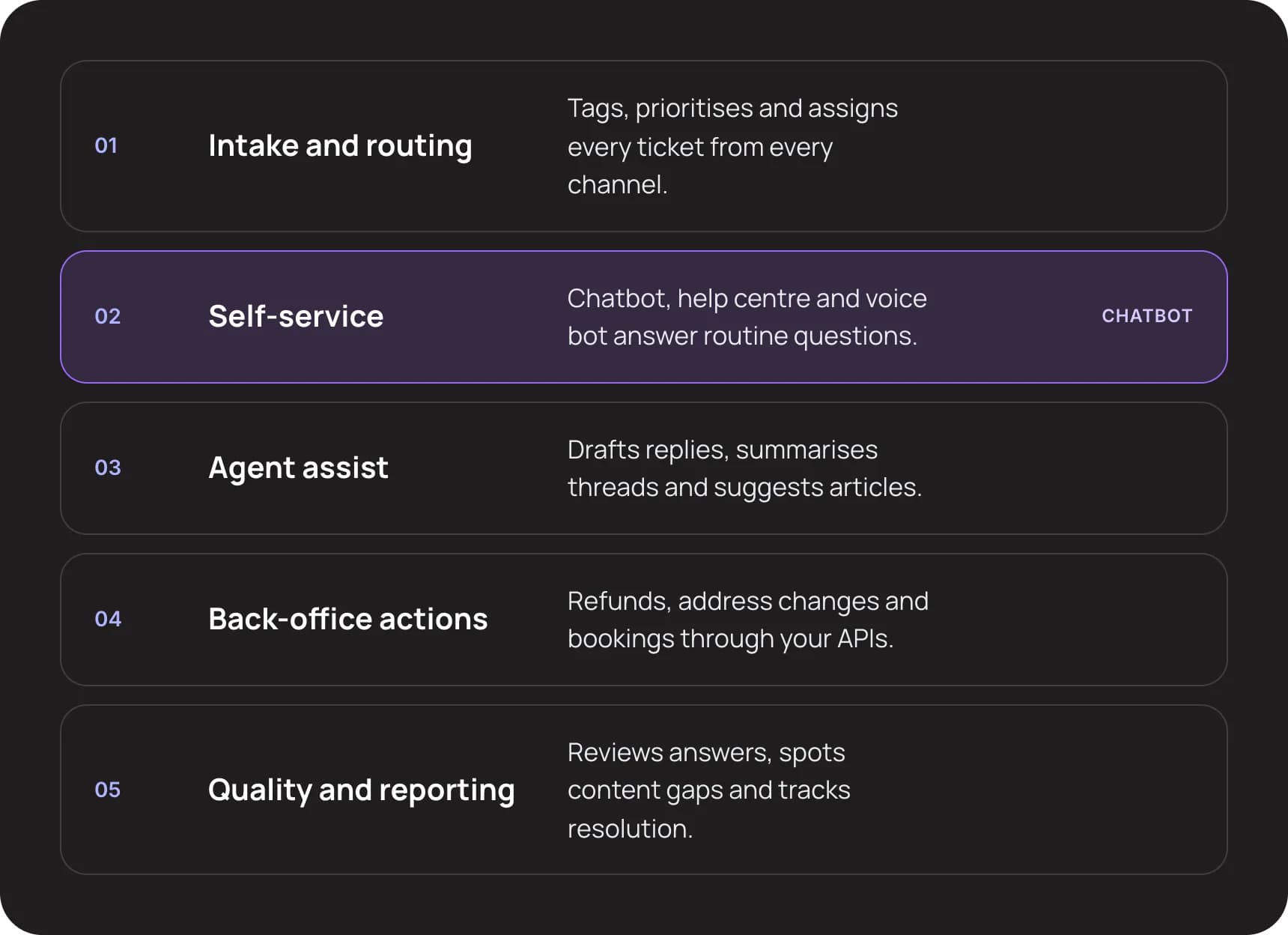
- Intake and routing. Tags, prioritises and assigns every ticket from every channel.
- Self-service (where the chatbot sits). Chatbot, help centre and voice bot answer routine questions.
- Agent assist. Drafts replies, summarises threads and suggests articles.
- Back-office actions. Refunds, address changes and bookings through your APIs.
- Quality and reporting. Reviews answers, spots content gaps and tracks resolution.
Layers 1 and 3 never talk to the customer, yet they often save the most time. Helpdesk automation that tags and routes tickets correctly removes a step from every single conversation. Gartner’s August 2025 survey predicted that 73% of service organisations would have agent assist in place by the end of 2025.
For a full walkthrough of each layer, read what customer support automation is and how it works.
4. Chatbot vs Customer Support Automation: Side by Side
The table compares the two on the points buyers usually ask about. Setup times are our view, based on the work each one needs, and depend on how clean your help content and systems are.
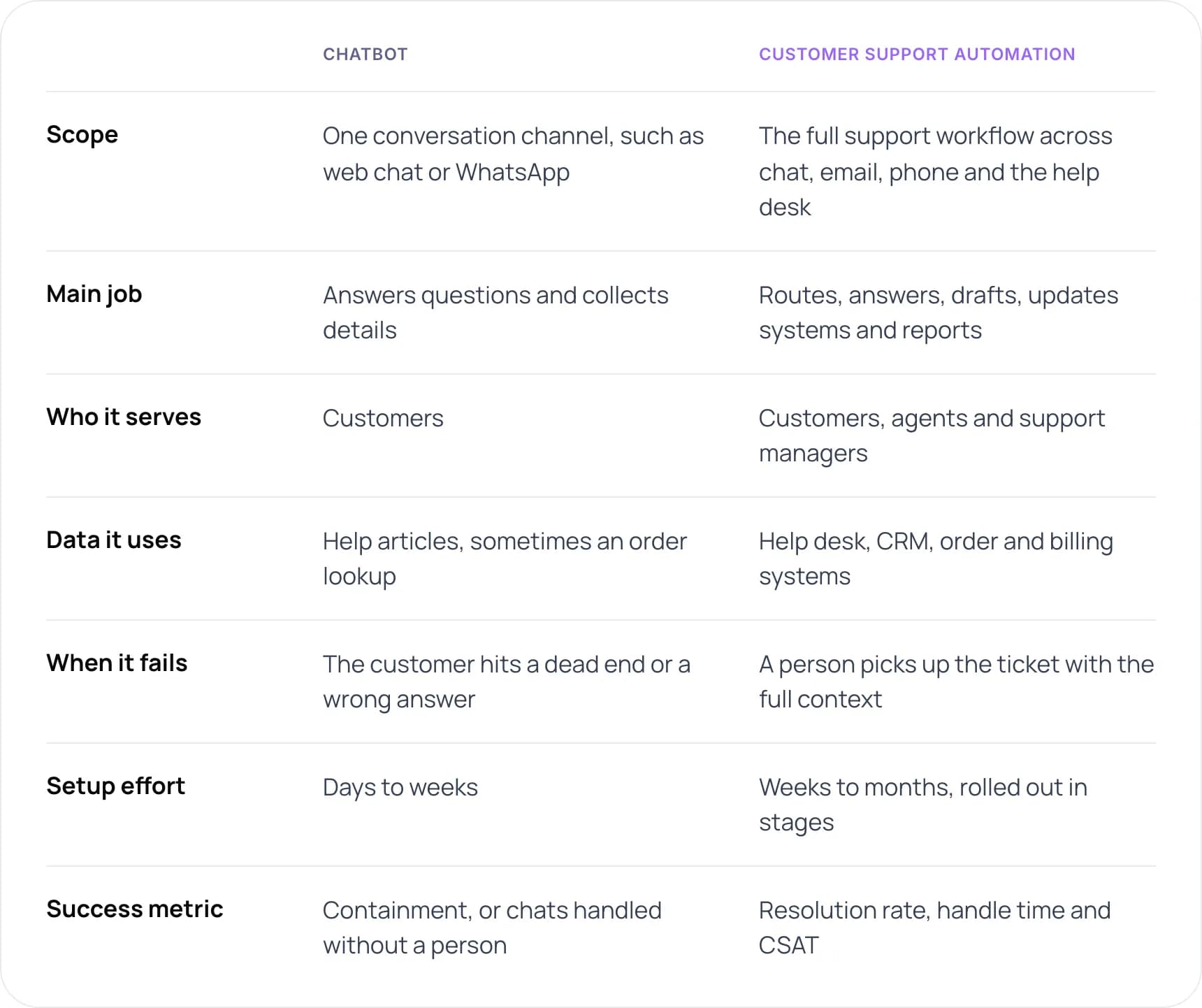
- Scope: chatbot: one conversation channel, such as web chat or WhatsApp. Automation: the full support workflow across chat, email, phone and the help desk.
- Main job: chatbot: answers questions and collects details. Automation: routes, answers, drafts, updates systems and reports.
- Who it serves: chatbot: customers. Automation: customers, agents and support managers.
- Data it uses: chatbot: help articles, sometimes an order lookup. Automation: help desk, CRM, order and billing systems.
- When it fails: chatbot: the customer hits a dead end or a wrong answer. Automation: a person picks up the ticket with the full context.
- Setup effort: chatbot: days to weeks. Automation: weeks to months, rolled out in stages.
- Success metric: chatbot: containment, or chats handled without a person. Automation: resolution rate, handle time and CSAT.
The metric row is the one to watch. A chatbot is often judged on containment, the share of chats that never reach a person. Automated customer support is judged on resolution: did the customer’s problem get solved, by anyone, in fewer steps?
5. Where Do AI Agents for Customer Support Fit?
An AI agent is software that can take actions in your systems, not just reply with text. It can look up an order, change an address or start a refund, within permissions you define. Most vendors now sell AI agents for customer support as the step up from chatbots.
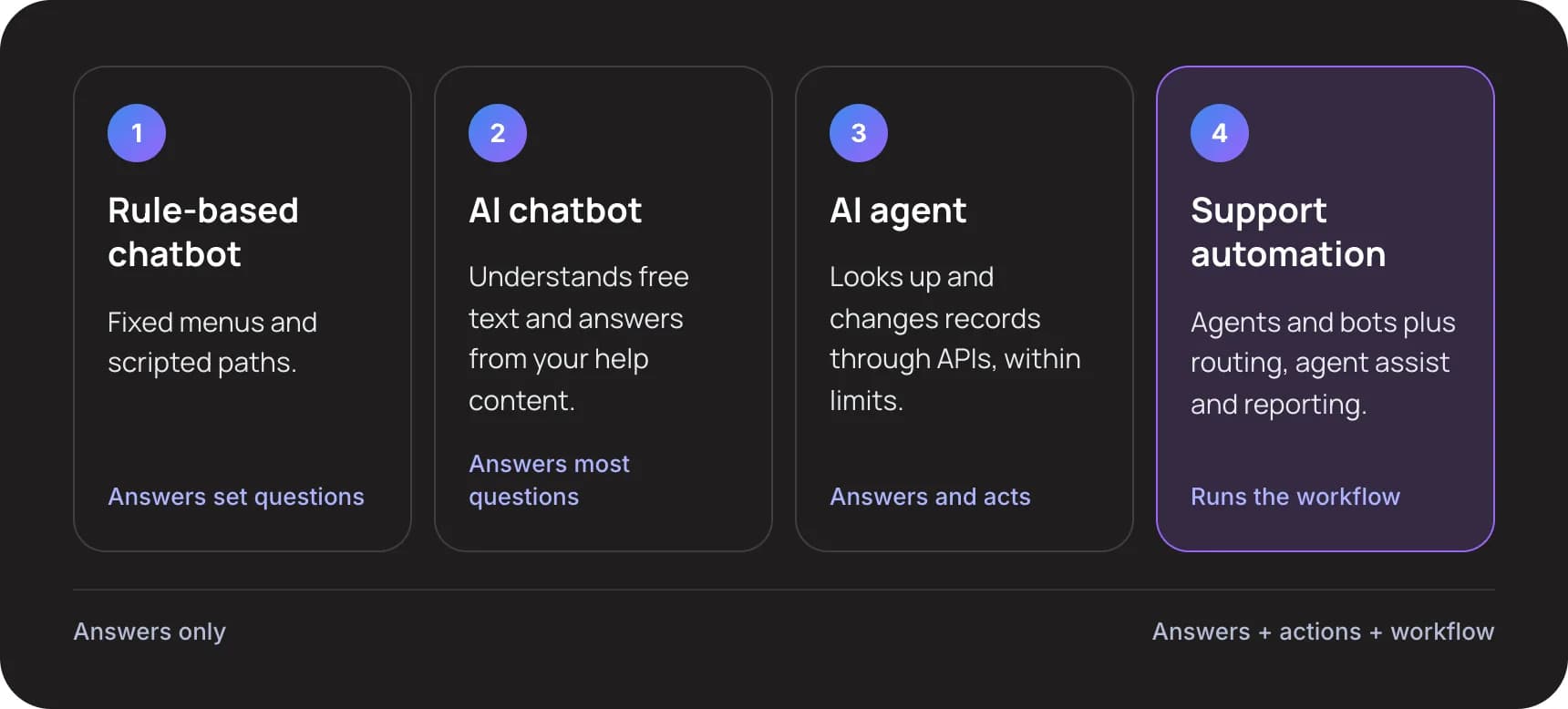
- Rule-based chatbot. Fixed menus and scripted paths. Answers set questions.
- AI chatbot. Understands free text and answers from your help content. Answers most questions.
- AI agent. Looks up and changes records through APIs, within limits. Answers and acts.
- Support automation. Agents and bots plus routing, agent assist and reporting. Runs the workflow.
Gartner’s August 2026 guidance describes the split well: generative AI understands what the customer wants, and traditional automation completes the transaction in the background. An AI agent needs both halves to work.
Agents carry more risk than chatbots, so they need more setup. Gartner expects over 40% of agentic AI projects to be canceled by the end of 2027, citing cost, unclear value and weak risk controls. Our advice is to give an agent read access first and add write actions one at a time.
6. Why Do Chatbots on Their Own Disappoint?
Recent customer research points to the same gaps: the bot cannot act, gets the answer wrong, or blocks the way to a person.
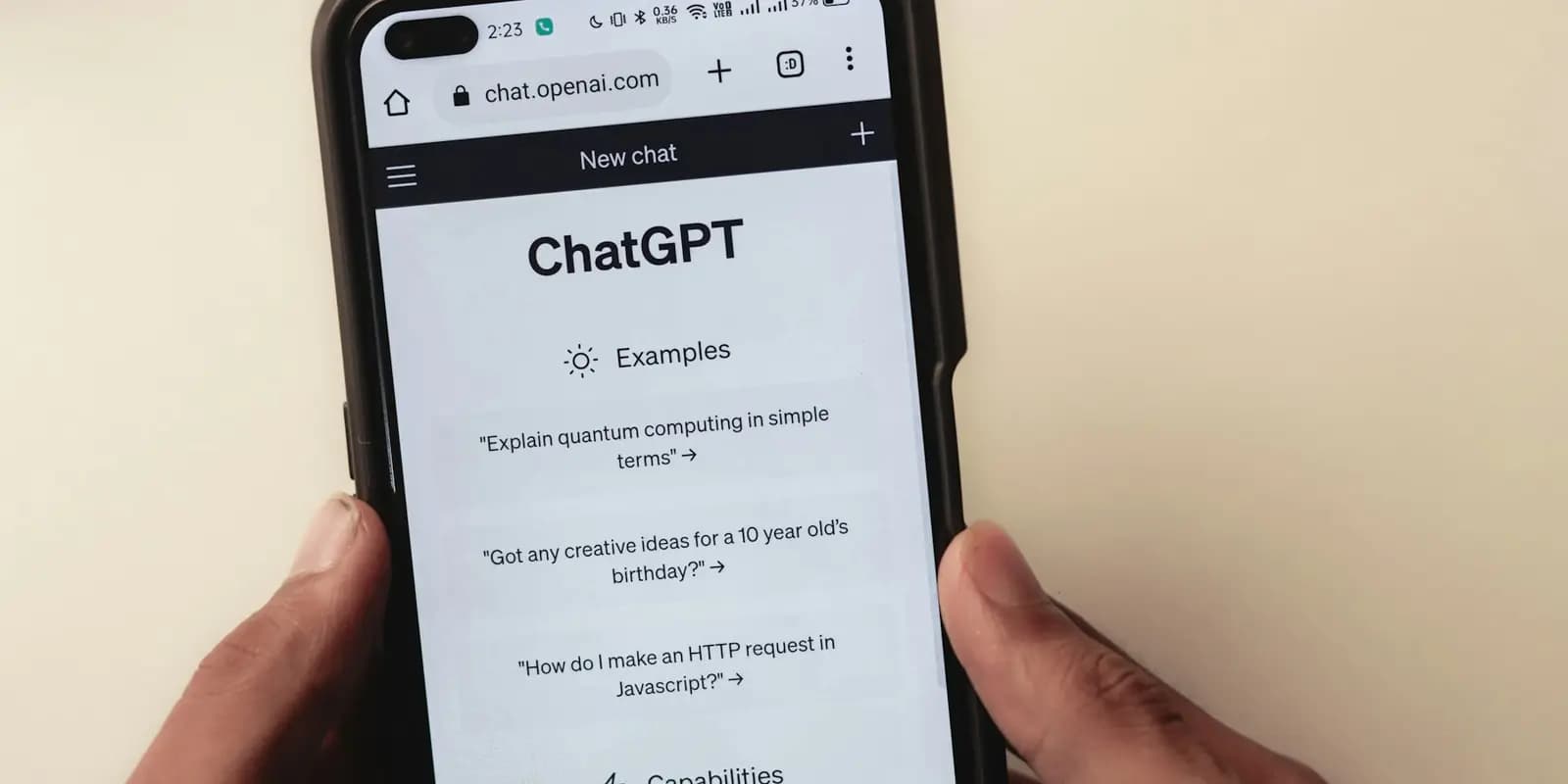
Customers now bring their own AI. Gartner found they are about three times more likely to use tools like this than a company chatbot. Photo by Sanket Mishra on Unsplash.
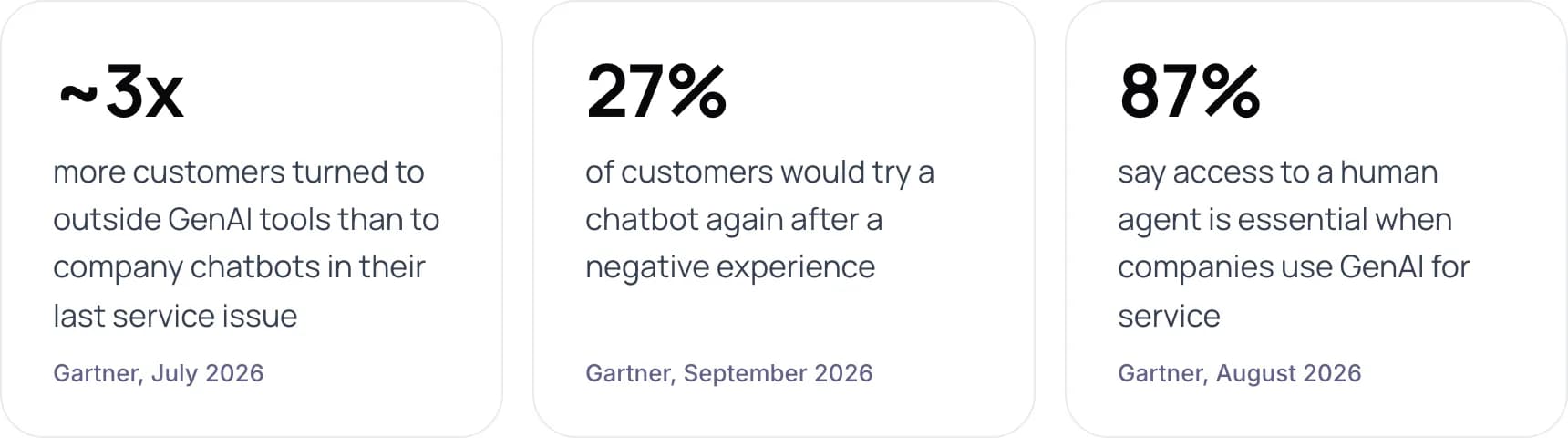
- ~3x more customers turned to outside GenAI tools than to company chatbots in their last service issue (Gartner, July 2026).
- 27% of customers would try a chatbot again after a negative experience (Gartner, September 2026).
- 87% say access to a human agent is essential when companies use GenAI for service (Gartner, August 2026).
One bad chat costs the channel
Gartner’s September 2026 release found that only 27% of customers would try a chatbot again after a negative experience. A bot that cannot finish the job does more than miss one ticket. It teaches customers to skip it next time.
Wrong answers are your liability
In Moffatt v. Air Canada (2024), a British Columbia tribunal held the airline liable after its website chatbot gave a customer the wrong bereavement fare policy. The tribunal rejected the argument that the chatbot was responsible for its own words. A chatbot that answers from memory instead of approved policy is a business risk, not just a quality issue.
Customers still want a person
In Gartner’s 2024 survey of 5,728 customers, 64% said they would prefer companies did not use AI in customer service. Their top concern was that it would become harder to reach a person. Support automation addresses this with routing and handoff, which a standalone bot usually lacks.
7. Which One Does Your Team Need?
Answer three questions to see where we would start. The suggestion is our view, based on the work each setup needs.
- How many support conversations do you handle a month? Under 500 / 500 to 5,000 / More than 5,000.
- What do most tickets need to be resolved? An answer from help content / A lookup in our systems / A change in our systems, like a refund.
- How many channels do customers use? One, usually chat or email / Two or three / Four or more, including phone.
Where to start, based on your answers:
- Mostly the first option: a chatbot is enough for now. An AI chatbot that answers from your help content, with a clear route to a person, covers most of your volume. Revisit as you grow.
- A mix of answers: chatbot plus helpdesk automation. Automate routing and add agent assist in your help desk. Then launch an AI chatbot on your most repeated question, connected to the data it needs.
- Mostly the last option, or tickets need a change in your systems: full support automation. Your tickets need actions across several systems. Start with routing and agent assist, then add an AI agent for one ticket type with read access first.
When a chatbot is enough
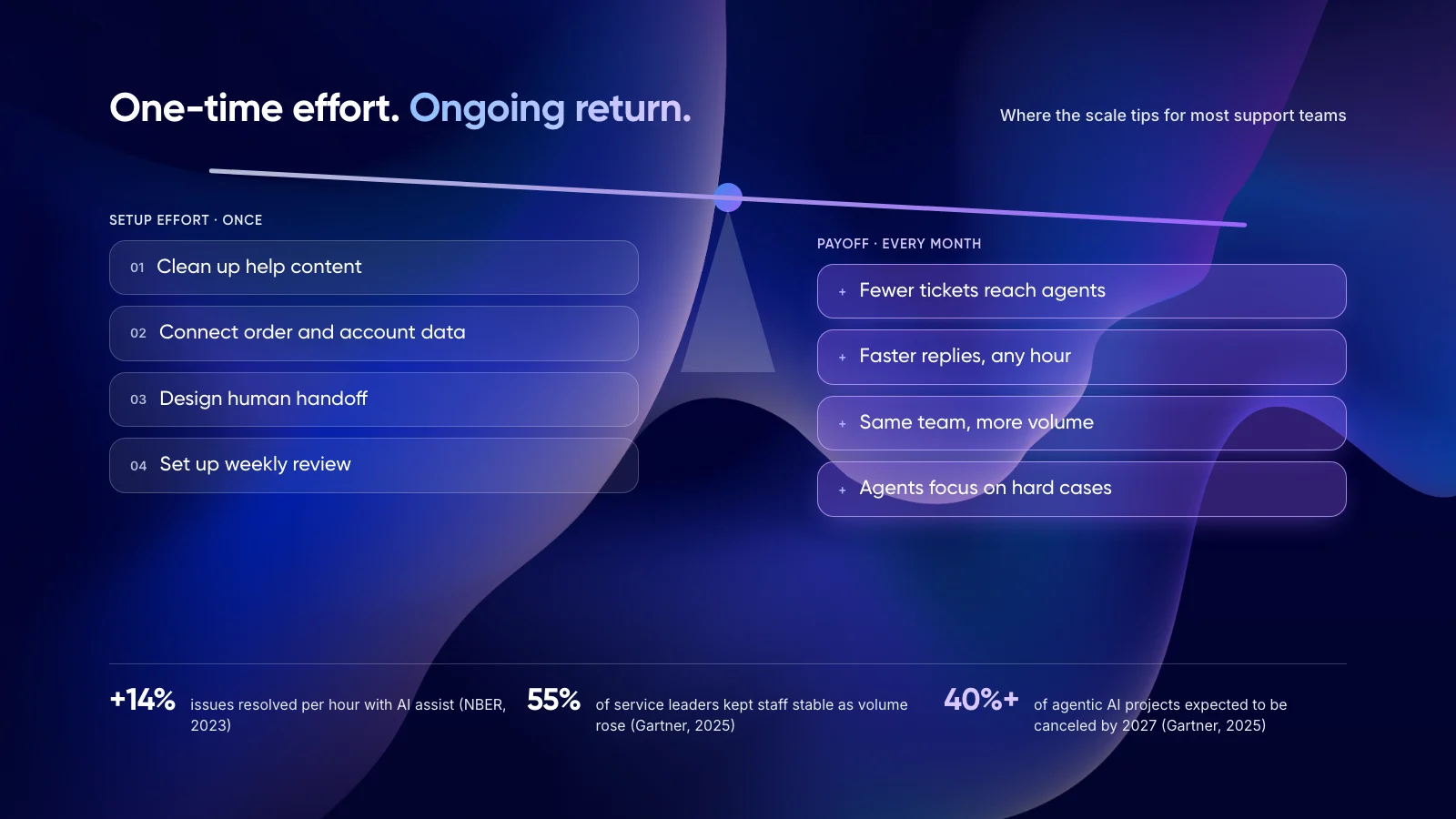
If you handle a few hundred conversations a month on one channel, and most questions have a single written answer, a well-maintained AI chatbot with a visible handoff may be all you need. Building a full automation stack at that volume rarely pays back.
8. How to Move From a Chatbot to Full Support Automation
This is the order we recommend. It starts with the layers that carry the least risk and adds customer-facing AI once the basics work.
- Map your tickets. Tag 200 recent tickets by intent and channel, and mark which ones need an action in your systems.
- Automate routing first. Set up helpdesk automation for tags, priority and assignment. It speeds up every ticket and carries little risk.
- Add agent assist. Give agents AI drafts and thread summaries inside the help desk they already use.
- Launch a chatbot on one intent. Pick your highest-volume question with a clear answer. Make the route to a person visible from the first message.
- Connect systems for actions. Start with read access, such as order status. Add write actions, such as refunds, with limits and audit logs.
- Measure resolution, not containment. Track resolution rate, repeat contacts and CSAT for 30 days before you add the next intent.
Tip: Before you pick a tool, put your ticket volume and team costs into our free AI ROI Calculator. It shows which layer is worth automating first.
Not sure if you need a chatbot or a full system? Book a free AI consultation.
9. Real Examples of AI Customer Service
Klarna: a chatbot that grew into a system
Klarna’s AI assistant handled two-thirds of its customer service chats in its first month in 2024, according to the company, and cut average resolution time from 11 minutes to 2. It could do this because it was connected to account data and refunds, not just help articles. Klarna later brought human agents back so customers could always reach a person.
Two of our own builds
Neither of these started as a chatbot. Both automate the work behind the reply.
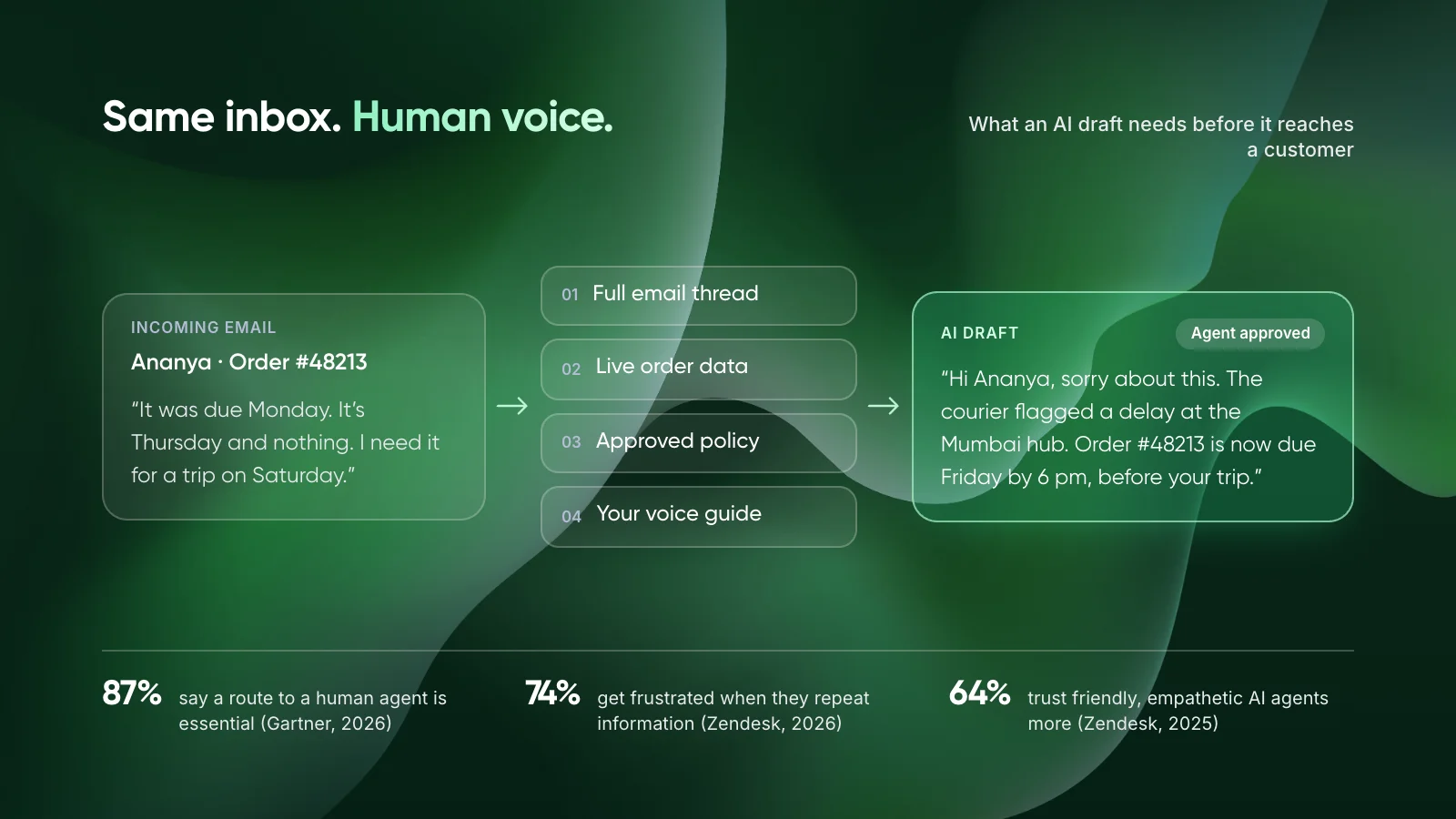
For an ecommerce client, we built an AI email assistant for Shopify merchants. It drafts replies from live order data and each store’s policies, and agents review every draft before it goes out. For a payments company, we built an omnichannel customer support system that answers routine email in under a minute and routes complex cases to the team.
- Ecommerce email support: ~50 hours saved per month for every 2,000 emails, with AI drafts built from live order data and agent review on every reply.
- Payments customer support: under 1 minute first response on email, down from hours, with complex cases routed to the team.
To see how assistants like these stay accurate, read our guide to deploying agentic RAG for customer service.
10. Common Mistakes When Choosing
- Calling a chatbot your automation strategy. A bot on the website leaves routing, agent work and back-office steps manual.
- Measuring containment instead of resolution. A customer who leaves the chat and then emails was not helped.
- Hiding the human option. Customers who cannot reach a person come back angrier, often on a more expensive channel.
- Letting the bot answer from memory. Answers should come from approved policy content. The Air Canada case shows who pays when they do not.
- Buying tools that do not share context. If the chatbot, help desk and CRM do not pass history to each other, customers repeat themselves.
11. Frequently Asked Questions
What is customer service automation?
Customer service automation is the use of software to handle support tasks without a person doing each step. It includes ticket routing, chatbots and self-service, AI-drafted replies for agents, automated actions such as refunds, and reporting. It works across chat, email and phone, not just one channel.
Is a chatbot the same as automated customer support?
No. A chatbot is one tool inside automated customer support. It handles conversations with customers. Automated customer support also covers the work customers never see, such as routing, agent assist and system updates. A chatbot without those layers can answer questions but often cannot resolve them.
What is an example of a chatbot in customer service?
A common example is an order-status chatbot on an ecommerce site. The customer enters an order number and gets the delivery date. A stronger example is Klarna’s AI assistant, which the company says handled two-thirds of its service chats in its first month because it was connected to account data.
What are the pros and cons of automated customer service?
The pros are faster replies at any hour, less repetitive work for agents and room to grow without hiring at the same pace. The cons are setup effort, the risk of wrong answers and customer frustration if a person is hard to reach. In Gartner’s 2024 survey, 64% of customers preferred companies not use AI in service.
What are the main ways to automate customer service?
The main ways are helpdesk automation rules, a customer service chatbot, agent assist, AI agents that take actions in your systems, and AI voice agents for phone lines. Most teams combine several. We usually suggest starting with routing and agent assist, since they carry the least risk.
Do I need AI agents for customer support, or is a chatbot enough?
A chatbot is enough if most questions have one written answer. You need AI agents when tickets require a lookup or a change in your systems, such as an address update or refund. Agents need more setup, so start with read-only access and add actions one at a time.
12. Conclusion
A chatbot is one channel. Customer support automation is the system that routes, resolves and reports on every ticket, with the chatbot as one part. Your next step is to tag 200 recent tickets and check how many need an action in your systems, not just an answer.
If most of them do, a chatbot alone will not be enough. See our AI customer support automation services or our work on custom AI agents to plan the right setup.
Author