24/7 AI Support vs. a Ticket Queue: What Changes When Customers Get Instant Answers
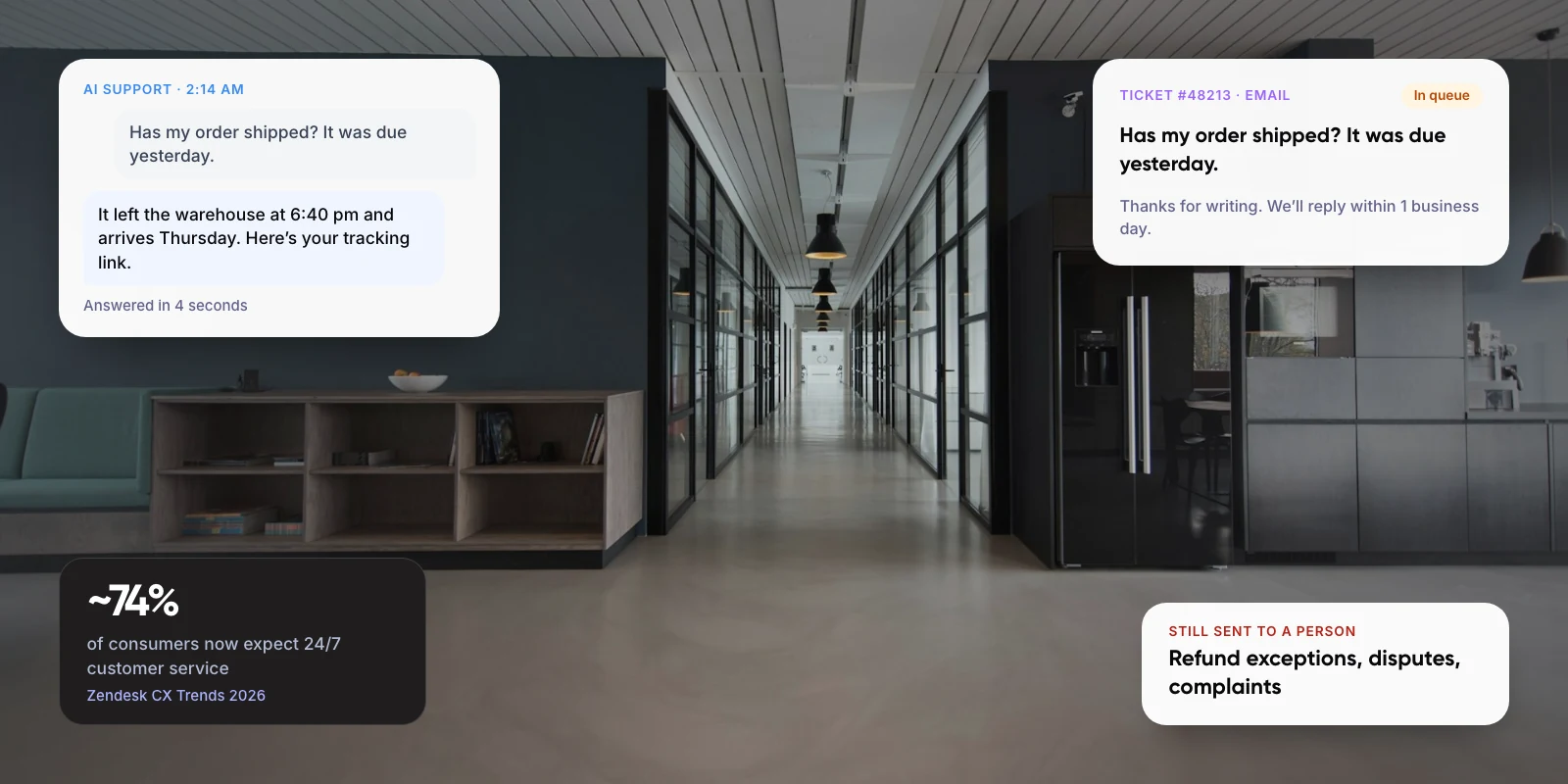
With AI customer support, a customer who writes at 2 am gets an answer in seconds instead of waiting in a ticket queue until your team logs in. In Zendesk’s CX Trends 2026 report, ~74% of consumers said they now expect customer service to be available 24/7 because of AI.
Speed is the obvious change. This guide also covers what happens to your team, your costs and the questions AI should never answer alone, using published data and real examples.
1. What Is the Difference Between a Ticket Queue and 24/7 AI Support?
A ticket queue works on a first in, first out basis. Every email, form or chat becomes a ticket that waits until an agent is free. Outside working hours, it waits for the next shift. Most help desks send an automatic acknowledgement, but the actual answer still depends on a person.
24/7 AI support puts an AI agent in front of that queue. It reads the question, checks your help content and, when connected, the customer’s order or account. Routine questions get answered on the spot. Anything the AI can’t answer, or shouldn’t, becomes a ticket for a person with the conversation attached. The queue doesn’t disappear. It gets shorter, and what’s left in it needs human judgement.
Note: In this guide, an AI agent means a system built on a large language model (LLM) that can look up information and take simple actions, such as checking an order status. Older rule-based chatbots only matched keywords to fixed replies.
Key takeaways
- 24/7 AI support answers routine questions in seconds at any hour; a ticket queue answers when an agent is free.
- Customers want both speed and a person: ~74% expect 24/7 service (Zendesk, 2026) and ~87% say human access is essential (Gartner, 2026).
- Klarna reported resolution time falling from 11 minutes to under 2 with its AI assistant. In 2025 it said customers would always be able to reach a person.
- Keep refund exceptions, disputes and complaints in the human queue. You are liable for what your AI tells customers.
2. What Do Customers Expect From Support Now?
Expectations have moved quickly. Zendesk’s CX Trends 2026, based on over 11,000 respondents, found ~88% of customers expect faster responses than they did a year ago. ~74% now expect service to be available around the clock because of AI.
That doesn’t mean customers want AI at any cost. In a 2024 Gartner survey of 5,728 customers, ~64% said they would prefer companies didn’t use AI for service. Their top worry was that it would make reaching a person harder. Gartner’s 2026 follow-up found ~87% of customers say access to a human agent is essential when a company uses generative AI for service.
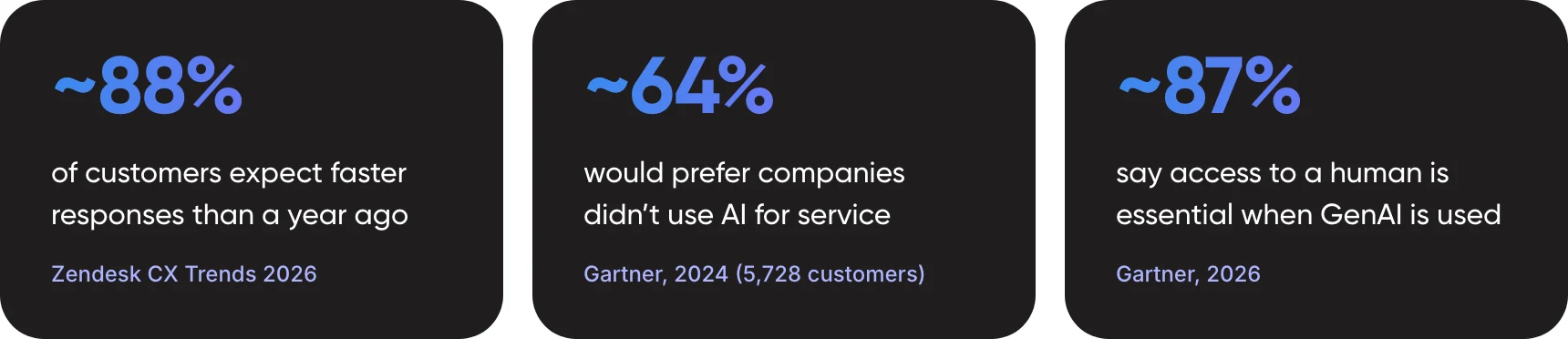
- ~88% of customers expect faster responses than a year ago (Zendesk CX Trends 2026)
- ~64% would prefer companies didn’t use AI for service (Gartner, 2024 (5,728 customers))
- ~87% say access to a human is essential when GenAI is used (Gartner, 2026)
Our reading of these numbers: customers want fast answers at any hour, and a person within reach when the answer isn’t enough. That combination is the brief for any AI support setup.
3. AI Customer Support vs. a Ticket Queue: How Do They Compare?
The table compares the two models on the points that usually decide the choice. Most teams end up running both, with AI in front and the queue behind it.
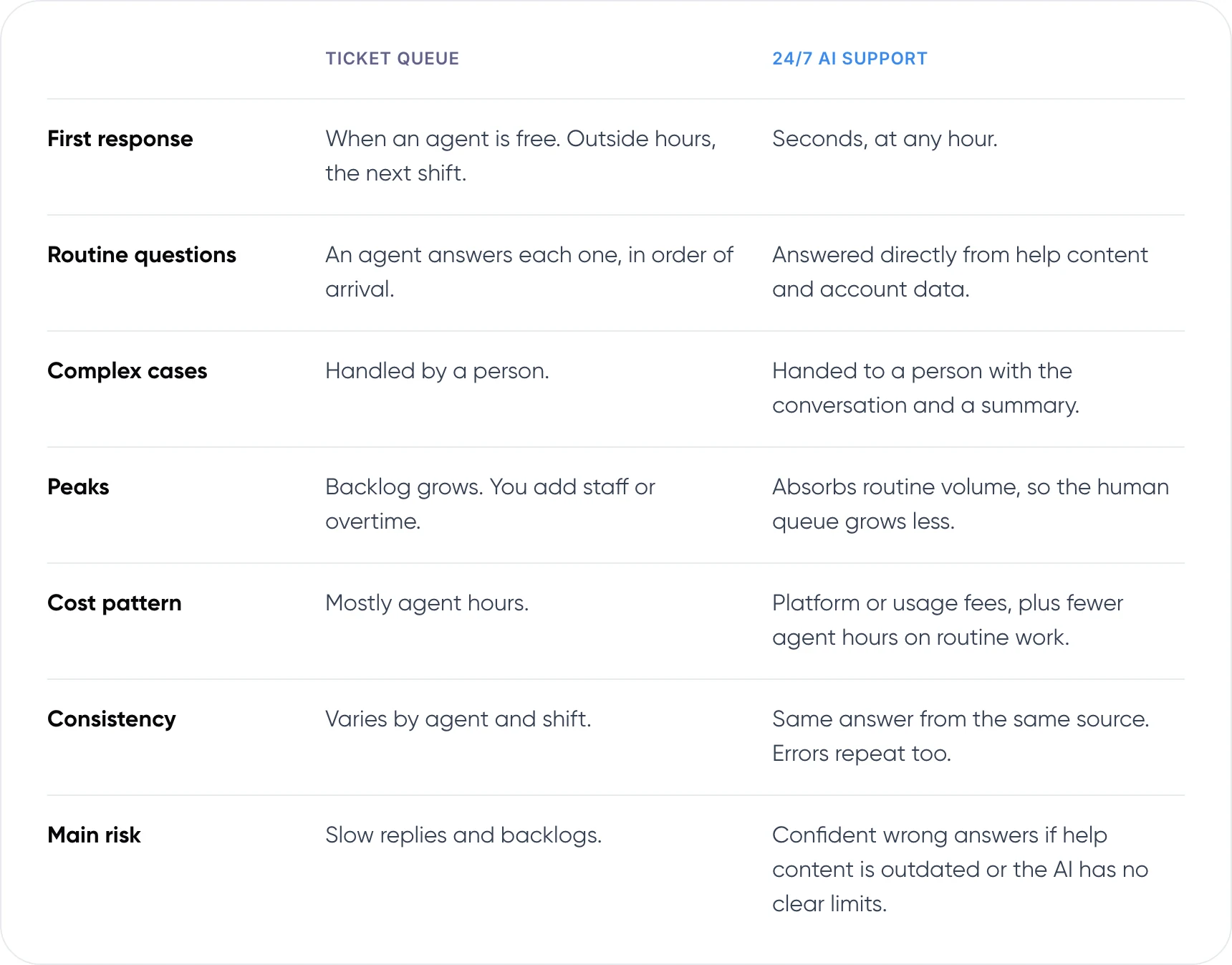
- First response — Ticket queue: When an agent is free. Outside hours, the next shift. 24/7 AI support: Seconds, at any hour.
- Routine questions — Ticket queue: An agent answers each one, in order of arrival. 24/7 AI support: Answered directly from help content and account data.
- Complex cases — Ticket queue: Handled by a person. 24/7 AI support: Handed to a person with the conversation and a summary.
- Peaks — Ticket queue: Backlog grows. You add staff or overtime. 24/7 AI support: Absorbs routine volume, so the human queue grows less.
- Cost pattern — Ticket queue: Mostly agent hours. 24/7 AI support: Platform or usage fees, plus fewer agent hours on routine work.
- Consistency — Ticket queue: Varies by agent and shift. 24/7 AI support: Same answer from the same source. Errors repeat too.
- Main risk — Ticket queue: Slow replies and backlogs. 24/7 AI support: Confident wrong answers if help content is outdated or the AI has no clear limits.
In our view, the “main risk” row matters most. A slow queue frustrates customers. A confident wrong answer from an AI can cost you money, as the Air Canada case in section 5 shows.
4. What Changes When Customers Get Instant Answers?
Take a simple question sent at 2 am and follow it through both models.
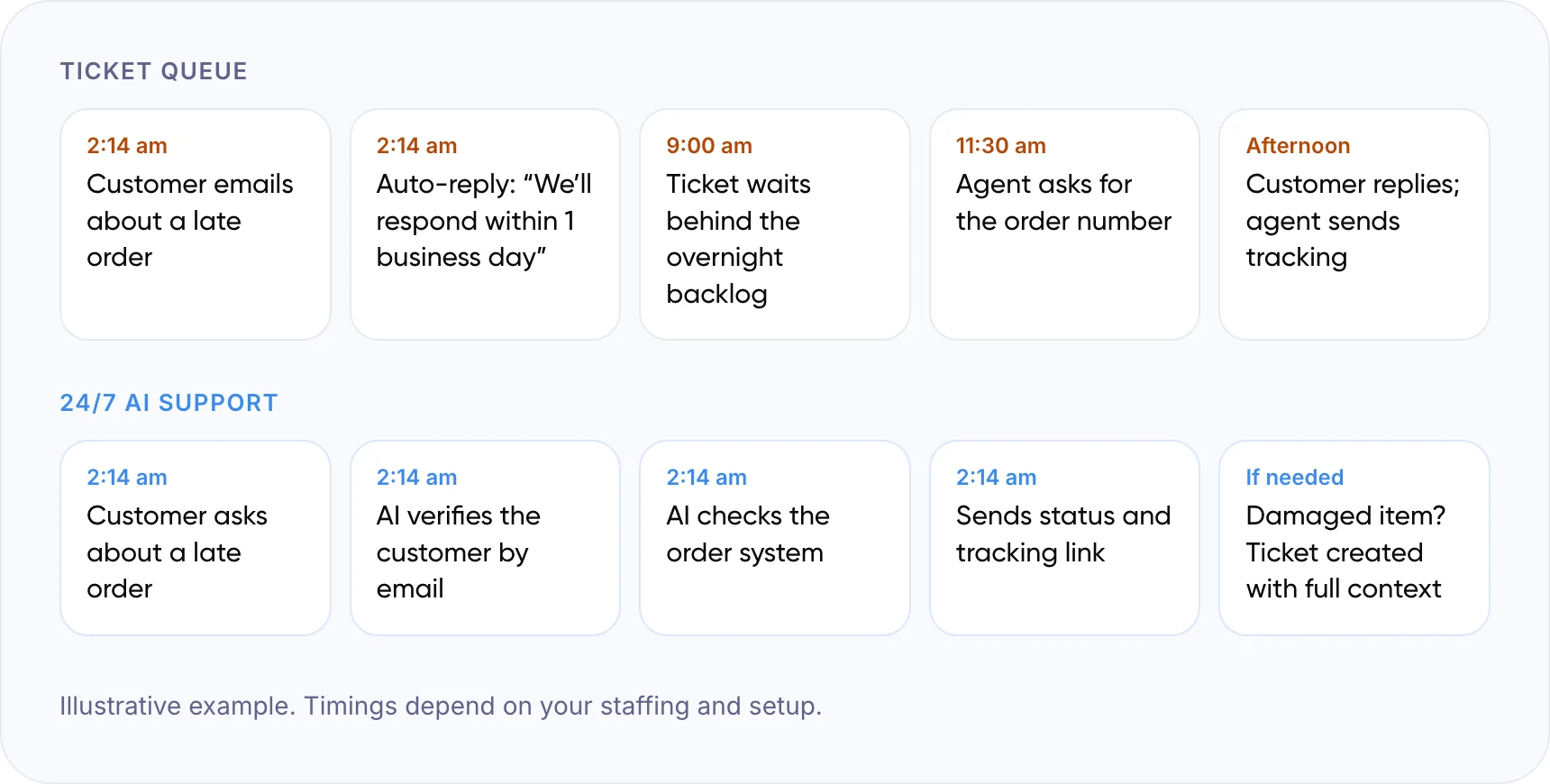
Ticket queue
- 2:14 am: Customer emails about a late order
- 2:14 am: Auto-reply: “We’ll respond within 1 business day”
- 9:00 am: Ticket waits behind the overnight backlog
- 11:30 am: Agent asks for the order number
- Afternoon: Customer replies; agent sends tracking
24/7 AI support
- 2:14 am: Customer asks about a late order
- 2:14 am: AI verifies the customer by email
- 2:14 am: AI checks the order system
- 2:14 am: Sends status and tracking link
- If needed: Damaged item? Ticket created with full context
Illustrative example. Timings depend on your staffing and setup.
Resolution time drops sharply
The most cited example is Klarna. In its February 2024 announcement, the company said its AI assistant handled 2.3 million conversations in its first month, two-thirds of all service chats. Average resolution time fell from 11 minutes to under 2. Klarna also reported ~25% fewer repeat inquiries and satisfaction on par with human agents. These are company-reported figures.
Your team’s work changes
Once routine questions are answered automatically, the tickets that reach people are harder ones. AI can help there too. A study published in the Quarterly Journal of Economics in 2025 followed 5,172 support agents given an AI assistant that suggested replies. Issues resolved per hour rose ~15% on average, with the largest gains for less experienced agents. The agents still owned every conversation.
Speed is not the same as resolution
Klarna’s story has a second chapter. In May 2025, its CEO told Bloomberg the company would make sure customers could always reach a person and would invest in the quality of human support. A fast answer that doesn’t solve the problem just brings the customer back later. Looking ahead, Gartner predicts that by 2029, agentic AI (AI that can take actions for the customer, not only reply) will resolve ~80% of common service issues without human help. That is a forecast, and the word “common” matters.
Want to know which of your tickets AI could answer today? We can review a sample with you.
5. When Is a Ticket Queue Still the Better Choice?
Some requests need a person to weigh up the situation, not just look up an answer. Keep these in the human queue, even when the AI could draft a reply.
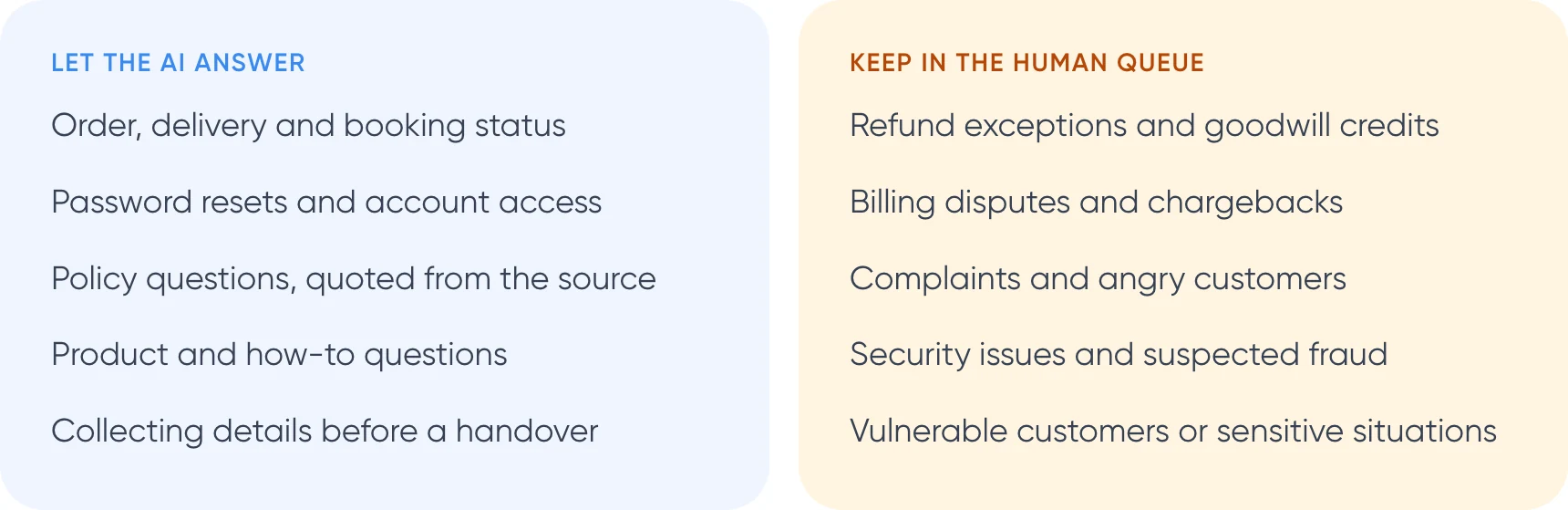
Let the AI answer
- Order, delivery and booking status
- Password resets and account access
- Policy questions, quoted from the source
- Product and how-to questions
- Collecting details before a handover
Keep in the human queue
- Refund exceptions and goodwill credits
- Billing disputes and chargebacks
- Complaints and angry customers
- Security issues and suspected fraud
- Vulnerable customers or sensitive situations
Volume matters too. If you receive a few dozen tickets a week and reply within hours, a well-run queue with saved replies may serve customers well at lower cost. In our experience, AI support starts paying off when routine questions pile up overnight, at weekends or during peaks.
Warning: You are responsible for what your AI tells customers. In Moffatt v. Air Canada (2024), the airline’s website chatbot said a bereavement fare could be claimed after booking. The policy page said it couldn’t. A British Columbia tribunal rejected the argument that the chatbot was responsible for its own statements and ordered Air Canada to pay CA$812.02. For answers involving money or policy, have the AI quote the exact policy or hand over to a person.
6. How Do You Move From a Ticket Queue to 24/7 AI Support?
You don’t need to replace your help desk. These six steps add AI in front of the queue you already run.
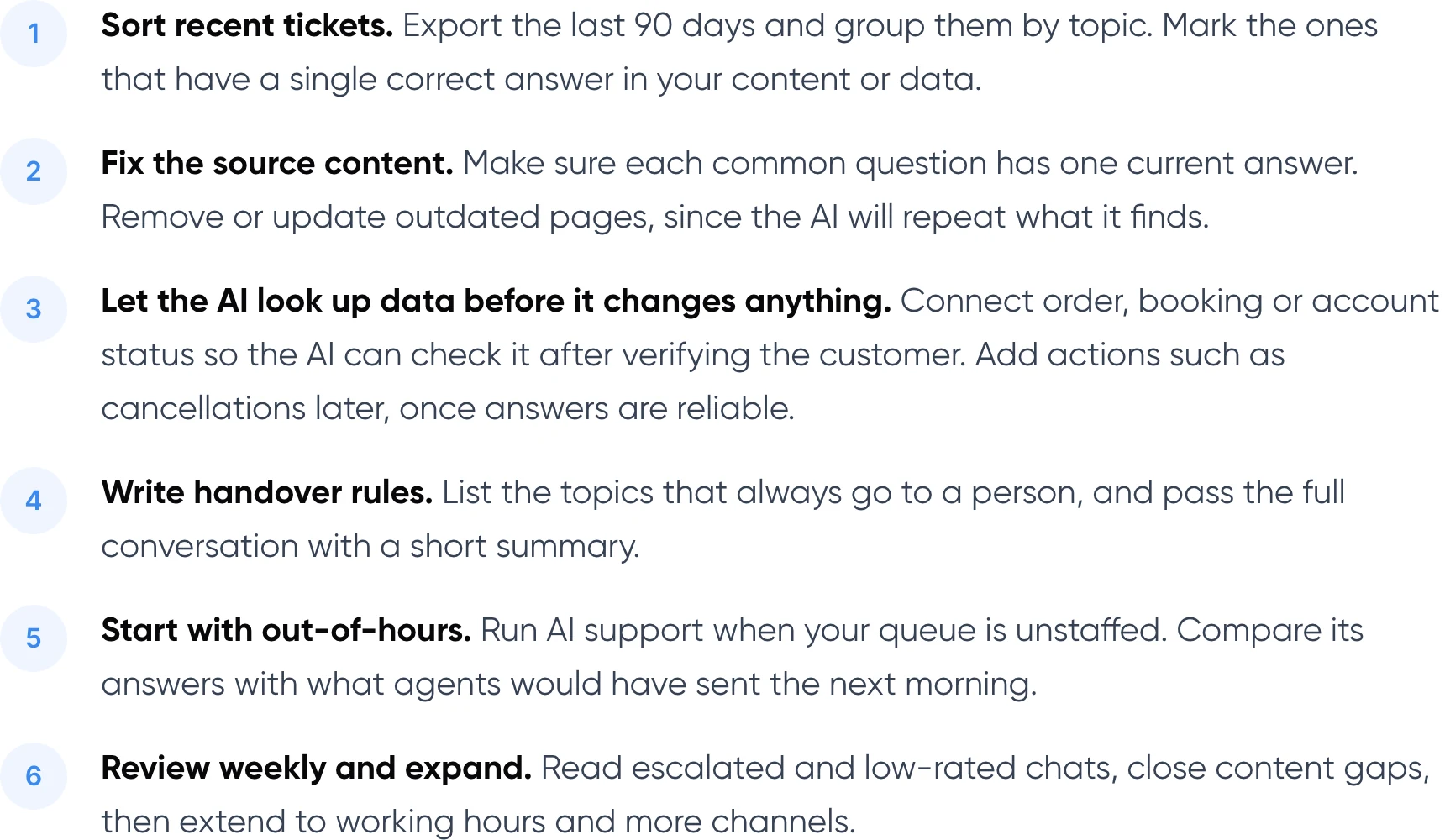
- Sort recent tickets. Export the last 90 days and group them by topic. Mark the ones that have a single correct answer in your content or data.
- Fix the source content. Make sure each common question has one current answer. Remove or update outdated pages, since the AI will repeat what it finds.
- Let the AI look up data before it changes anything. Connect order, booking or account status so the AI can check it after verifying the customer. Add actions such as cancellations later, once answers are reliable.
- Write handover rules. List the topics that always go to a person, and pass the full conversation with a short summary.
- Start with out-of-hours. Run AI support when your queue is unstaffed. Compare its answers with what agents would have sent the next morning.
- Review weekly and expand. Read escalated and low-rated chats, close content gaps, then extend to working hours and more channels.
Handover is where many setups fail. Our guide to chatbot handoff and context transfer covers how to pass a conversation to a person without making the customer repeat themselves. For how the AI looks up the right data before it answers, see agentic RAG for customer service.
7. How Do You Measure the Change?
Measure before you switch on the AI, so you have a baseline. Then track these numbers weekly, and report AI and human conversations separately.
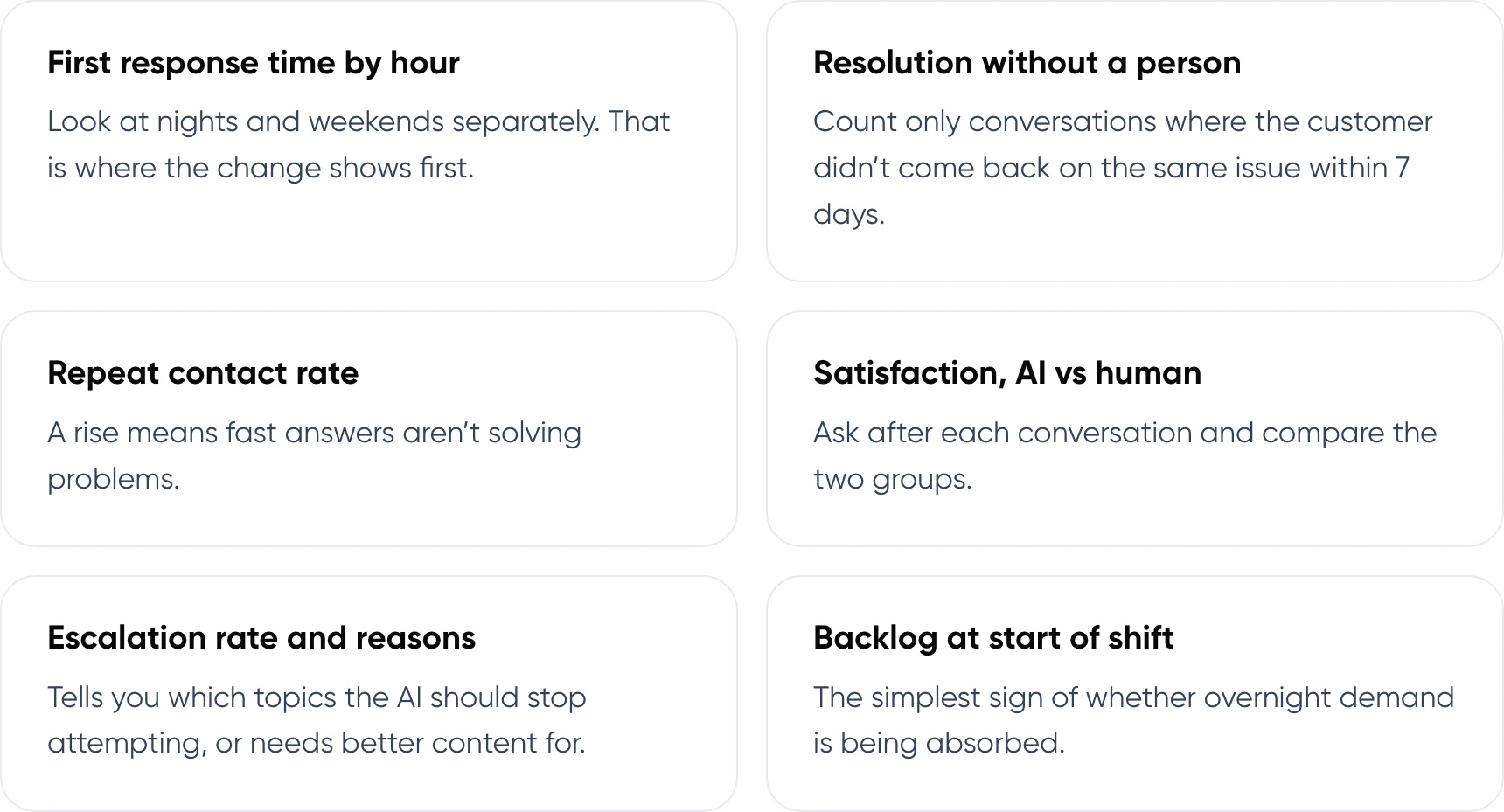
- First response time by hour: Look at nights and weekends separately. That is where the change shows first.
- Resolution without a person: Count only conversations where the customer didn’t come back on the same issue within 7 days.
- Repeat contact rate: A rise means fast answers aren’t solving problems.
- Satisfaction, AI vs human: Ask after each conversation and compare the two groups.
- Escalation rate and reasons: Tells you which topics the AI should stop attempting, or needs better content for.
- Backlog at start of shift: The simplest sign of whether overnight demand is being absorbed.
Read a sample of escalated conversations every week. They show you which answers are missing and which topics should never have reached the AI.
8. Frequently Asked Questions
Can AI customer support replace a ticket queue completely?
Not for most businesses. AI handles routine questions well, but refund exceptions, disputes, complaints and sensitive cases still need a person. Gartner’s 2026 survey found ~87% of customers say human access is essential when AI is used. Most teams run AI in front and a smaller human queue behind it.
How much faster is AI customer support than a ticket queue?
AI replies in seconds at any hour, while a queue replies when an agent is free. Klarna reported in 2024 that its AI assistant cut average resolution time from 11 minutes to under 2. Your results depend on your content quality, data connections and which questions you automate.
Do customers want AI customer service?
They want speed with a safety net. Zendesk’s CX Trends 2026 found ~74% of consumers expect 24/7 service because of AI. A 2024 Gartner survey found ~64% would prefer companies didn’t use AI, mainly because they fear losing access to a person. A clear route to a human addresses that.
What is the biggest risk of 24/7 AI support?
Wrong answers given with confidence, especially about money or policy. In Moffatt v. Air Canada (2024), a Canadian tribunal held the airline liable after its chatbot wrongly said a bereavement discount could be claimed after booking. Keep policy answers tied to the exact source text, and route anything involving refunds or exceptions to a person.
How do you start with automated customer support?
Start small. Sort your last 90 days of tickets, pick the common questions with one correct answer, and fix that content. Then run AI support outside working hours only, review its answers weekly, and expand to more hours and channels once quality holds.
9. Conclusion
AI customer support changes how fast customers get answers, but your business is still responsible for every answer. Put AI in front of routine questions at every hour, and keep refunds, disputes and complaints with people who can use judgement. A good first step is to export last quarter’s tickets, tag those that arrived outside working hours, and count how many had a single correct answer.
For an example of our multichannel support work, see Paymate.
If you’re planning to put AI in front of your ticket queue, our AI customer support automation service can help. We plan, build and run AI support that answers from your own help content and systems, and hands customers to your team when a person is needed.
Author