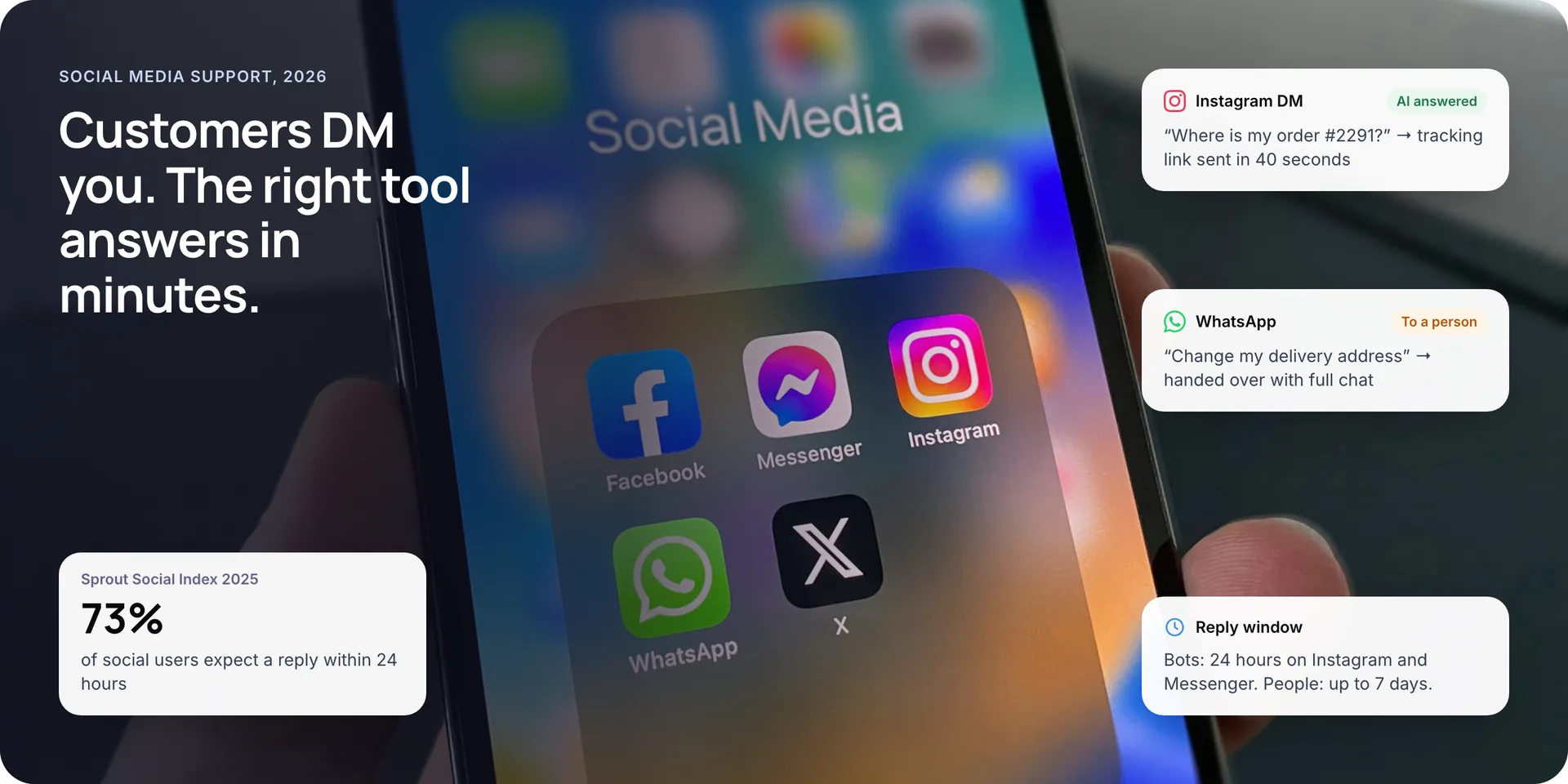
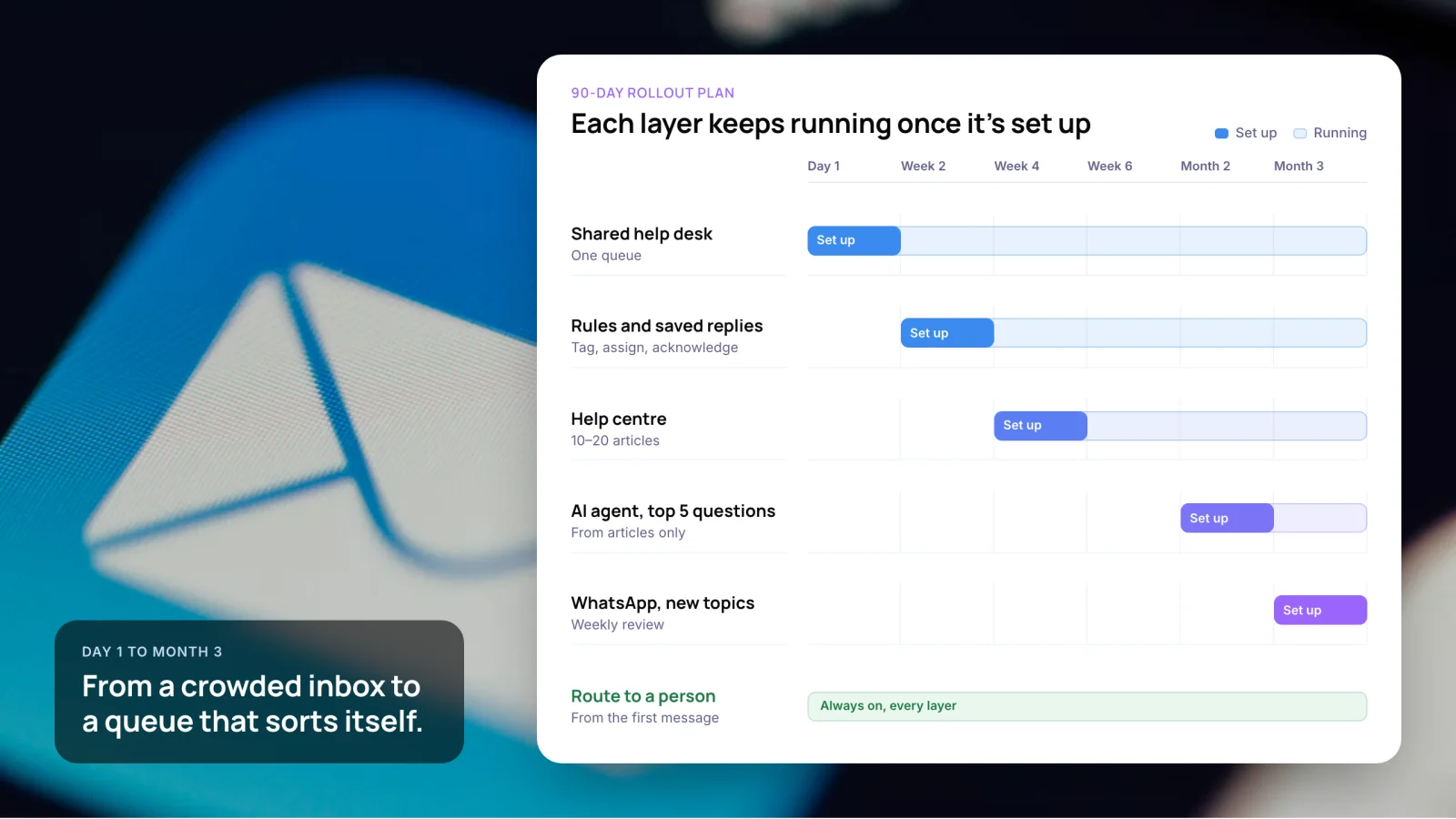
Can You Automate Customer Support on Shopify or WooCommerce?
Yes. Shopify includes free tools for it: Shopify Inbox with an AI agent for store chat, and Shopify Flow for order workflows. WooCommerce has no built-in support inbox, so you add a help desk or connect an AI agent through its REST API.
This guide covers what each platform automates out of the box, which customer support automation tools work on each, what they cost in 2026, and how to set it up.
1. The Short Answer
Yes, you can automate customer support on both platforms. Shopify includes free native tools, while WooCommerce relies on plugins, help desks or a custom AI agent connected through its REST API.
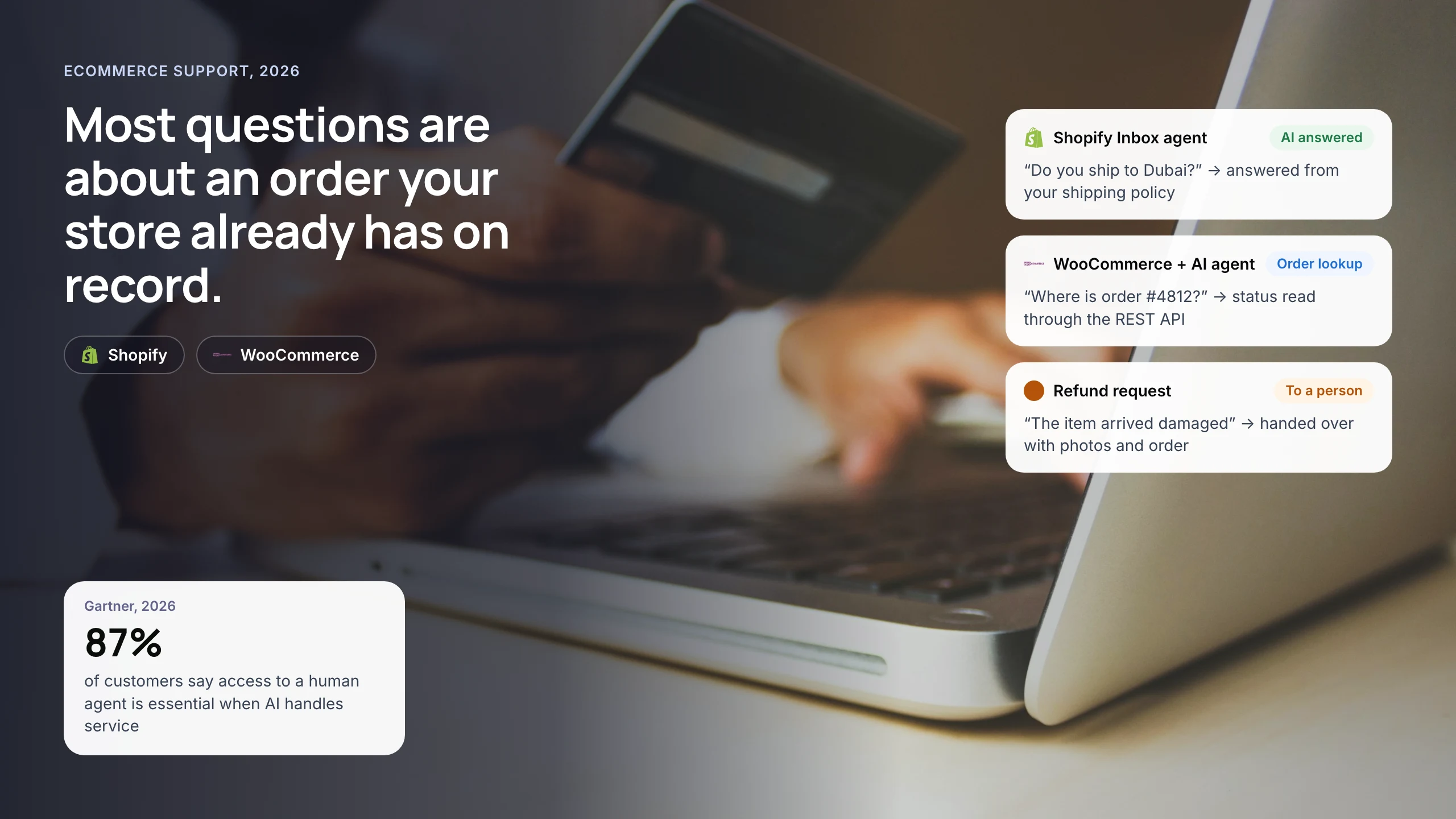
Customer support automation works well in ecommerce because most questions are about an order, a policy or a product, and each has a record in your store. Delivery problems drive many of them. Narvar’s 2025 State of Post-Purchase survey of 3,461 US shoppers found 74% had a late delivery in the past year, and 86% had at least one delivery issue.
Key takeaways
- Shopify Inbox is free and includes an opt-in AI Inbox agent that answers store chat questions and hands complex chats to staff with context.
- Shopify Flow is free on the Basic, Grow, Advanced and Plus plans. It can warn customers about late orders before they write in.
- WooCommerce has no native support inbox. Help desks connect to it, but Gorgias lists no order actions or Automate features for WooCommerce stores.
- Gorgias charges by ticket from $10 a month, and its AI Agent adds about $1 for each conversation it resolves.
- Keep a person within reach. 87% of customers in a 2026 Gartner survey said human access is essential when AI handles service.
2. What Support Work Can You Automate in an Online Store?
Start with questions that have one correct answer in your store data. Leave anything that needs judgement, money back or an exception with a person. Most stores can sort their tickets into five groups like the ones below.
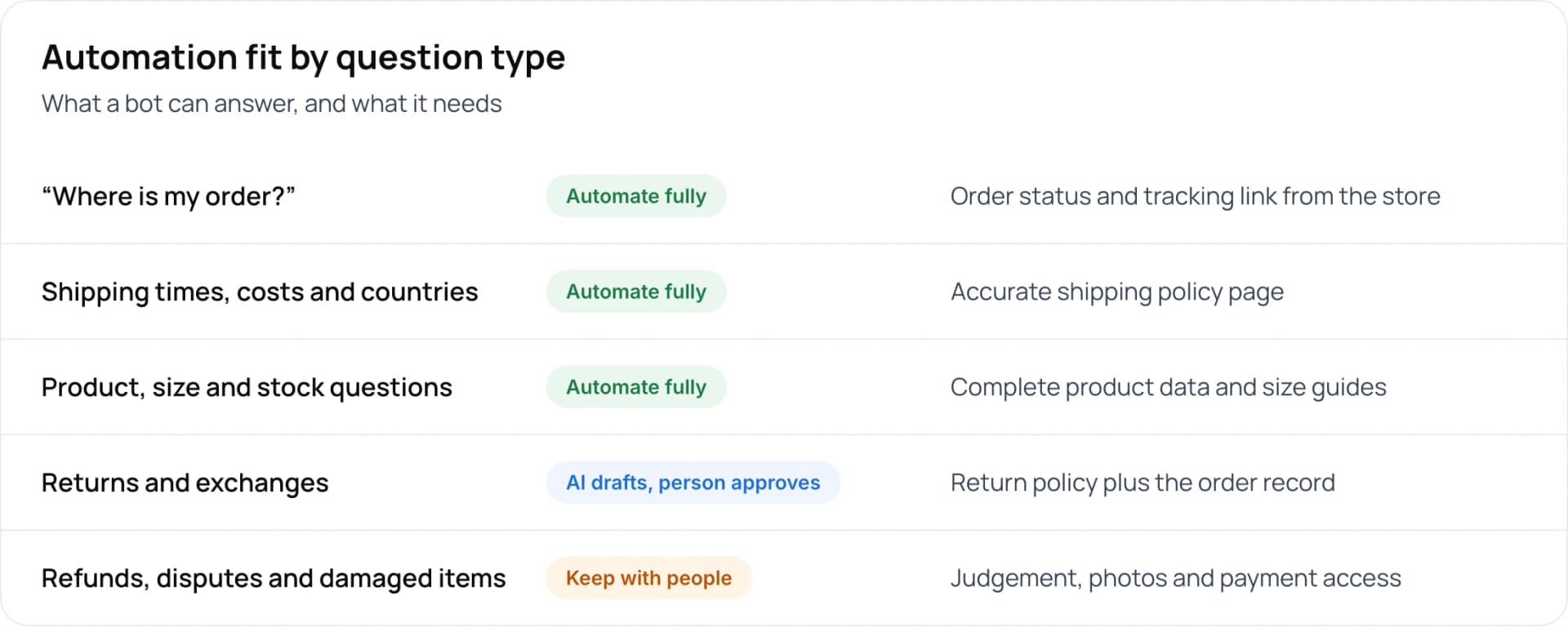
- “Where is my order?” (automate fully): needs the order status and tracking link from the store.
- Shipping times, costs and countries (automate fully): needs an accurate shipping policy page.
- Product, size and stock questions (automate fully): needs complete product data and size guides.
- Returns and exchanges (AI drafts, person approves): needs the return policy plus the order record.
- Refunds, disputes and damaged items (keep with people): needs judgement, photos and payment access.
Note: Many articles claim that 30–40% of ecommerce tickets are “where is my order” questions. We could not trace that figure to a primary study, so we do not use it. Pull the real share from your own help desk before you build a business case.
3. How to Automate Customer Support on Shopify
Shopify gives you three native pieces, and all of them are free. They cover store chat, AI replies and order workflows. You do not need a third-party app to start.
Shopify Inbox and the Inbox agent
Shopify Inbox adds a chat widget to your online store. Its Inbox agent is opt-in, and it answers questions using your products, store policies and pages. According to Shopify’s Help Center, complex or sensitive chats move to your staff, and the AI’s context carries over. The agent needs new customer accounts and only works in the store chat widget, not in email or social messages.
The Shopify Inbox agent can:
- Answer product, shipping and policy questions
- Recommend products
- Hand chats to staff with the AI’s context
- Handle all chats, or only when staff are unavailable
Suggested replies for your staff
For chats your team handles, Inbox drafts a suggested reply from your store information. Shopify says these are a composing aid for staff and work only when your online store and admin are in English. If your store runs in Arabic or Hindi, plan for a different tool.
Shopify Flow for order workflows
Shopify Flow is a free app on the Basic, Grow, Advanced and Plus plans. Each workflow has a trigger, conditions and actions. For support, use it to stop tickets before they arrive, for example by warning customers about a late order before they ask. The Send HTTP request action, which lets Flow call an outside help desk or AI agent, needs the Grow plan or higher.
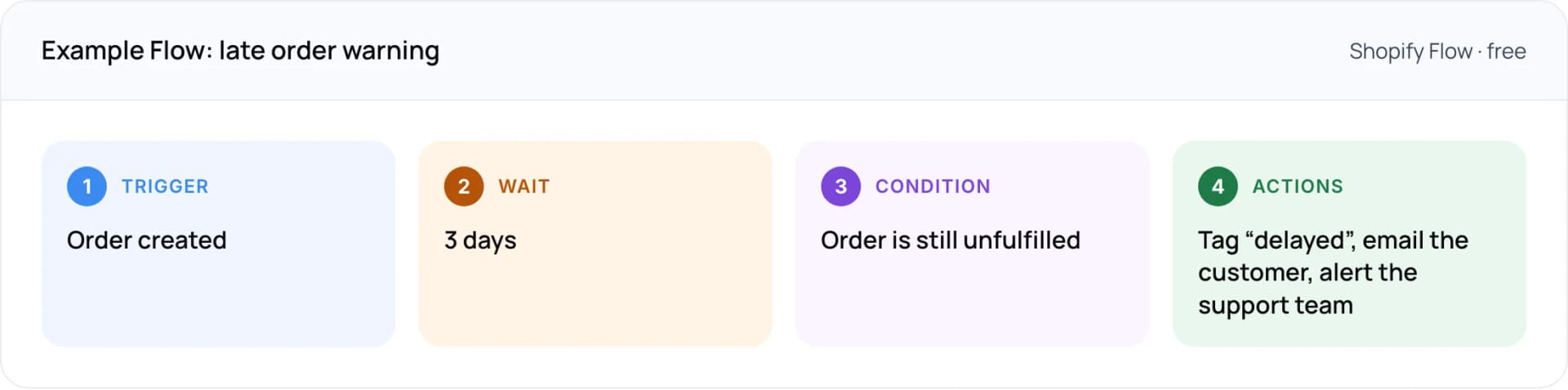
- Trigger: order created.
- Wait: 3 days.
- Condition: order is still unfulfilled.
- Actions: tag “delayed”, email the customer, alert the support team.
4. How to Automate Customer Support on WooCommerce
WooCommerce is an open-source plugin for WordPress, so it ships without a support inbox or AI agent. Automation comes from what you install or build. That means more setup work, and more control over how the bot reads your data.
Help desks and chat plugins
Most major help desks connect to WooCommerce and show order details next to each ticket. Check what the connection can actually do. Gorgias’s WooCommerce guide lists no order actions, rules or Automate features for WooCommerce, which are the pieces its AI Agent uses on Shopify. Your agents can see the order, but they still edit it in WordPress.
Building on the REST API and webhooks
The WooCommerce REST API returns each order’s status: pending, processing, on-hold, completed, cancelled, refunded or failed. Webhooks send events such as order.updated to a URL you choose, signed with an HMAC-SHA256 hash so your system can check they are genuine. That is enough for an AI customer support agent to answer order questions from live data.
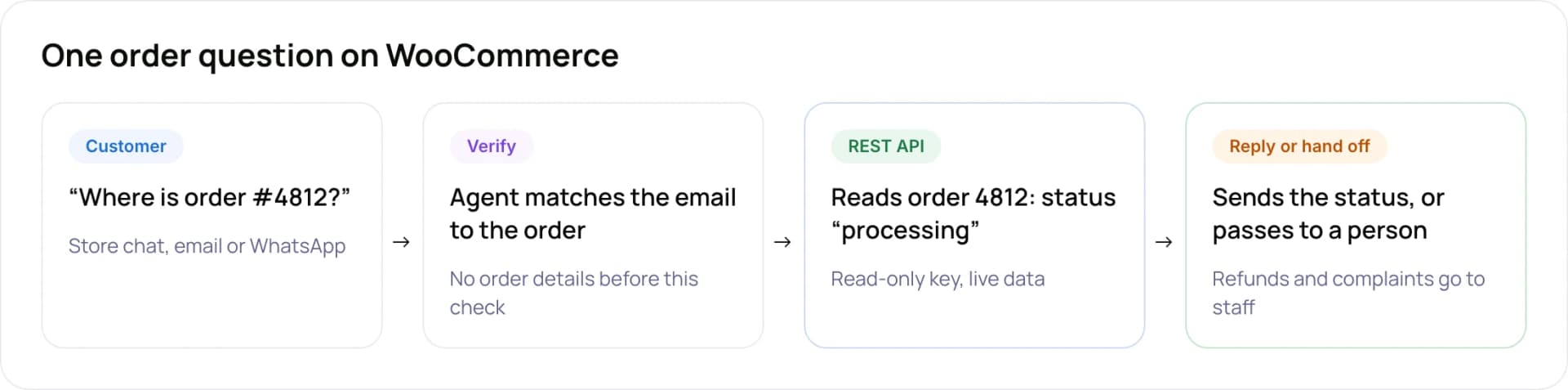
- Customer: “Where is order #4812?” arrives by store chat, email or WhatsApp.
- Verify: the agent matches the email to the order. No order details are shared before this check.
- REST API: reads order 4812, status “processing”, with a read-only key and live data.
- Reply or hand off: sends the status, or passes to a person. Refunds and complaints go to staff.
Tip: Create a separate REST API key with read-only access for the agent. Give write access only to actions a person has approved, such as opening a return request.
5. Shopify vs WooCommerce: What Can You Automate on Each?
Both platforms can run the same kind of support automation. The difference is how much comes ready-made and who maintains it.
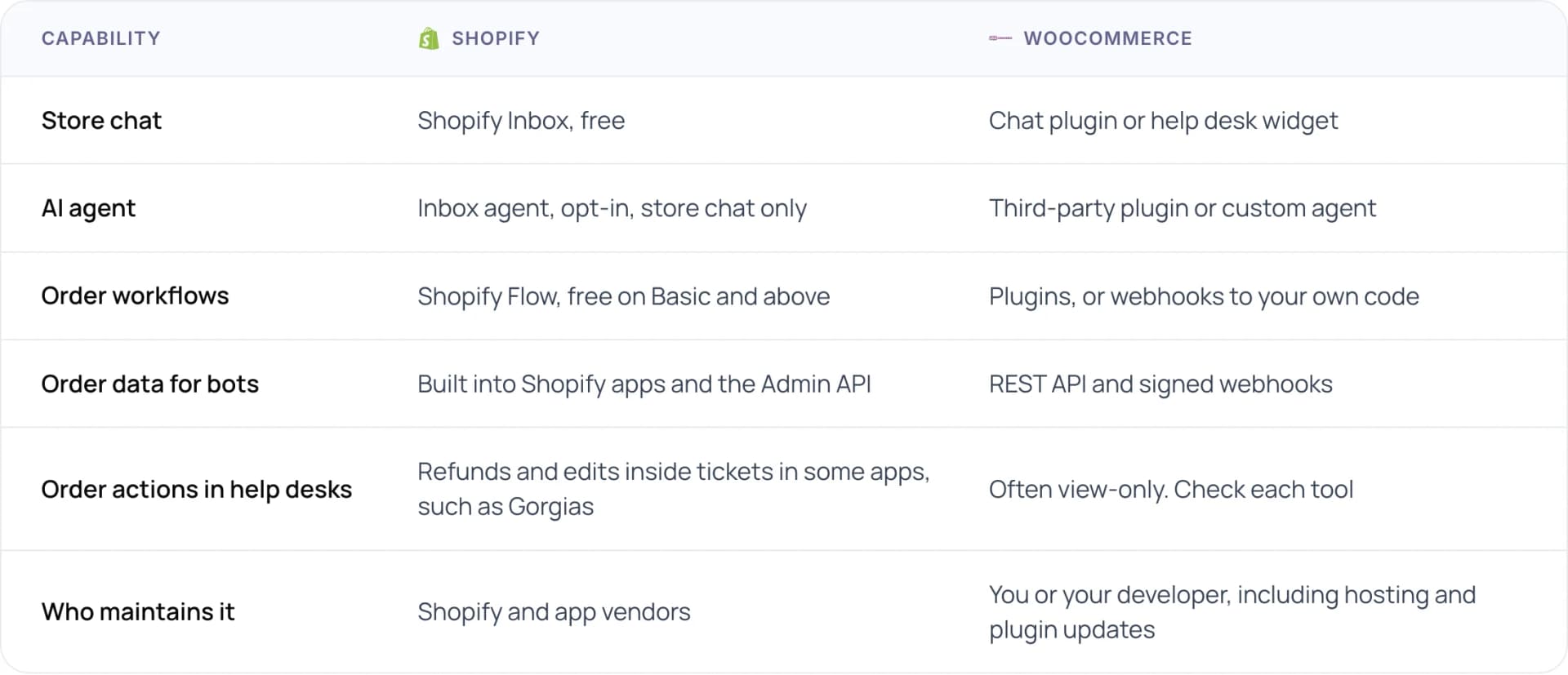
- Store chat: Shopify has Shopify Inbox, free. WooCommerce uses a chat plugin or help desk widget.
- AI agent: Shopify has the Inbox agent, opt-in and store chat only. WooCommerce needs a third-party plugin or custom agent.
- Order workflows: Shopify Flow is free on Basic and above. WooCommerce uses plugins, or webhooks to your own code.
- Order data for bots: built into Shopify apps and the Admin API. On WooCommerce, the REST API and signed webhooks.
- Order actions in help desks: refunds and edits inside tickets in some Shopify apps, such as Gorgias. Often view-only on WooCommerce, so check each tool.
- Who maintains it: Shopify and app vendors, versus you or your developer on WooCommerce, including hosting and plugin updates.
Our view: Shopify is faster to start, and WooCommerce is easier to shape around unusual order flows. If you run custom fulfilment, a marketplace or an ERP behind WooCommerce, the extra build work often pays for itself.
6. Which Customer Support Automation Tools Work on Each Platform?
Most stores pick from four groups. Prices are list prices checked in October 2026 and change often, so confirm them before you sign.
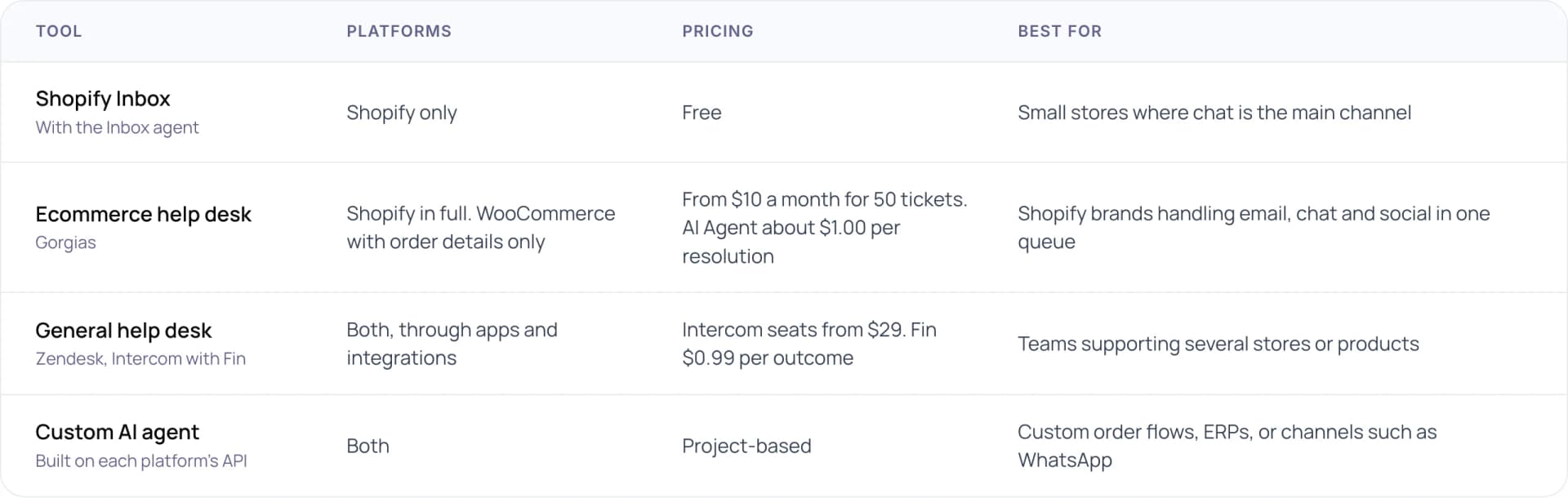
- Shopify Inbox (with the Inbox agent): Shopify only. Free. Best for small stores where chat is the main channel.
- Ecommerce help desk, such as Gorgias: Shopify in full, WooCommerce with order details only. From $10 a month for 50 tickets, and the AI Agent is about $1.00 per resolution. Best for Shopify brands handling email, chat and social in one queue.
- General help desk, such as Zendesk or Intercom with Fin: both platforms, through apps and integrations. Intercom seats from $29 and Fin at $0.99 per outcome. Best for teams supporting several stores or products.
- Custom AI agent, built on each platform’s API: both platforms, project-based. Best for custom order flows, ERPs, or channels such as WhatsApp.
Gorgias’s Shopify App Store listing describes refunds, cancellations and order edits inside the ticket, plus an AI Agent for order, shipping and return questions. That depth is Shopify-only. On WooCommerce, a general help desk with a custom agent behind it is usually the closer fit.
Not sure which setup fits your store? Talk it through with our team: book a free AI consultation.
7. How to Automate Customer Support in 6 Steps
- Export 60 days of tickets. Pull them from email, chat and social, and note which platform and channel each came from.
- Tag each one by intent. Use the five groups in section 2. The largest repeatable group is your first automation.
- Fix the source content. AI agents answer from your policies and product pages, so fill gaps there before you switch anything on.
- Send proactive updates. Use Shopify Flow or WooCommerce order emails to warn customers about delays before they ask.
- Automate one intent on one channel. Order status in store chat is the usual starting point.
- Measure for two weeks, then widen. Track first-reply time, resolution rate and handoffs before adding the next intent.
Tip: On Shopify, start the Inbox agent in the “only when staff are unavailable” mode. You get overnight coverage while your team reviews its answers by day.
8. What Does Customer Support Automation Cost?
Ecommerce help desks price in two ways. Gorgias charges by ticket with unlimited users on paid tiers. Intercom charges per seat. Both add a fee for each conversation the AI resolves. The calculator below shows monthly list prices at one example setting.
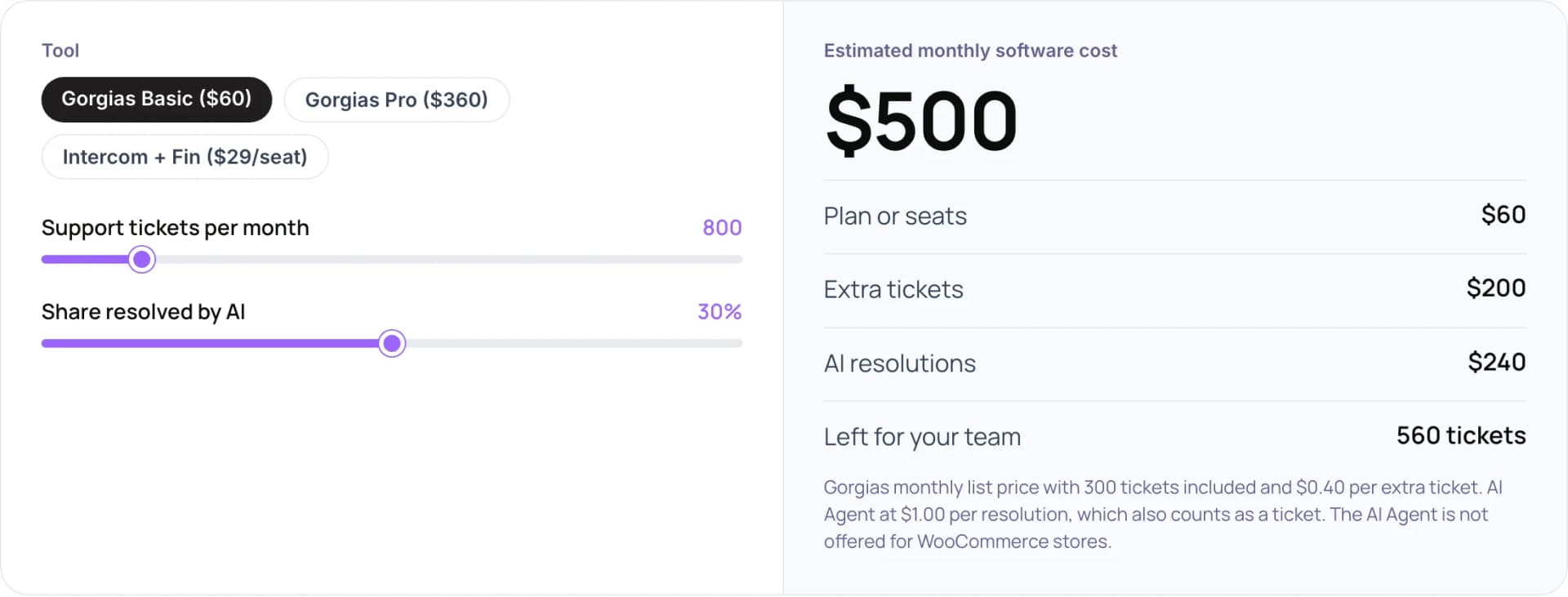
- Example: Gorgias Basic ($60), 800 tickets a month, 30% resolved by AI. Estimated monthly software cost: $500.
- Plan: $60, with 300 tickets included.
- Extra tickets: $200, at $0.40 for each of the 500 tickets over the limit.
- AI resolutions: $240, at $1.00 for each of 240 resolutions.
- Left for your team: 560 tickets.
- Other plans in the design: Gorgias Pro ($360, 2,000 tickets included, $0.36 per extra ticket) and Intercom with Fin ($29 per seat, Fin at $0.99 per outcome). The Gorgias AI Agent is not offered for WooCommerce stores.
Native Shopify tools add nothing to this bill. A custom agent on WooCommerce replaces the per-resolution fee with build and hosting costs, which tends to make sense at higher volumes. To weigh any of these against the hours your team saves, try our free AI ROI Calculator.
9. How We Approach Ecommerce Support Automation
When answers depend on live order data, we connect the agent to the store and keep a person in the loop for anything involving money. Our best example is Zenva, an AI assistant we built for ecommerce merchants. It drafts replies from live order data, and a support agent approves each one before it goes out. For a payments company, we built an omnichannel customer support system that answers routine questions quickly and routes complex cases to the team.
- Zenva: the case study estimates about 50 hours of support effort saved each month for one store handling 2,000 customer emails a month. This is an estimate, not a measured result for every store.
- Paymate: for high-confidence email queries, first response time went from hours to under one minute, with complex cases routed to people.
10. Common Mistakes
- Switching on an AI agent with thin policy pages. It can only answer from what your store says, and gaps turn into wrong or vague replies.
- Letting a bot issue refunds with no limits. Cap amounts, or keep refunds with a person.
- Assuming Shopify features carry over to WooCommerce. Many help desks offer order actions and AI only on Shopify.
- Giving the agent a full read-write API key. Start read-only and add write access one action at a time.
- Hiding the handoff. Customers should always be able to reach a person, and know when they are talking to AI.
11. Frequently Asked Questions
Can I automate customer support on Shopify for free?
Yes. Shopify Inbox is a free app with an opt-in AI agent that answers product, shipping and policy questions in your store chat. Shopify Flow is also free on the Basic, Grow, Advanced and Plus plans. You pay only if you add a third-party help desk or AI resolution fees.
Does WooCommerce have a built-in chatbot?
No. WooCommerce ships without a support inbox or AI agent. You add a chat plugin, connect a help desk, or build an AI customer support agent that reads orders through the WooCommerce REST API and listens for webhooks such as order.updated. Each route needs its own setup and maintenance.
What is the best customer support automation tool for Shopify?
For small stores, start with Shopify Inbox and Flow because they are free and native. Stores that handle email, chat and social together usually move to an ecommerce help desk such as Gorgias. A custom agent fits when answers need data from systems outside Shopify, such as an ERP or courier API.
How do I automate “where is my order” questions?
Send proactive shipping updates first, so fewer customers need to ask. Then connect an agent to order data. On Shopify, the Inbox agent and help desk apps read orders natively. On WooCommerce, the agent reads the order status through the REST API after checking the customer’s email matches the order.
Can AI handle refunds and returns?
AI can collect return details, check the policy and open a request. We recommend keeping the final refund decision with a person, or capping the amount a bot can approve. Disputes, damaged items and exceptions need judgement, and Gartner found 87% of customers want human access when AI handles service.
Is customer support automation worth it for a small store?
Often yes, if you start with free tools. Shopify Inbox and Flow cost nothing extra, and a FAQ page with clear policies cuts repeat questions on either platform. Paid help desks and per-resolution AI fees make more sense once ticket volume grows past what one or two people can answer.
12. Conclusion
Customer support automation on Shopify can start today with Inbox and Flow, at no extra cost. On WooCommerce, the first decision is whether a help desk plugin covers your questions or whether you need an agent that reads orders through the REST API. Either way, begin by tagging last month’s tickets and automating the one question you answer most.
See our AI customer support automation services or custom AI agent development, or read how customer support automation works.
Author