Best Tools to Automate Returns, Refunds and Order Status Support
The best tools for order status automation support depend on where your orders live and how many returns you handle. Most online stores need three layers: a self-serve tracking and returns portal, a returns app that applies your policy, and an AI agent that can look up orders and act on them in chat or email.
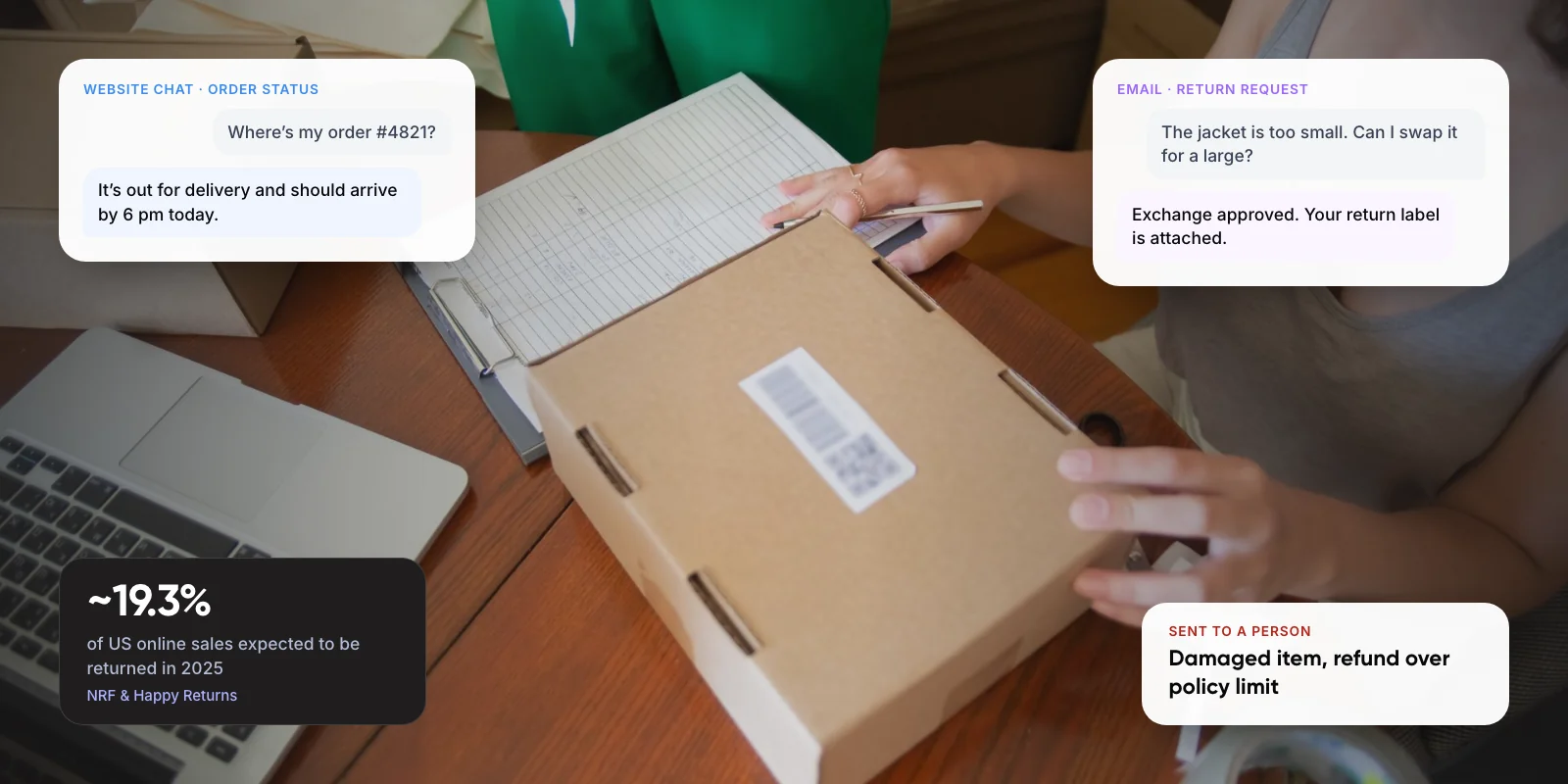
The volume is real. The National Retail Federation expects ~19.3% of US online sales to be returned in 2025. This guide compares the main tools, their 2026 prices, and what each one can and can’t automate.
1. Why Automate Returns, Refunds and Order Status First?
These are the questions with one right answer that already sits in your systems. The order is in your store platform, the parcel scan is with the carrier, and the return rule is in your policy. A person adds little by copying that answer into a reply.
The NRF and Happy Returns 2025 Retail Returns Landscape puts US returns at $849.9 billion, or ~15.8% of retail sales. Online orders come back more often, at ~19.3%. The same report found ~82% of shoppers see free returns as a major factor when they buy, so a slow returns process costs sales as well as support time.
You will see claims that “where is my order” questions make up 30 to 50 percent of ecommerce tickets. We could not find an independent study that measured this, so treat those figures as vendor estimates. Gorgias, which runs a helpdesk used by many Shopify stores, says up to ~30% of incoming tickets are shipping status requests. Your own helpdesk tags are the better number.
Key takeaways
- US shoppers were expected to return ~19.3% of online purchases in 2025, according to the NRF.
- Start with free tools: a clear order status page, proactive shipping emails and self-serve returns.
- Returns apps such as AfterShip and Loop apply your policy and offer exchanges before refunds.
- AI agents from Gorgias, Intercom and Zendesk charge about $1 to $2 per resolved conversation, and each vendor defines a resolution differently.
- Let AI handle lookups and in-policy returns; send refunds above a set value and damaged items to a person.
2. What Does Order Status Automation Support Actually Do?
It works in three layers, and each one stops a different kind of ticket.
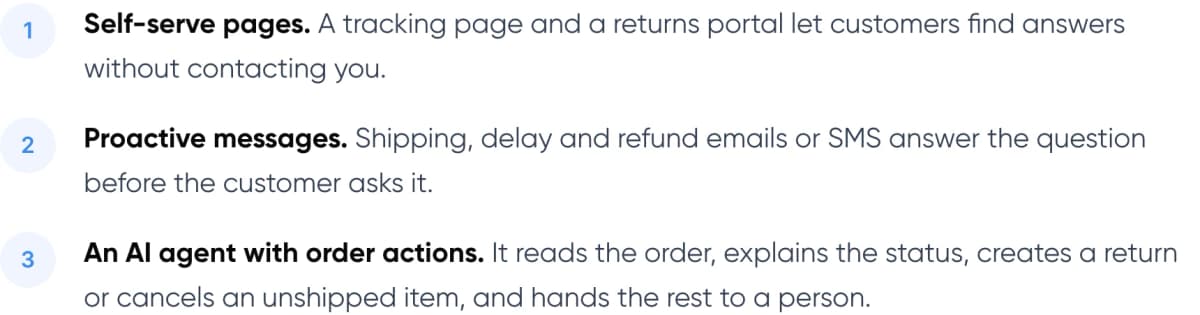
- Self-serve pages. A tracking page and a returns portal let customers find answers without contacting you.
- Proactive messages. Shipping, delay and refund emails or SMS answer the question before the customer asks it.
- An AI agent with order actions. It reads the order, explains the status, creates a return or cancels an unshipped item, and hands the rest to a person.
The first two layers are cheap and often already included in your store platform. The third is where most of the cost and most of the risk sit, because the agent is reading live order data and, in some setups, issuing refunds.
Note: An “order action” means the AI agent changes something in your store, such as cancelling an unshipped order or creating a return. A plain FAQ chatbot can only describe your policy; it can’t act on a specific order.
3. Which Tools Automate Returns, Refunds and Order Status?
The six options below cover most stores, from a free built-in feature to a custom AI agent. Prices are US list prices checked in 2026; most vendors change them often, so confirm before you buy.
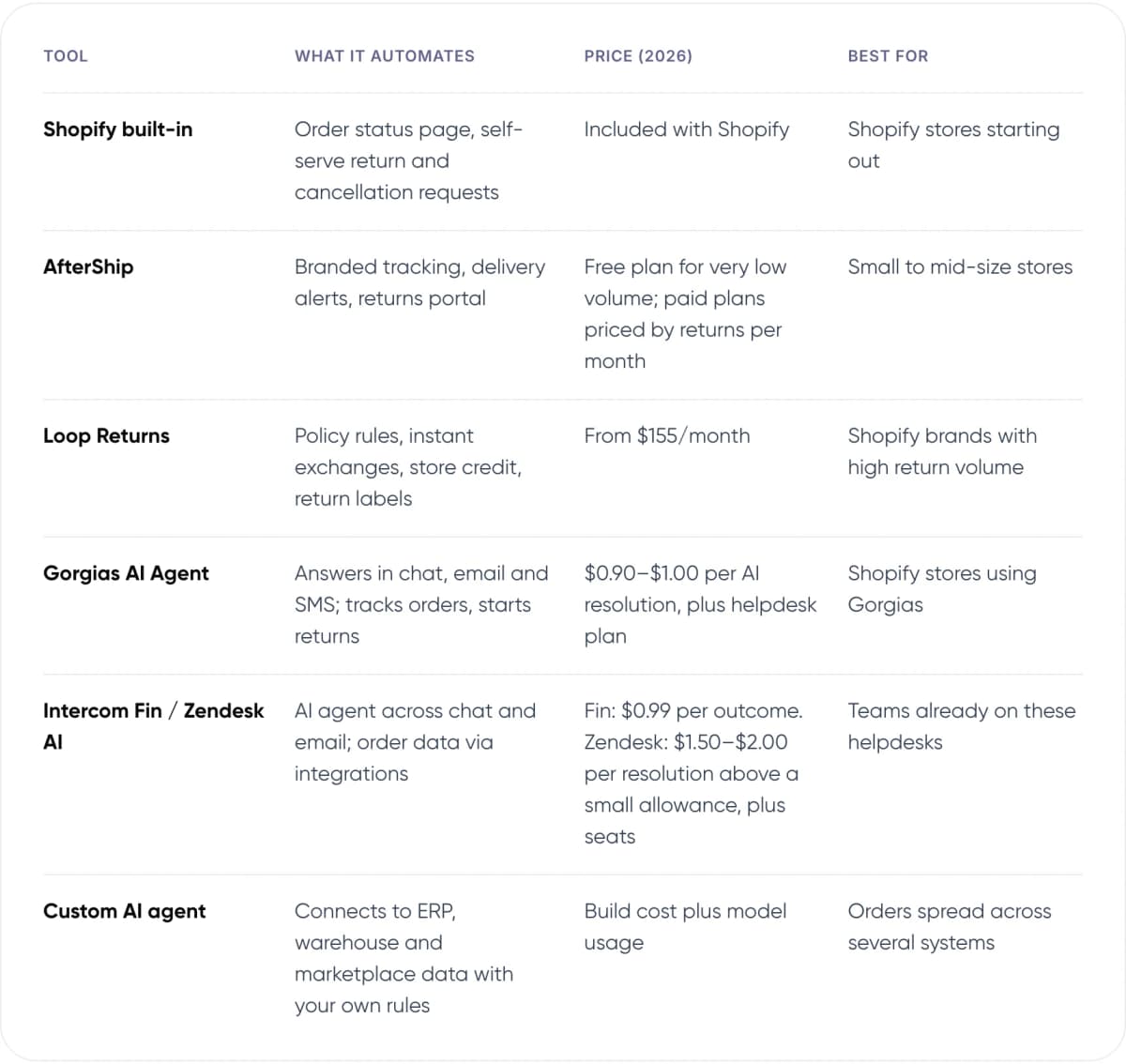
- Shopify built-in — What it automates: Order status page, self-serve return and cancellation requests. Price (2026): Included with Shopify. Best for: Shopify stores starting out.
- AfterShip — What it automates: Branded tracking, delivery alerts, returns portal. Price (2026): Free plan for very low volume; paid plans priced by returns per month. Best for: Small to mid-size stores.
- Loop Returns — What it automates: Policy rules, instant exchanges, store credit, return labels. Price (2026): From $155/month. Best for: Shopify brands with high return volume.
- Gorgias AI Agent — What it automates: Answers in chat, email and SMS; tracks orders, starts returns. Price (2026): $0.90–$1.00 per AI resolution, plus helpdesk plan. Best for: Shopify stores using Gorgias.
- Intercom Fin / Zendesk AI — What it automates: AI agent across chat and email; order data via integrations. Price (2026): Fin: $0.99 per outcome. Zendesk: $1.50–$2.00 per resolution above a small allowance, plus seats. Best for: Teams already on these helpdesks.
- Custom AI agent — What it automates: Connects to ERP, warehouse and marketplace data with your own rules. Price (2026): Build cost plus model usage. Best for: Orders spread across several systems.
Shopify’s built-in tools. The order status page answers tracking questions, and self-serve returns and cancellations let customers request a return from their account. It is free, but it needs Shopify’s newer customer accounts, and you still approve each request.
AfterShip and Loop Returns. Both turn your return policy into rules: which items qualify, how long the window is, and whether to offer an exchange or store credit before a refund. AfterShip is the cheaper start for small volumes. Loop’s strength is exchanges, which keep revenue that a refund would lose.
Gorgias, Intercom Fin and Zendesk. These are helpdesks with AI agents that answer in chat and email. Gorgias is built around Shopify and can track orders and start returns inside the conversation. Intercom’s Fin and Zendesk’s AI agents are channel-agnostic and need integrations or custom actions to reach your order data.
4. How Do You Choose the Right Tool?
Start with where your order data lives. If everything runs on Shopify and your helpdesk is Gorgias, the native integrations will get you furthest for the least work. If orders sit in an ERP, a warehouse system or several marketplaces, an off-the-shelf agent may only see part of the picture, and that is when a custom agent earns its cost.
Then decide what the agent may do on its own. In our view, order lookups and return requests inside your policy are safe to automate fully. Refunds should be automated only up to a value limit, with everything above it sent to a person.
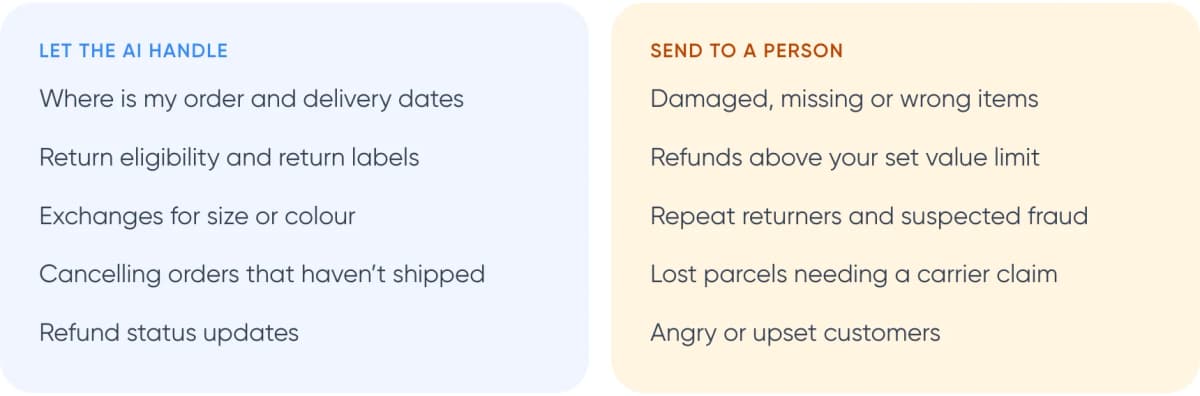
Let the AI handle
- Where is my order and delivery dates
- Return eligibility and return labels
- Exchanges for size or colour
- Cancelling orders that haven’t shipped
- Refund status updates
Send to a person
- Damaged, missing or wrong items
- Refunds above your set value limit
- Repeat returners and suspected fraud
- Lost parcels needing a carrier claim
- Angry or upset customers
Warning: Retailers in the NRF 2025 survey estimated that ~9% of returns are fraudulent. Before you let an agent approve refunds, add checks for repeat returners, high-value items and orders already marked as delivered.
5. What Results Have Real Companies Seen?
Menswear brand Psycho Bunny put the Gorgias AI Agent on its routine tickets. According to Gorgias, the agent resolved ~26% of tickets and replied ~99.4% faster than the human team. That is a vendor-published result, but it is useful because it is modest. Gorgias markets “up to 60%” automation; plan around a number closer to a quarter in your first months.
At a much larger scale, Klarna said in February 2024 that its AI assistant handled 2.3 million chats in its first month, including refunds and returns. Average resolution time fell from 11 minutes to under 2. In May 2025, its chief executive told Bloomberg that customers should always be able to reach a human.
Not sure which tools fit your order stack? We can map it with you in one call.
6. How Do You Set Up Order Status Automation Step by Step?
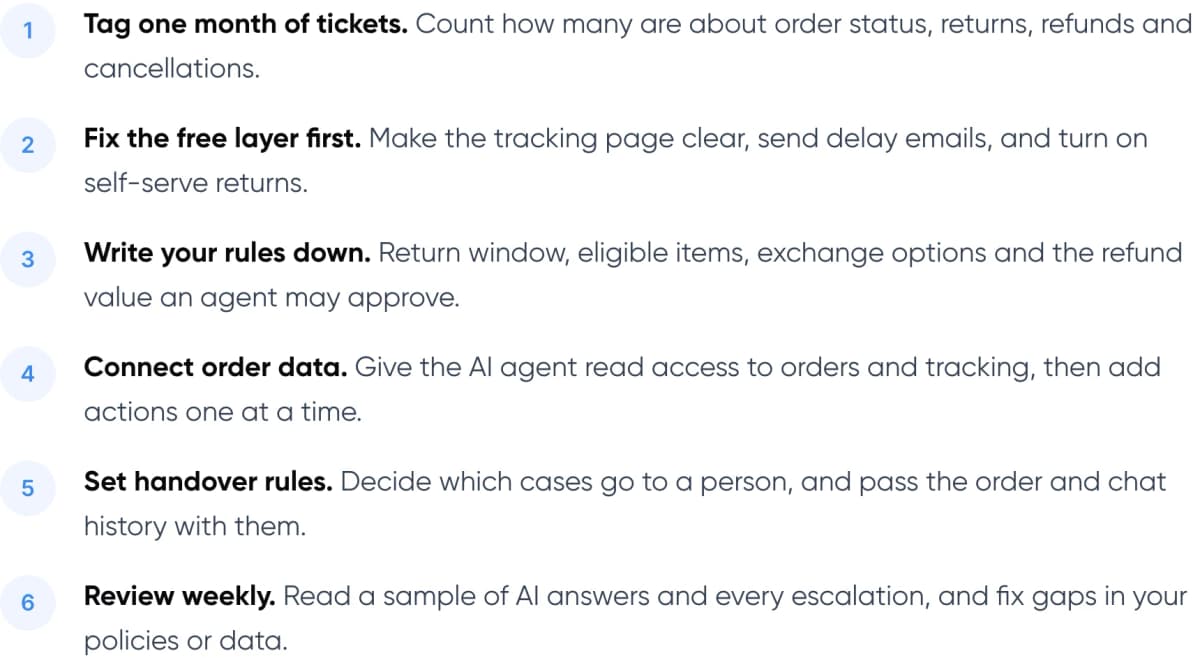
- Tag one month of tickets. Count how many are about order status, returns, refunds and cancellations.
- Fix the free layer first. Make the tracking page clear, send delay emails, and turn on self-serve returns.
- Write your rules down. Return window, eligible items, exchange options and the refund value an agent may approve.
- Connect order data. Give the AI agent read access to orders and tracking, then add actions one at a time.
- Set handover rules. Decide which cases go to a person, and pass the order and chat history with them.
- Review weekly. Read a sample of AI answers and every escalation, and fix gaps in your policies or data.
When the agent hands a case to your team, it should pass the order number, what the customer asked and what it already tried. Our guide to chatbot handoff and context transfer covers how to do that well.
7. What Does Customer Service Automation Software Really Cost?
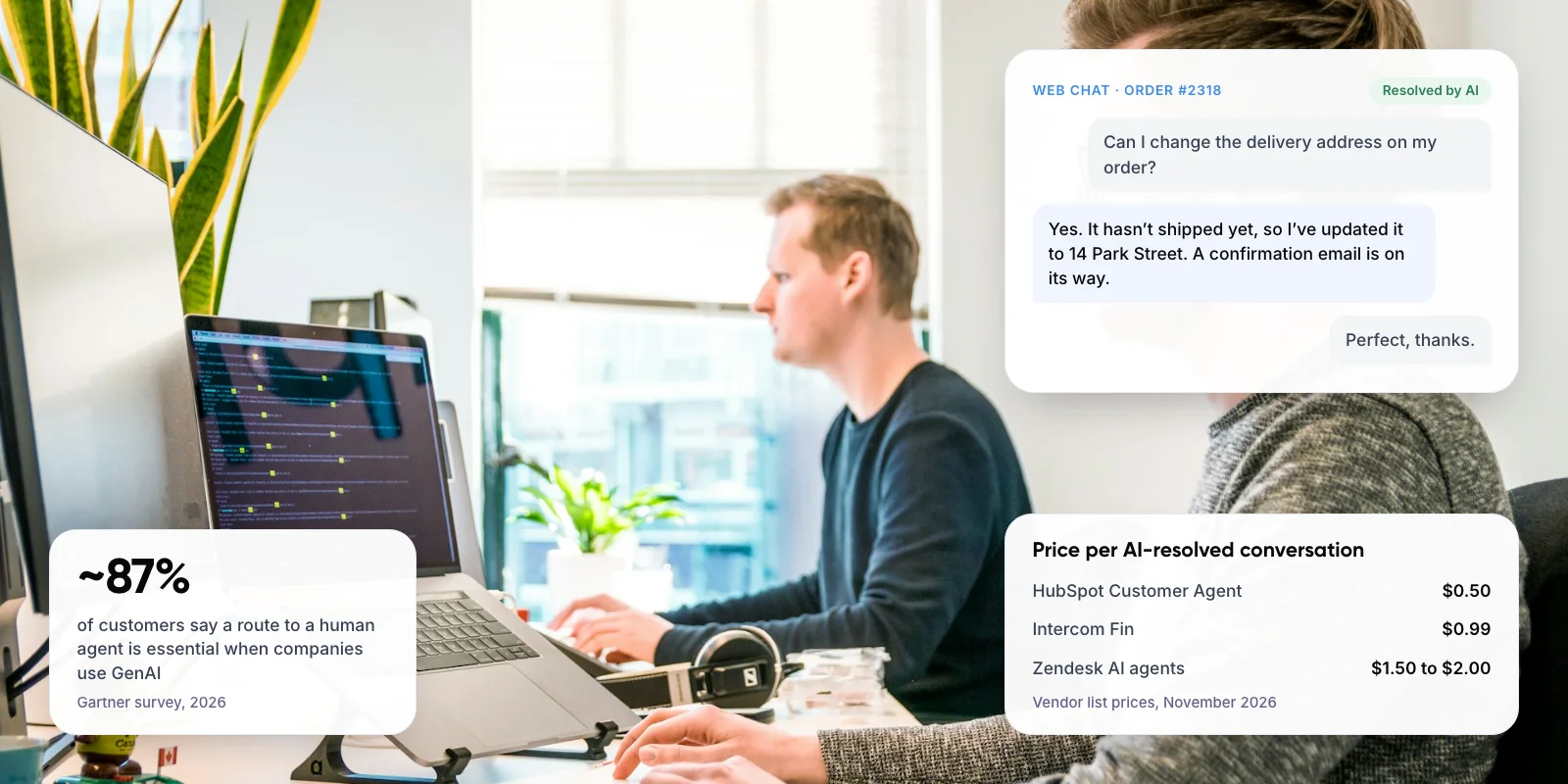
AI agents are usually billed per outcome, and each vendor defines an outcome differently. Intercom charges $0.99 per Fin outcome, which includes conversations it hands to a person. Gorgias charges $0.90 to $1.00 for each conversation its AI Agent resolves, and that conversation also counts as a ticket on your helpdesk plan. Zendesk includes a small number of AI resolutions with each agent seat, then charges $1.50 to $2.00 per resolution.
Returns apps price by plan or by return volume. Loop publishes plans from $155 a month. AfterShip has a free plan for very low volume, with paid plans priced by how many returns you process. Narvar and Happy Returns quote on request. The largest hidden cost is setup time: writing clear policies, connecting order data and reviewing conversations each week.
8. Frequently Asked Questions
What is order status automation support?
It is the use of self-serve pages, automatic notifications and AI agents to answer “where is my order” questions without a person. The best setups read live data from your store and carrier, so the answer matches the latest tracking scan rather than a generic shipping policy.
What are the best automated customer service tools for returns?
For Shopify stores, the built-in self-serve returns feature is the free starting point. AfterShip suits smaller volumes, and Loop Returns suits brands that want exchanges and store credit. Pair either with an AI agent such as Gorgias or Intercom Fin if return questions still reach your inbox.
Can an AI agent issue refunds automatically?
Yes, some helpdesk AI agents and custom agents can trigger refunds through your store platform. We recommend a value limit and fraud checks first. Retailers in the NRF 2025 survey estimated ~9% of returns are fraudulent, so refunds above your limit should go to a person.
How much does customer support automation software cost?
Most AI agents charge per resolved conversation. Intercom Fin charges $0.99 per outcome, Gorgias $0.90 to $1.00 and Zendesk $1.50 to $2.00, each on top of the helpdesk plan. Returns apps run from free AfterShip tiers to $155 a month and up on Loop. Add setup and weekly review time.
What share of tickets can AI resolve?
Expect less than vendors advertise at first. Gorgias markets up to 60%, while its published Psycho Bunny case study reports ~26% of tickets resolved by the AI Agent. Results depend on how clean your order data and policies are, and how many tickets are routine.
9. Conclusion
For most stores, order status automation support starts with the free layer: a clear tracking page, proactive shipping emails and self-serve returns. Add a returns app when volume grows, and an AI agent when tickets still pile up. Start by tagging one month of tickets so you know which questions to automate first.
For an example of our support work, see Paymate.
If you’d like help putting this in place, our AI customer support automation service builds AI agents that connect to your order systems, handle order status, returns and refunds within your rules, and pass the rest to your team.
Author