Best AI Chatbots for Customer Service: Features, Pricing and Verdict
We compared six AI chatbots for customer service on what they do, how they bill and which teams they suit. All prices are published US list prices as of November 2026.

- Shortlist Your helpdesk’s agent plus one standalone
- Test Run both on the same past tickets
- Price Your volume, each vendor’s billing unit
- Pilot One channel for 30 days
1. The Short Answer
For most teams, the best AI chatbot for customer service is the one that runs inside the helpdesk they already use. Zendesk, HubSpot, Freshdesk and Salesforce all sell an AI agent that works on top of their own ticketing. If you want one agent that works across several helpdesks, Intercom’s Fin is the main standalone option with a published price: $0.99 per outcome.
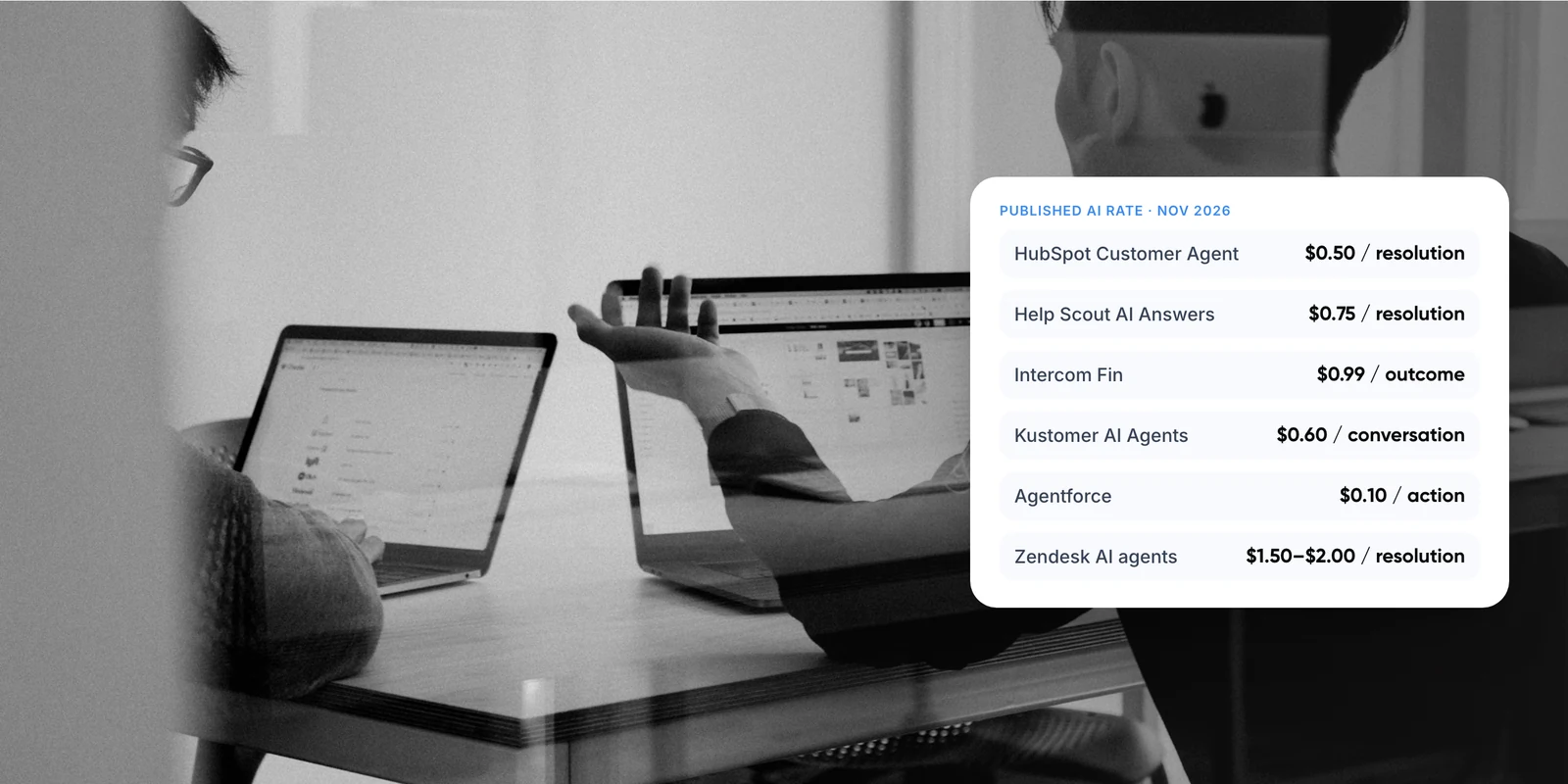
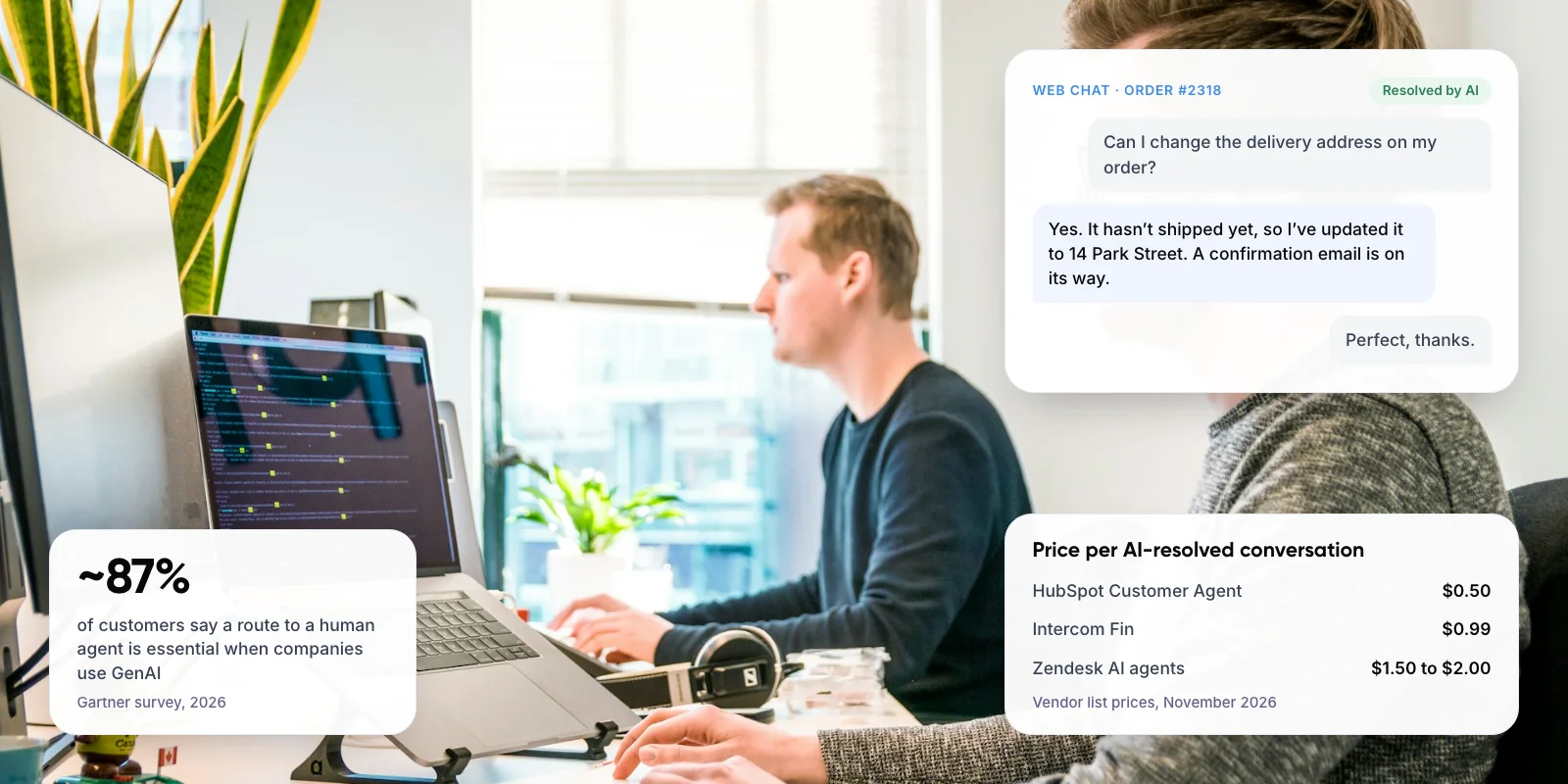
Pricing differs more than features do. List prices range from $0.50 per resolved conversation on HubSpot to $2.00 per automated resolution on Zendesk’s pay-as-you-go plan. What each vendor counts as a billable conversation matters as much as the rate itself.
Key takeaways
- Start with your helpdesk. A built-in AI agent shares your tickets, macros and reporting, which cuts setup work.
- Compare billing units, not just prices. Some vendors charge per resolution; others charge per session or action, resolved or not.
- In our worked example of 1,000 AI conversations a month, list-price AI costs range from about $300 to $900, before seat fees.
- Keep a person reachable. ~87% of customers say this is essential when companies use GenAI (Gartner, 2026).
2. What Should You Look for in a Customer Service AI Chatbot?
Most AI chatbots for customer support now use a large language model (LLM), the technology behind tools like ChatGPT, to read your help content and reply in plain language. Vendors call these “AI agents” when they can also take actions, such as checking an order. The real differences between tools show up in five places.
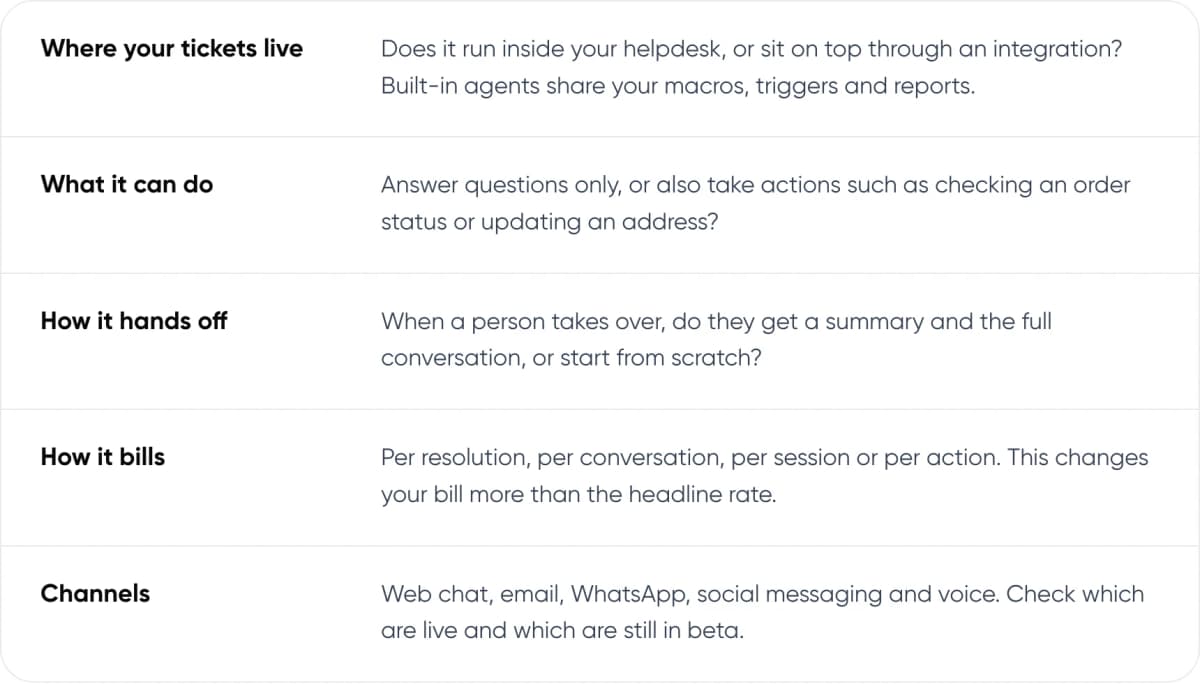
- Where your tickets live: Does it run inside your helpdesk, or sit on top through an integration? Built-in agents share your macros, triggers and reports.
- What it can do: Answer questions only, or also take actions such as checking an order status or updating an address?
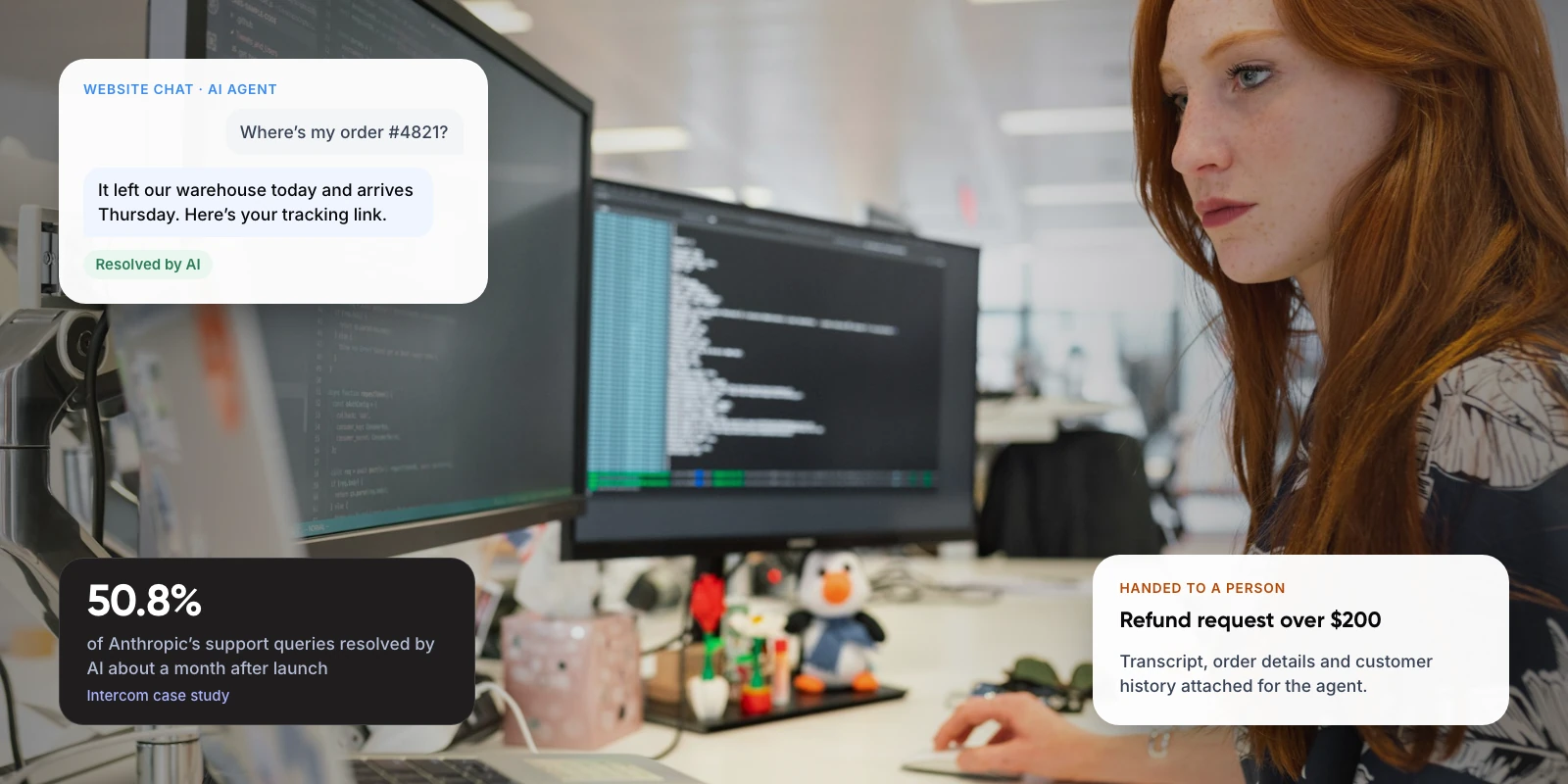
- How it hands off: When a person takes over, do they get a summary and the full conversation, or start from scratch?
- How it bills: Per resolution, per conversation, per session or per action. This changes your bill more than the headline rate.
- Channels: Web chat, email, WhatsApp, social messaging and voice. Check which are live and which are still in beta.
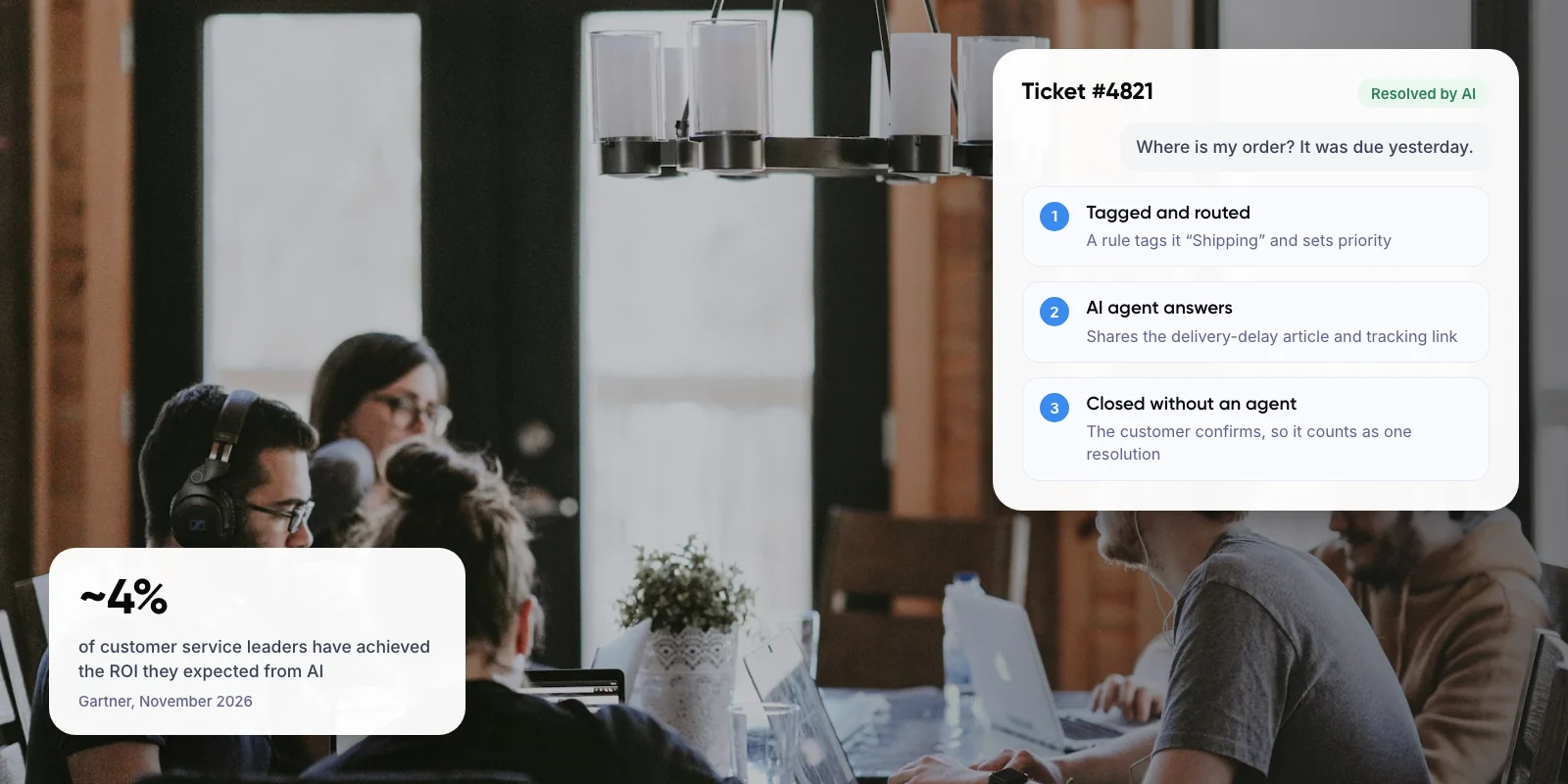
Note: “Resolution” means different things to different vendors. Intercom counts one when the customer confirms the answer helped or leaves without asking for more. Zendesk has billed only verified resolutions since May 2026, checked by an AI model. HubSpot counts a conversation as resolved only if no handoff or negative feedback follows within 72 hours. Read each definition before you compare prices.
3. Which AI Chatbots for Customer Service Are Worth Shortlisting?
We picked six tools that publish their AI pricing and are widely used by support teams. We left out vendors that only quote prices through sales, such as Ada, because you can’t compare them without a sales call.
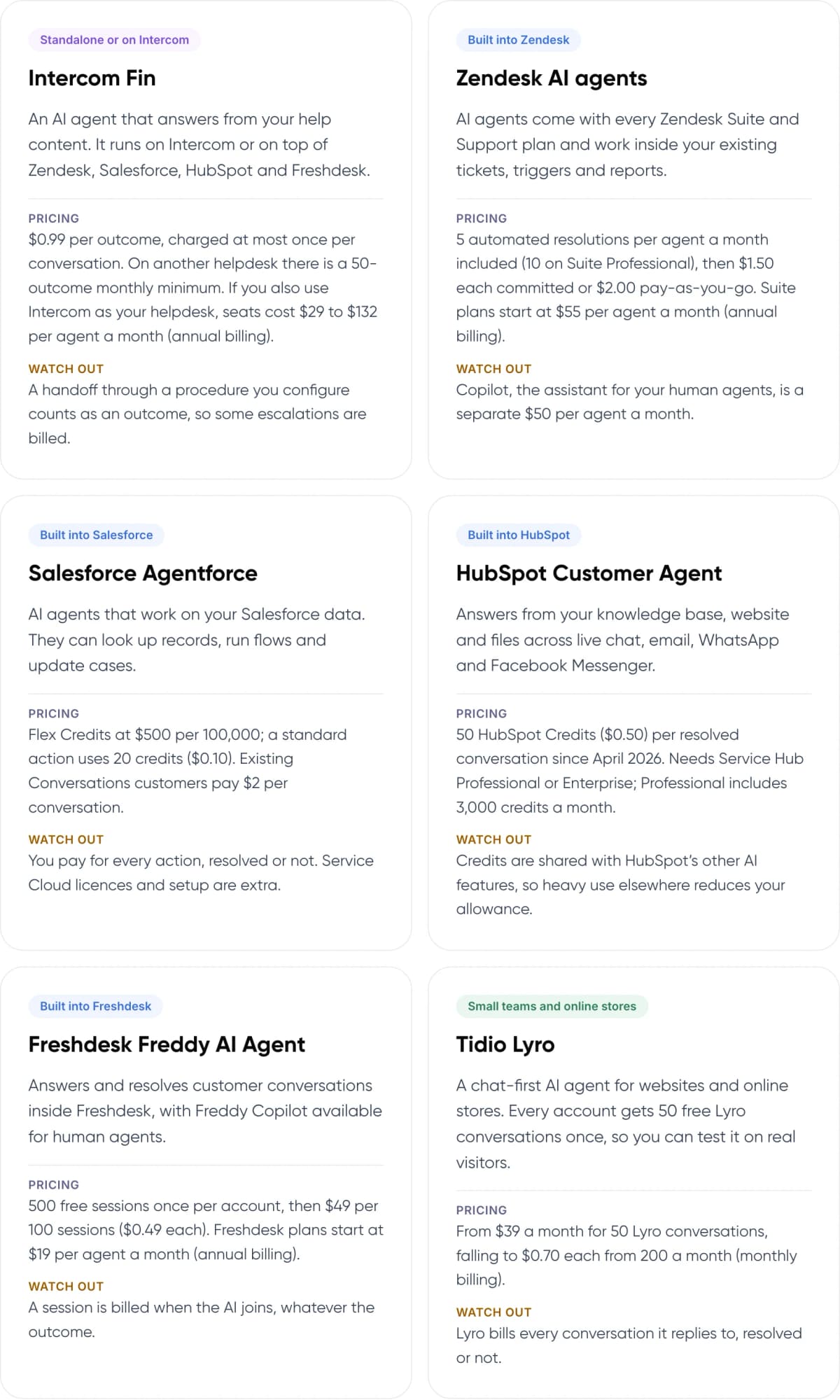
- Intercom Fin (Standalone or on Intercom) — An AI agent that answers from your help content. It runs on Intercom or on top of Zendesk, Salesforce, HubSpot and Freshdesk. Pricing: $0.99 per outcome, charged at most once per conversation. On another helpdesk there is a 50-outcome monthly minimum. If you also use Intercom as your helpdesk, seats cost $29 to $132 per agent a month (annual billing). Watch out: A handoff through a procedure you configure counts as an outcome, so some escalations are billed.
- Zendesk AI agents (Built into Zendesk) — AI agents come with every Zendesk Suite and Support plan and work inside your existing tickets, triggers and reports. Pricing: 5 automated resolutions per agent a month included (10 on Suite Professional), then $1.50 each committed or $2.00 pay-as-you-go. Suite plans start at $55 per agent a month (annual billing). Watch out: Copilot, the assistant for your human agents, is a separate $50 per agent a month.
- Salesforce Agentforce (Built into Salesforce) — AI agents that work on your Salesforce data. They can look up records, run flows and update cases. Pricing: Flex Credits at $500 per 100,000; a standard action uses 20 credits ($0.10). Existing Conversations customers pay $2 per conversation. Watch out: You pay for every action, resolved or not. Service Cloud licences and setup are extra.
- HubSpot Customer Agent (Built into HubSpot) — Answers from your knowledge base, website and files across live chat, email, WhatsApp and Facebook Messenger. Pricing: 50 HubSpot Credits ($0.50) per resolved conversation since April 2026. Needs Service Hub Professional or Enterprise; Professional includes 3,000 credits a month. Watch out: Credits are shared with HubSpot’s other AI features, so heavy use elsewhere reduces your allowance.
- Freshdesk Freddy AI Agent (Built into Freshdesk) — Answers and resolves customer conversations inside Freshdesk, with Freddy Copilot available for human agents. Pricing: 500 free sessions once per account, then $49 per 100 sessions ($0.49 each). Freshdesk plans start at $19 per agent a month (annual billing). Watch out: A session is billed when the AI joins, whatever the outcome.
- Tidio Lyro (Small teams and online stores) — A chat-first AI agent for websites and online stores. Every account gets 50 free Lyro conversations once, so you can test it on real visitors. Pricing: From $39 a month for 50 Lyro conversations, falling to $0.70 each from 200 a month (monthly billing). Watch out: Lyro bills every conversation it replies to, resolved or not.
Sources: each vendor’s pricing page (linked on each card), US list prices as of November 2026.
4. How Do the Pricing Models Compare?
Each vendor bills for AI in a different unit. Some charge only when the AI resolves an issue. Others charge every time the AI joins a conversation or takes an action, whatever the result.
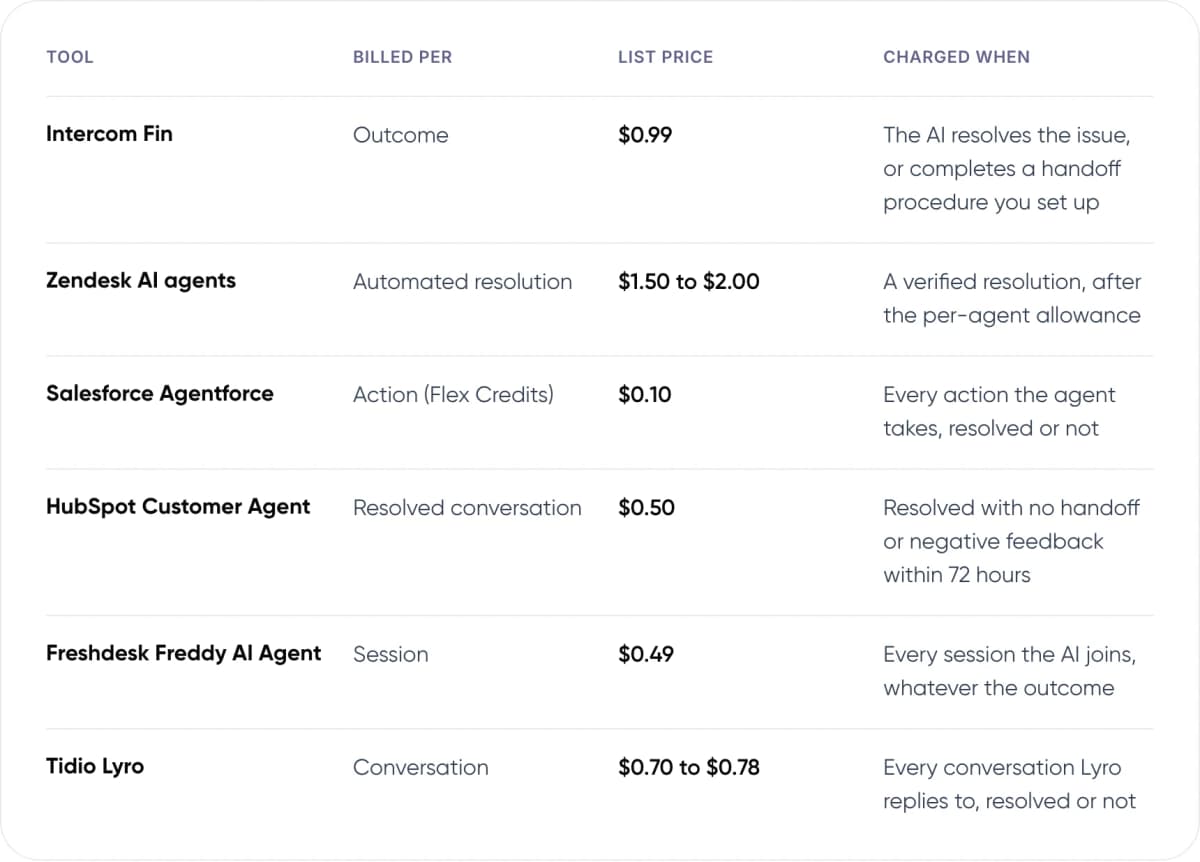
- Intercom Fin — Billed per: Outcome. List price: $0.99. Charged when: The AI resolves the issue, or completes a handoff procedure you set up.
- Zendesk AI agents — Billed per: Automated resolution. List price: $1.50 to $2.00. Charged when: A verified resolution, after the per-agent allowance.
- Salesforce Agentforce — Billed per: Action (Flex Credits). List price: $0.10. Charged when: Every action the agent takes, resolved or not.
- HubSpot Customer Agent — Billed per: Resolved conversation. List price: $0.50. Charged when: Resolved with no handoff or negative feedback within 72 hours.
- Freshdesk Freddy AI Agent — Billed per: Session. List price: $0.49. Charged when: Every session the AI joins, whatever the outcome.
- Tidio Lyro — Billed per: Conversation. List price: $0.70 to $0.78. Charged when: Every conversation Lyro replies to, resolved or not.
Sources: vendor pricing pages, US list prices as of November 2026. Excludes tax, discounts and helpdesk seat fees.
What do 1,000 AI conversations a month cost?
To put the units side by side, we priced one scenario. It assumes 1,000 AI conversations a month, ~60% of them resolved by the AI, and four actions per Agentforce conversation. Seat fees and free allowances are left out.
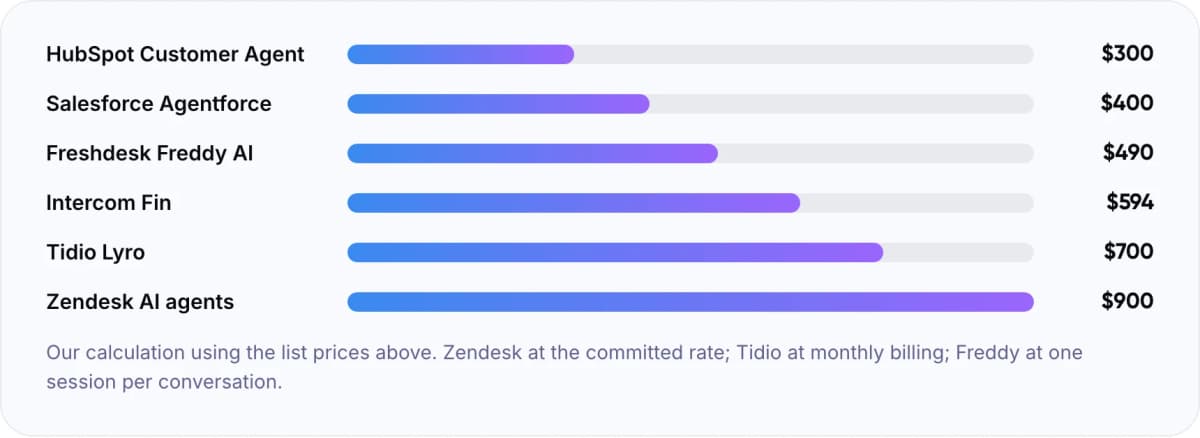
- HubSpot Customer Agent: $300
- Salesforce Agentforce: $400
- Freshdesk Freddy AI: $490
- Intercom Fin: $594
- Tidio Lyro: $700
- Zendesk AI agents: $900
Our calculation using the list prices above. Zendesk at the committed rate; Tidio at monthly billing; Freddy at one session per conversation.
In our view, the per-conversation rate is rarely the cost that decides the project. The plan tier needed to unlock the AI agent, seat fees and the time spent fixing help content usually add up to more. A low rate on a helpdesk you would have to migrate to can still cost more overall.
Not sure which chatbot fits your stack? We can review your helpdesk setup and ticket volume with you.
5. Which Chatbot Fits Your Setup? Our Verdict
This is our view, based on how each tool bills and where it runs. Your own ticket mix and test results should decide the final pick.
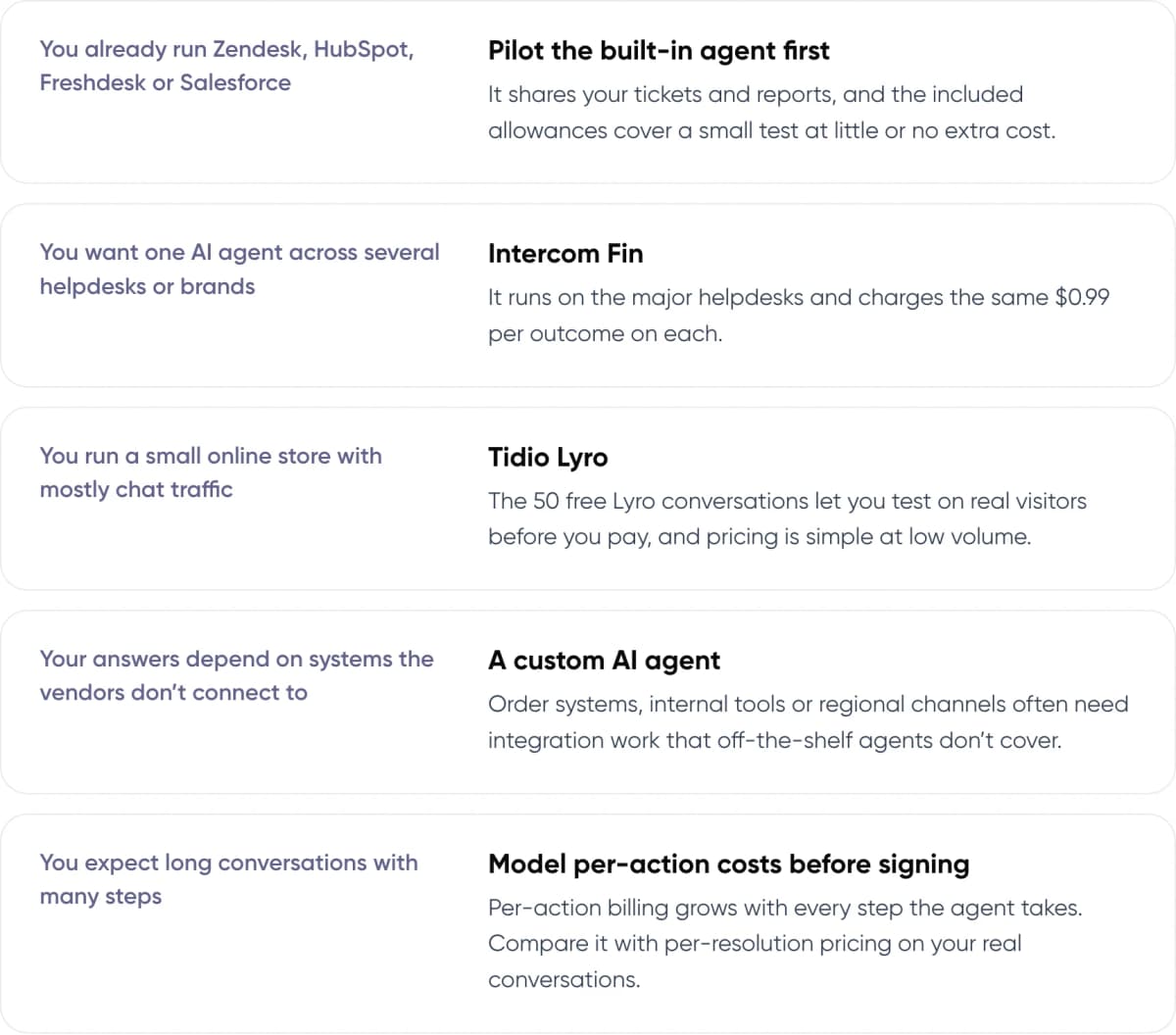
- You already run Zendesk, HubSpot, Freshdesk or Salesforce: Pilot the built-in agent first — It shares your tickets and reports, and the included allowances cover a small test at little or no extra cost.
- You want one AI agent across several helpdesks or brands: Intercom Fin — It runs on the major helpdesks and charges the same $0.99 per outcome on each.
- You run a small online store with mostly chat traffic: Tidio Lyro — The 50 free Lyro conversations let you test on real visitors before you pay, and pricing is simple at low volume.
- Your answers depend on systems the vendors don’t connect to: A custom AI agent — Order systems, internal tools or regional channels often need integration work that off-the-shelf agents don’t cover.
- You expect long conversations with many steps: Model per-action costs before signing — Per-action billing grows with every step the agent takes. Compare it with per-resolution pricing on your real conversations.
6. What Goes Wrong With Customer Service Chatbots?
The common failures have little to do with which vendor you pick. They come from wrong answers and from customers who can’t reach a person. In Gartner’s 2024 survey of 5,728 customers, ~64% said they would prefer companies didn’t use AI for customer service. Their top worry was that it would be harder to reach a human.
Example · Klarna (Company release, 2024; CEO interview, 2025)
February 2024: Klarna said its AI assistant handled 2.3 million conversations in its first month, two-thirds of its customer service chats.
May 2025: CEO Sebastian Siemiatkowski told Bloomberg that focusing on cost had lowered quality, and that customers should always be able to reach a person.
Warning: You are responsible for what your chatbot tells customers. In Moffatt v. Air Canada (2024), a British Columbia tribunal held the airline liable after its website chatbot gave a customer wrong information about bereavement fares. Whichever tool you choose, limit it to approved content and send policy exceptions to a person.
Good handoff design matters more than the vendor logo. Our guide to chatbot handoff and context transfer covers how to pass the conversation to an agent without making the customer repeat themselves.
7. How to Choose an AI Chatbot for Customer Support in 6 Steps
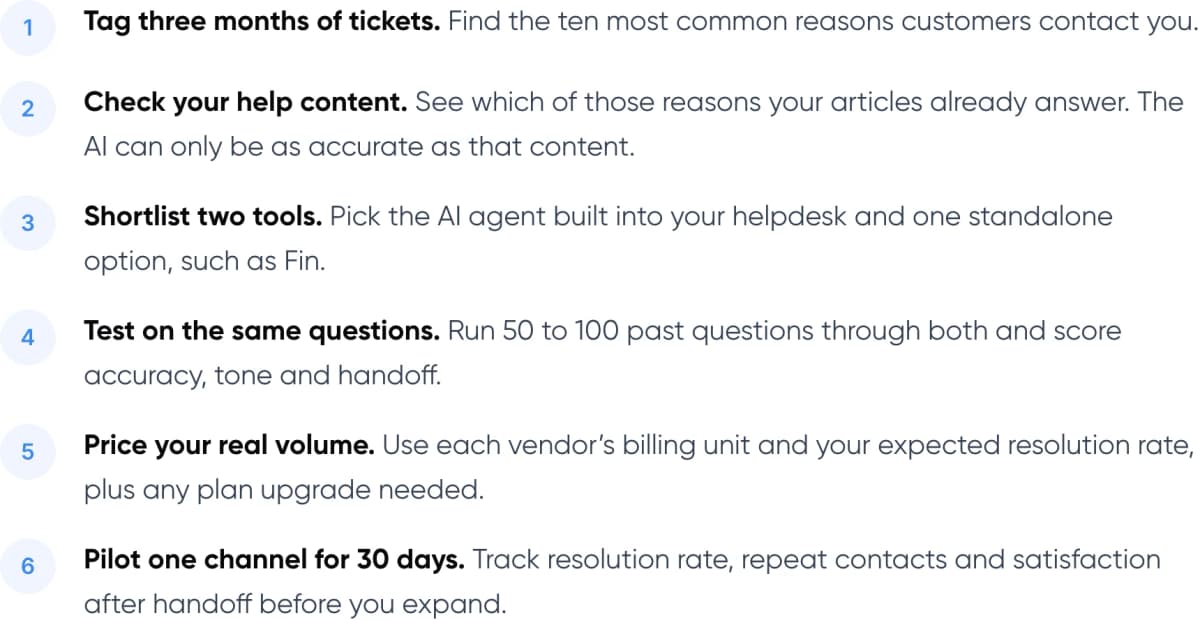
- Tag three months of tickets. Find the ten most common reasons customers contact you.
- Check your help content. See which of those reasons your articles already answer. The AI can only be as accurate as that content.
- Shortlist two tools. Pick the AI agent built into your helpdesk and one standalone option, such as Fin.
- Test on the same questions. Run 50 to 100 past questions through both and score accuracy, tone and handoff.
- Price your real volume. Use each vendor’s billing unit and your expected resolution rate, plus any plan upgrade needed.
- Pilot one channel for 30 days. Track resolution rate, repeat contacts and satisfaction after handoff before you expand.
Tip: During the trial, ask each vendor for a list of the conversations it counted as billable. It shows how their definition of “resolved” works on your real traffic.
New to the topic? Start with what customer support automation is and how it works.
8. Frequently Asked Questions
What is the best AI chatbot for customer service?
There is no single best tool. For most teams it is the AI agent built into their helpdesk, such as Zendesk AI agents, HubSpot Customer Agent or Freddy AI. Intercom Fin suits teams that want one agent across helpdesks, and Tidio Lyro suits small online stores.
How much does an AI customer service chatbot cost?
List prices in November 2026 range from $0.50 per resolved conversation on HubSpot to $2.00 per automated resolution on Zendesk pay-as-you-go. Most tools also need a paid helpdesk plan. In our worked example, 1,000 AI conversations a month cost about $300 to $900 before seat fees.
What is the difference between a chatbot and an AI agent?
Older chatbots follow scripted decision trees and break when a question doesn’t fit. An AI agent uses a large language model to understand free-text questions, answer from your help content and, where you allow it, take actions such as checking an order or updating an address.
Can an AI chatbot replace human support agents?
Not fully. Gartner predicted in 2025 that by 2029 agentic AI will resolve ~80% of common service issues without human help. That still leaves complex and sensitive cases with people, and ~87% of customers in Gartner’s 2026 survey say a route to a person is essential.
Is there a customer service chatbot example I can learn from?
Klarna is well documented. Its AI assistant handled 2.3 million conversations in its first month in 2024. In 2025 its CEO said a focus on cost had lowered quality and that customers should always be able to reach a person. Klarna still uses the assistant alongside human support.
9. Conclusion
The best AI chatbot for customer service is the one that fits your helpdesk, has pricing you can predict and passes customers to a person smoothly. Start with the AI agent built into your current helpdesk. Test it against one standalone option on your own past tickets, then price both at your real volume.
Our service · AI Customer Support Automation: AI agents and handoff flows set up on your current helpdesk, or built custom where off-the-shelf tools fall short. See the service →
Free savings report · AI ROI Calculator: Enter your monthly ticket volume and cost per ticket to estimate what an AI chatbot could save. Get your savings estimate →
Want help choosing, setting up or building a chatbot? Our AI customer support automation service sets up AI agents on your current helpdesk, or builds custom ones that connect to your own systems. For an example of our work, see the Paymate case study.
Author