Where Intercom Fin and Zendesk AI Fall Short on Complex Support Workflows
Intercom AI (Fin) and Zendesk AI agents can both run multi-step workflows in 2026. Both can call your systems and follow written business rules. They fall short when a workflow needs several systems at once, slow or large API responses, human sign-off, or billing you can predict.
This guide shows where each tool stops, using each vendor’s own documentation, and how to test your hardest workflows before you commit.
1. Where Do Intercom AI and Zendesk AI Fall Short?
Simple questions are no longer the problem. Both tools answer from your help centre and can look up an order. The gaps show up in workflows that touch several systems, need a judgment call or must finish inside strict technical limits.
Key takeaways
- Both tools now run multi-step workflows: Fin through Procedures, Zendesk through generative procedures included in every plan since May 2026.
- Fin runs actions one at a time and cannot query several systems in parallel, according to its own documentation.
- Zendesk custom actions time out after 10 seconds, return at most 2MB and are capped at 100 per account.
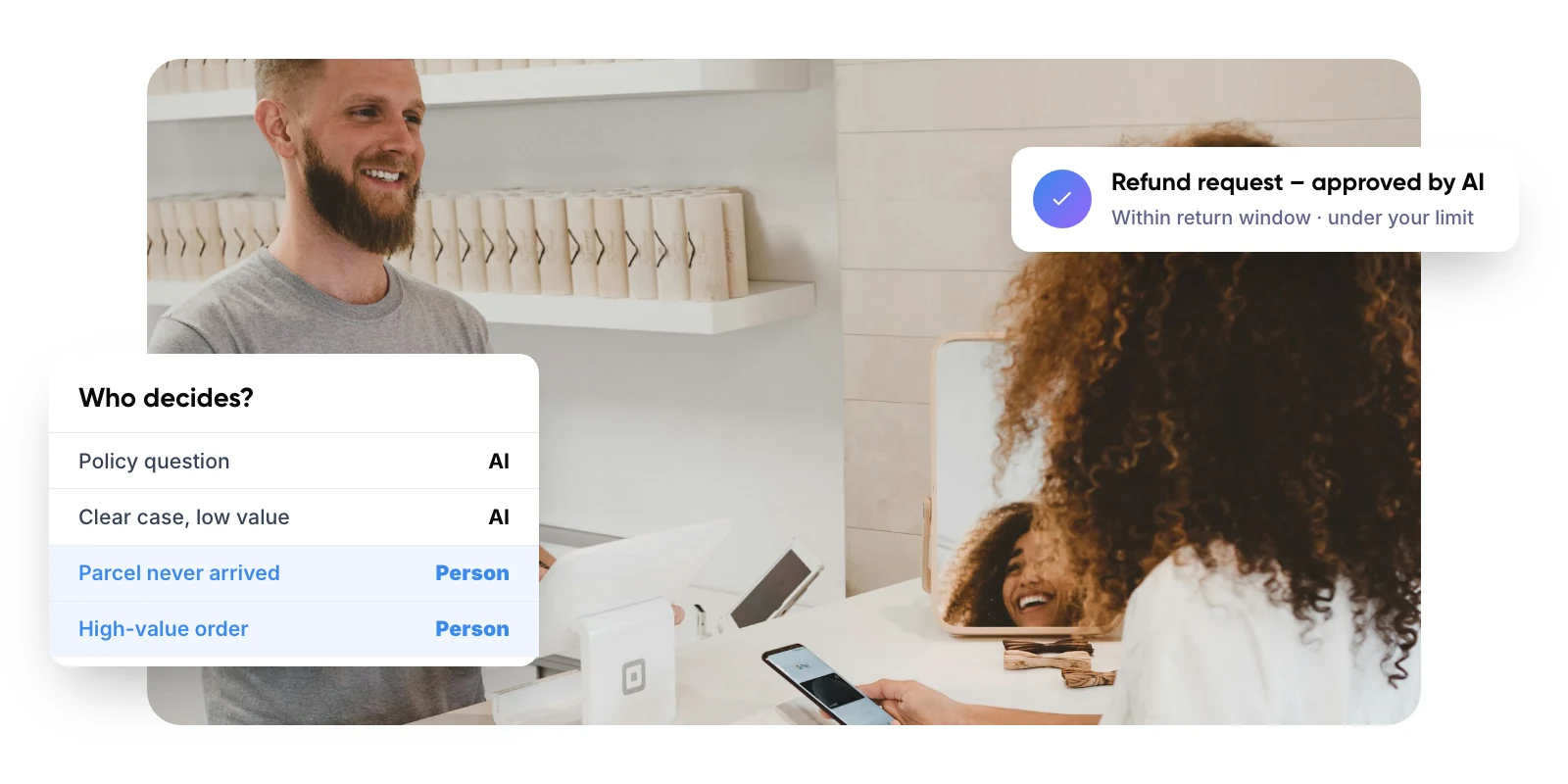
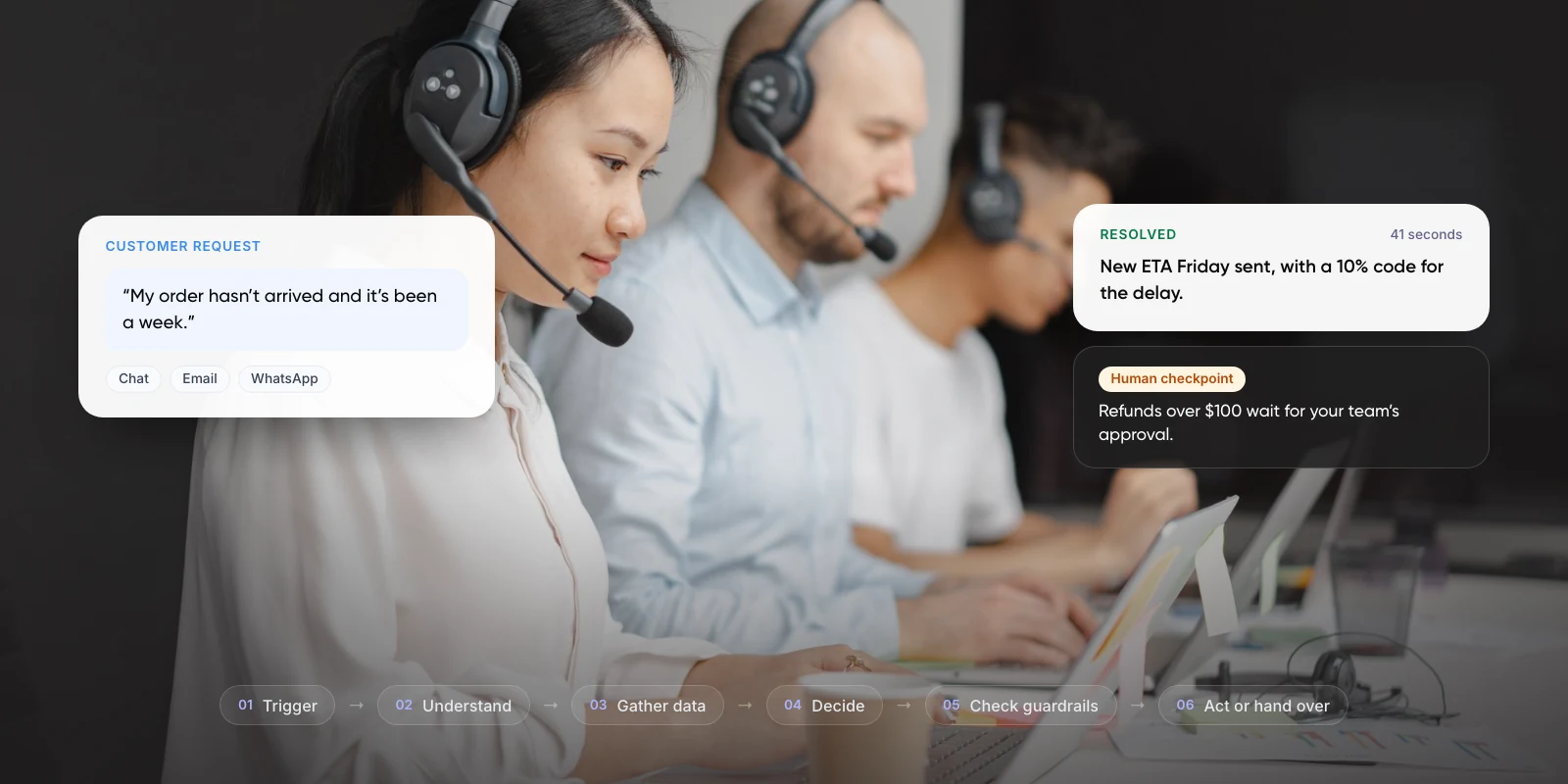
- Approvals for sensitive decisions, such as large refunds, still usually need a person in both tools.
- Billing differs: Fin charges $0.99 per outcome, including configured handoffs. Zendesk charges $1.50 to $2.00 per automated resolution beyond your plan allowance.
2. What Counts as a Complex Support Workflow?
A complex workflow is one where the answer is an action, not a paragraph of text. The AI has to collect details, check them against your records, apply a policy and change something in another system.
Definition: A procedure is a set of plain-language instructions the AI follows step by step. Both Intercom and Zendesk now use this word. An API integration (or data connector) is a link that lets the AI read or write data in another system, such as Shopify or Stripe.
Intercom makes the same point in its own writing. It says complex queries are a small share of the queue but take up a large share of team time (Intercom, 2026). Typical examples are damaged-order claims, identity checks, account troubleshooting and refunds that need approval.
3. How Do Intercom Fin and Zendesk AI Agents Handle Multi-Step Work?
Intercom handles multi-step work with Fin Procedures. You write instructions in plain language and add if/else branches and code snippets where rules must be exact. Zendesk uses generative procedures, which you describe as business policy. Since May 2026, these come with every Suite and Support plan.
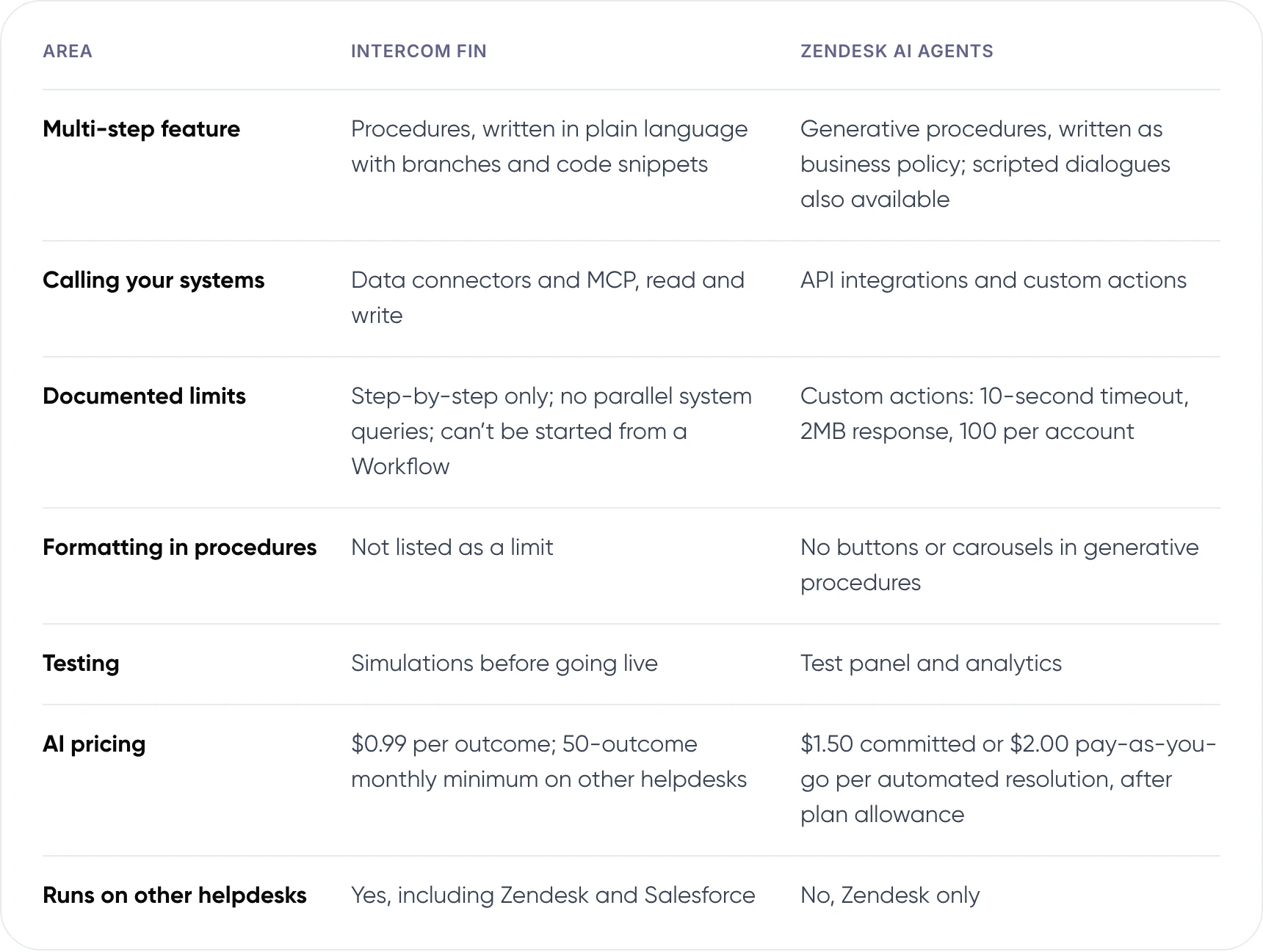
- Multi-step feature — Intercom Fin: Procedures, written in plain language with branches and code snippets. Zendesk AI agents: Generative procedures, written as business policy; scripted dialogues also available.
- Calling your systems — Intercom Fin: Data connectors and MCP, read and write. Zendesk AI agents: API integrations and custom actions.
- Documented limits — Intercom Fin: Step-by-step only; no parallel system queries; can’t be started from a Workflow. Zendesk AI agents: Custom actions: 10-second timeout, 2MB response, 100 per account.
- Formatting in procedures — Intercom Fin: Not listed as a limit. Zendesk AI agents: No buttons or carousels in generative procedures.
- Testing — Intercom Fin: Simulations before going live. Zendesk AI agents: Test panel and analytics.
- AI pricing — Intercom Fin: $0.99 per outcome; 50-outcome monthly minimum on other helpdesks. Zendesk AI agents: $1.50 committed or $2.00 pay-as-you-go per automated resolution, after plan allowance.
- Runs on other helpdesks — Intercom Fin: Yes, including Zendesk and Salesforce. Zendesk AI agents: No, Zendesk only.
Sources: Intercom and Fin help centre articles; Zendesk help centre articles and pricing page, read November 2026.
4. Where Does Intercom Fin Fall Short?
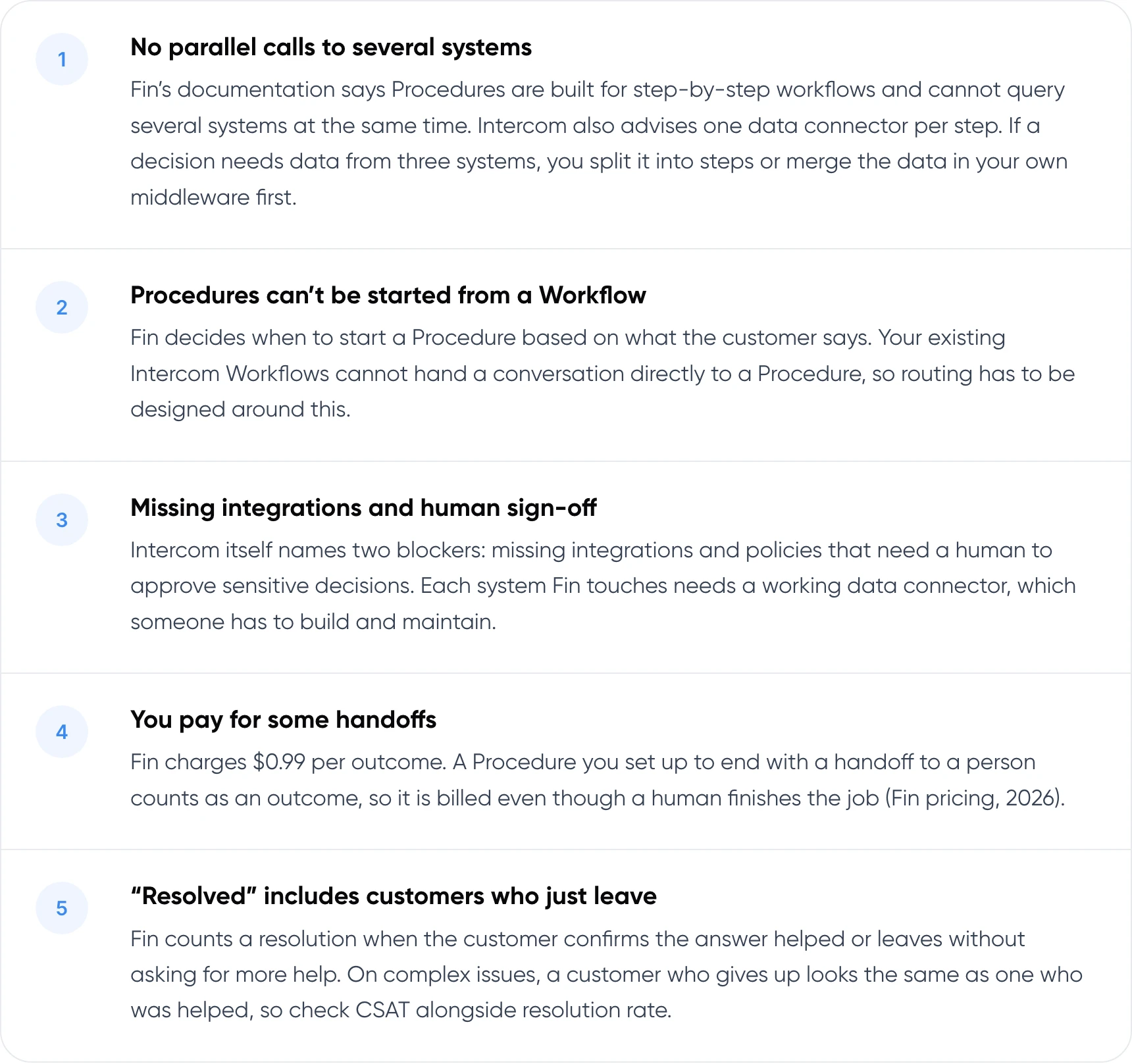
- No parallel calls to several systems Fin’s documentation says Procedures are built for step-by-step workflows and cannot query several systems at the same time. Intercom also advises one data connector per step. If a decision needs data from three systems, you split it into steps or merge the data in your own middleware first.
- Procedures can’t be started from a Workflow Fin decides when to start a Procedure based on what the customer says. Your existing Intercom Workflows cannot hand a conversation directly to a Procedure, so routing has to be designed around this.
- Missing integrations and human sign-off Intercom itself names two blockers: missing integrations and policies that need a human to approve sensitive decisions. Each system Fin touches needs a working data connector, which someone has to build and maintain.
- You pay for some handoffs Fin charges $0.99 per outcome. A Procedure you set up to end with a handoff to a person counts as an outcome, so it is billed even though a human finishes the job (Fin pricing, 2026).
- “Resolved” includes customers who just leave Fin counts a resolution when the customer confirms the answer helped or leaves without asking for more help. On complex issues, a customer who gives up looks the same as one who was helped, so check CSAT alongside resolution rate.
To be fair to Fin, Procedures do help. Intercom ran a test where Procedures were switched off for a random 5% of eligible conversations. Customer satisfaction (CSAT) was 28.93% higher when Procedures ran (Intercom, 2026). This is Intercom’s own test, not an independent one.
5. Where Does Zendesk AI Fall Short?
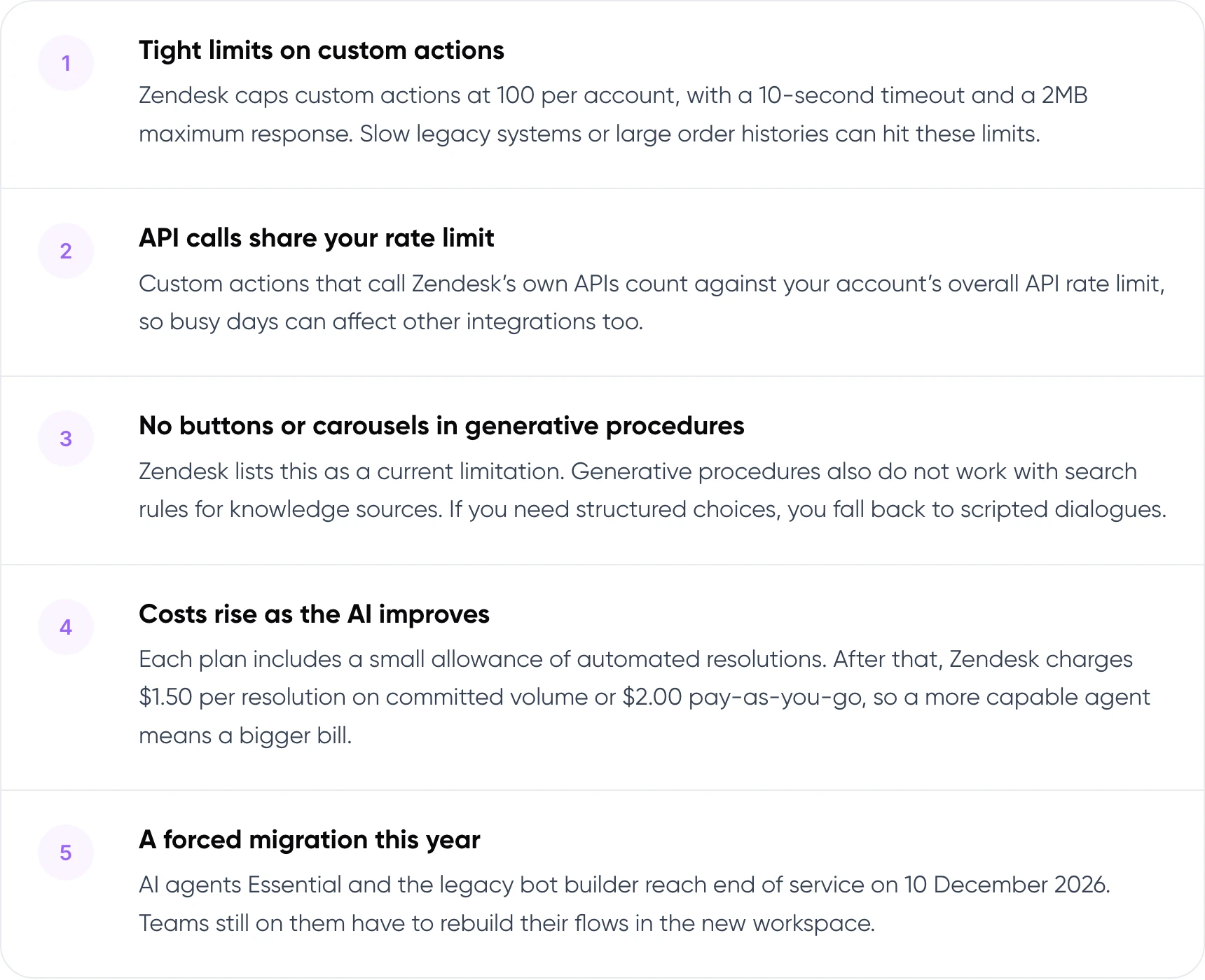
- Tight limits on custom actions Zendesk caps custom actions at 100 per account, with a 10-second timeout and a 2MB maximum response. Slow legacy systems or large order histories can hit these limits.
- API calls share your rate limit Custom actions that call Zendesk’s own APIs count against your account’s overall API rate limit, so busy days can affect other integrations too.
- No buttons or carousels in generative procedures Zendesk lists this as a current limitation. Generative procedures also do not work with search rules for knowledge sources. If you need structured choices, you fall back to scripted dialogues.
- Costs rise as the AI improves Each plan includes a small allowance of automated resolutions. After that, Zendesk charges $1.50 per resolution on committed volume or $2.00 pay-as-you-go, so a more capable agent means a bigger bill.
- A forced migration this year AI agents Essential and the legacy bot builder reach end of service on 10 December 2026. Teams still on them have to rebuild their flows in the new workspace.
Warning: Zendesk says AI agents Essential, the bot builder, answers and intents will stop working on 10 December 2026 (Zendesk, 2026). If your flows still run there, rebuild them in the new AI agents workspace first. It is a good moment to decide which workflows belong in Zendesk at all.
6. Example: A Damaged-Order Refund Across Three Systems
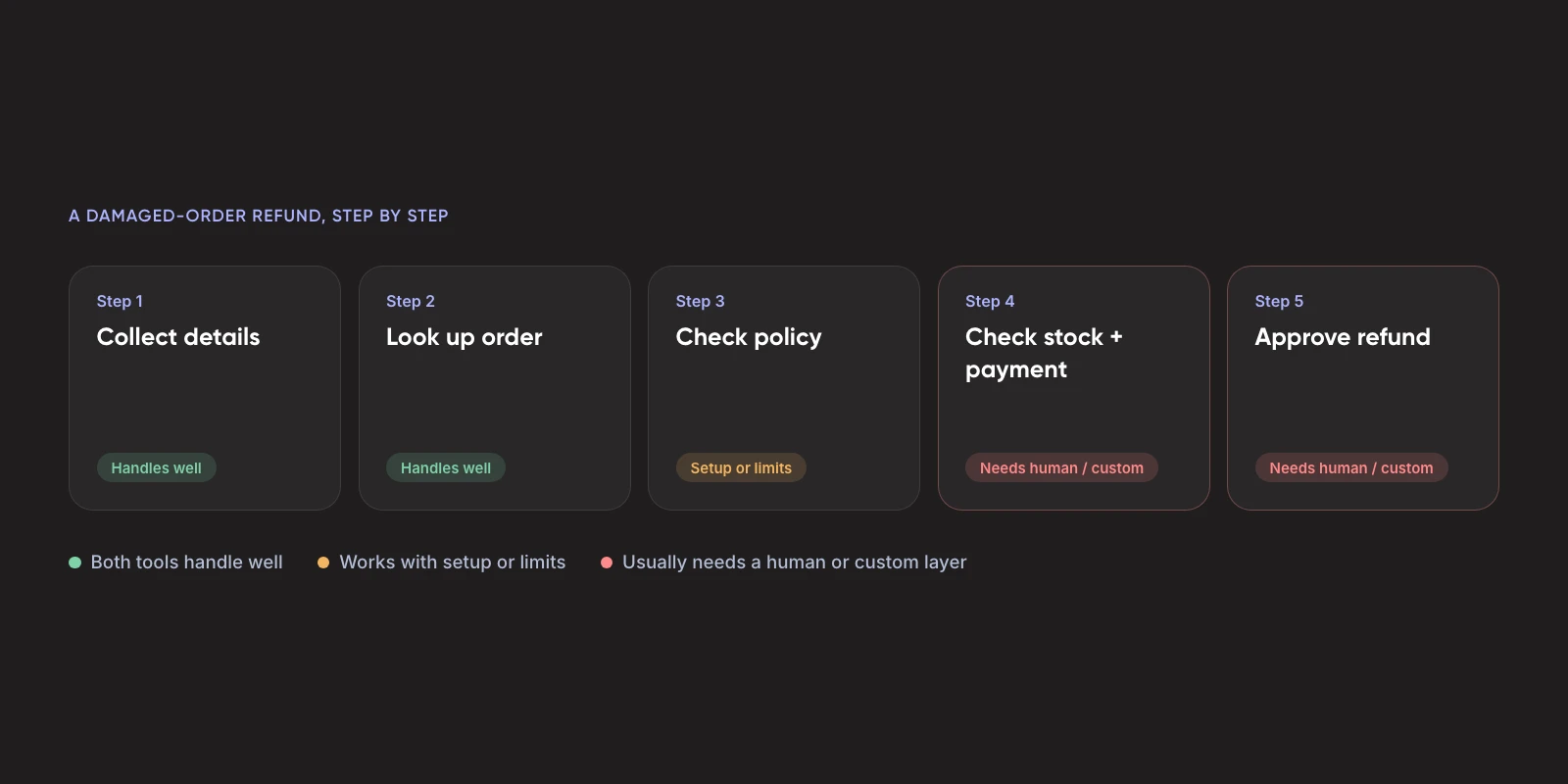
Take an online store that runs Shopify for orders, Stripe for payments and a separate warehouse system for returns. A customer writes in with a photo of a broken item and asks for a refund. This is our illustration of how each step maps to the documented features, not a test result.
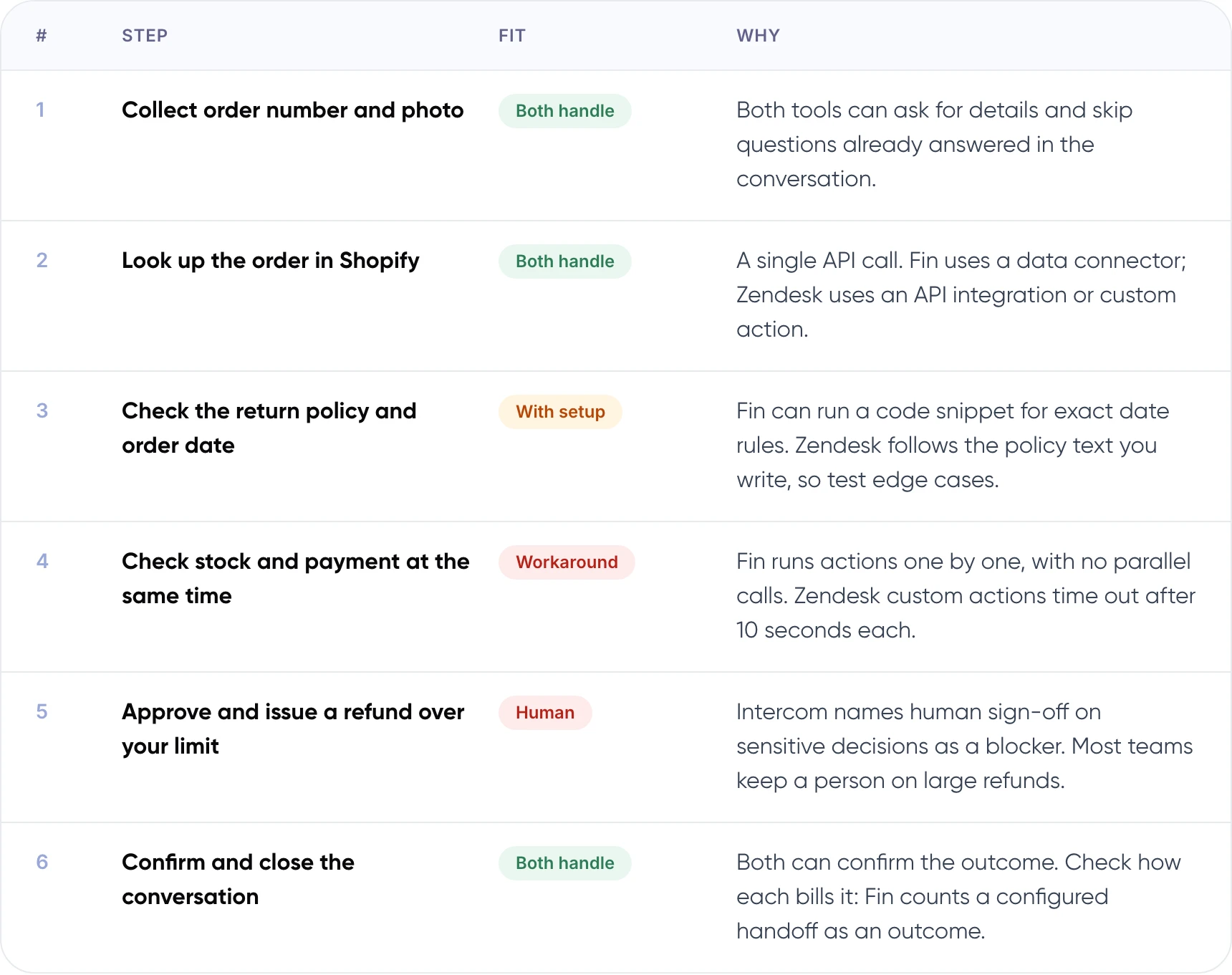
- Collect order number and photo — Fit: Both handle. Why: Both tools can ask for details and skip questions already answered in the conversation.
- Look up the order in Shopify — Fit: Both handle. Why: A single API call. Fin uses a data connector; Zendesk uses an API integration or custom action.
- Check the return policy and order date — Fit: With setup. Why: Fin can run a code snippet for exact date rules. Zendesk follows the policy text you write, so test edge cases.
- Check stock and payment at the same time — Fit: Workaround. Why: Fin runs actions one by one, with no parallel calls. Zendesk custom actions time out after 10 seconds each.
- Approve and issue a refund over your limit — Fit: Human. Why: Intercom names human sign-off on sensitive decisions as a blocker. Most teams keep a person on large refunds.
- Confirm and close the conversation — Fit: Both handle. Why: Both can confirm the outcome. Check how each bills it: Fin counts a configured handoff as an outcome.
In our view, the right design here is a hybrid. Let the AI handle steps 1 to 3 and 6, and send the approval and refund to a person with the case already prepared. Our guide to chatbot handoff with context transfer covers how to pass that context cleanly.
7. How Do You Test Your Hardest Workflows Before You Commit? 6 Steps
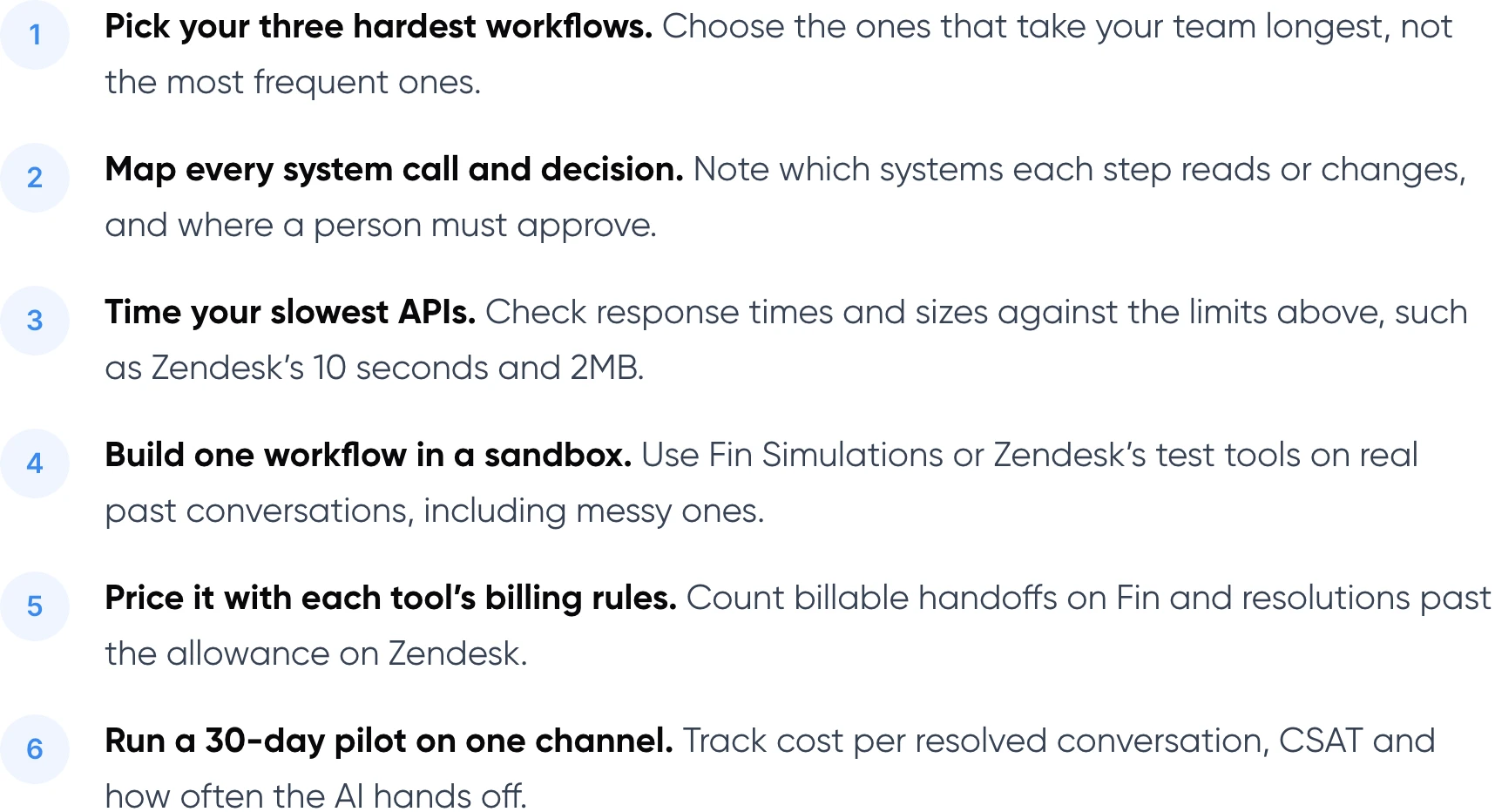
- Pick your three hardest workflows. Choose the ones that take your team longest, not the most frequent ones.
- Map every system call and decision. Note which systems each step reads or changes, and where a person must approve.
- Time your slowest APIs. Check response times and sizes against the limits above, such as Zendesk’s 10 seconds and 2MB.
- Build one workflow in a sandbox. Use Fin Simulations or Zendesk’s test tools on real past conversations, including messy ones.
- Price it with each tool’s billing rules. Count billable handoffs on Fin and resolutions past the allowance on Zendesk.
- Run a 30-day pilot on one channel. Track cost per resolved conversation, CSAT and how often the AI hands off.
Tip: Time your slowest API call before you build anything. If it regularly takes more than a few seconds, it may fail inside a Zendesk custom action, which times out after 10 seconds.
8. When Should You Add a Custom AI Layer?
For most teams, the built-in AI agent is the right place to start. It is cheaper to launch, and your human agents already work in that helpdesk. We would look at a custom layer only when one of these is true:
- A workflow needs live data from several systems merged into one decision.
- Your key systems are slow or return large responses that exceed helpdesk limits.
- You need the same logic across Intercom, Zendesk, WhatsApp and voice.
- Per-outcome or per-resolution fees at your volume cost more than a fixed build.
A custom layer does not have to replace Fin or Zendesk. Often it is a small service that gathers data from several systems and hands one clean result to the helpdesk AI. Intercom suggests this itself for parallel data needs.
Have a workflow your helpdesk AI can’t finish? We can map where it breaks.
9. Frequently Asked Questions
Can Intercom AI handle complex, multi-step workflows?
Yes, through Fin Procedures. You write steps in plain language, add branches and code for strict rules, and connect your systems with data connectors. Fin’s documentation says actions run one at a time with no parallel system queries, so workflows that merge data from several systems may need extra work.
What are the limits of Zendesk AI agents?
Zendesk custom actions time out after 10 seconds, return at most 2MB and are capped at 100 per account. Generative procedures do not support buttons, carousels or search rules. AI agents Essential and the legacy bot builder stop working on 10 December 2026.
Is Intercom Fin better than Zendesk AI for complex workflows?
In our view, Fin gives you more precise control, because Procedures support code snippets and Simulations. Zendesk is simpler if your team already lives in Zendesk. Fin can also run on top of Zendesk, so you do not have to switch helpdesks to try it.
How much do Intercom Fin and Zendesk AI cost?
Fin costs $0.99 per outcome, including configured procedure handoffs, with a 50-outcome monthly minimum on other helpdesks. Zendesk includes a small allowance of automated resolutions, then charges $1.50 each on committed volume or $2.00 pay-as-you-go, on top of seats.
When should I build a custom AI agent instead?
Consider it when a workflow needs several systems at once, your APIs exceed helpdesk limits, or you need the same logic across channels. A custom layer can work alongside Fin or Zendesk rather than replacing them, which keeps your agents in the helpdesk they know.
10. Conclusion
Intercom AI and Zendesk AI agents now handle far more than FAQs, but complex workflows still break at the same points: several systems at once, slow APIs, approvals and costs that are hard to predict. Before you choose, take your three hardest workflows, map every system call and approval, and test them in a 30-day pilot.
If you want a second opinion, our AI customer support automation service helps teams set up Fin or Zendesk AI, connect them to business systems, and build the custom pieces where these tools stop.
Our service
AI Customer Support Automation
Planning, setup and custom AI agents across chat, email, WhatsApp and voice, connected to your helpdesk.
Author