The Hidden Costs of AI Customer Support Tools: Add-Ons, Overages and What the Pricing Page Doesn’t Say
The price per seat is usually the smallest part of what AI customer support software costs. Most of the bill comes from AI usage fees, add-ons, channel charges and minimum commitments.
This guide explains each of these costs, shows how the main vendors charge for AI and lists the questions to ask before you sign.
1. What Does AI Customer Support Software Really Cost?
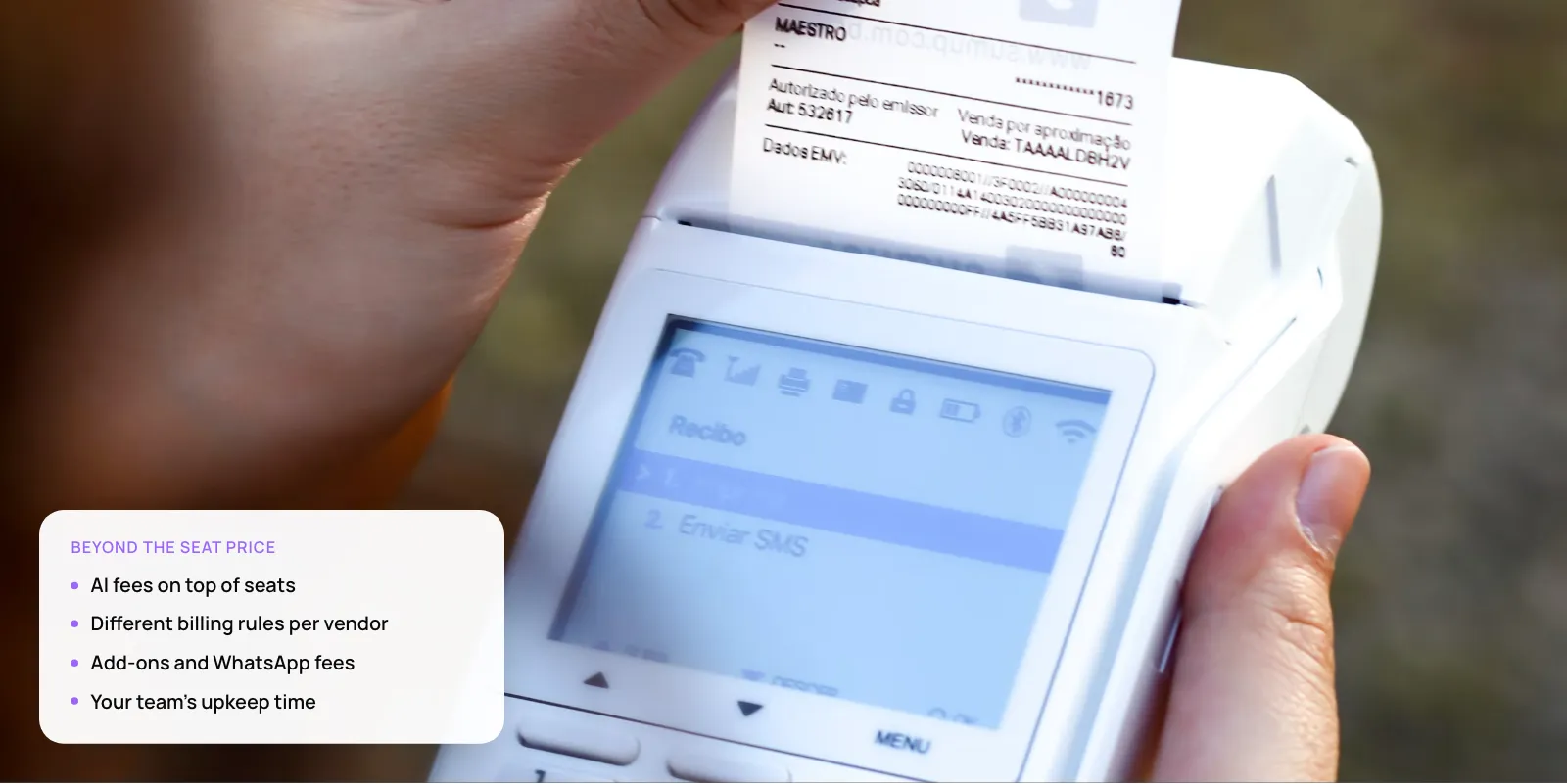
Most AI support tools now send two bills: one for your team and one for the AI. The team bill stays the same each month. The AI bill goes up and down with how many customers the AI handles.
Key takeaways
- Budget for the AI fee first. Once the AI handles a few hundred chats a month, it usually costs more than your seats.
- Check what each vendor counts as a paid “resolution”. On some, a customer who stops replying still counts.
- Since 1 October 2026, WhatsApp charges for replies after the first 1,000 a month. This is a separate bill from your support tool.
- Your biggest hidden cost is time. The AI is only as good as your help articles, and someone has to keep them up to date.
- Seats: What it is: Monthly fee per human agent; Example (2026 list prices): Intercom Essential $29/seat; Zendesk Suite Team $55/agent (annual); Why it surprises teams: Paying monthly costs more than the annual price shown
- AI usage: What it is: A fee each time the AI handles a question; Example (2026 list prices): Intercom Fin $0.99/outcome; Zendesk ~$1.50–$2.00/resolution; Agentforce $2/conversation; Why it surprises teams: Grows with volume; each vendor counts differently
- AI add-ons: What it is: Tools that help your agents, sold separately; Example (2026 list prices): Intercom Copilot $29 per teammate a month; Why it surprises teams: Often needed to get full value from the AI
- Minimums: What it is: A minimum you pay every month; Example (2026 list prices): Fin on another help desk: 50-outcome minimum ($49.50); Why it surprises teams: You pay even in a quiet month
- Channels: What it is: Message and call fees from WhatsApp, SMS and phone; Example (2026 list prices): Meta per-message WhatsApp rates from Oct 2026; Why it surprises teams: Comes on a separate bill
- Internal work: What it is: Your team’s time on setup and upkeep; Example (2026 list prices): —; Why it surprises teams: Never on the invoice
AI costs are also expected to rise. Gartner predicted in January 2026 that by 2030, each AI-resolved ticket will cost more than $3. That is more than many offshore human agents cost. It is a forecast, but it is a good reason to treat today’s prices as the lowest you will see.
2. How Do Vendors Decide What Counts as a Billable Resolution?
This is the cost that surprises teams most. Two vendors can both say “pay per resolution” and still bill very different amounts, because each one decides what counts as a resolution.
- Intercom Fin: $0.99 per outcome. Charged when: the customer says the issue is solved, stops asking for help, or Fin completes a set task, including passing the chat on. Watch: a customer who stops replying still counts. You pay at most once per chat.
- Zendesk: ~$1.50–$2.00. Charged when: the AI handles the request alone and the customer doesn’t reply for 72 hours. Watch: a few free per agent; billing continues past your limit unless you turn it off.
- Salesforce Agentforce: $2 or $0.10/action. Charged when: each chat, or each action the AI takes, depending on your plan. Watch: the more steps per chat, the more you pay.
- Freshdesk: Per session. Charged when: the AI joins a chat, even if it doesn’t solve it. Watch: you pay when the AI fails too.
Intercom’s own pricing page explains when it charges. One rule bills you when a customer stops replying. That is fair if they got their answer, but not if they gave up. Track how many resolutions customers actually confirm, not only how many you pay for.
Zendesk does not publish its prices for extra AI resolutions. Independent 2026 analyses put them at about $1.50 each if you commit in advance, or $2.00 if you pay as you go. Each agent seat includes a few free ones.
Warning: Zendesk keeps billing past your limit unless you turn on “Don’t allow overage”. With it on, the AI stops at the limit and new requests go to your team.
Our view: paying per resolution is still the fairest model, because you only pay when the AI helps. Just ask the vendor to put its definition of a resolution in writing before you sign.
3. Which Add-Ons and Minimums Push the Bill Up?
The AI that answers customers is often only one product. Tools that help your own agents, such as reply drafts and ticket summaries, are usually sold separately.
At Intercom, 2026 pricing analyses put its agent helper, Copilot, at $29 per agent a month. For ten agents, that is $290 a month on top of everything else.
Minimums are the other trap. If you use Intercom’s AI with a different help desk, you pay for at least 50 resolutions a month. Prepaid resolutions often expire: buy 500, use 300, and you lose the other 200.
Have a quote in hand? Send it to us and we’ll check the real monthly cost. Book a free AI consultation
4. What Are the Channel Fees Nobody Mentions?
Your support tool is not the only thing that bills you. WhatsApp, SMS and phone providers charge separately for messages and calls.
From 1 October 2026, Meta started charging for every WhatsApp reply a business sends to a customer. These replies had been free since November 2024. Twilio’s notice says the first 1,000 replies each month, per business number, are still free.
AI agents feel this most, because they often send several short messages where a person would send one. In India and the UAE, where most support happens on WhatsApp, work out this cost before you launch.
Tip: Ask your vendor to send one complete reply instead of several short ones. The customer gets the same answer and you pay for fewer messages.
5. What Internal Costs Come With an AI Agent?
These costs never appear on an invoice, but they decide whether the AI is worth it.
- Knowledge-base clean-up. The AI answers from your help articles, so outdated ones lead to wrong answers.
- Integration work. To check orders or process refunds, the AI needs access to your systems.
- Transcript review. Someone needs to read a sample of AI chats every week.
- Escalation handling. Chats the AI passes on still need a person to finish them.
- Admin time. Updating settings and watching usage so the bill doesn’t surprise you.
Our guide to stopping a support chatbot from giving wrong answers explains how to keep the AI accurate.
6. Worked Example: One Team, One Month
Here is one month for the same team on two platforms: ten agents, annual plans, and 1,000 customer questions resolved by AI. Prices are 2026 list prices, without tax, channel fees or discounts.
- Seats (10 agents): Intercom Essential + Fin: 10 × $29 = $290; Zendesk Suite Team + AI: 10 × $55 = $550
- Included AI allowance: Intercom Essential + Fin: None; Zendesk Suite Team + AI: ~50 resolutions
- Billable AI resolutions: Intercom Essential + Fin: 1,000 × $0.99 = $990; Zendesk Suite Team + AI: ~950 × $1.50 = ~$1,425
- Agent-assist add-on: Intercom Essential + Fin: Copilot: $290 (optional); Zendesk Suite Team + AI: —
- Estimated monthly total: Intercom Essential + Fin: $1,280 ($1,570 with Copilot); Zendesk Suite Team + AI: ~$1,975 before add-ons
- AI share of the bill: Intercom Essential + Fin: ~77% (~63% with Copilot); Zendesk Suite Team + AI: ~72%
Our calculation from published or reported list prices, not vendor quotes.
On both platforms, the AI fee is roughly three-quarters of the bill. If the AI resolves twice as many questions, that part of the bill doubles too.
7. 8 Questions to Ask Before You Sign
Ask every vendor these questions and get the answers in writing.
- What counts as a billable resolution? Does a customer going silent count? Do handoffs count?
- How many AI resolutions are included? Ask for the overage rate and whether overage is on by default.
- Can I set a hard monthly cap? And does the AI pause or switch to humans at the limit?
- Is there a minimum? And do unused credits roll over?
- Which AI features are add-ons? Agent assist, summaries, voice and analytics are common extras.
- What do channels cost? WhatsApp, SMS and voice, and who bills you for them.
- How much notice before price changes? Can you leave if AI pricing changes mid-contract?
- Can I export my data if I leave? Conversation history and help content.
8. When Does a Custom Build Cost Less?
Paying per resolution is cheap when volume is low and expensive when it is high. A custom-built AI system costs more to start but has little or no fee per resolution. In our view, once your AI fees pass the monthly cost of one support hire, it is worth pricing a custom build.
Case study · Paymate. Source: Neura Dynamics
Paymate supports customers across several software products by phone, email and chat, in English, Spanish and French. We built one AI system that works out which product the customer uses, finds the answer and checks it before replying. If it is still unsure after three tries, it passes the chat to a person. Email replies to common questions went from hours to under a minute.
For ecommerce, we built Zenva to draft replies for a Shopify store using live order data. Our AI customer support agent cost guide compares build and buy in detail.
9. Frequently Asked Questions
Why is my AI customer support bill higher than expected?
Usually because of the AI fee. Most tools include a small number of free AI resolutions, then charge for each extra one. Some count a customer who stops replying as resolved. Add-ons for your agents and WhatsApp’s per-message fees, charged since October 2026, add more on top.
Can I cap AI support costs?
Usually, but you may need to switch it on. Zendesk, for example, keeps billing past your limit unless you tell it to stop, at which point new requests go to your team. Ask every vendor for a monthly cap, what happens when you hit it and whether you get a warning first.
What are the pros and cons of automated customer service?
The pros are instant replies at any hour, lower cost for simple questions and consistent answers. The cons are bills that grow with volume, wrong answers when help articles are weak and regular review work. Gartner expects each AI resolution to cost more than $3 by 2030, so budget with care.
How do you automate customer support without overspending?
Start with common, simple questions such as order status or password resets. Fix those help articles first, set a spending cap and read a sample of AI chats every week. Add new topics only when an AI-resolved ticket costs you less than one handled by your team.
Does WhatsApp cost extra for AI customer support?
Yes, since 1 October 2026. Meta now charges for each reply a business sends on WhatsApp, after the first 1,000 a month per number, according to Twilio. Your AI tool’s fees come on top, and WhatsApp rates vary by country, so check the price for each market you serve.
10. Next Step
The real cost of AI customer support software is in the AI fees, add-ons and channel charges, not the seat price. Before you sign, get the vendor’s billing rules in writing and price them against three months of your own tickets. Then add WhatsApp and your team’s time.
Related: Arabic and English WhatsApp AI support · AI customer support automation services
Author