Customer Support Automation for Dental and Eye Clinics: An AI Front Desk That Answers Every Call
Customer support automation for a dental or eye clinic usually starts at the phone. An AI front desk answers every call, day and night, books patients into your calendar, sends confirmation and reminder texts, and passes urgent or complex calls to your staff. Your team keeps the conversations that need a person, and no caller ends up in voicemail.
This guide covers which calls an AI receptionist can handle for dental and eye clinics, what must stay with your staff, how reminder texts cut no-shows, and how to set it up.
1. The Short Answer
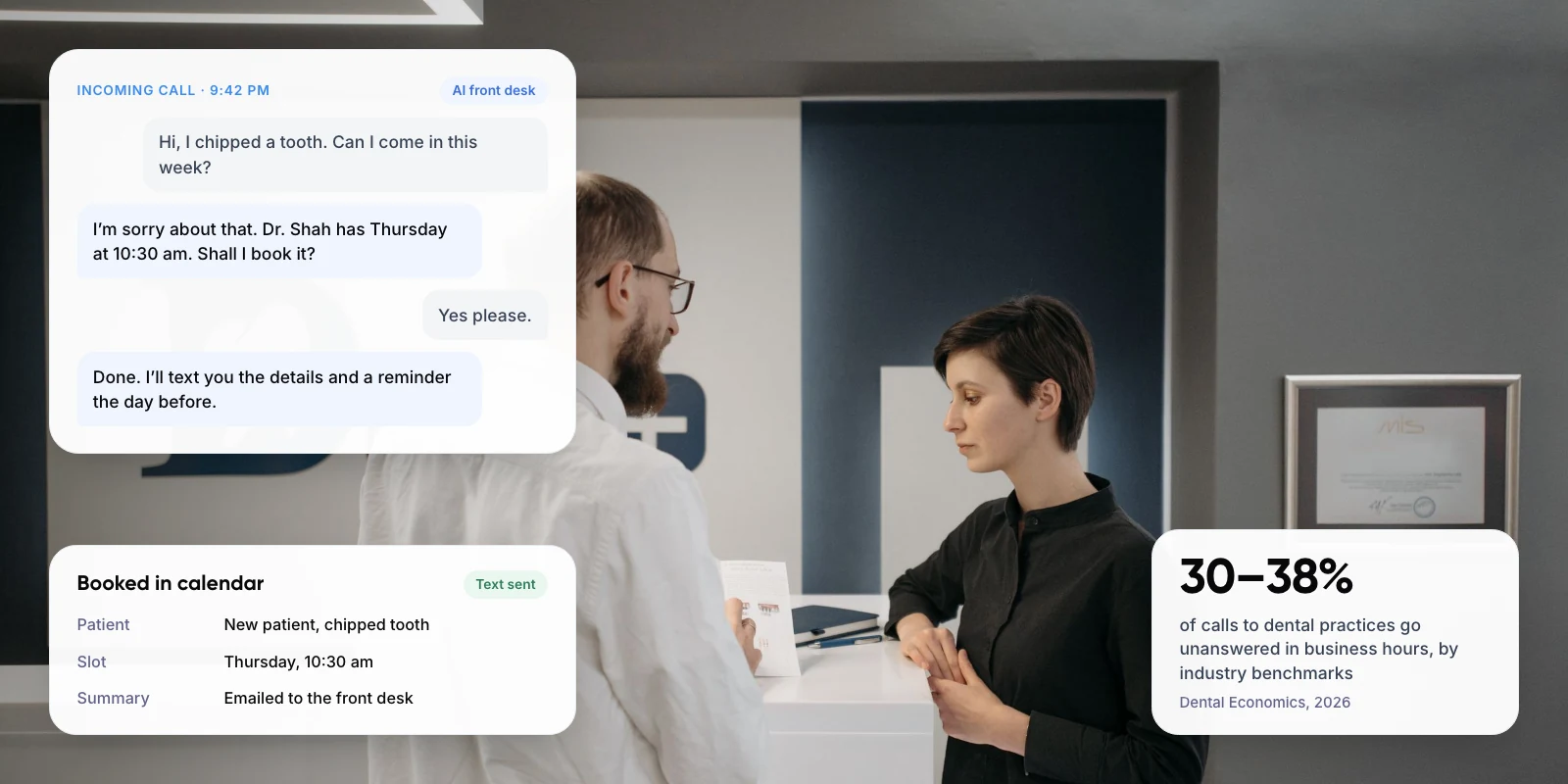
An AI receptionist is a voice AI agent that picks up your clinic’s phone line. It answers questions from information you approve, books and moves appointments in your calendar, and texts patients to confirm and remind them. When a call needs a person, it transfers the call or arranges a callback, and it emails your team a summary of every call.
It does not replace your front desk team. It covers the calls they can’t take: during lunch, after hours, at weekends, and when two lines ring at once.
Key takeaways
- Dental practices miss 30–38% of incoming calls during business hours, according to industry benchmarks reported by Dental Economics in 2026.
- Let the AI handle bookings, rescheduling, opening hours and status questions such as “are my glasses ready?”.
- Send urgent symptoms, clinical questions, billing disputes and anyone who asks for a person straight to staff.
- Reminder texts help: in a 2016 review of 21 trials, patients who got text reminders were 25% less likely to miss their appointment.
2. Why Do Dental and Eye Clinics Miss So Many Calls?
A clinic front desk does several jobs at once. The same person checks patients in, takes payments, handles insurance and answers the phone. When a patient is standing at the desk, the phone waits.
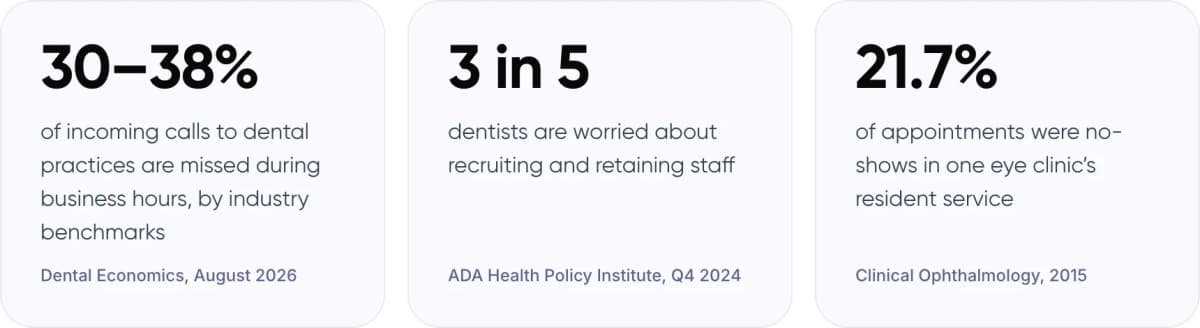
- 30–38% of incoming calls to dental practices are missed during business hours, by industry benchmarks (Dental Economics, August 2026)
- 3 in 5 dentists are worried about recruiting and retaining staff (ADA Health Policy Institute, Q4 2024)
- 21.7% of appointments were no-shows in one eye clinic’s resident service (Clinical Ophthalmology, 2015)
Calls after hours are harder still. Many patients look for a dentist or eye exam in the evening, when the clinic is closed. A new patient who reaches voicemail can simply call the next clinic on the list. In our view, this is the main cost of a missed call: the patient who never books, not the message that never gets returned.
3. Which Patient Calls Can an AI Receptionist Handle?
Most clinic calls are routine and have one correct answer. Dental and eye clinics share many of them, but each has its own common requests.
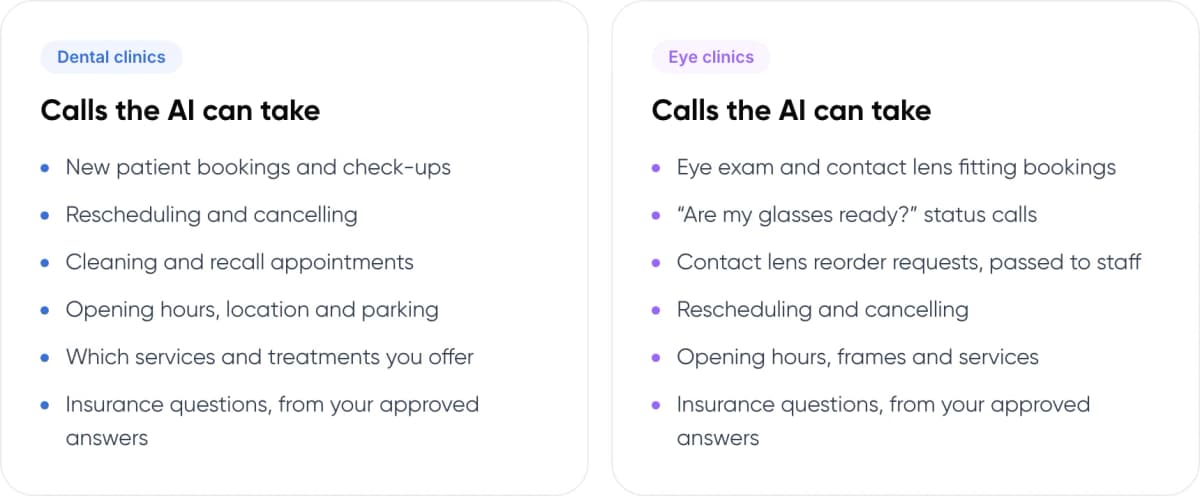
Dental clinics
- New patient bookings and check-ups
- Rescheduling and cancelling
- Cleaning and recall appointments
- Opening hours, location and parking
- Which services and treatments you offer
- Insurance questions, from your approved answers
Eye clinics
- Eye exam and contact lens fitting bookings
- “Are my glasses ready?” status calls
- Contact lens reorder requests, passed to staff
- Rescheduling and cancelling
- Opening hours, frames and services
- Insurance questions, from your approved answers
For eye clinics, status calls are a good place to start. Patients often call to ask whether their glasses or lenses have arrived. If your order system can share that status, the AI answers it at any hour. If not, it takes the request and passes it to staff.
4. What Should Always Go to Your Staff?
An AI receptionist should never give medical advice or decide whether a symptom is serious. Its job is to recognize when a call needs a person and pass it on quickly.
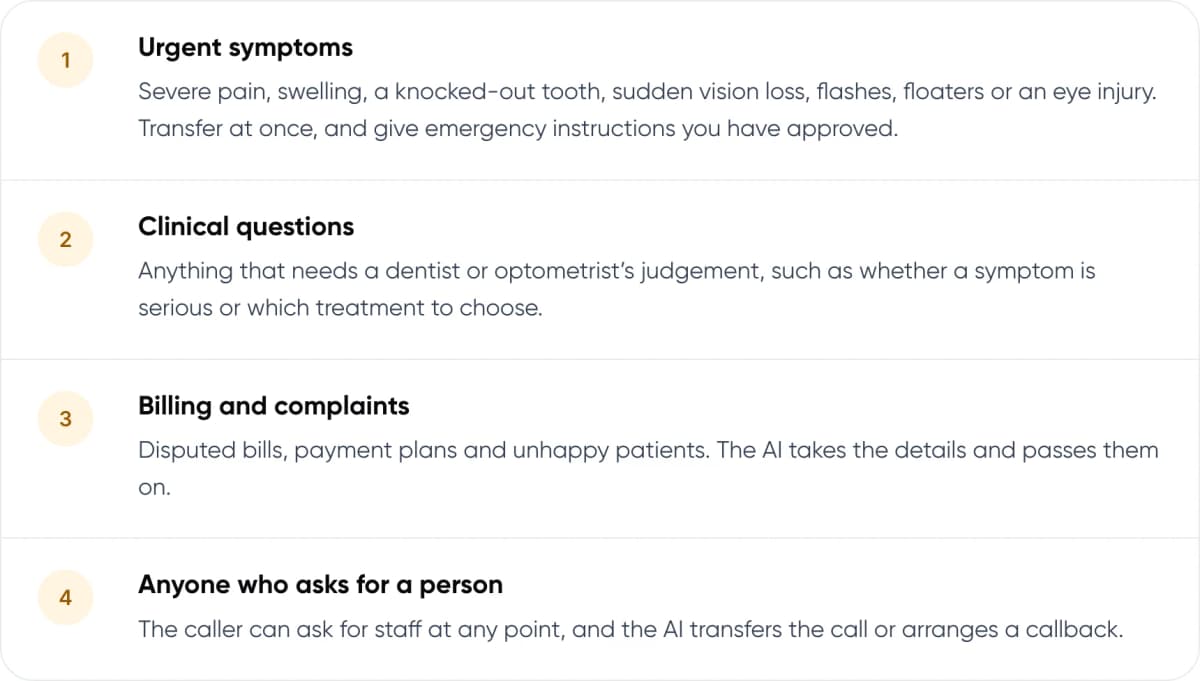
- Urgent symptoms. Severe pain, swelling, a knocked-out tooth, sudden vision loss, flashes, floaters or an eye injury. Transfer at once, and give emergency instructions you have approved.
- Clinical questions. Anything that needs a dentist or optometrist’s judgement, such as whether a symptom is serious or which treatment to choose.
- Billing and complaints. Disputed bills, payment plans and unhappy patients. The AI takes the details and passes them on.
- Anyone who asks for a person. The caller can ask for staff at any point, and the AI transfers the call or arranges a callback.
Warning: Write the urgent-symptom list with your dentists and optometrists, not from a template. After hours, the AI should tell the caller exactly what to do, for example who to call or where to go, using wording your clinicians have approved.
A transfer works best when the person taking over can see what was already said. Our guide to chatbot handoff and context transfer explains how to pass that context.
5. How an AI Front Desk Handles a Call, Step by Step
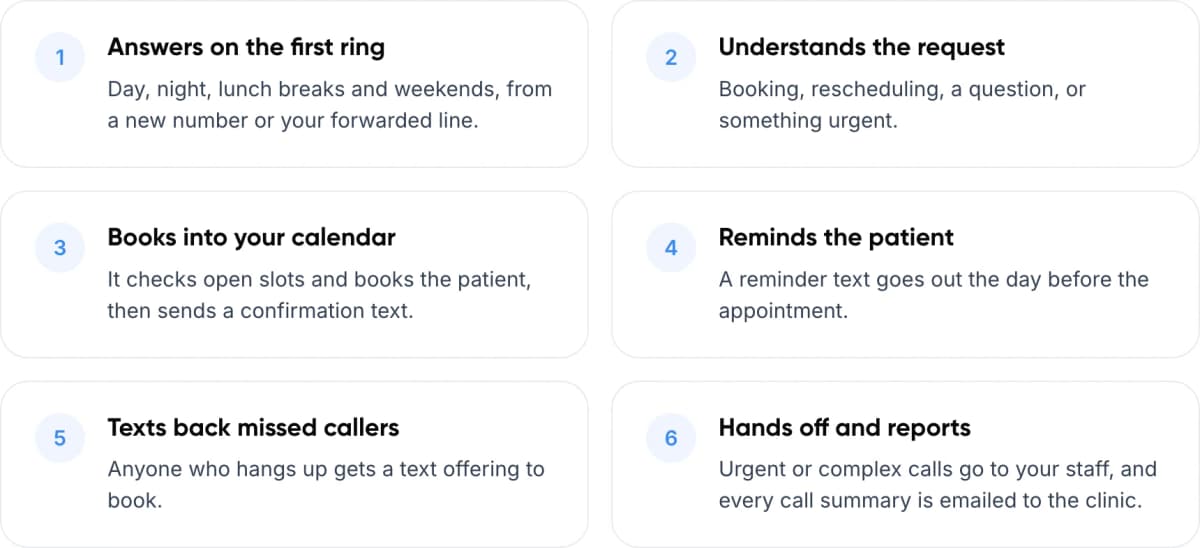
- Answers on the first ring. Day, night, lunch breaks and weekends, from a new number or your forwarded line.
- Understands the request. Booking, rescheduling, a question, or something urgent.
- Books into your calendar. It checks open slots and books the patient, then sends a confirmation text.
- Reminds the patient. A reminder text goes out the day before the appointment.
- Texts back missed callers. Anyone who hangs up gets a text offering to book.
- Hands off and reports. Urgent or complex calls go to your staff, and every call summary is emailed to the clinic.
Want to hear it book a real appointment? We can walk you through a demo call and look at how it would fit your clinic.
6. Can Reminder Texts Reduce No-Shows?
Yes, and the evidence is strong. A no-show costs a clinic a chair or an exam room that could have gone to another patient. Text reminders are one of the simplest ways to reduce them.
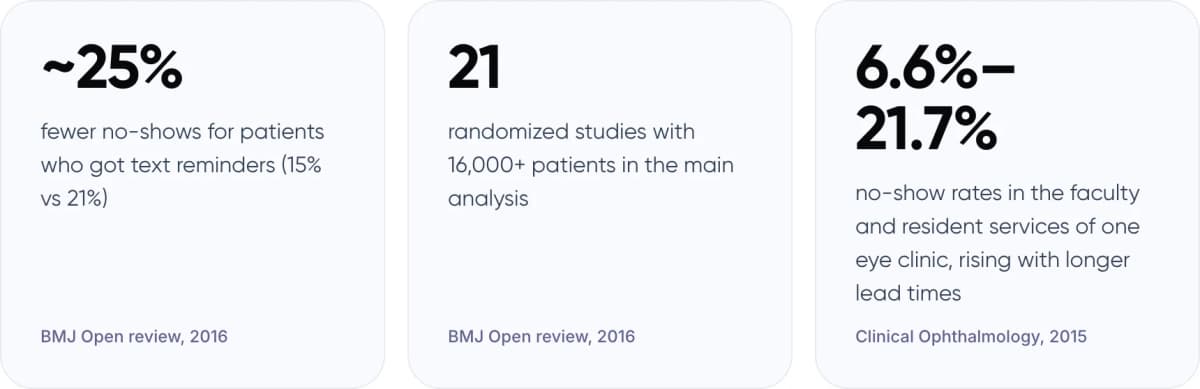
- ~25% fewer no-shows for patients who got text reminders, 15% vs 21% (BMJ Open review, 2016)
- 21 randomized studies with 16,000+ patients in the main analysis (BMJ Open review, 2016)
- 6.6%–21.7% no-show rates in the faculty and resident services of one eye clinic, rising with longer lead times (Clinical Ophthalmology, 2015)
The same review found that more than one reminder worked better than a single one. The eye clinic study, which covered 51,529 appointments, found that no-shows rose the further ahead an appointment was booked. In our view, that makes reminders most useful for routine eye exams and dental check-ups booked weeks or months ahead.
7. What Does It Connect To?
An AI receptionist is only useful if it books into the calendar your team already uses. Check these three things before you start.
- Your calendar or booking system. Online calendars such as Google Calendar, Outlook and Calendly, and scheduling systems with an open API, can take bookings directly. For any other system, the AI takes the booking request and sends it to your front desk straight away.
- Practice management software on your own servers. Systems installed on-premise, such as Dentrix or Eaglesoft, need a separate integration project. Plan for it rather than assuming it works on day one.
- Your phone line. You can give the AI a new number, or forward your existing number to it, for example after hours or when nobody picks up.
Neura Dynamics partners with Vapi, a voice AI platform, for this kind of voice agent. If you are still choosing between a ready-made tool and a build tailored to your clinic, read our comparison of a custom AI voice agent vs an off-the-shelf AI receptionist.
8. What About Patient Privacy?
Calls to a clinic often include health details, so treat call data with the same care as patient records. Whatever system you use, ask these questions before you go live:
- Where are call recordings and transcripts stored, and for how long?
- Who on the vendor’s side can access them?
- In the US, will the vendor sign a business associate agreement (BAA) if it handles protected health information?
- Can you turn off recording, or delete data on request?
- What does the AI say to callers about recording and about being an AI?
Note: Rules differ by country. Check your local requirements with your own compliance adviser before you go live.
9. How to Set Up an AI Receptionist for Your Clinic
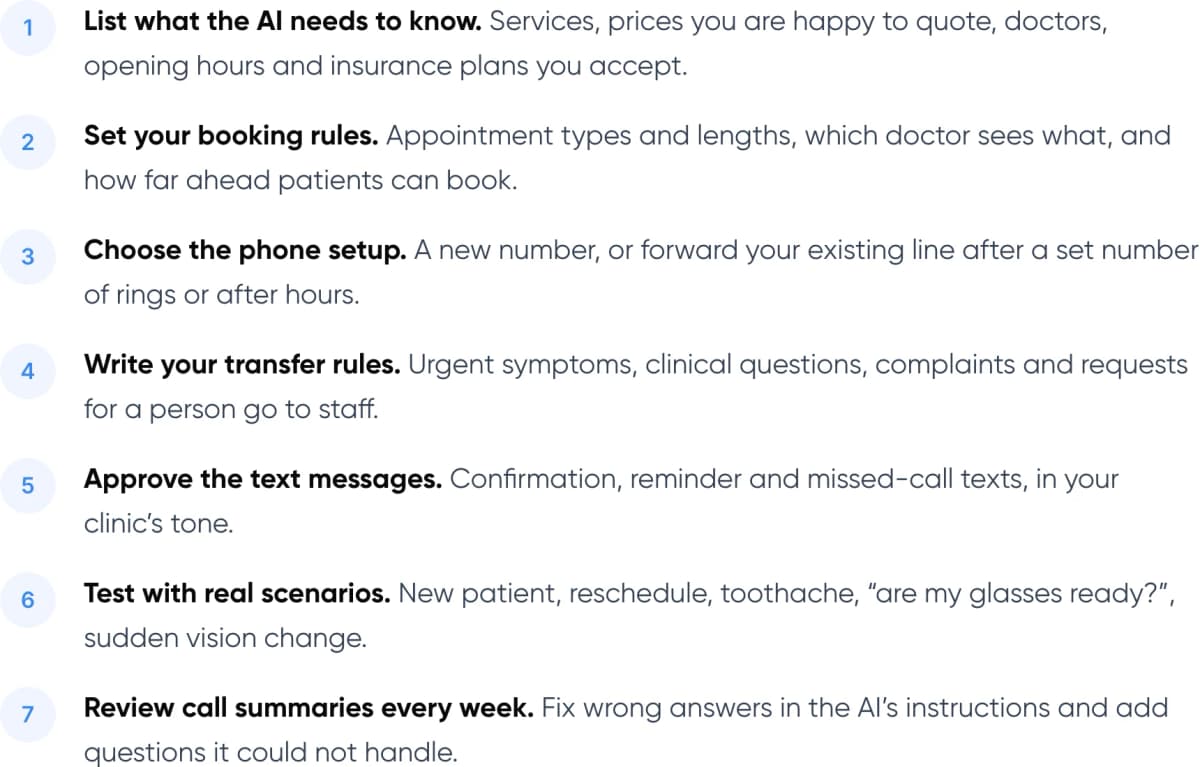
- List what the AI needs to know. Services, prices you are happy to quote, doctors, opening hours and insurance plans you accept.
- Set your booking rules. Appointment types and lengths, which doctor sees what, and how far ahead patients can book.
- Choose the phone setup. A new number, or forward your existing line after a set number of rings or after hours.
- Write your transfer rules. Urgent symptoms, clinical questions, complaints and requests for a person go to staff.
- Approve the text messages. Confirmation, reminder and missed-call texts, in your clinic’s tone.
- Test with real scenarios. New patient, reschedule, toothache, “are my glasses ready?”, sudden vision change.
- Review call summaries every week. Fix wrong answers in the AI’s instructions and add questions it could not handle.
Tip: Tell callers they are speaking to an AI assistant, and offer a person from the first message. Patients who can reach a person easily are more willing to let the AI handle the simple parts.
Comparing ready-made tools? See our list of AI receptionist tools for small businesses.
10. Frequently Asked Questions
What is an AI receptionist for a dental office?
An AI receptionist is a voice AI agent that answers your dental office’s phone. It answers common questions from information you approve, books and reschedules appointments in your calendar, sends confirmation and reminder texts, and transfers urgent or complex calls to your staff.
Will patients mind talking to an AI?
Some will prefer a person, so make that option easy. The AI should say it is an AI assistant and transfer the call or arrange a callback whenever the patient asks. For most routine calls, an answer on the first ring is better than voicemail.
Does an AI receptionist replace our front desk staff?
No. It takes the calls your team can’t: during lunch, after hours, at weekends and when several lines ring at once. Your staff keep check-ins, payments, urgent calls and conversations that need care.
Can it book into our practice management software?
It can book directly into online calendars and scheduling systems with an open API. On-premise systems such as Dentrix or Eaglesoft need a separate integration. Until then, the AI takes the booking request and sends it to your front desk.
How does it handle dental or eye emergencies?
It does not assess symptoms. It listens for the urgent signs your clinicians define, such as severe pain, a knocked-out tooth or sudden vision loss, and transfers the call at once. After hours, it reads out the emergency instructions your clinic has approved.
11. Conclusion
For dental and eye clinics, customer support automation starts with the phone. An AI receptionist answers every call, books patients into your calendar, reminds them by text and keeps urgent and sensitive calls with your staff. A good first step: check last month’s call log for missed and after-hours calls. That number tells you how many patients are not reaching you today.
Want an AI front desk for your clinic? Our AI customer support automation service builds AI voice agents that answer calls, book into your calendar, send texts and hand off to your team.
Author