Off-the-Shelf AI Help Desk Tools vs Custom AI Agents: Pros and Cons
Off-the-shelf AI help desk tools are faster to launch and cheaper at low volume. Custom AI agents cost more to build but give you control over actions, data and cost per conversation. For most teams, the right choice depends on how many of your tickets need the AI to act in your own systems, not just answer questions.
This guide compares both, using 2026 vendor pricing and MIT’s research on AI projects.
1. What Is the Difference Between Off-the-Shelf and Custom AI Agents?
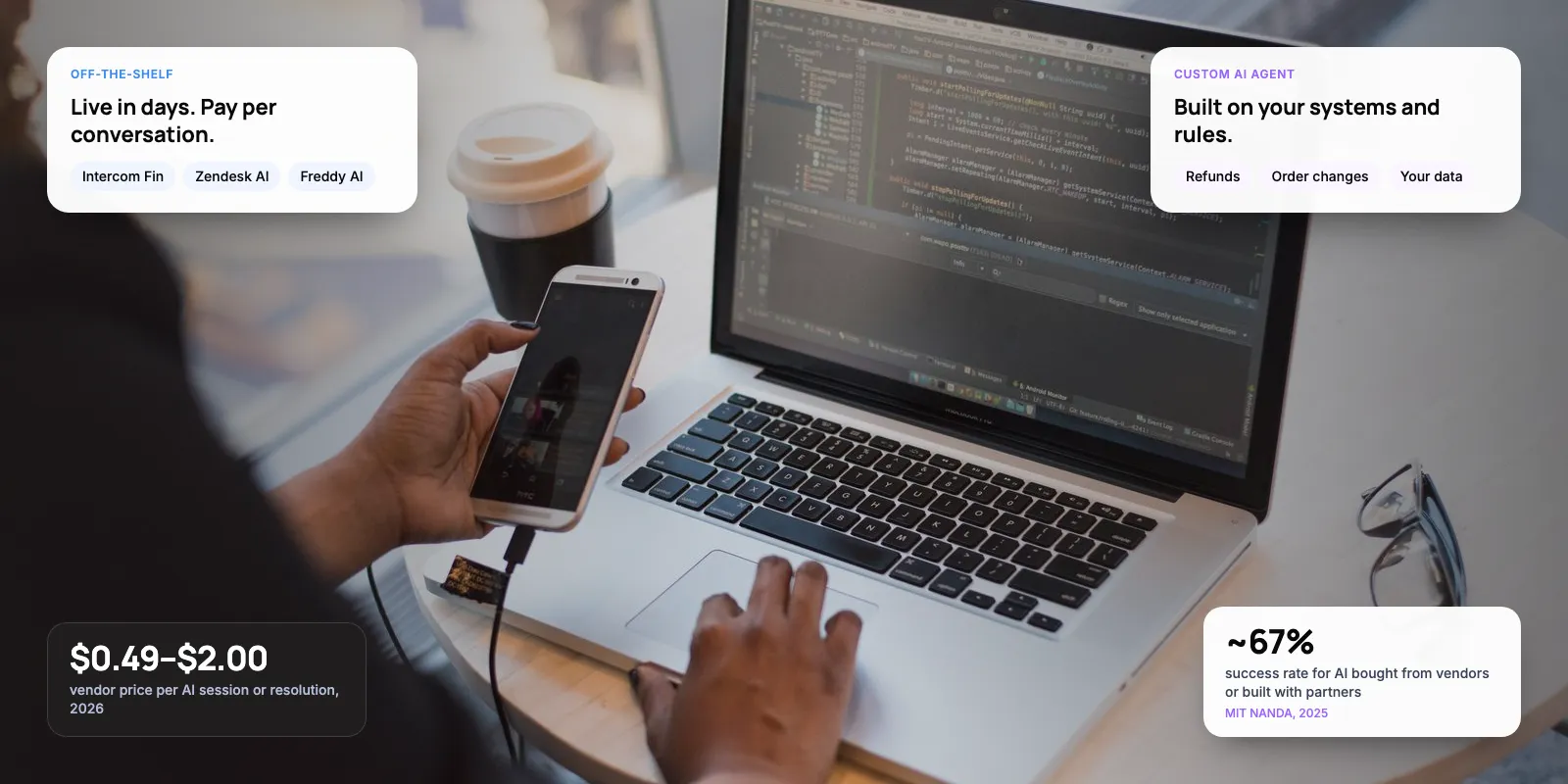
An off-the-shelf AI help desk tool is an AI agent sold as part of a helpdesk, such as Intercom Fin, Zendesk AI agents or Freshdesk’s Freddy AI Agent. You connect your help articles, set some rules and switch it on. The vendor runs the model, hosting and updates.
A custom AI agent is built for your business, usually on a large language model (LLM) from OpenAI, Anthropic or Google. Your team or a partner writes the logic, connects it to your order, billing and CRM systems, and decides when it hands over to a person. You own the design, and you also own the maintenance.
Key takeaways
- Off-the-shelf tools charge per conversation: about $0.99 per resolution on Intercom Fin, $1.50–$2.00 on Zendesk, and $0.49 per session on Freshdesk.
- Custom agents cost more upfront but let the AI act in your own systems, such as refunds and booking changes.
- MIT’s 2025 research found AI bought from vendors or built with partners succeeded about three times as often as purely internal builds.
- Many teams use both: the helpdesk’s AI for simple questions, a custom agent for workflows that need your data.
2. How Much Do Off-the-Shelf AI Help Desk Tools Cost?
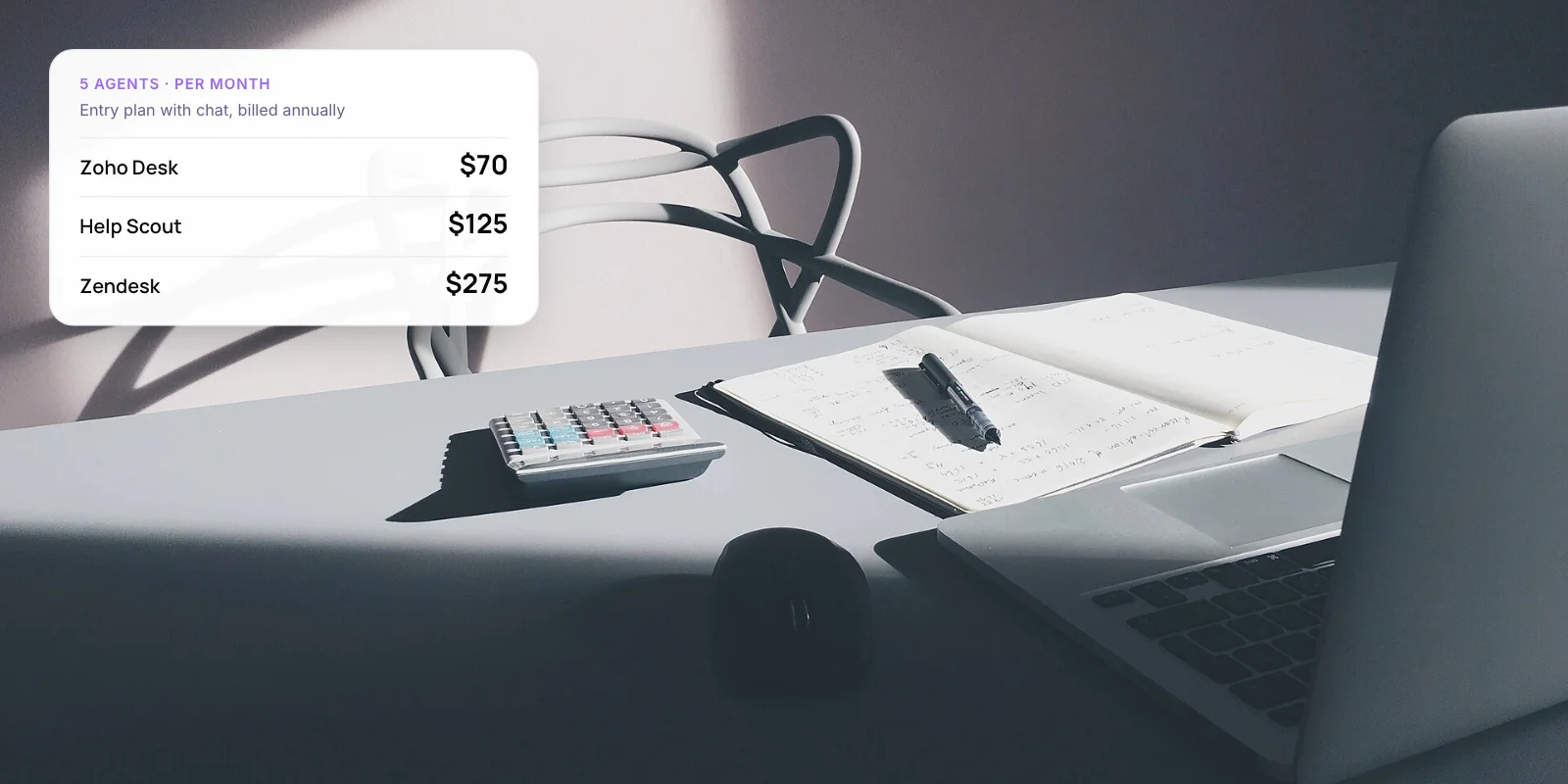
All three vendors below charge for AI conversations on top of agent seats. The unit differs, and that matters. A resolution is charged only when the AI closes the conversation. A session is charged whether or not the issue gets solved.
- Intercom Fin — AI price: $0.99 per resolution. What you should know: Charged only when Fin resolves the conversation. Works with Intercom and other helpdesks.
- Zendesk AI agents — AI price: $1.50 committed, $2.00 pay-as-you-go, per resolution. What you should know: Each seat includes a small monthly allowance: 5 on Suite Team, 10 on Suite Professional.
- Freshdesk Freddy AI Agent — AI price: $49 per 100 sessions (about $0.49 each). What you should know: 500 free sessions once per account. A session is billed whether or not the issue is resolved.
Sources: Intercom pricing, Zendesk pricing, Freshdesk pricing, as reported in late 2026. Seat prices are extra.
Here is a simple example. At 2,000 AI conversations a month, Fin’s fee is about $1,980 if every one is resolved. Freddy’s is about $980 for 2,000 sessions after the one-time free 500 are used up, but that includes the conversations it fails to solve. Run the numbers on your own resolution rate before you compare.
3. What Are the Pros and Cons of Off-the-Shelf Tools?
Pros
- Live in days or weeks, using your existing help articles.
- No engineering team needed to run it.
- The vendor handles model updates, hosting and security.
- Reporting and human handover are built into the same inbox.
Cons
- Per-conversation fees rise with every ticket the AI handles.
- Taking actions in your own systems is limited to the integrations the vendor offers.
- You follow the vendor’s rules for tone, escalation and data storage.
- Switching vendors later means rebuilding the setup.
In our view, off-the-shelf is the right start when most tickets are questions your help centre already answers: opening hours, shipping times, password resets. These tools are built for exactly that.
4. What Are the Pros and Cons of Custom AI Agents?
Pros
- The AI can act in your systems, for example issue a refund within set limits.
- You control the rules, the handover logic and where data is stored.
- Model costs are based on the text processed, not a fee per resolution.
- You can change the language model provider if prices or quality change.
Cons
- Takes longer and costs more to build than switching on a tool.
- Someone has to monitor, test and update it after launch.
- You need engineers or a partner with experience building AI agents.
- Reporting and an agent inbox still have to come from somewhere, often your existing helpdesk.
Custom makes sense when the AI needs to do things, not just answer. Examples include changing a booking, issuing a refund within limits, or checking a loan application status in your own database.
Not sure which of your tickets need a custom agent? We can review a sample with you.
5. How Do They Compare Side by Side?
- Time to launch — Off-the-shelf: Days to weeks. Custom AI agent: Weeks to months, depending on integrations
- Upfront cost — Off-the-shelf: Low; mostly setup time. Custom AI agent: Higher; design, build and testing
- Running cost — Off-the-shelf: Seat fees plus a fee per resolution or session. Custom AI agent: Model usage, hosting and maintenance
- Actions in your systems — Off-the-shelf: Limited to vendor integrations. Custom AI agent: Anything you can connect through an API
- Control of data — Off-the-shelf: Stored under the vendor’s terms. Custom AI agent: You choose where it is stored and processed
- Maintenance — Off-the-shelf: Handled by the vendor. Custom AI agent: Handled by your team or partner
- Best for — Off-the-shelf: Common questions answered by help articles. Custom AI agent: Workflows that need your own data and rules
6. What Does the Research Say About Build vs Buy?
MIT NANDA’s 2025 report, The GenAI Divide, found that AI tools bought from specialist vendors or built through partnerships succeeded ~67% of the time. Purely internal builds succeeded about one-third as often.
This is often quoted as “always buy”, but the finding is narrower. The successful group includes partnerships, so a custom agent built with an experienced partner sits on the same side as a vendor tool. The risk is a first-time internal team building alone. MIT’s lead author said the main problem was poor fit with company workflows, not the quality of the models.
Note: The MIT figures come from interviews and surveys with companies, and the ~67% rate was shared by the lead author in press interviews. Treat them as a direction, not an exact rate.
7. How Do You Decide? A 6-Step Check

- Tag 100 recent tickets. Mark each one “answer” (a help article covers it) or “action” (someone had to change something in a system).
- Price the off-the-shelf option. Multiply expected AI conversations by the vendor’s rate, and check whether it charges per resolution or per session.
- List the systems involved. For “action” tickets, note which systems the AI would need: orders, billing, bookings or CRM.
- Check the vendor’s integrations. If they already connect to those systems, off-the-shelf may cover more than you expect.
- Check your data rules. Banking, health and government customers may need data stored in a specific country.
- Pilot the cheaper option first. Run it for a month on one channel and measure resolution rate and customer satisfaction before you commit.
8. Can You Use Both?
Yes, and for many mid-size teams this is the practical answer. Keep your helpdesk for the inbox, reporting and human agents. Use its built-in AI for simple questions, and add a custom agent only for the workflows that need your own systems.
Take a travel company with 15 agents on Zendesk. Most tickets ask about baggage rules and visas, and Zendesk’s AI agent handles those from help articles. Date changes need the booking system and fare rules, so a custom agent handles them and passes anything unusual to a person in the same Zendesk inbox. This example is illustrative.
Whichever route you take, keep a clear path to a human. Gartner’s 2026 research found ~87% of customers say access to a human agent is essential when a company uses generative AI for service. For how the AI looks up your data, see our guide to agentic RAG for customer service.
9. Frequently Asked Questions
Is a custom AI agent better than an off-the-shelf tool?
Not by default. Off-the-shelf tools are better for common questions answered by help articles, because they launch quickly and need no engineers. A custom AI agent is better when the AI must take actions in your own systems or follow rules a vendor tool can’t support.
How much does Intercom Fin cost?
Intercom lists Fin at $0.99 per resolution, charged only when Fin resolves a conversation. Helpdesk seats are priced separately. Fin can also run on other helpdesks, such as Zendesk, so you don’t need to move your whole support team to Intercom to use it.
What is the difference between a session and a resolution?
A resolution is charged only when the AI closes the conversation without a person. A session is charged for each conversation the AI takes part in, whether it solves the problem or not. Freshdesk’s Freddy AI Agent bills per session; Intercom and Zendesk bill per resolution.
Do most companies build or buy AI?
MIT’s 2025 GenAI Divide report found many large companies tried to build their own tools, but AI bought from vendors or built with partners succeeded about three times as often as purely internal builds. The researchers linked failures mainly to poor fit with company workflows.
Can I add a custom AI agent to Zendesk or Freshdesk?
Yes. Both helpdesks offer APIs, so a custom agent can read and reply to tickets and hand over to human agents in the same inbox. This lets you keep the helpdesk for reporting and staff while the custom agent handles workflows that need your own systems.
10. Conclusion
Choose an off-the-shelf AI help desk tool when most tickets are questions your help articles already answer. Choose a custom AI agent when the AI must take actions in your own systems, or when per-conversation fees grow faster than your budget. Start by tagging 100 recent tickets as “answer” or “action”. The split usually shows which option fits.
For examples of our work, see Paymate, one AI support system across voice, email and chat, and Zenva, which drafts replies to Shopify customer emails. If you’re weighing a custom build, our AI customer support automation service covers scoping, building and running it.
Author